Recommended resources
The freely available resources this lesson will direct you to.
- Content Calendar Notion Tutorial + free template 📅💡 how to use notion for content creatorswww.youtube.com
- How I Plan My Instagram Content for Growth (fresh ideas, no stress)www.youtube.com
- How to make a social media posting schedule [Free template]blog.hootsuite.com
- Social media audit: Simple steps + free templatesblog.hootsuite.com
Introduction
Welcome back! In our recent lessons, you've done the essential detective work of a smart creator. You've pinpointed your best-performing content, discovered the optimal times to post, and most recently, identified which of your social media platforms is your most powerful engine for growth.
Today, we'll put all those crucial insights into action. This lesson is about moving from analysis to strategy. You will learn how to synthesize your findings to build a data-driven weekly content schedule. This isn't just about being organized; it's about creating a strategic plan that maximizes your effort and focuses your creative energy where it will have the most impact.
By the end of this lesson, you will have created a revised, repeatable weekly content schedule for the next month that is tailored to your 'cheap and cheerful lifestyle' niche and informed by your own analytics.
Step 1: Gather Your Data-Driven Insights
Before you build your new schedule, let's assemble your tools. The "data" in your data-driven schedule comes from the work you've already done. Take a moment to review and have the following information ready from our previous lessons:
- Your Best-Performing Content: A list of the topics and formats that generated the most engagement and follower growth (e.g., "Budget meal prep" carousels, "Thrift store haul" TikToks).
- Your Optimal Posting Times: The days and times when your audience is most active on each platform.
- Your Top Growth Platform: The platform (Instagram, TikTok, YouTube, etc.) that had the highest follower growth rate last month.
These findings are the blueprint for your new, more effective schedule. The process we're about to follow is about systematically embedding this knowledge into your weekly plan.
Step 2: Choose Your Content Calendar Tool
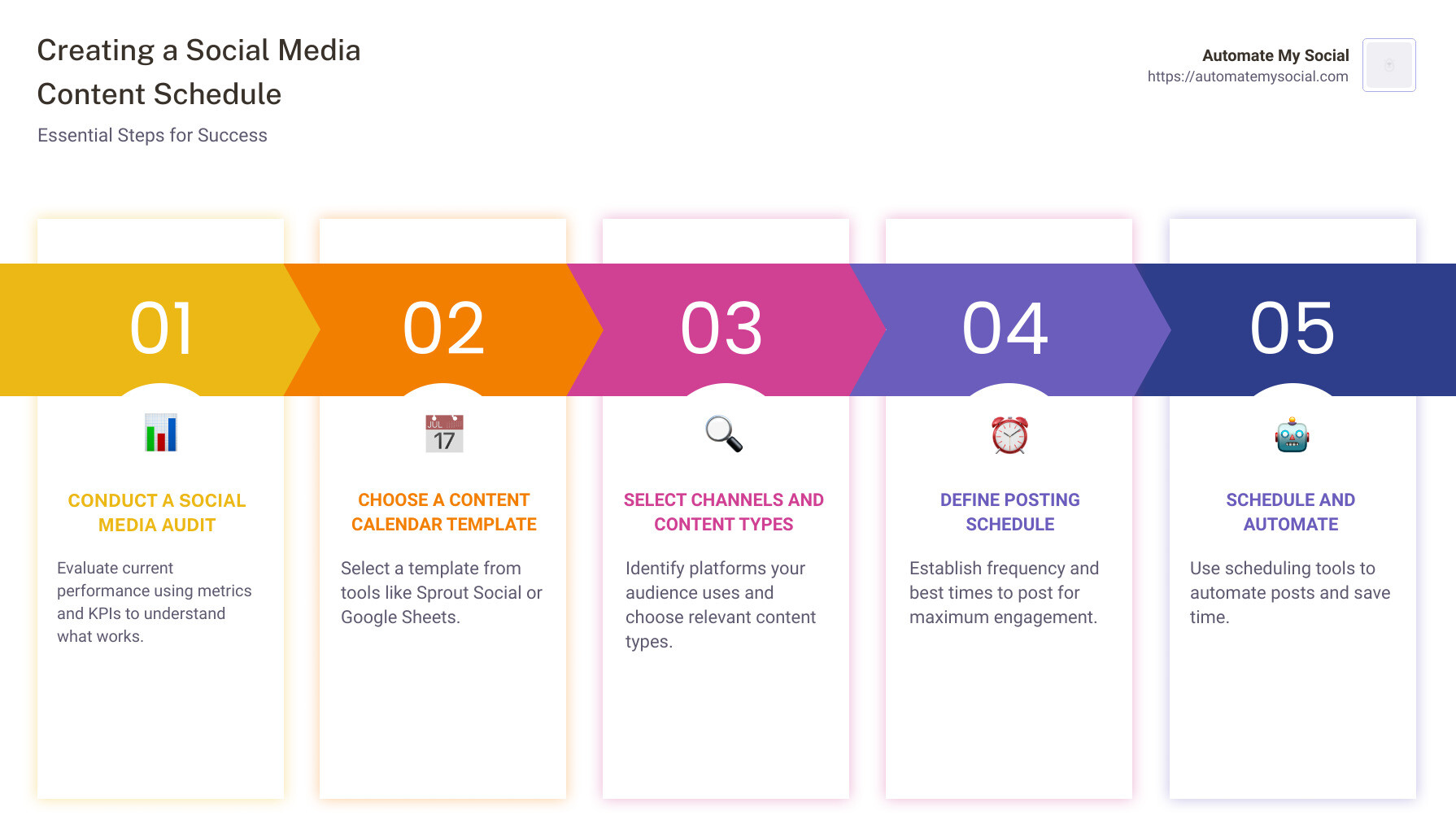
A content calendar is a plan that outlines what content you will post, on which platform, and when. You need a central place to build and manage it. Given your goal of helping people save money, let's stick with free and effective tools.
You have two great options:
- A Simple Spreadsheet (Recommended Start): This is the easiest way to get started. It's clear, simple, and effective.
- Notion (A Power-Up Option): For those who love organization, Notion offers a more powerful, database-driven approach to content planning.
Let's start with the spreadsheet.
How to make a social media posting schedule [Free template]
The marketing platform Hootsuite provides an excellent, free content calendar template using Google Sheets. This is a perfect, practical tool for what we need to do today.
Please read the section titled 'Free social media post schedule template'. The key action here is to follow their link to download the Google Sheets template. Familiarize yourself with the different tabs, especially the 'Weekly View' tab, as this will be our primary workspace.
Once you have your copy of the template, you're ready for the next step. If you're curious about a more advanced setup for the future, the video below is an excellent tutorial on building a content calendar in Notion.
Content Calendar Notion Tutorial + free template 📅💡 how to use notion for content creators
This video from Modern Millie provides a fantastic, step-by-step tutorial on how to build a content calendar in Notion. You don't need to do this now, but it's a great resource to save for when you feel ready to upgrade your planning system.
Watch from the beginning until 20:32 to get a comprehensive overview. Pay attention to how she sets up a 'master calendar,' adds properties like 'Platform' and 'Status,' and creates different views like a 'Brain Dump' list and a 'Progress' board. This shows the potential of a more dynamic system.
Step 3: Define Your Posting Frequency and Priorities
Now that you have your calendar, how often should you fill it in? The Hootsuite article you just reviewed gives some excellent baseline recommendations.
General Posting Frequency Guidelines:
- Instagram: 3-5 times per week
- TikTok: 3-5 times per week
- X (Twitter): 2-3 times per day
- Pinterest: At least 1 time per week
- YouTube: Aim for consistency, whether it's once a week or once every two weeks.
Important: These are starting points, not strict rules. Your own analytics and capacity (1-2 hours a day) are more important. Here’s how to tailor these guidelines:
- Prioritize Your Growth Platform: Look at the platform you identified in our last lesson as your highest-growth engine. You should aim to meet or even slightly exceed the recommended posting frequency there. This is where your efforts are currently paying off the most.
- Balance Your Workload: If posting 5 times a week on TikTok and 5 times on Instagram feels like too much, it's okay to scale back, especially on your lower-performing platforms. It's better to post 3 high-quality, data-informed pieces of content than 5 rushed ones.
Step 4: Systematize Your Successful Content
The most crucial step is to build your schedule around the content formats and topics that you know work. Don't leave your ideas up to chance; create a system.
The article "Social media audit" suggests answering the question: "What content types are working best right now? How can you make more of this?" This is exactly what we will do now.
Let's learn from a pro. Creator Katie Steckly has a brilliant method for this she calls a "format menu."
How I Plan My Instagram Content for Growth (fresh ideas, no stress)
In this video, Katie Steckly walks through her highly practical content planning process. She shows how to move from random ideas to a structured, repeatable plan.
Please watch these three key sections: 'Selecting Formats' (01:28 - 03:05): Pay close attention to her 'format menu' concept. It provides creative constraints that make planning easier. 'Finding Ideas' (05:56 - 08:02): Notice how she looks at her past content, specifically filtering by what generated the most followers, not just views. You've already done this work! 'Matching Ideas to Formats' (08:02 - 13:42): This is the magic step. See how she takes one idea and considers how it could be packaged in multiple different ways (e.g., a carousel vs. a Reel). This is key to efficiency.
Your Action Step: Create Your "Format Menu"
Based on your analytics and Katie's process, list 3-5 content formats that have proven successful for you. These are your content buckets for your "cheap and cheerful" niche. Your menu might look something like this:
- Format 1: Money-Saving Tip Carousel (Instagram)
- Format 2: "Day in the Life on a Budget" voiceover vlog (TikTok/Reel)
- Format 3: "3 Frugal Swaps" quick tutorial video (TikTok/Reel)
- Format 4: "How I..." Deep Dive (YouTube Video)
- Format 5: Frugal Recipe/DIY Graphic (Pinterest Pin)
These formats are now the building blocks you'll use to construct your weekly schedule.
Step 5: Build Your Weekly Schedule
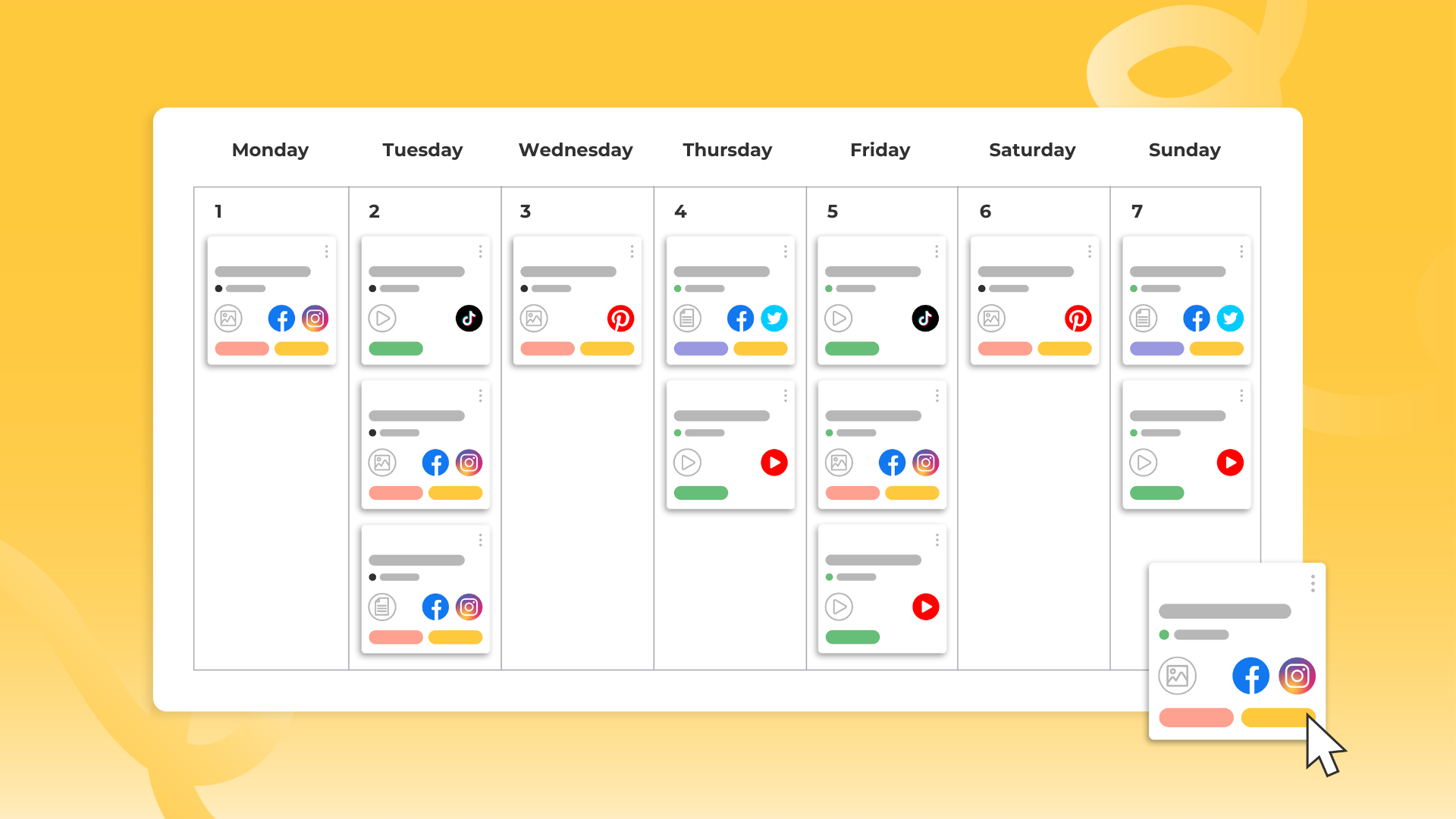
Now, let's put everything together in the 'Weekly View' of your Google Sheets template. You will populate the calendar by combining your best times, your best platforms, and your best formats.
Let's walk through an example for one day:
- Pick a Day: Monday.
- Consult Your Data:
- Your analytics show Instagram engagement is highest for you at 12 PM on Mondays.
- Instagram is your second-highest growth platform, so it's a priority.
- "Money-Saving Tip Carousels" is on your format menu and performs well.
- Fill in the Calendar:
- Platform: Instagram
- Day: Monday
- Time: 12:00 PM
- Content/Topic: Tip Carousel: "5 surprising ways to save on your energy bill this month."
Repeat this process for each day of the week, slotting in your best-performing formats at the optimal times on your priority platforms. Make sure you schedule content for all your active platforms, giving prime slots to your top growth driver.
Your goal is to create a template for one full week.
Creating the Plan for the Month
The learning outcome is to create a schedule for the next month. You achieve this by using the weekly plan you just built as a repeatable template.
For the next four weeks, you will follow the same structure, but you'll plug in new ideas.
- Week 1, Monday 12 PM: Tip Carousel: "5 surprising ways to save on your energy bill."
- Week 2, Monday 12 PM: Tip Carousel: "5 apps that give you automatic cashback."
- Week 3, Monday 12 PM: Tip Carousel: "5 budget-friendly weekend activities."
This approach gives you consistency in your strategy, which the platform algorithms favor, while keeping your content fresh and valuable for your audience.
Conclusion
Congratulations! You have successfully bridged the gap between analyzing your performance and creating a concrete, data-driven action plan. This schedule is more than a to-do list; it's a strategic document that ensures you're investing your time and creativity for maximum results.
Key Takeaways:
- Strategy over Tactics: A content schedule turns your analytics insights into a coherent strategy.
- Start with a System: Use a simple template like Google Sheets to organize your plan.
- Prioritize Based on Data: Allocate your best content formats to the optimal times on your highest-growth platforms.
- Create a Repeatable Structure: Use a weekly template to build consistency for the entire month, plugging in fresh ideas into a proven structure.
- Your Schedule is a Living Document: This plan is your new baseline. As you execute it, continue to monitor your analytics. Be ready to adjust and refine it based on new data.
Preview of the Next Lesson:
You now have a powerful, data-informed schedule designed to drive growth. But how will you know if it's working? In our final lesson for this module, you will learn how to set a realistic, measurable growth goal for the next month. This will give you a clear target to aim for and a benchmark to measure the success of your new strategy.