Recommended resources
The freely available resources this lesson will direct you to.
- How to Create a Seamless INSTAGRAM CAROUSEL with Canva (Step-by-Step Tutorial)www.youtube.com
- TURNING 1 PIECE OF CONTENT INTO 10 | My content strategy for juggling multiple platformswww.youtube.com
- How to Repurpose One Piece of Content Into 10 Social Media Postsposteverywhere.ai
- Repurpose Content for Social Media: The Complete 2026 Guide ...www.postquick.ai
Introduction
Welcome back! In our last lesson, you created a detailed outline for a single "pillar" content idea—a big, high-value topic in your "cheap and cheerful lifestyle" niche. You now have a strategic blueprint, which is the hardest part of content creation.
Today, we put that blueprint to work. You'll see just how powerful that one outline is as we transform it into two completely different, engaging pieces of content. This lesson is focused on a core skill of any successful influencer: repurposing your pillar content into a short-form TikTok/Reel video and an Instagram carousel post.
This is the essence of working smarter, not harder. You're not creating new ideas from scratch; you're adapting your one great idea for different platforms and audiences.
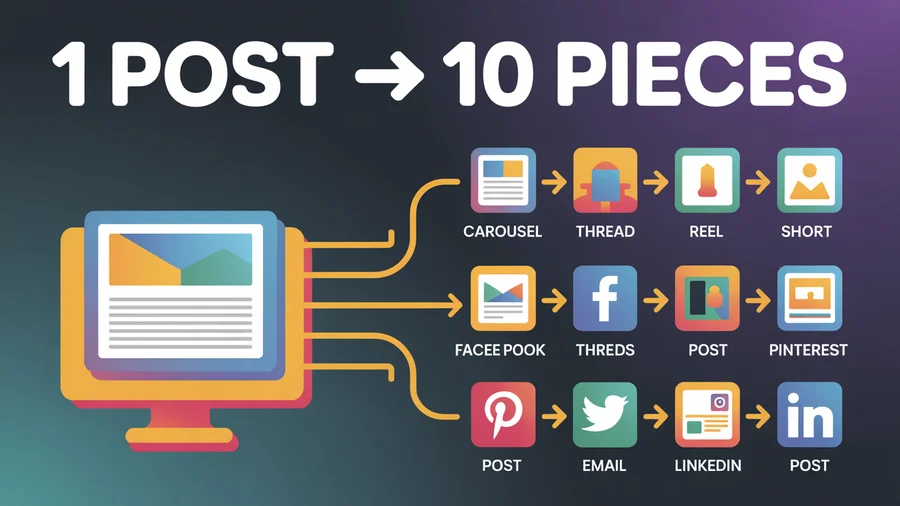
By the end of this lesson, you will have taken the outline you already wrote and turned it into a ready-to-film video script and a ready-to-design carousel plan.
1. Repurposing Your Pillar into a Short-Form Video
First, let's tackle the short-form video for TikTok and Instagram Reels. The key to a successful short video is focus. You are not trying to summarize your entire pillar topic in 30 seconds. Instead, you're going to pull out one single, valuable tip from your outline and make it the star of the show.
TURNING 1 PIECE OF CONTENT INTO 10 | My content strategy for juggling multiple platforms
In this clip, creator Modern Millie explains how her team takes one long video and pulls out several shorter clips from it. Notice how she mentions creating a separate short video for each tip.
Watch from 04:58 to 06:13. Pay attention to how she explains that a video about 'three tips' can become three separate short-form videos.
This approach makes your content highly digestible and gives you more posts from a single pillar idea.
Action Step: Write Your Video Script (15 minutes)
It's time to write your first script. Take the pillar content outline you created in the last lesson and choose one of your "Core Points." We'll use a simple, effective script structure.
Repurpose Content for Social Media: The Complete 2026 Guide ...
This article provides a perfect, simple script skeleton for a TikTok video. We'll use this as our template.
Scroll down to the 'TikTok repurposing playbook' section and find the 'Script skeleton'. We will use this structure for your script.
Here is that skeleton:
- 0–2s: Hook: Grab their attention immediately.
- 2–6s: Context: Briefly explain the problem or situation.
- 6–20s: Steps/Tip: Deliver the single, valuable tip from your core point.
- 20–30s: Example/Recap: Quickly show or summarize the benefit.
- End: CTA (Call to Action): Tell them what to do next.
Example:
Let's say your pillar was "A Guide to Back-to-School Savings" and you chose the core point: "Clothing & Uniforms: How to use second-hand apps..."
Your script could be:
- Hook: "Stop paying full price for kids' clothes they'll outgrow in six months."
- Context: "Back-to-school shopping is expensive, especially for clothes."
- Tip: "Here's the secret: Use second-hand apps like Vinted or Poshmark. Search for 'uniform bundles' or specific brands. You can find like-new items for 70% off retail prices."
- Example/Recap: "I got this entire stack of school uniform polo shirts for just $15." (You could hold up a stack of shirts).
- CTA: "Follow for more budget-friendly parent hacks!"
Your Turn:
- Look at your pillar outline.
- Select one core point.
- Use the script skeleton above to write a short script (30-60 seconds) for a talking-head video.
2. Repurposing Your Pillar into an Instagram Carousel
Next, let's create an Instagram carousel. Unlike the short video, a carousel is perfect for breaking down multiple steps or tips from your pillar outline. It acts like a mini-guidebook that your audience can save and refer back to later. This "saveable" quality is highly valued by the Instagram algorithm.
Repurpose Content for Social Media: The Complete 2026 Guide ...
The following article gives a clear, step-by-step structure for an educational carousel post. This is the template we'll use to plan your content.
Find the section titled 'Instagram repurposing playbook' and review the 9-slide 'Carousel structure (simple)'. This is our blueprint.
Action Step 1: Plan Your Carousel Content (15 minutes)
Using the structure from the article, map your entire pillar outline to the carousel slides. This is a direct translation of the outline you already built.
Example:
Using the "A Guide to Back-to-School Savings" pillar outline:
- Slide 1 (Hook): "The Back-to-School Savings Guide You Can't Afford to Miss." (Pain + Promise)
- Slide 2 (Why it matters): "The average family spends over $800 on back-to-school. Here's how to cut that down significantly."
- Slide 3 (Step 1): "Tip #1: School Supplies. Your dollar store is your best friend. Here's my 'buy this, not that' list."
- Slide 4 (Step 2): "Tip #2: Clothing & Uniforms. Use second-hand apps to find like-new outfits for a fraction of the cost."
- Slide 5 (Step 3): "Tip #3: Lunchboxes. Use my formula for cheap and healthy lunches they'll actually eat."
- Slide 6 (Step 4): "Tip #4: Electronics. Never buy in August! The best deals are on Black Friday or during specific sales events."
- Slide 7 (Step 5): "Tip #5: The After-School Stock-Up. Buy clearance items in late September for next year."
- Slide 8 (Example/Summary): "Using these 5 tips, you can save hundreds. A little planning goes a long way!"
- Slide 9 (CTA): "Save this post for your next shopping trip! What's your best back-to-school saving tip? Share it below!"
Your Turn:
Take your pillar outline and map each section (Hook, Intro, Core Points, Conclusion) to the 9-slide carousel structure. Write it out just like the example above.
Action Step 2: Learn to Design a Seamless Carousel in Canva (15 minutes)
Now that you have the content for each slide, let's learn how to build it in Canva. A "seamless" carousel, where the images flow from one slide to the next, is very popular and encourages swiping. The following video is a fantastic, practical tutorial on how to achieve this.
How to Create a Seamless INSTAGRAM CAROUSEL with Canva (Step-by-Step Tutorial)
This step-by-step tutorial from Repixo will show you exactly how to set up and create a seamless carousel post using a free tool within Canva.
Watch the entire video (around 3.5 minutes). First, you'll learn how to create a custom-sized canvas. Then, you'll see how to use a free app to split your design into individual images for Instagram.
Summary of the Process:
- Calculate Width: The standard Instagram post width is 1080 pixels. Multiply 1080 by the number of slides you want. For our 9-slide plan: pixels. The height will be 1350 pixels for a portrait orientation, which performs well.
- Create Custom Canvas: In Canva, create a custom design with your calculated dimensions (e.g., 9720 x 1350 pixels).
- Add Guides: Go to
File > View settings > Add guides. Choose "Custom," set the number of columns to match your slides (e.g., 9), and set the gap to 0. This gives you a perfect template. - Design Your Carousel: Add your text and images. You can place elements across the guide lines to create the seamless effect. Use the branded colors and fonts you chose in Module 1.
- Split the Image: Use the "Image Splitter" app in Canva (as shown in the video) to automatically cut your long design into 9 separate, perfectly sized images.
- Download: Download the individual images to your phone or computer, ready for posting.
You don't have to design the full carousel right now, but make sure you understand the technical steps shown in the video.
Conclusion
Fantastic work today! You have successfully taken one strategic outline and transformed it into two powerful, platform-native content formats. This process is the key to creating a high volume of quality content without burning out.
Key Takeaways:
- Repurposing is about adapting, not just copying. A short video needs a single, punchy idea, while a carousel can be a more detailed, multi-step guide.
- For TikTok/Reels, focus on grabbing one core point from your outline and delivering it quickly with a strong hook.
- For Instagram Carousels, use your entire outline to create a "mini-guidebook" that is highly educational and encourages saves.
- Tools like Canva make the technical design process straightforward once you have your content plan in place.
Preview of the Next Lesson:
We're not done with your pillar outline yet! In the next lesson, we will continue this process and learn how to repurpose the same pillar content into a Pinterest pin and an X (Twitter) thread, further extending the reach of your one great idea.