
Hello! Welcome back to your guide on launching and scaling your SaaS companies.
In our last lesson, we demystified the role of "hunters" on Product Hunt. You created a practical outreach plan, but more importantly, you're now prepared to hunt your own product, giving you full control over your launch.
Today, we'll build the actual materials for that launch. A successful Product Hunt campaign is won or lost before you even click "publish," based on the quality of your assets. This lesson directly addresses the learning outcome: Prepare a complete set of launch assets for Product Hunt (name, tagline, description, visuals, and video/GIF).
Whether you've secured a top hunter or you're leading the charge yourself, these are the essential components you'll need to capture attention and drive conversions.
1. The Anatomy of a High-Impact Product Hunt Listing
Think of your Product Hunt page as your digital storefront for 24 hours. Every element must work together to tell a compelling story and convince a visitor to click through. The platform is highly visual and rewards clarity and speed.
To get started, let's look at a comprehensive checklist that covers all the moving parts. This will serve as our map for this lesson.
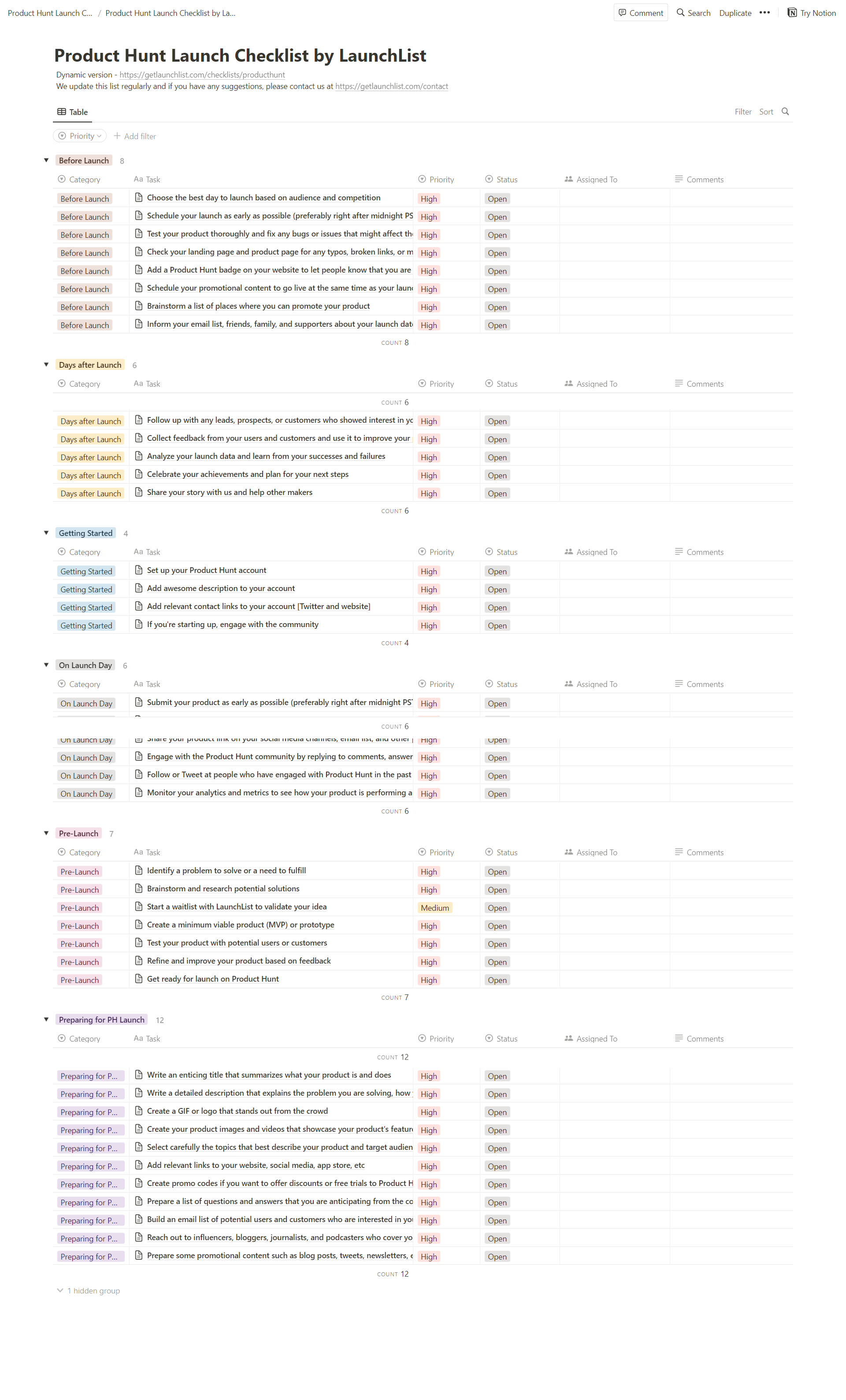
Let's break these down into two main categories: Marketing Copy and Visual Assets.
2. Crafting Your Marketing Copy
Your words are the first point of contact. They need to be sharp, benefit-driven, and incredibly concise.
Name, Tagline, and Description
These three elements form the core of your written pitch on the Product Hunt homepage.
How I get customers for $0 with Product Hunt
Marc Lou, a founder with multiple successful Product Hunt launches, breaks down how to approach your name and tagline. Pay close attention to his advice on the tagline, which he calls the 'most important part'.
Watch the segment from 02:17 to 03:18. Focus on the principles for naming and the formula for a powerful tagline.
Let's summarize the key principles and add technical specifications:
-
Product Name (Max 40 characters):
- Should be simple, short, and clear.
- Avoid overly clever "VC-style" names. A descriptive name like
ShipFast(for a tool that helps you ship fast) often works better than an abstract one.
-
Tagline (Max 60 characters):
- This is your most critical piece of copy. It's what people read to decide if they should click.
- It must be extremely clear and communicate the benefit to the customer, not just the feature.
- Formula: What pain does it solve? How will the user's life be better?
- Bad Example: "An AI-powered meeting tool."
- Good Example: "Never take meeting notes again. Get AI summaries in seconds."
-
Short Description (Max 260 characters):
- This appears on your product page and expands on the tagline.
- Here, you can provide a bit more detail about what the product is and who it's for.
AI-Powered Copywriting
Given your interest in using AI for speed, generating copy is a perfect use case. You can use ChatGPT or Claude with prompts that incorporate the principles above.
Example Prompt for ChatGPT/Claude:
"I'm launching a SaaS product on Product Hunt. The product is called 'MetricFlow' and it's an AI-powered business intelligence tool that helps B2B SaaS founders track key metrics like MRR, Churn, and LTV without needing a data analyst. Generate 10 potential taglines. Each tagline must be under 60 characters and focus on the core benefit for a non-technical founder."
Furthermore, specialized AI tools are emerging to streamline this process.
How Startups Use AI to Prepare Product Hunt Launch Materials
This article from Bika.ai explains how AI can be used to generate taglines and other marketing copy specifically for a launch context.
Read the section 'AI-Powered Slogan and Tagline Generation'. It shows how AI analyzes your product to create punchy, relevant copy.
Some tools even integrate this into a full launch workflow.
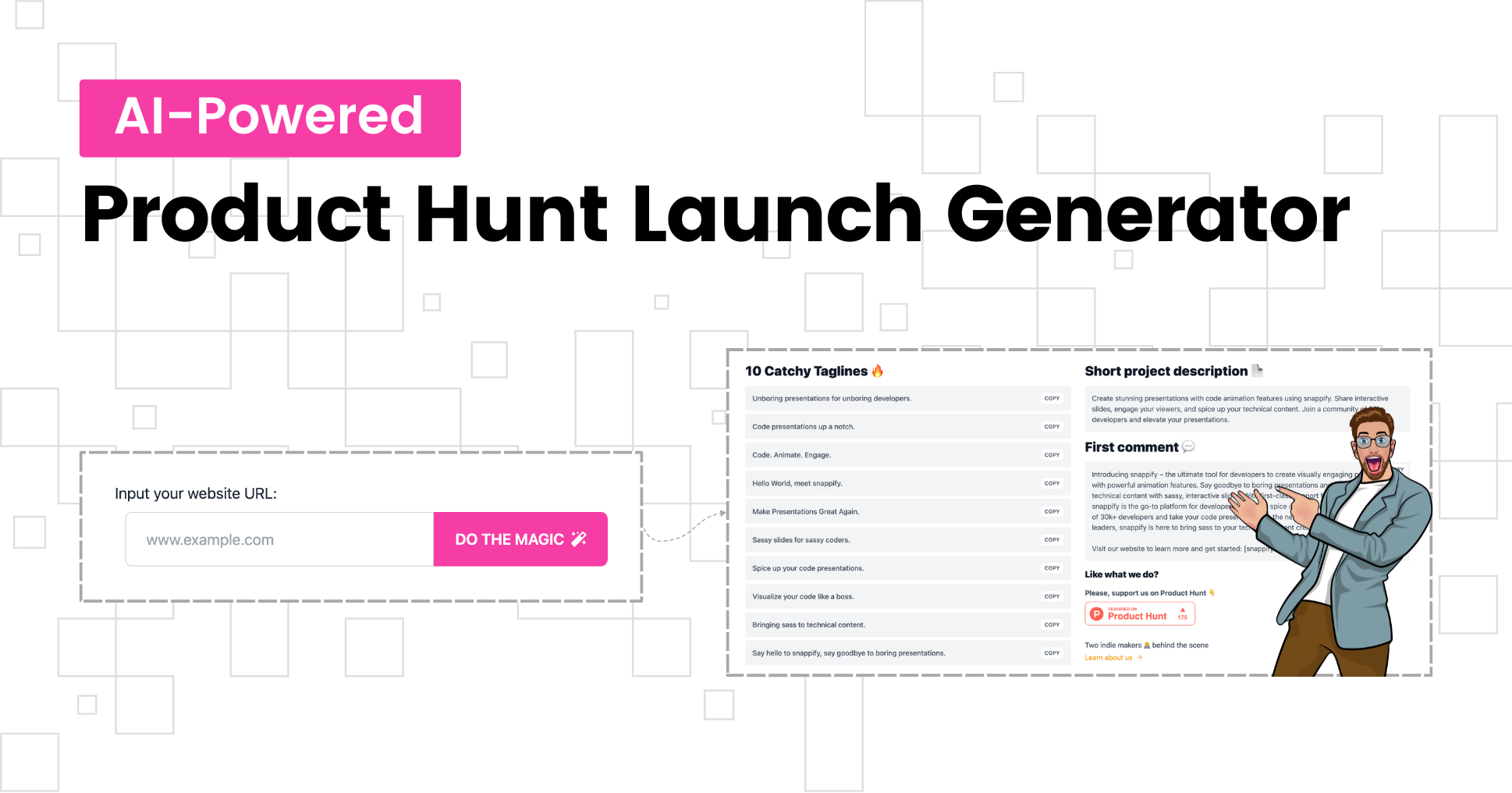
3. Creating Compelling Visuals
On Product Hunt, visuals do the selling before your website does. Users scroll quickly, and a striking image or GIF is what stops them.
Your visual assets include:
- Logo / Icon
- Gallery Images / Carousel
- Demo Video or GIF
Logo / Icon
This is your brand's face on the crowded homepage.
How to launch successfully on ProductHunt
In this video, Maximilian Fleitmann offers tactical advice on designing an icon that stands out from the competition.
Watch from 04:08 to 05:06. Note the suggestions about using bright colors and animated GIFs to catch the eye.
Key Specs:
- Format: Square, 240x240px is recommended.
- File Type: JPG, PNG, or GIF.
- Pro Tip: An animated GIF logo is a simple but effective way to stand out and increase clicks. You can use Canva or similar tools to create a simple animation.
Gallery Images
Your image gallery shouldn't be a random collection of screenshots. It needs to tell a story.
How I get customers for $0 with Product Hunt
Let's return to Marc Lou's video. He explains a simple but powerful method for creating a gallery that tells a story, one feature at a time.
Watch the first part of this clip, from 03:18 to 03:52, focusing on the advice for the carousel of photos.
Storytelling Structure for your Gallery (3-5 images):
- Image 1 (The Hook): State the problem and your solution. Use a bold headline over a clean background or a high-level product shot. (e.g., "Tired of messy meeting notes?")
- Image 2 (Core Feature): Zoom in on the single most powerful feature of your product. Don't show the whole dashboard; show the one part that delivers the "aha!" moment.
- Image 3 (Key Benefit): Show the outcome. This could be a screenshot of a clean, exported report, a list of generated action items, or a graph showing saved time.
- Image 4 (Social Proof/CTA): Include a customer testimonial or a call-to-action to try the product for free.
Key Specs:
- Size: 1270x760px is recommended.
- Quantity: Upload at least 3 images.
- Tools: Use Canva to add text overlays and professional polish to your screenshots. You can use AI tools like Bika.ai's Brand Designer (mentioned in resource LINK) or Midjourney to create unique hero images.
Demo Video / GIF
A short, punchy video is arguably the most powerful asset you can create. It's your elevator pitch in motion.
Successful Product Hunt Launch Guide
This guide from Poindeo emphasizes the power of visual storytelling and provides a clear framework for your demo video. It also highlights a common pain point for founders: the difficulty of creating professional videos.
Read the section 'Create High-Impact Demo Assets'. Focus on the 'Craft a Story, Not a Feature List' part. It provides excellent prompts for your video's narrative.
Key Specs & Best Practices:
- Hosting: Must be a YouTube link.
- Length: Keep it short and fast-paced. 20-60 seconds is ideal.
- Content: Don't just tour the UI. Show a problem being solved. A before-and-after format is very effective.
- Tools:
- Loom: Great for simple screen-recorded walkthroughs.
- Poindeo: As mentioned in the article, this tool is designed for non-editors to turn static screenshots or PDFs into animated demo videos. This is a great option for moving fast.
- CapCut/Filmora: You can use your existing video editing skills here, but focus on speed and clarity over cinematic effects.
4. The Maker's Comment
Immediately after your product goes live, the first comment should come from you, the maker. This is not just a formality; it's your chance to connect with the community on a human level.
Here's what both our expert videos had to say:
- Tell Your Story (LINK): People connect with people. Explain why you built the product. What personal frustration led to this idea?
- Engage the Community (LINK): Explicitly ask for feedback. Show that you're here to listen and learn.
Structure for a Powerful Maker Comment:
- Greeting: Address the Product Hunt community directly.
- The "Why": Your personal story. (e.g., "As a founder juggling 10 meetings a day, I was drowning in notes...")
- The "What": A brief, clear explanation of what your product does.
- The "Who": Who is this for?
- The Ask: Ask a specific question to encourage comments. (e.g., "What's one feature you'd love to see next?" or "How are you currently solving this problem?")
- The Offer (Optional): Mention any special deal for the PH community.
- Sign-off: Include links to your Twitter/X or LinkedIn so people can follow your journey.
Test your understanding!
Let's say you've built "SyncUp," a tool that uses AI to automatically summarize and create action items from meeting transcripts.
- Draft one tagline (under 60 characters) for the Product Hunt listing.
- Outline the visual story for your first three gallery images.
Show answer
-
Tagline: "Turn messy meetings into clear action items instantly." (50 characters, benefit-focused)
-
Gallery Image Outline:
- Image 1 (Problem): A chaotic screenshot of raw, messy meeting notes or a transcript with a large headline: "Stop Drowning in Meeting Notes."
- Image 2 (Solution): A clean "before-and-after" shot. On the left, the messy transcript. On the right, SyncUp's clean, AI-generated summary with bullet points. Zoom in on the summary.
- Image 3 (Outcome): A screenshot showing the list of automatically generated action items, perhaps integrated with a task manager like Trello or Asana, with a headline: "Actionable tasks, delivered."
Conclusion
You now have a complete playbook for creating every essential asset for your Product Hunt launch. By preparing these materials thoughtfully, you dramatically increase your chances of standing out and achieving your launch goals.
Key Takeaways:
- Your launch kit is your 24-hour salesperson: It includes marketing copy (name, tagline, description, maker's comment) and visual assets (logo, gallery, video).
- Clarity over cleverness: Your tagline and visuals must instantly communicate the value of your product.
- Tell a story: Structure your gallery images and video to walk the user from a pain point to a solution.
- Leverage AI for speed: Use AI writing assistants and design tools to rapidly generate and iterate on your launch copy and visuals.
Preview of the Next Lesson:
With your assets prepared and ready to go, the next step is execution. In the upcoming lesson, we will develop a launch-day and post-launch engagement strategy for Product Hunt, including timing and community interaction. We'll cover the crucial first few hours of launch, how to interact with the community, and how to maintain momentum throughout the day.