Recommended resources
The freely available resources this lesson will direct you to.
- How To Write Engaging Instagram Captions (with examples!) | MORE LIKES, COMMENTS, SHARES!www.youtube.com
- How To Write Engaging Instagram Captions (6 Copywriting Tips & Examples)www.youtube.com
- How to write social media captions using the Hook - Valuenilead.com
- How to Create Compelling Social Media Captions - Linktreelinktr.ee
Introduction
Welcome back! In our last lesson, you did the crucial work of building a "hashtag vault" filled with relevant, categorized hashtags for your niche. This strategic collection is your key to getting discovered by the right audience.
Now that you know how to get your content seen, this lesson will focus on what happens when someone stops scrolling to look at your post. A stunning photo or video is only half the battle; a powerful caption is what turns a viewer into an engaged follower.
This lesson is all about mastering the art of the Instagram caption. We will break down the simple but effective formula that all successful creators use. By the end of our session, you'll be able to write an Instagram caption with a strong hook, a value-driven body, and a clear call to action, making your posts more engaging and effective.
1. The Anatomy of a Perfect Caption
A great caption doesn't have to be long or complicated. In fact, the most effective ones follow a simple three-part structure. Understanding this formula is the first step to writing captions that connect with your audience and encourage them to interact.
The three essential elements are:
- The Hook: The first line that grabs attention and stops the scroll.
- The Body (Value): The main part of the caption where you deliver value, tell a story, or provide information.
- The Call to Action (CTA): The final part where you tell your audience exactly what you want them to do next.
Let's start with an article that breaks down this structure clearly.
How to Create Compelling Social Media Captions - Linktree
The article 'How to Create Compelling Social Media Captions' from Linktree provides an excellent overview of these three key elements. It also includes a handy table that summarizes their purpose with examples.
Read the sections titled 'Key elements of a compelling social media caption' and 'The anatomy of a social media caption'. Pay close attention to the purpose of the hook, body, and CTA, and study the examples in the table.
This visual guide also neatly summarizes the core components of a great caption.
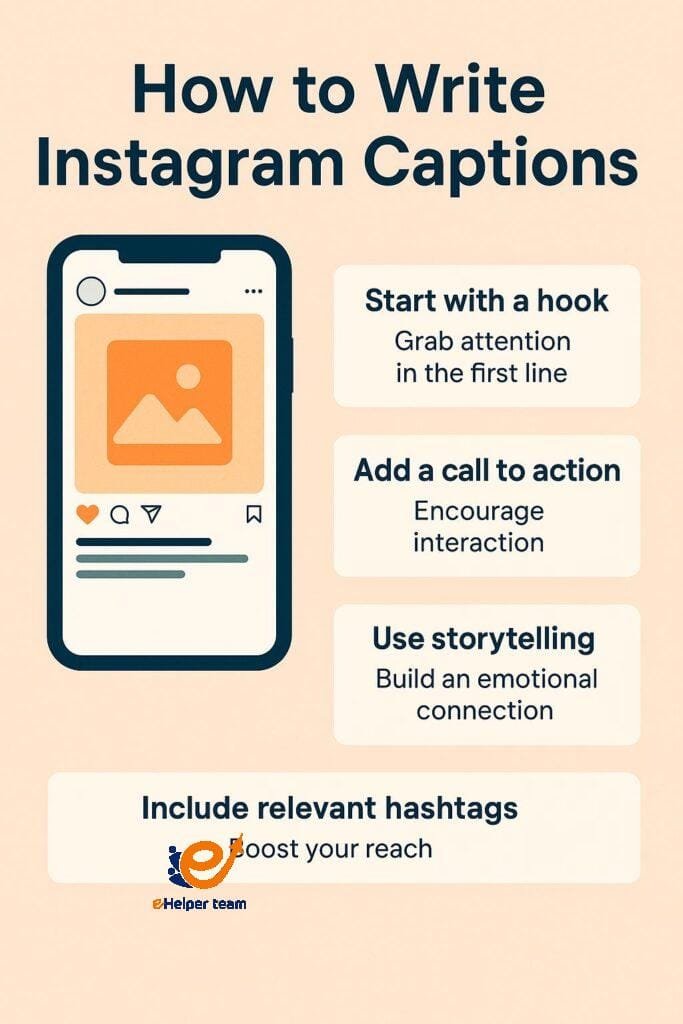
Now, let's dive into each of these three parts in more detail.
2. Part 1: Writing a Scroll-Stopping Hook
You have less than two seconds to convince someone to stop scrolling. The "hook" is your tool for the job. On Instagram, only the first 125 characters of your caption are visible before a user has to tap "...more". Your hook must fit within this space and be compelling enough to make them want to read the rest.
Watch this short video to understand why that first line is so critical.
How To Write Engaging Instagram Captions (with examples!) | MORE LIKES, COMMENTS, SHARES!
In the video 'How To Write Engaging Instagram Captions', creator Natalia Kalinska explains the importance of the hook and gives several powerful formulas you can use.
Watch the segment from 04:20 to 06:04. Focus on the '125 character' limit and the different types of hooks she suggests, such as those that are results-driven, highlight a negative outcome, or use controversy.
As the video showed, your hook needs to be short, snappy, and spark curiosity. Here are a few types of hooks that work especially well for a "cheap and cheerful lifestyle" niche:
- The Relatable Pain Point: Start with a problem you know your audience faces.
- Example: "Ever get to the end of the month and wonder where your money went? 💸"
- The Confession: Share a moment of vulnerability or a past mistake.
- Example: "I used to be terrible with money until I discovered this one simple habit."
- The Bold Statement / Unpopular Opinion: Challenge a common belief.
- Example: "Your daily coffee isn't what's keeping you from saving money."
- The "How To": Promise a direct solution to a problem.
- Example: "How I saved my first $1,000 (and how you can too)."
When you're feeling stuck, you can use these "emergency hook starters" to get your creativity flowing:
- "Nobody talks about..."
- "The #1 mistake people make when..."
- "Things I wish I knew about..."
3. Part 2: Delivering Value in the Body
Once your hook has captured their attention, the body of your caption must deliver on that promise. This is where you provide the value that makes your content worth saving, sharing, and remembering. For your niche, "value" can be:
- Actionable tips (e.g., budget recipes, saving hacks).
- A relatable personal story that inspires or teaches.
- Educational information (e.g., explaining a financial concept simply).
The key is to always frame it from your audience's perspective.
How To Write Engaging Instagram Captions (with examples!) | MORE LIKES, COMMENTS, SHARES!
Let's return to Natalia Kalinska's video. This next clip explains a common mistake creators make: making the content all about themselves instead of focusing on what the audience gains.
Watch from 02:15 to 03:59. Pay attention to how she reframes a post about a personal achievement to be an inspiring, value-driven story for the audience.
How to Add Value
Here are two effective ways to structure the body of your caption:
-
Tell a Relatable Story: Frame your tip within a personal experience. Instead of just saying "Save money by meal prepping," tell a story: "I used to spend over $100 a week on lunches because I was too busy to cook. Then I started this simple Sunday meal prep routine, and it cut my food bill in half. Here's how I do it..." This makes the advice more memorable and human.
-
Create a Mini-List: People love lists because they are easy to scan and digest.
- Example: "3 grocery shopping hacks that save me $50 every week: 1. Shop with a list (and stick to it!), 2. Never shop hungry, 3. Look at the price per unit, not just the sticker price."
Formatting for Readability
No one wants to read a giant wall of text. Make your captions easy to scan by:
- Using short paragraphs (1-3 sentences).
- Adding line breaks between paragraphs.
- Using emojis to add personality and draw the eye to key points (like in a list ✅).
4. Part 3: Crafting a Clear Call to Action (CTA)
The Call to Action is the final, crucial step. You've hooked your reader and provided value; now you need to tell them what to do next. Every single post should have a goal, and the CTA is how you achieve it.
There are several types of CTAs you can use:
-
Engagement CTAs: These are designed to get comments and build community. Ask a simple, low-effort question.
- Example: "What's your favorite budget-friendly meal? Share it in the comments! 👇"
- Example: "Which of these tips will you try first? Let me know!"
-
Sharing/Saving CTAs: These encourage your audience to save your post for later or share it with others, which signals to the algorithm that your content is valuable.
- Example: "Save this post for your next grocery trip! 📌"
- Example: "Share this with a friend who loves a good deal!"
-
Link in Bio CTAs: This is how you drive traffic to your other platforms or resources (like a blog or a free download). You'll use this more as you grow.
- Example: "Want my free weekly budget template? Head to the link in my bio to grab it! ✨"
For now, focus on Engagement and Sharing/Saving CTAs. They are the easiest way to start building a conversation with your new audience.
5. Your Action Plan: Writing a Caption from Scratch
Let's put everything together. Imagine you've created a post with the following image, which is perfect for your "cheap and cheerful" niche.

Now, let's write a caption for it using the Hook-Value-CTA formula.
1. The Hook (Relatable Pain Point):
Does saving $10,000 on one income sound impossible?
2. The Body (Value - Story & Tip):
I used to think so too. It felt like we were just scraping by.
But we did it, and it wasn't about cutting out everything we loved. It was about making small, smart changes that added up over time.
One of our biggest game-changers? The 'No-Spend Weekend' challenge. Just one weekend a month, we'd find free things to do instead of our usual spending. It easily saved us $200 a month!
3. The CTA (Engagement & Saving):
What's the #1 thing you struggle with when saving money? Let me know in the comments! I'd love to help.
P.S. Save this post for when you need a little motivation boost! 📌
Here is the final, formatted caption:
Does saving $10,000 on one income sound impossible? 🤯
I used to think so too. It felt like we were just scraping by.
But we did it, and it wasn't about cutting out everything we loved. It was about making small, smart changes that added up over time.
One of our biggest game-changers? The 'No-Spend Weekend' challenge. Just one weekend a month, we'd find free things to do instead of our usual spending. It easily saved us $200 a month!
What's the #1 thing you struggle with when saving money? Let me know in the comments! I'd love to help. 👇
P.S. Save this post for when you need a little motivation boost! 📌
Your Task
Now it's your turn.
- Choose one of the content ideas you planned out in Module 5.
- Open a notes app or a document.
- Write a full Instagram caption for that post idea using the Hook-Value-CTA structure.
- Pay attention to formatting: use short paragraphs, line breaks, and at least one or two relevant emojis.
Don't worry about perfection. The goal is to practice the structure.
Conclusion
You now have the complete formula for writing captions that not only grab attention but also build a real connection with your audience. Remember, your visuals make people pause, but your captions make them stay, engage, and follow.
Key Takeaways:
- Every effective caption has three parts: a Hook, a Body that provides value, and a Call to Action.
- Your Hook must be powerful and fit within the first 125 characters to stop the scroll.
- The Body should deliver on the hook's promise by telling a story, offering tips, or educating your audience. Always make it about them.
- Your CTA should be a clear, simple instruction that encourages engagement, sharing, or saving.
Preview of the Next Lesson:
You've built your hashtag vault and can now write a killer caption. In our next lesson, we'll combine these skills to post an Instagram Reel using trending audio. We'll cover how to find and use trends to give your content an extra boost in visibility.