
Hello and welcome back!
In our previous lesson, we focused on translating complex SQL into Laravel's fluent Query Builder, using *Raw methods to handle tricky parts. You learned that the Query Builder is the preferred way to construct queries programmatically and securely.
However, there are times when a query is so complex, or you're migrating legacy SQL, that using the Query Builder can be more cumbersome than helpful. For these situations, Laravel provides a way to execute raw SQL queries directly.
This lesson addresses exactly that: how to execute raw SQL queries securely within Laravel when necessary. Our primary focus will be on the word "securely." While raw queries offer ultimate flexibility, they also require you to be responsible for preventing security vulnerabilities, most notably SQL Injection.
1. Why Use Raw SQL and Why Security is Critical
Before we dive into the code, it's important to understand the context. It's not about choosing raw SQL over the Query Builder all the time, but about knowing when it's the right tool for the job.
Laravel: Raw SQL Queries with DB::select()
This short video from Laravel Daily explains the rationale for using raw SQL in certain scenarios and introduces the two most important things to be aware of: security and the type of data that gets returned.
Watch the full video. Pay close attention to the concepts of using parameter bindings for security and the fact that raw queries return a plain array, not an Eloquent collection.
As the video highlights, the single most critical aspect of running raw queries is preventing SQL Injection. This type of attack occurs when a malicious user provides input that tricks your application into running unintended SQL commands.
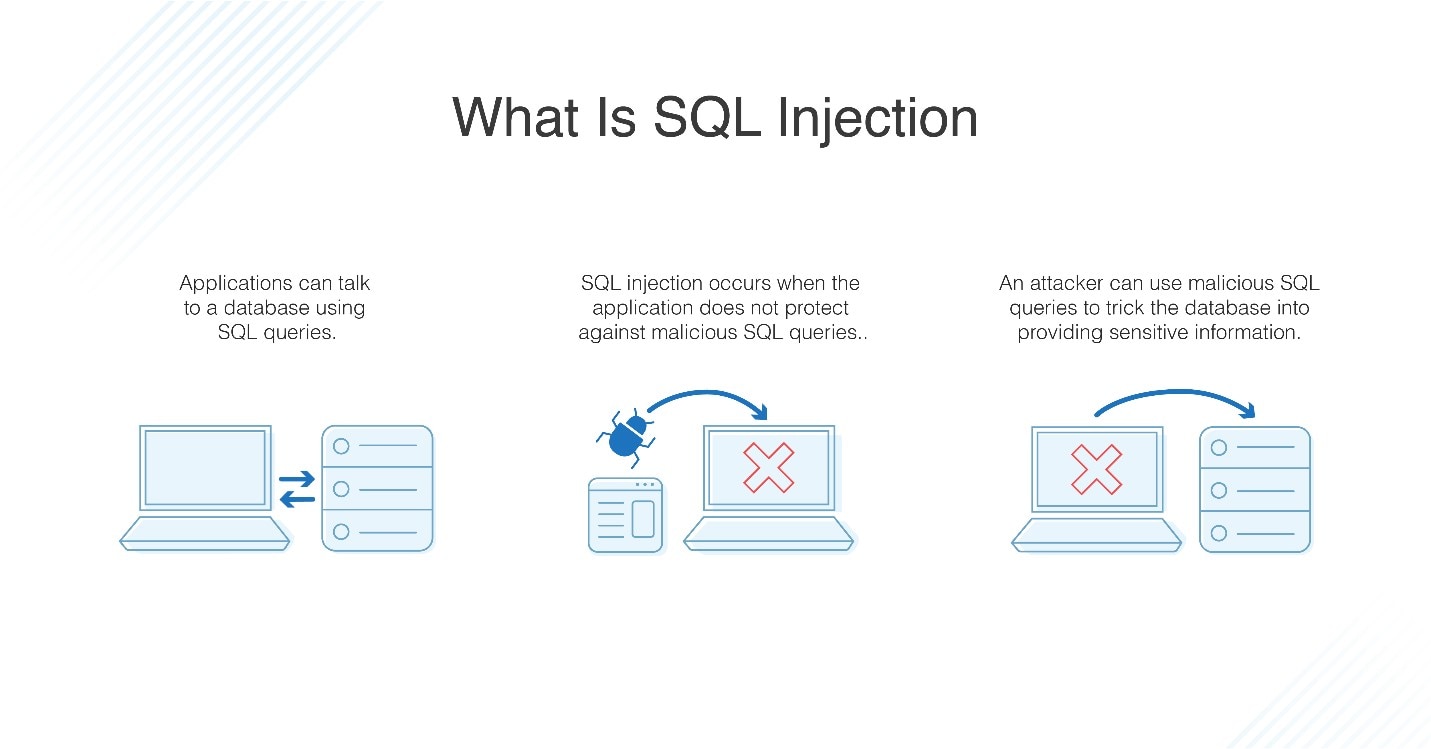
Let's quickly review how this vulnerability works and how Laravel helps prevent it, even with raw queries.
SQL Injection in Laravel: Understanding, Exploiting, and Preventing Attacks
This article provides a clear definition of SQL Injection and demonstrates a vulnerable query. The key is understanding the difference between concatenating user input directly into a query string versus binding it safely.
Please read the following sections: What Is SQL Injection?: Understand the core concept and the example of bypassing authentication. How Laravel Handles Database Queries: Note the distinction between the safety of Eloquent/Query Builder and the risk of raw SQL. How Laravel Prevents SQL Injection: This is the most important part. See the ? placeholder syntax. This is the technique we will be using throughout this lesson.
The takeaway is simple but vital: Never concatenate or inject variables containing user input directly into a raw query string. Always use parameter binding.
2. Executing Raw Queries with the DB Facade
Laravel provides a set of methods on the DB facade to execute raw SELECT, INSERT, UPDATE, and DELETE statements. All these methods follow the same security principle: the first argument is your SQL string with placeholders, and the second is an array of values to bind to those placeholders.
The official documentation is an excellent reference for these methods.
Database: Getting Started - Running SQL Queries
The Laravel documentation provides a concise overview of the primary methods for running raw queries. We'll be referencing this as we go through practical examples.
Skim through the section Running SQL Queries and its subsections (Running a Select Query, Using Named Bindings, Running an Insert Statement, etc.). This will familiarize you with the method names and their syntax.
Now, let's see these methods in action. The following video provides a great, practical walkthrough of building a feature using only raw SQL queries.
Build a Transactions Page Using Raw SQL in Laravel | Learn Laravel The Right Way
This video from 'Program With Gio' demonstrates how to use the raw query methods for all CRUD (Create, Read, Update, Delete) operations. It's a comprehensive look at the tools you'll be using.
Watch the specified sections to see how each type of query is handled. Pay attention to how parameter bindings are used in each case. Inserting Data (DB::insert): Watch from 04:10 to 10:08. Selecting Data (DB::select): Watch from 17:33 to 20:25. Updating Data (DB::update): Watch from 20:42 to 21:59. Deleting Data (DB::delete): Watch from 21:51 to 22:25. Selecting a Single Record (DB::selectOne): Watch from 22:49 to 23:32.
Let's consolidate what you've just seen.
Reading Data: select and selectOne
The DB::select method is used for any SELECT query that can return multiple rows. It always returns an array of stdClass objects.
use Illuminate\Support\Facades\DB;

$status = 'active';
$minOrders = 5;

// Note the use of '?' placeholders
$users = DB::select(
    'SELECT * FROM users WHERE status = ? AND order_count > ?',
    [$status, $minOrders]
);

foreach ($users as $user) {
    echo $user->name;
}
If you only expect a single record, DB::selectOne is more convenient as it returns a single stdClass object or null.
$user = DB::selectOne('SELECT * FROM users WHERE id = ?', [1]);
You can also use named bindings, which can make complex queries with many parameters more readable.
$user = DB::selectOne(
    'SELECT * FROM users WHERE id = :id AND status = :status',
    ['id' => 1, 'status' => 'active']
);
Writing Data: insert, update, and delete
For modifying data, you use the corresponding methods.
DB::insert()returnstrueorfalseindicating success.DB::update()andDB::delete()return the number of rows affected by the statement.
// INSERT
DB::insert(
    'INSERT INTO users (name, email, password) VALUES (?, ?, ?)',
    ['John Doe', 'john.doe@example.com', 'hashed_password']
);

// UPDATE
$affectedRows = DB::update(
    'UPDATE users SET status = :status WHERE id = :id',
    ['status' => 'inactive', 'id' => 1]
);

// DELETE
$deletedRows = DB::delete('DELETE FROM users WHERE id = ?', [1]);
3. Special Cases and Advanced Usage
Beyond the basic CRUD operations, Laravel offers a few other helpful methods for handling raw queries.
Retrieving Single Scalar Values: scalar
Sometimes you just need a single value from a query, like a count or a sum. Instead of fetching an object and then accessing the property, you can use DB::scalar().
Build a Transactions Page Using Raw SQL in Laravel | Learn Laravel The Right Way
Let's revisit the 'Program With Gio' video to see a practical example of DB::scalar() and a more advanced SELECT query using a CASE statement to perform conditional aggregation.
Watch the section from 34:46 to 39:33. Notice how DB::scalar() simplifies getting a single aggregate value, and how a more complex aggregation can still be done safely with DB::selectOne().
As the video showed, scalar is perfect for simple aggregates:
// Get the total number of active users
$activeUsersCount = DB::scalar(
    "SELECT COUNT(*) FROM users WHERE status = ?",
    ['active']
);
Running General Statements and the Danger of unprepared
For SQL statements that don't return any value and don't fit into the other categories (e.g., Data Definition Language like ALTER TABLE), you can use DB::statement().
DB::statement('DROP TABLE legacy_table');
Laravel also provides a DB::unprepared() method. You should be extremely cautious with this method. It executes a query string without any parameter binding, making it vulnerable to SQL injection. Its use cases are very rare, such as running a .sql file during a database migration setup where no user input is involved.
Rule of thumb: If your query needs to include any variable data, do not use DB::unprepared().
Transactions
If you need to run several raw SQL queries in an "all or nothing" operation, you should wrap them in a database transaction. This ensures that if any one of the queries fails, all previous queries in the block are rolled back, maintaining data integrity.
use Illuminate\Support\Facades\DB;
use Illuminate\Database\QueryException;

try {
    DB::transaction(function () {
        DB::update('UPDATE accounts SET balance = balance - 100 WHERE id = ?', [1]);
        DB::update('UPDATE accounts SET balance = balance + 100 WHERE id = ?', [2]);
    });
} catch (QueryException $e) {
    // Handle the error, the transaction was automatically rolled back.
}
Conclusion
You now have the tools to execute raw SQL queries in Laravel safely and effectively. While Eloquent and the Query Builder should remain your primary tools, knowing how to drop down to raw SQL is an essential skill for any advanced Laravel developer.
Key Takeaways:
- Raw SQL is a powerful tool for complex or legacy queries where the Query Builder might be too verbose.
- Security is paramount. Always use parameter binding (
?or named bindings) with theDB::select,insert,update, anddeletemethods to prevent SQL Injection. DB::select()returns a simplearrayofstdClassobjects, not an Eloquent Collection. You lose access to relationships and model-specific methods.- Use helper methods like
DB::selectOne()andDB::scalar()for convenience when fetching single records or values. - Avoid
DB::unprepared()unless you are absolutely certain no external data is being passed into the query.
Up Next:
You've learned how to use Eloquent, the Query Builder, and now raw SQL. In our next lesson, we will synthesize this knowledge and evaluate the trade-offs between these three methods, helping you develop the critical judgment to choose the right tool for any given database task.