
Hello! Welcome to the final lesson in our module on MSSQL Integration and Query Building.
Over the last few lessons, you've learned how to interact with your database using Laravel's three primary methods:
- Eloquent ORM: An elegant, object-oriented way to work with your data.
- Query Builder: A fluent, programmatic interface for building complex SQL queries.
- Raw SQL: A powerful method for executing any SQL statement directly, which you learned to do securely in our last lesson.
Now, it's time to bring it all together. This lesson focuses on a crucial skill for any senior developer: evaluating the trade-offs between using Eloquent ORM, the Query Builder, and raw SQL. There is no single "best" tool; the goal is to develop the judgment to choose the right tool for the specific task at hand. We will compare these three approaches based on performance, readability, maintainability, and available features.
1. The Core Trade-Off: Performance vs. Convenience
The most common debate when choosing a query method revolves around performance versus developer convenience. Eloquent provides an incredibly convenient and readable syntax, but this abstraction comes at a cost. Let's start by measuring that cost.
Eloquent vs Query Builder vs SQL: Performance Test
The Laravel Daily channel has an excellent video that directly tests the performance of Eloquent, the Query Builder, and raw SQL for the same task. This will give us a concrete, data-driven starting point for our comparison.
Watch from the beginning until 04:35. As you watch, pay close attention to: The difference in execution time between the three methods. The number of SQL queries generated by Eloquent when a relationship is involved. The memory usage differences reported by the debug bar. The speaker's conclusion about the similarity between the Query Builder and raw SQL performance.
The video demonstrates a key principle:
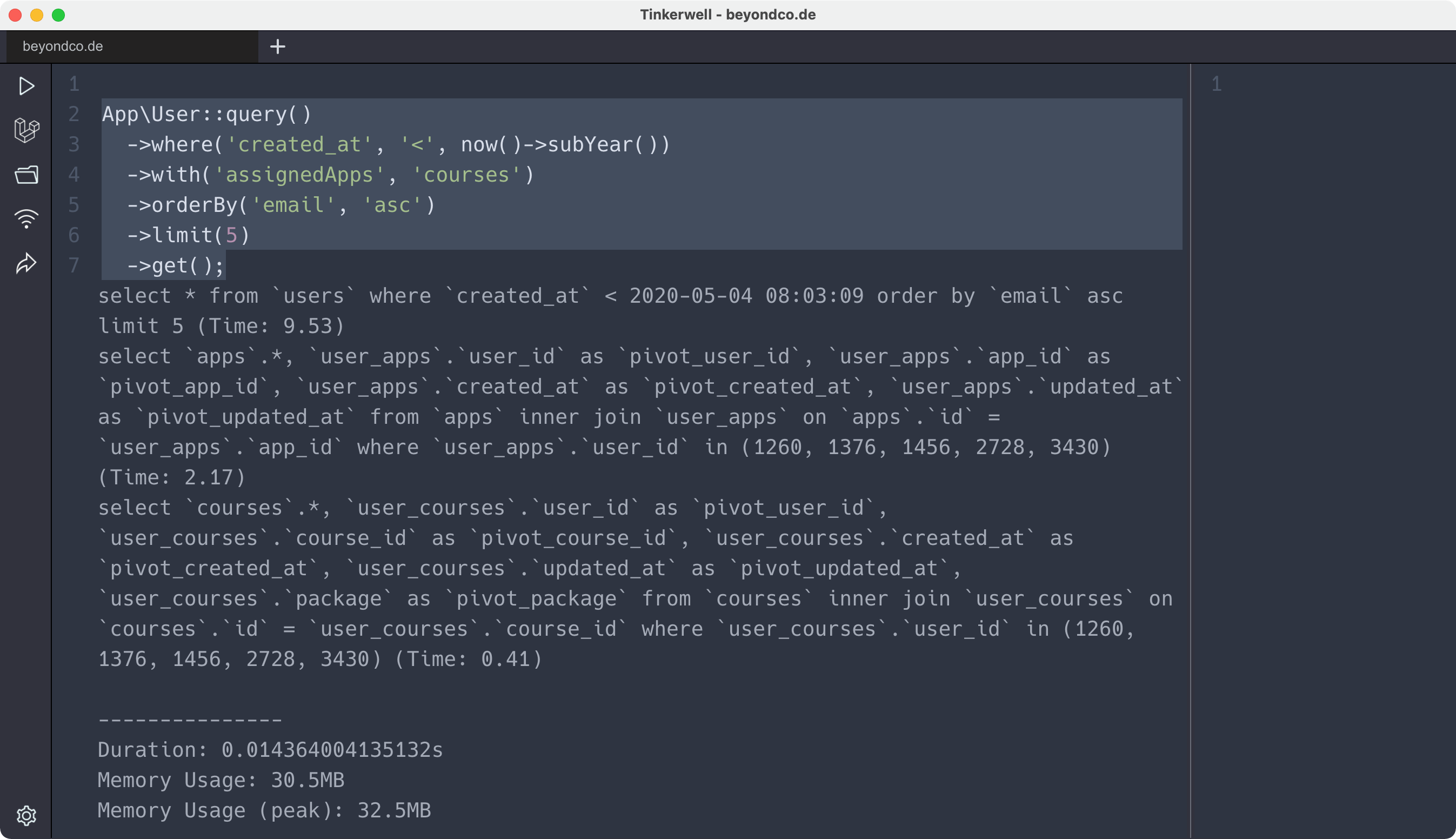
- Eloquent with relationships can be slower and more memory-intensive. This is due to two factors:
- Multiple Queries: Eager loading (
with()) often results in two queries (one for the primary model, one for the related model) instead of a singleJOIN. - Object Hydration: Eloquent transforms the raw database results into rich model objects, which consumes time and memory. This is the process of creating a full
UserorPostobject with all its methods and attributes.
- Multiple Queries: Eager loading (
- Query Builder and Raw SQL are significantly faster in this test. They perform a single query with a
JOINand return a simple array of standard objects, avoiding the overhead of Eloquent's object hydration and relationship management.
This isn't to say Eloquent is "bad"—far from it. The convenience it offers is often worth the small performance cost for most day-to-day operations. The problem arises when you are unaware of the underlying mechanics, especially when dealing with large datasets.
2. The Power of Eloquent: Beyond Simple Data Retrieval
If the Query Builder and raw SQL are often faster, why is Eloquent the default choice for so many Laravel developers? The answer lies in the rich feature set that is tightly coupled to the model layer, dramatically improving code readability and maintainability.
Eloquent or Query Builder: When to Use Which?
Let's watch another video from Laravel Daily that shifts the focus from pure performance to the practical advantages of using Eloquent.
Please watch the section from 02:09 to 04:31. This part of the video lists several powerful features that are only available when using Eloquent models.
As the video highlights, when you use the Query Builder or raw SQL, you get back a plain data structure. When you use Eloquent, you get back a "living" object with a host of capabilities.
Let's organize these points with a supplemental reading.
This article from Krodox provides a great summary of why Eloquent is so central to Laravel development. It lists many of the features that make it so powerful.
Read the first two-thirds of the article, stopping at the heading "Abstraction Overhead". As you read, notice how features like Relationships, Accessors/Mutators, Scopes, and Soft Deletes simplify common development tasks.
Here is a summary table comparing the three methods across the key features we've discussed.
| Feature / Aspect | Eloquent ORM | Query Builder | Raw SQL |
|---|---|---|---|
| Primary Use Case | Business logic, CRUD operations | Reporting, complex selects, batch updates | Highly specific/complex queries, legacy integration |
| Return Value | Eloquent model collections (objects) | Illuminate\Support\Collection of stdClass objects |
array of stdClass objects |
| Relationships | Yes (hasMany, with, etc.) |
No (Requires manual join calls) |
No (Requires manual JOIN clauses) |
| Accessors/Mutators | Yes (e.g., getFirstNameAttribute) |
No | No |
| Query Scopes | Yes (e.g., scopeActive()) |
No | No |
| Soft Deletes | Yes (Built-in trait and methods) | No (Requires manual where clauses) |
No (Requires manual WHERE clauses) |
| Events/Observers | Yes (created, updated, etc.) |
No | No |
| Readability | High (Expressive and clean) | Medium (Can become verbose with many joins) | Low (Can be difficult to parse) |
| Performance | Good, but with potential overhead | Excellent | Excellent |
| Security | High (Automatic SQL injection protection) | High (Automatic protection via bindings) | Manual (You are responsible for parameter binding) |
3. Making the Right Choice: A Practical Guide
Now you understand the "what" and "why." The final step is developing the "when." Here’s a decision-making framework to help you choose the right tool for the job.
When to use Eloquent ORM
This should be your default choice for most database interactions.
- Standard CRUD: When you are creating, reading, updating, or deleting single records that correspond to your application's models (e.g., a
User, aProduct, anOrder). - Business Logic: When the data you're fetching needs to be used as an object with its own methods and relationships. For example, getting a user and then immediately accessing their posts:
$user->posts. - Readability is Key: When you want your controller code to be clean, expressive, and easy for other developers to understand.
Post::published()->with('author')->get()is much clearer than a long SQL string.
When to use the Query Builder
Choose the Query Builder when performance becomes a higher priority than the convenience of Eloquent's model features.
- Complex Reports & Aggregations: When you need to write a query with multiple
JOINs,GROUP BYclauses, and aggregate functions (COUNT,SUM,AVG). The Query Builder gives you a fluent way to build this without the overhead of hydrating full Eloquent models. - Large Data Exports: If you are generating a CSV or report with thousands of rows, using
DB::table('...')->get()is much more memory-efficient thanModel::all(). - Batch Updates/Deletes: For updating or deleting many rows based on complex conditions, the Query Builder is direct and efficient.
DB::table('posts')->where('is_legacy', true)->delete();
When to use Raw SQL
Reserve raw SQL for special cases where the other tools fall short.
- Maximum Performance & Control: When you have a very complex query and you want to hand-optimize every detail. This is common when using database-specific features that Laravel's builders don't support directly. Since you are focusing on MSSQL, this could include advanced
PIVOT,UNPIVOT, or window functions (ROW_NUMBER() OVER(...)). - Legacy Integration: If you are migrating an application and have existing, complex, and battle-tested SQL queries, it can be safer and faster to use them directly with
DB::select()rather than attempting to translate them. - Data Definition Language (DDL): For running statements that alter the database schema outside of a migration, like
ALTER TABLE(though this should be rare in a production application's lifecycle).
Advanced Query Optimization and Profiling Techniques
To reinforce this decision-making process, let's look at a resource focused on advanced optimization. The section on raw queries provides clear guidance.
Please read the section titled "Technique 8: Raw Query Optimization". Focus on the list under "When to Use Raw Queries" and the code example, which shows a scenario where multiple Eloquent queries can be refactored into a single, more efficient raw query.
Conclusion
Congratulations on completing this module! You've moved from connecting Laravel to MSSQL, to mastering the Query Builder, to using raw SQL securely. Today, you've tied it all together by learning to think critically about which tool to use.
Key Takeaways:
- There is no 'best' tool, only the 'right' tool for the task. The choice is a trade-off between performance, developer convenience, readability, and features.
- Eloquent is your go-to for readable, maintainable code that maps directly to your application's business objects. Its power lies in relationships, scopes, and other model-centric features.
- The Query Builder is your tool for performance-sensitive tasks, complex reports, and batch operations where the overhead of Eloquent models is unnecessary.
- Raw SQL is your escape hatch for ultimate control and for leveraging database-specific features that the builders don't abstract. Use it with caution and always with secure parameter binding.
Up Next:
This lesson is the perfect gateway to our next module: Database Performance & Optimization. We've talked a lot about performance as a concept, but how do you actually measure and improve it? In our next lesson, you will learn how to analyze MSSQL query performance using execution plans to identify bottlenecks. This will give you the power to scientifically prove which queries are slow and understand exactly why.