
Welcome back. In the previous lesson, you established a clean boundary for a TCP problem: DNS returned an address, the kernel chose a route, and packet evidence determined whether the three-way TCP handshake completed. That distinction matters here: a completed TCP handshake does not mean a secure connection exists.
TLS begins only after TCP is established. In this lesson, you will learn to isolate whether a failure comes from TLS protocol negotiation, SNI virtual-host selection, server-certificate validation, or mutual TLS requirements. The goal is an interview-ready conclusion based on observable evidence, not a generic claim that “SSL is broken.”
Locate TLS in the connection lifecycle
For an HTTPS endpoint such as https://api.internal.example, the relevant layers are:
- DNS identifies one or more IP addresses.
- TCP establishes a connection to an IP address and port, usually port 443.
- TLS negotiates secure parameters and authenticates the server.
- HTTP begins inside the encrypted TLS connection.
A TCP capture that contains SYN, SYN+ACK, and ACK proves step 2 only. The client normally then sends a ClientHello, which offers TLS capabilities, including supported protocol versions, cipher suites, and often the hostname it wants through SNI (Server Name Indication). The server responds with its selected parameters and certificate material.
The TLS handshake has several security jobs at once:
- agree on a TLS version;
- agree on cryptographic algorithms;
- authenticate the server using its certificate;
- establish shared session keys;
- detect tampering with the negotiation.
This is why a TLS error can represent several very different operational faults: an outdated runtime, a wrong hostname, an incomplete certificate chain, a missing private CA, an incorrect load-balancer listener, or an endpoint requiring a client certificate.
TLS Handshake Explained - Computerphile
Watch “TLS Handshake Explained” from Computerphile for a visual model of the ClientHello, ServerHello, negotiated cipher suite, and server certificate.
Watch hello negotiation to see which choices the client offers and which the server selects. Then watch server authentication for the certificate and signed key-exchange portion. Focus on the fact that the client proposes choices, while the server must select compatible ones.
A useful operational simplification is:
| Observed point of failure | Most likely investigation area |
|---|---|
| No TCP handshake | Routing, firewalling, security groups, network ACLs, listener availability |
| TCP works but no usable TLS response | Wrong listener, TLS middlebox, protocol confusion, server-side TLS problem |
| TLS alert after ClientHello | Protocol, cipher, SNI, or client-authentication mismatch |
| TLS negotiates but client rejects certificate | Trust chain, expiry, hostname, local clock, or trust-store issue |
| TLS succeeds but request fails | HTTP proxy, load balancer, application, authorization, or backend issue |
Do not collapse these into one category. “Connection refused,” “TLS handshake failure,” and “certificate verification failed” are evidence from different boundaries.
Make a controlled TLS probe
Start with the exact hostname the application uses, but keep the resolved IP address explicit. This avoids accidental DNS changes while preserving the hostname that TLS needs.
host=api.internal.example
ip=10.20.30.40
port=443
Use OpenSSL’s diagnostic client to connect to that IP while explicitly sending the intended hostname as SNI and validating the certificate identity against the same hostname:
openssl s_client \
  -connect "${ip}:${port}" \
  -servername "$host" \
  -verify 5 \
  -verify_hostname "$host" \
  -verify_return_error \
  -brief </dev/null
Each option has a distinct purpose:
| Option | What it controls | Why it matters |
|---|---|---|
-connect "${ip}:${port}" | Network destination | Holds the TCP target constant. |
-servername "$host" | SNI in the ClientHello | Selects the intended TLS virtual host. |
-verify_hostname "$host" | Certificate identity check | Confirms that the certificate is valid for the requested hostname. |
-verify 5 | Certificate-chain verification | Enables verification with a reasonable chain depth. |
-verify_return_error | Verification failure handling | Stops rather than continuing after a validation failure. |
-brief | Output volume | Shows the essential negotiated parameters and errors. |
The two hostname-related flags are easy to confuse:
- SNI tells the remote endpoint which site or TLS configuration you want. One load balancer IP may serve hundreds of names.
- Hostname verification asks whether the certificate presented for that selected site is valid for the hostname the client intended to reach.
A server can return a valid certificate for some other site on the same IP. In that case, TCP and TLS negotiation may succeed, but hostname validation should fail. Conversely, a valid certificate for your hostname is not useful if SNI routes you to the wrong virtual host.
openssl-s_client - OpenSSL Documentation
Read the OpenSSL documentation for s_client, the main command-line probe used in this lesson. It separates the network target, SNI behavior, certificate display, strict verification, and protocol diagnostics.
In the OPTIONS section, read the SNI option, paying attention to what happens when -connect contains a DNS name versus an IP address. Then read the verification options, especially -verify and -verify_return_error. Find the later -showcerts entry and read its caution: what the server sends is not automatically the same as a successfully verified chain. Finally, in the NOTES section, read the discussion beginning “This command can be used to debug SSL servers” through the paragraph explaining -verify_return_error.
A successful strict probe commonly includes output resembling:
Protocol version: TLSv1.3
Ciphersuite: TLS_AES_256_GCM_SHA384
Verification: OK
Verified peername: api.internal.example
Those lines support a precise statement:
From this client host, TCP connectivity to the tested IP worked, the endpoint accepted the specified SNI name, TLS negotiated successfully, and this OpenSSL trust store accepted a certificate valid for the requested hostname.
That is strong evidence, but it is not automatically proof that the application will work. The application may use a different runtime, a separate CA bundle, a proxy, mTLS credentials, a different IP family, or different TLS settings.
If your application uses HTTPS directly, compare this controlled probe with an HTTP client that still fixes the IP but retains the hostname:
curl -v \
  --connect-timeout 5 \
  --resolve "${host}:${port}:${ip}" \
  "https://${host}:${port}/"
Here, --resolve pins the TCP destination without replacing the URL hostname. That preserves normal SNI and certificate validation behavior. Do not use -k or --insecure as a fix; it disables certificate verification and converts a diagnosis into a security exposure.
Read certificate evidence rather than accepting a browser error at face value
A server certificate is not merely a file with an expiry date. It is an identity claim, signed into a chain of trust. For normal HTTPS validation, the client needs to establish all of the following:
- The current time falls within the certificate’s validity period.
- The requested hostname appears in the leaf certificate’s Subject Alternative Name extension.
- The server provides enough intermediate certificates for the client to build a chain.
- The chain terminates at a CA trusted by the client’s trust store.
- The certificate is valid for TLS server authentication.
Read this short Red Hat explanation to reinforce the relationship among public keys, certificate authorities, server identity, and hostname checking.
In Section 14.1.7.1, “An Overview of Certificates and Security,” read the certificate overview. Continue with the browser validation paragraph. Focus on the two independent checks: whether a trusted authority signed the certificate and whether its identity matches the hostname used by the client.
To inspect the leaf certificate’s most useful operational fields, run:
openssl s_client \
  -connect "${ip}:${port}" \
  -servername "$host" \
  -showcerts </dev/null 2>/dev/null \
| openssl x509 -noout \
    -subject \
    -issuer \
    -dates \
    -ext subjectAltName
Look for:
- Subject Alternative Name: Does it include
DNS:api.internal.exampleor an appropriate wildcard such asDNS:*.internal.example? - Issuer: Is this expected for the environment, such as an internal corporate CA or a public CA?
- Not Before / Not After: Is the certificate currently valid?
- Subject: Useful context, but do not rely on Common Name alone; modern hostname validation is based primarily on SAN entries.
Use -showcerts when you also need to inspect every certificate the server actually sends:
openssl s_client \
  -connect "${ip}:${port}" \
  -servername "$host" \
  -showcerts </dev/null
The server’s sent certificate list is evidence of its configuration, not proof that a client can build a valid trust path. A client can sometimes complete a chain using an intermediate already in its local cache; another client may fail against the same server because it does not have that intermediate. That is why a missing-intermediate incident can appear user- or host-specific.
Common certificate signatures
| Evidence | Defensible hypothesis | Smallest next check |
|---|---|---|
Verification: OK and the correct peer name | Certificate trust and name validation succeeded for this client. | Compare application runtime, proxy, mTLS, or request behavior. |
| Hostname mismatch | The requested hostname is not represented in the leaf certificate SAN. | Check the application URL, SNI configuration, ingress or load-balancer certificate attachment. |
| Certificate expired or not yet valid | Certificate lifetime is invalid, or client time is wrong. | Inspect certificate dates and date -u on the affected host. |
| Unable to get local issuer certificate | A required intermediate may be missing, or the client lacks the needed root CA. | Compare server chain with a known-good client and inspect the application CA bundle. |
| Self-signed certificate in an internal environment | The private CA may not be trusted by this workload. | Identify the approved CA distribution mechanism; do not disable verification. |
| Different certificate from expected | The wrong virtual host, load balancer, proxy, or DNS target may be serving the connection. | Confirm IP, SNI name, load-balancer listener, and certificate deployment. |
A certificate failure is often local to a runtime. For example, a Java application may use a separate Java trust store while a host-level openssl s_client command uses the operating system CA bundle. A successful OpenSSL probe narrows the issue to that difference; it does not eliminate it.
Isolate protocol, cipher, and SNI negotiation failures
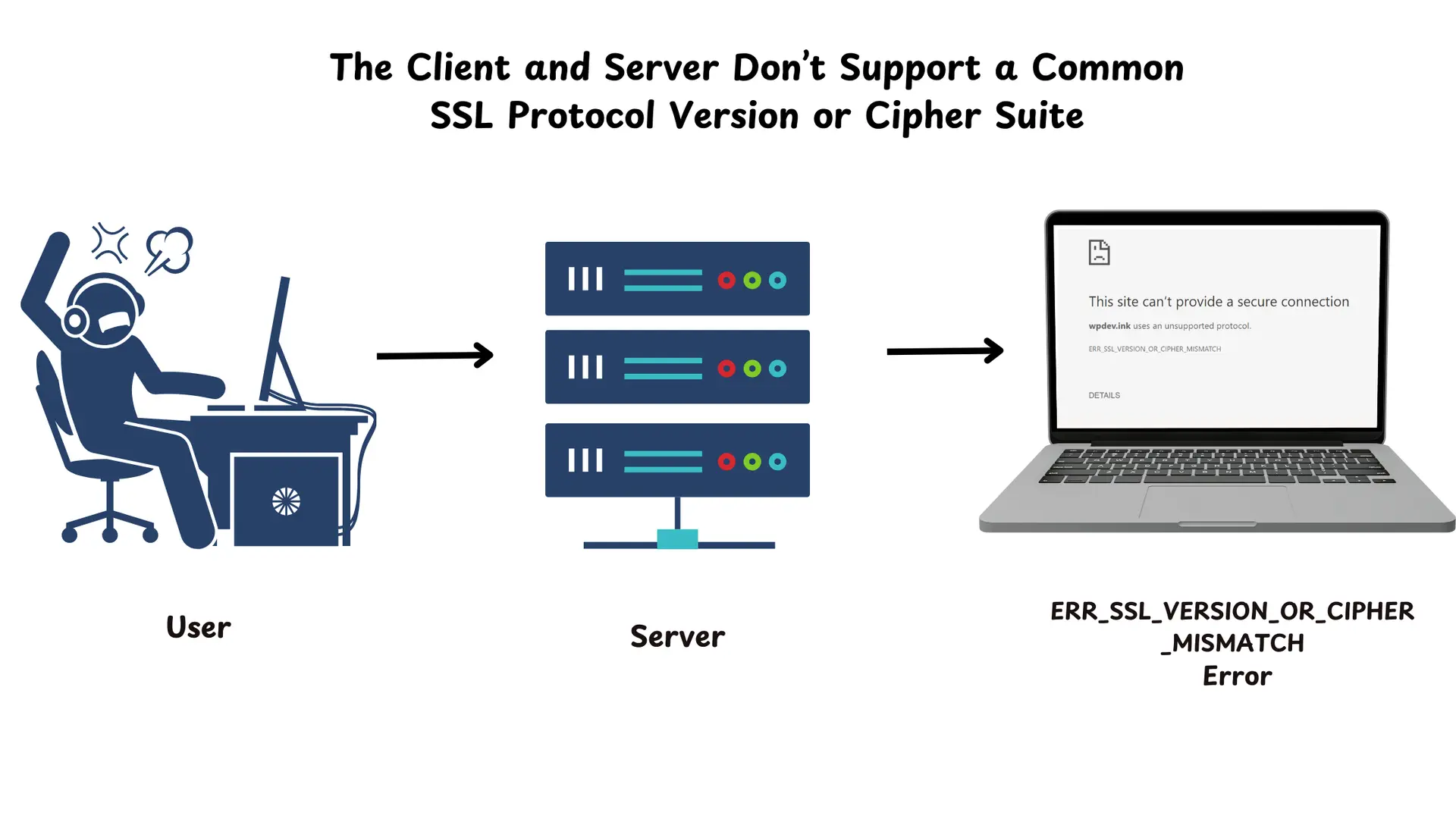
The following image shows the simplest compatibility failure: client and server have no protocol version or cipher suite they can both use. The versions shown are intentionally legacy examples; in current production, TLS 1.2 and TLS 1.3 should be the normal compatibility baseline.
Test supported versions deliberately rather than guessing from an application error:
openssl s_client \
  -connect "${ip}:${port}" \
  -servername "$host" \
  -tls1_2 \
  -verify 5 \
  -verify_hostname "$host" \
  -verify_return_error \
  -brief </dev/null
Then test TLS 1.3, if the local OpenSSL build supports it:
openssl s_client \
  -connect "${ip}:${port}" \
  -servername "$host" \
  -tls1_3 \
  -verify 5 \
  -verify_hostname "$host" \
  -verify_return_error \
  -brief </dev/null
Interpret these results as controlled compatibility evidence:
| Result | What it supports |
|---|---|
| TLS 1.2 succeeds; TLS 1.3 fails | The endpoint or an intermediary may not support TLS 1.3, or TLS 1.3 is disabled on that path. |
| TLS 1.3 succeeds; TLS 1.2 fails | The service may intentionally require TLS 1.3, or its TLS 1.2 configuration is broken. |
| Default probe succeeds; application fails | The application may offer different versions, cipher suites, signature algorithms, SNI, ALPN, or credentials. |
| Every modern protocol test fails immediately after TCP connects | Check the listener, SNI, proxy behavior, and captured TLS alert before changing client settings. |
Do not test obsolete protocols as a remediation strategy, and do not “fix” an incompatibility by re-enabling TLS 1.0 or TLS 1.1. The correct fix is generally to upgrade the outdated client or correct the server-side policy based on documented security requirements.
Cipher mismatch is conceptually similar, but less common with current clients and correctly configured servers. It becomes plausible when the failing client uses an old OS image, old Java runtime, old OpenSSL library, FIPS-restricted policy, or restrictive application cipher configuration. A single forced-cipher test can confirm whether one chosen suite works, but a failed forced-cipher test does not prove that there is no compatible cipher. Compare the actual ClientHello capabilities with the server’s TLS policy before making that conclusion.
SNI deserves its own controlled comparison. If the expected probe works only with -servername "$host", then SNI is part of the required client behavior. A no-SNI probe can be diagnostic:
openssl s_client \
  -connect "${ip}:${port}" \
  -noservername \
  -verify 5 \
  -verify_hostname "$host" \
  -verify_return_error \
  -brief </dev/null
If that returns a default certificate, a hostname error, or an SNI-related alert while the normal probe succeeds, the endpoint is likely correctly hosting multiple names but a failing client is omitting or misconfiguring SNI. The solution is to correct the client configuration, not to weaken certificate validation or make the default virtual host serve an unrelated certificate.
Use packet and alert evidence to avoid guesswork
When a command-line probe returns a vague error, packet evidence tells you how far the handshake progressed. Capture only during a single reproduction and only with approved access and retention handling. TLS payloads are encrypted, but packet captures can still expose metadata such as IPs, SNI in many configurations, certificate material, and timing.
Use the route-selected interface from the prior lesson:
iface=eth0

sudo timeout 15 tcpdump \
  -ni "$iface" \
  -s 256 \
  -w /tmp/tls-handshake.pcap \
  "host $ip and tcp port $port"
Trigger one failing attempt while the capture runs. Inspect the capture in Wireshark or an approved packet-analysis environment. The important question is not whether every TLS field is decoded; it is which side terminated the negotiation, and with what evidence.
Let's FIX a BROKEN TLS Handshake // with Wireshark
Watch “Let’s FIX a BROKEN TLS Handshake // with Wireshark” from Chris Greer for a compact example of reading a TLS failure from a packet capture.
First watch TCP to TLS to see the transition from a completed TCP handshake to the ClientHello. Then watch protocol alert evidence, where the server’s fatal protocol-version alert is traced back to the outdated version offered by the client. Finish with the resolution to connect the evidence to the corrective action.
The decisive packet-level signatures are:
| Capture signature | Interpretation |
|---|---|
TCP completes; client sends ClientHello; server sends a fatal protocol_version alert | The server rejected the offered TLS version set. Compare the failing runtime’s supported versions with the server minimum. |
TCP completes; client sends ClientHello; server sends handshake_failure | Negotiation failed, but the alert alone is broad. Compare versions, cipher suites, signature algorithms, SNI, and client-auth requirements. |
| TCP completes; server sends a certificate; client sends an alert or disconnects | The client may reject the certificate chain, identity, expiry, or policy. Use strict client-side verification output and application logs. |
TCP completes; server sends CertificateRequest; handshake later fails without an acceptable client certificate | The endpoint requires mTLS. Identify the client certificate, key, chain, and trusted issuing CA expected by the server. |
| TCP completes; client sends ClientHello; server immediately closes or resets | The listener, TLS terminator, SNI policy, middlebox, or server implementation requires further inspection. A reset does not by itself identify the cause. |
OpenSSL reports wrong version number | Often indicates plaintext traffic or a non-TLS protocol on the tested port, such as an HTTP listener, proxy response, or incorrect port. Inspect the first server bytes and listener configuration. |
For TLS 1.3, much of the handshake after the initial negotiation is encrypted. A packet capture can still expose the ClientHello, ServerHello, connection close, and some early alerts, but it may not reveal a later certificate-validation alert in cleartext. In that case, pair packet evidence with:
- the application’s TLS error and timestamp;
- strict
openssl s_clientoutput; - server or load-balancer TLS logs;
- certificate and trust-store evidence.
Avoid openssl s_client -debug, -msg, or -trace by default on live services because they produce highly detailed output. Use them only for a single controlled reproduction, avoid sending credentials or application requests through that session, and store the output according to incident-data handling rules.
Mutual TLS: distinguish it from ordinary server-certificate validation
With ordinary HTTPS, the server presents a certificate and the client validates it. With mutual TLS, the server also requests a certificate from the client. A service can have a perfectly valid server certificate and still reject a client that has no certificate, the wrong certificate, an expired certificate, or a certificate issued by an untrusted client CA.
Evidence that points to mTLS includes:
- a
CertificateRequestvisible in handshake diagnostics; - application or proxy logs saying
certificate required,unknown ca, orbad certificate; - an endpoint that works only for workloads with mounted client credentials.
A controlled mTLS test would add approved paths to a client certificate and private key:
openssl s_client \
  -connect "${ip}:${port}" \
  -servername "$host" \
  -cert /secure/path/client.crt \
  -key /secure/path/client.key \
  -verify 5 \
  -verify_hostname "$host" \
  -verify_return_error \
  -brief </dev/null
Use only authorized, non-exported credentials. Never copy private keys into shell history, tickets, packet captures, or chat. If the test succeeds only with the approved client certificate, the conclusion is not “TLS is fixed”; it is that the workload’s mTLS identity provisioning or client-certificate configuration needs correction.
A concise TLS troubleshooting sequence
In an incident or interview, keep the reasoning ordered:
- Confirm the TCP boundary. Verify the TCP handshake completed for the exact IP, port, and address family.
- Preserve the hostname. Record the URL hostname separately from the destination IP.
- Run a strict baseline probe. Use
s_clientwith explicit-servername,-verify_hostname, and-verify_return_error. - Classify the result. Is it a negotiation error, a certificate validation error, an mTLS request, or a successful handshake?
- Inspect certificate evidence. Check SAN, dates, issuer, sent intermediates, and the client’s applicable trust store.
- Test protocol versions deliberately. Compare TLS 1.2 and TLS 1.3 outcomes; do not enable obsolete protocols.
- Capture one failed handshake if needed. Establish who sent the alert or reset and how far the exchange progressed.
- Compare the real application with the probe. Check its TLS library version, CA bundle, hostname/SNI setting, proxy behavior, and mTLS credentials.
- State scope honestly. Name the proven boundary and the narrowest next verification.
An interview-quality summary could be:
“First I would prove that TCP to the resolved IP and port completes, because TLS cannot begin otherwise. I would then probe the endpoint with
openssl s_client, connecting to the fixed IP but sending the original hostname as SNI and strictly validating the certificate against that hostname. If TLS negotiates but verification fails, I would inspect SAN entries, validity dates, the presented intermediate chain, and the application’s actual trust store. If negotiation fails before a certificate is usable, I would test supported TLS versions and capture one ClientHello exchange to identify a server alert such asprotocol_versionor a mismatch involving SNI or client authentication. I would treat a successful OpenSSL probe as evidence about that host and trust store, then compare it with the application runtime rather than assuming the application has identical TLS behavior.”
Key takeaways
- A successful TCP handshake only proves transport connectivity; TLS remains a separate negotiation and identity-validation boundary.
- Keep the IP address, hostname, SNI, and certificate hostname validation distinct.
- Use a strict
openssl s_clientprobe with-servername,-verify_hostname, and-verify_return_errorto avoid false success. - Certificate diagnosis requires evidence about SAN names, validity dates, sent intermediates, and the client’s trust store.
- Test TLS 1.2 and TLS 1.3 deliberately; a protocol alert is stronger evidence than a generic application error.
- Packet captures show how far the handshake got and which side sent an alert or reset, though TLS 1.3 encrypts much later handshake detail.
- mTLS failures concern the client’s identity and are different from failures validating the server certificate.
Next, you will trace an HTTP failure across the client, proxy, load balancer, and application layers—starting from the point where both TCP and TLS may already be known to work.
Can't find a good explanation? Sign up and we'll make it for you
Sign up