Hello! Welcome back.
In our last lesson, you navigated the crucial process of setting up and verifying your Amazon Seller Central account. With that administrative foundation in place, we can now move to one of the most important strategic activities in e-commerce: ensuring a product is actually worth selling. A great product idea is only a great business opportunity if the numbers work.
This lesson directly addresses the learning outcome: Calculate a product's profitability on FBA by analyzing the fee structure and using the FBA Revenue Calculator. We will break down the various fees Amazon charges, introduce you to the official calculator for estimating them, and give you a practical framework for deciding if a product has enough profit margin to be a winner. Mastering this skill is non-negotiable for managing risk and building a sustainable business.
1. The Core Components of FBA Profitability
Before we dive into the specific tool, it's essential to understand the basic financial structure of selling a product on Amazon FBA. A simple but powerful mental model many successful sellers use is the "Rule of Thirds":
- ⅓ for the Product: This is your Cost of Goods Sold (COGS), which includes the price you pay your supplier and the cost to ship the inventory to an Amazon warehouse (often called the "landed cost").
- ⅓ for Amazon: This covers all of Amazon's fees for storing your product, handling the sale, and fulfilling the order.
- ⅓ for You: This is your net profit before any of your own business overhead like marketing.
This means you should aim for a net margin of around 30-33%. If a product can't meet this benchmark, it's often not worth the risk and effort.
The main fees that make up "Amazon's third" are what we'll focus on.
To get a quick overview of these primary fees, watch the first part of the video "Amazon FBA Fees Explained" from the Travis Marziani YouTube channel.
Watch from the beginning until 01:13. The video introduces the three main fee categories: storage, referral, and FBA pick & pack fees.
As the video outlined, the key Amazon fees are:
- Referral Fee: This is Amazon's commission for letting you sell on their platform. It's typically a percentage of your total sales price (most categories are 15%).
- FBA Fulfillment Fee (or "Pick & Pack"): This is the fee for Amazon's service of picking your product off the shelf, packing it in a box, and shipping it to the customer. It's based on the product's size and weight.
- Monthly Storage Fee: This is the cost of "renting" space in Amazon's warehouse. It's calculated based on the volume (in cubic feet) your inventory occupies and varies by time of year (it's higher from October-December).
.webp)
2. Your Essential Tool: The FBA Revenue Calculator
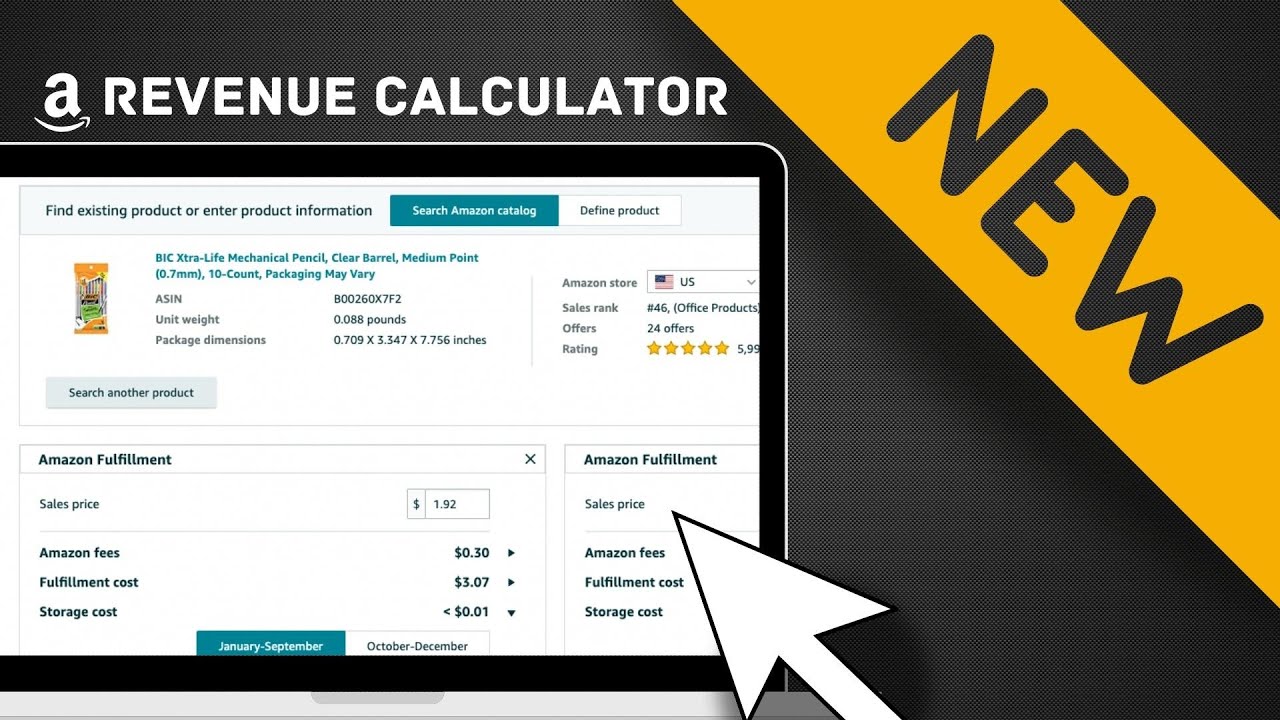
Manually calculating all these fees would be complex, as they depend on precise dimensions, weight, and category. Fortunately, Amazon provides a free tool to do the heavy lifting for you: the FBA Revenue Calculator.
This calculator allows you to input a product's details and your costs to get a reliable estimate of your net profit and margin. It's the standard tool used for product research.
How to estimate profits with the FBA Revenue Calculator
Let's review Amazon's official description of this tool and the steps to use it.
Read the sections titled 'What is the FBA Revenue Calculator?', 'Is the FBA Revenue Calculator free?', and 'How to use the Amazon FBA Revenue Calculator: 3 steps'. This will give you a solid, official overview of the tool's purpose and functionality.
3. A Practical Walkthrough: From Product Idea to Profit Analysis
Let's put this into practice. We'll follow a step-by-step process to analyze a hypothetical product. The goal is to gather the necessary data, plug it into the calculator, and interpret the results.
Step 1: Gathering Your Inputs
Before you can use the calculator, you need several key pieces of information.
- Item Price: What will you sell the product for? This shouldn't be a guess. You need to analyze what similar products are selling for.
- Product Dimensions & Weight: These are critical for calculating FBA fees.
- Cost of Goods Sold (COGS): What is your total landed cost per unit?
KNOW your Profit Margins! Amazon FBA Calculator Explained
The video "KNOW your Profit Margins!" from Jungle Scout provides an excellent, practical guide on how to find these inputs during the product research phase.
Watch from the beginning until 02:55. Pay close attention to how he: Finds product dimensions and weight on an Alibaba listing. Uses the Jungle Scout extension (a popular research tool) to analyze competitor pricing and determine a strategic launch price.
Step 2: Using the Calculator
Now, let's go to the FBA Revenue Calculator and run the numbers.
You can either search for a similar existing product by its ASIN (Amazon Standard Identification Number) or, more accurately, click "Define product" and enter the details you found yourself.
Here are the key fields you'll fill out in the "Amazon Fulfillment" column:
- Item Price: The selling price you determined.
- Shipping to Amazon: This is an estimated cost per unit to ship your bulk inventory from your supplier (or your prep center) to Amazon's warehouse. A good starting estimate is often $0.50-$1.00 per unit, but this varies greatly.
- Cost of Product: Your per-unit cost from the supplier. This, combined with "Shipping to Amazon," makes up your total COGS.
- Monthly Storage & Estimated Units Sold: The calculator estimates storage for you, but you can adjust these if you have better data. For now, the default is fine.
For a clear demonstration of using the calculator, let's refer back to the Travis Marziani video. He shows exactly how to find a similar product and get a quick fee estimate.
Watch from 16:56 to 17:58. This clip shows the calculator in action, inputting a price and getting an instant breakdown of the major fees.
Step 3: Interpreting the Results
After you click "Calculate," the tool will show you a breakdown of the fees and, most importantly, your Net Profit and Net Margin.
This is where you apply the "Rule of Thirds." Is your Net Margin at or above 30%? A powerful way to use this is to work backward.
KNOW your Profit Margins! Amazon FBA Calculator Explained
The Jungle Scout video has an exceptional segment explaining how to use the calculator's results to make a 'go/no-go' decision on a product.
Watch from 08:32 to 10:38. Focus on the concept of using the 'Rule of Thirds' to determine your maximum allowable Cost of Goods. This is a critical takeaway for evaluating suppliers.
As the video explained, if your target selling price is $33, you know that your profit and Amazon's fees should each be around $11. This means your total landed Cost of Goods Sold must be $11 or less for the product to be viable. When you contact suppliers, if their quotes are higher than this, you immediately know the numbers don't work.
Test your understanding!
You are researching a product to sell on Amazon.
- Your target selling price is $39.99.
- Using the FBA Revenue Calculator, you estimate the total Amazon Fees (Referral + FBA) will be $14.50.
- You find a supplier on Alibaba who quotes you a landed cost (product + shipping to Amazon) of $12.00 per unit.
- What is your estimated Net Profit per unit?
- What is your Net Margin?
- Does this product meet the ~33% margin "Rule of Thirds" benchmark?
Show answer
- Net Profit: $39.99 (Price) - $14.50 (Amazon Fees) - $12.00 (COGS) = $13.49
- Net Margin: ($13.49 / $39.99) * 100 = 33.7%
- Conclusion: Yes, this product meets the benchmark. Your costs are split roughly into thirds: COGS ($12), Amazon Fees ($14.50), and your profit ($13.49). This looks like a potentially profitable product worth investigating further.
4. Beyond the Calculator: Other Costs to Consider
The FBA Revenue Calculator is an excellent estimation tool, but it doesn't include every possible fee. It's important to be aware of other potential costs that can arise in specific situations.
How to Use the Amazon FBA Calculator
The article 'How to Use the Amazon FBA Calculator' from Salesbacker provides a great summary of fees that are not included in the calculator's standard estimate. Being aware of these will prevent future surprises.
Read the section 'FBA Fees NOT Included in the FBA Calculator'. This covers long-term storage, returns processing, and other situational fees.
In summary, always keep these in the back of your mind:
- Long-Term Storage Fees: If your inventory sits for more than a year without selling, Amazon charges a significant extra fee. This punishes poor inventory management.
- Return Processing Fees: For some categories (like apparel), Amazon may charge a fee to process customer returns.
- Unplanned Service Fees: If you ship inventory to Amazon without preparing or labeling it correctly, they will fix it for you and charge a per-item penalty.
- Removal Order Fees: If you need to have unsold inventory shipped back to you from Amazon, there's a fee for that.
Conclusion
Congratulations! You've just learned one of the most fundamental skills for success as an Amazon seller. By rigorously analyzing a product's potential profitability before you invest, you can filter out bad ideas early and focus your capital and energy on products with a real chance of success.
Key Takeaways:
- Profitability is a science, not a guess. Use the tools and frameworks available to make data-driven decisions.
- Aim for a ~33% Net Margin. The "Rule of Thirds" is a powerful mental model to quickly assess a product's potential.
- The FBA Revenue Calculator is your best friend. Make it a mandatory step in your product research workflow.
- Work backward from your sale price to determine your maximum allowable "landed cost" for a product. This gives you a hard limit when negotiating with suppliers.
- Be aware of hidden costs. The calculator provides an estimate, but real-world operations can involve other fees related to slow-moving inventory, returns, or improper preparation.
Next Up:
Now that you know how to identify a financially viable product, the next step is to present it to customers in the most compelling way possible. In our next lesson, we will dive into creating a product listing that is optimized for Amazon's A9 search algorithm, ensuring that potential buyers can find and are persuaded to purchase your product.