
Creating a Visual Concept Note with Definitions, Diagrams, Examples, Mistakes, and Retrieval Questions
Good to see you again. In the previous lesson, you built the low-friction structure for a research vault: one home for concepts, papers, experiments, and reviews, plus reusable templates. Now we make the concept note template do its most useful job: turn one idea into something you can see, explain, and retrieve from memory.
A visual concept note is not a mini textbook chapter. It is a compact explanation of one idea, designed so that future-you can return to it in two minutes and reconstruct the important reasoning. For AI/ML research, this is far more useful than collecting disconnected definitions.
By the end of this lesson, you will create a complete note on a familiar AI-agent idea, Reward function, containing a plain-language definition, a Mermaid diagram, a tiny code example, a common mistake, and retrieval questions. You will also upgrade your concept template so this structure is reusable.
The 80/20 structure of a visual concept note
Use one concept note for one answerable question:
“What is a reward function, and what role does it play in an agent?”
Avoid notes such as “Everything about reinforcement learning.” Broad notes become storage piles; atomic notes become building blocks you can link later.
The five high-value parts are:
| Part | Its job | Good enough standard |
|---|---|---|
| Plain-language definition | Gives the central idea without jargon | One or two sentences |
| Visual model | Shows what affects what | 3–6 labelled boxes |
| Equation or code | Anchors the idea technically | One tiny example |
| Common mistake | Protects against a predictable misunderstanding | State the correction clearly |
| Retrieval questions | Tests memory and application | 3 short questions |
A sixth optional part, Why it matters, can be useful when the relevance is not obvious. For a research-facing vault, this can be a brief connection to a project, paper, or future topic.
The key design principle is: every element must earn its place. If a diagram merely repeats the definition, remove it. If an example does not make the concept more concrete, simplify it. Aim to finish a note in about 15 minutes after you understand the idea.
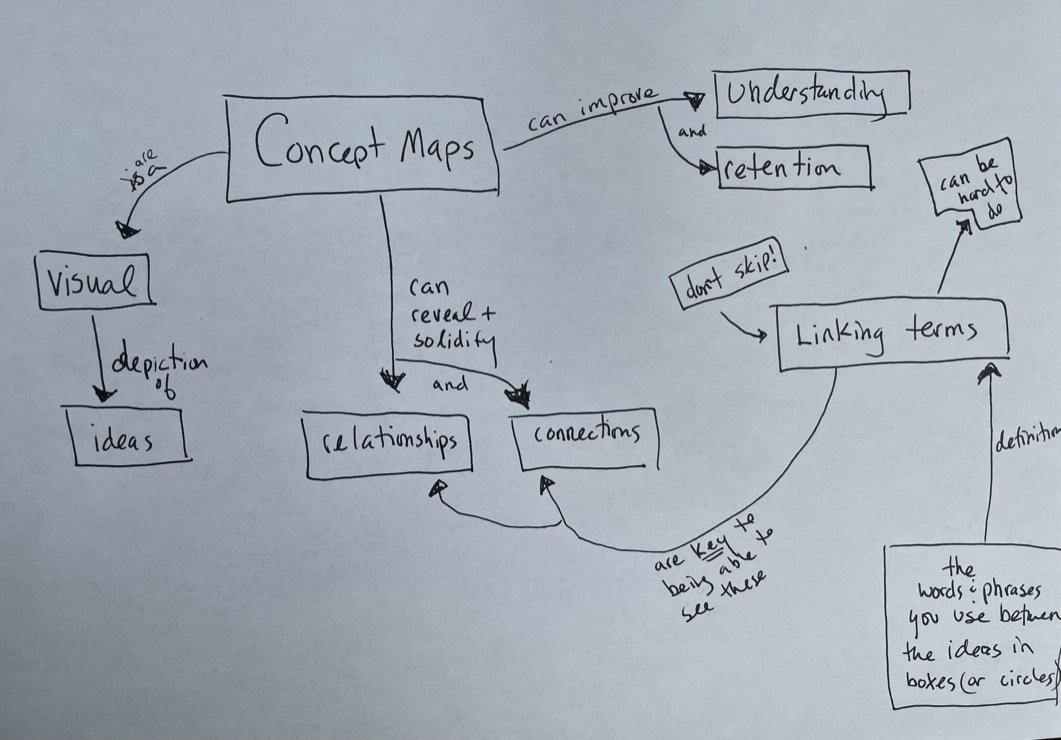
Notice that a visual note does not require artistic drawing. The value comes from making relationships visible and naming them precisely. Mermaid gives you that visual structure while keeping the diagram as editable text inside the note.
Upgrade the Concept template
Open 90 Templates/Concept template from the previous lesson. Keep its properties at the top, but replace the body beginning with # {{title}} with the structure below.
# {{title}}

## In one sentence
Explain the idea in plain language.

## Why it matters
What problem does this idea help solve?

## Visual model
What relationship should the diagram make visible?

## Tiny technical anchor
Use one small equation, pseudocode fragment, or code example.

## Common mistake
A tempting but incorrect interpretation:

Correction:

## Retrieval prompts
- What is the central idea in my own words?
- What does each part of the diagram represent?
- When would this idea be useful, and what can go wrong?

## Links
- Related concept: [[]]
- Source or lesson:
This template deliberately does not include a fixed diagram. A diagram that suits a classifier will not necessarily suit a neural-network layer or an RL agent. Instead, the Visual model prompt reminds you to create a small diagram appropriate to the specific concept.
Templates reduce the blank-page barrier and keep properties and headings consistent. They should remain lightweight: if you repeatedly skip a heading, delete or revise it rather than treating the template as a rule.
Mermaid: editable diagrams inside a note
Mermaid is a text-to-diagram language. You write a small block of Markdown-like code, and Obsidian renders it as a diagram in Reading view or Live Preview.

Watch only these targeted parts of the video before building your own diagram.
Create Custom Diagrams In Obsidian App | Mermaid & Markdown
In “Create Custom Diagrams In Obsidian App | Mermaid & Markdown,” Antone Heyward introduces Mermaid in Obsidian and demonstrates the minimal syntax needed for diagrams. Watch this for the practical editing and preview workflow rather than trying to learn every Mermaid feature.
Watch the overview to see why Mermaid works well inside Markdown notes. Then watch the first diagram, focusing on the Mermaid code fence, node names, and the top-to-bottom layout. Finish with link labels; labels are what make a concept diagram explain relationships rather than just display keywords.
For this course, you only need to recognize this basic pattern:
Read it in four pieces:
flowchart TDmeans a top-down layout.AandBare internal IDs. Keep them short and unique.- Text inside
["..."]is what a reader sees in the box. -->|relationship|draws a labelled connection. The label should normally be a verb or short verb phrase: “produces,” “updates,” “is evaluated by,” or “selects.”
You can change TD to LR when a left-to-right layout better fits a wide comparison. Start with TD; it is usually easier to read in a narrow note pane.
Read the official Mermaid reference as a compact lookup guide. It clarifies the distinction between node IDs, displayed text, links, and diagram direction; you do not need to memorize its many optional shapes.
In “Flowcharts - Basic Syntax,” begin with the opening explanation of flowcharts and read through the “Direction” subsection. Stop after the direction list ending in “LR - Left to right,” before “Node shapes.” Focus on the basic grammar: nodes, links, labels, and the five possible layout directions.
For now, avoid complicated colours, animations, and large diagrams. A Mermaid diagram should reduce cognitive load, not become a programming project.
If your diagram does not render in Obsidian, check these three things:
- The opening line is exactly three backticks followed by
mermaid. - The closing line contains exactly three backticks.
- Each node ID is unique, such as
State,Action, andReward.
Build a complete concept note: Reward function
Create a new note titled Reward function in 00 Inbox, insert your updated Concept template, then move it to 10 Concepts when finished.
A reward function is a useful first example because you have already worked with PPO driving agents. The goal here is not to revisit PPO or learn all of reinforcement learning. It is to practise creating a clear research-quality concept note around a concrete, bounded idea.
1. Write the definition before the diagram
Under In one sentence, write:
A reward function is a rule that gives an agent a numerical signal after its actions, so learning can favour behaviour that earns higher reward over time.
This definition identifies the essentials:
- A rule determines the reward.
- The output is a number.
- The number is feedback on an action’s consequence.
- Learning uses this feedback to change future behaviour.
Avoid defining it only as “the thing that tells an agent what to do.” The reward function does not directly choose an action. The agent’s policy chooses actions; reward provides feedback about their outcome.
Under Why it matters, add:
A reward function turns a vague goal, such as “drive safely and make progress,” into a signal an agent can optimize. Its design strongly affects the behaviour the agent learns.
That second sentence is the research-relevant point. A reward function expresses a measurable proxy for the actual goal; a poor proxy can produce undesirable but high-scoring behaviour.
2. Make the invisible feedback loop visible
Under Visual model, add this Mermaid block:
The diagram is intentionally small. It shows five distinct roles:
| Box | Meaning |
|---|---|
| State | Information available to the agent, such as road position or nearby traffic |
| Policy | The decision rule that selects an action |
| Action | What the agent does |
| Environment | The world responding to the action |
| Reward signal | Numerical feedback returned after the outcome |
The final connection, “guides learning for,” is especially important. It distinguishes a reward from a control command. The reward influences how the policy is updated, rather than instructing the agent’s steering directly.
3. Add one technical anchor
Under Tiny technical anchor, add this minimal Python-like reward rule:
def driving_reward(progress_m, collision):
    if collision:
        return -10
    return progress_m
You do not need to write Python independently yet. Read this as a compact specification:
progress_mis the forward progress in metres during a time step.- If a collision occurs, the agent receives
-10. - Otherwise, it receives its progress as reward.
For example, a collision gives a reward of -10, while moving forward by 2.5 metres without collision gives 2.5.
This is intentionally an incomplete reward design. It illustrates the concept without pretending it solves human-like driving. A real driving reward might also account for lane keeping, passenger comfort, legal behaviour, collisions, and progress toward a destination. Those extra terms create design choices and potential conflicts, which you will examine later in the reinforcement-learning module.
4. Include a mistake that future-you might make
Under Common mistake, write:
A tempting but incorrect interpretation: The reward function directly tells the agent which action to take.
Correction: The policy selects actions. The reward function evaluates the consequence of those actions and supplies feedback used to improve the policy.
Add a second practical warning:
Rewarding only one easy-to-measure outcome, such as speed or progress, can encourage unsafe behaviour if safety is not also represented.
This is a compact version of a central research principle: optimization pressure finds loopholes in incomplete objectives. A useful concept note records this boundary, not merely the ideal definition.
5. Add retrieval prompts that require thinking
Under Retrieval prompts, write:
- Without looking, what is the difference between a policy and a reward function?
- In the diagram, what happens between an action and a reward signal?
- Why could “reward forward progress only” produce behaviour that is not genuinely good driving?
Do not answer these directly underneath the questions. Their value comes from attempting recall later, before reopening the note content. A good review session can be as short as reading the title, covering the rest of the note, and answering the three prompts aloud or in a temporary scratch note.
Render check: make the note usable, not merely complete
Switch between Source mode and Reading view or Live Preview. Your note should now contain:
- A one-sentence definition that a non-specialist could understand.
- A diagram in which every connection has a meaningful label.
- A tiny technical example with a concrete interpretation.
- A misconception and correction.
- Three questions you can answer without looking.
If the diagram feels crowded, reduce it before adding more detail. For example, do not add all possible reward terms or PPO-specific machinery. This note’s central claim is simply:
Reward evaluates outcomes; a policy selects actions.
Add one useful link at the bottom:
- Related concept: [[Policy]]
It is fine if the Policy note does not exist yet. Obsidian will create a future destination for it. Avoid creating ten empty linked notes now; make links when you have a reason to return to the related concept.
What you have built
You now have a reusable method for visual concept notes:
- Keep the scope atomic: one concept, one central claim.
- Define it in plain language before adding terminology.
- Use a small Mermaid diagram with labelled relationships.
- Ground the idea in one equation or code fragment.
- Record a likely misconception, then correct it.
- End with retrieval questions that require explanation or application.
Your completed Reward function note is also the start of a connected AI/ML knowledge base: it captures an idea from agent learning without requiring you to reread a long tutorial or paper to recover the basics.
Next, you will shift from visual explanations to executable reasoning: translating a plain-language procedure into ordered pseudocode and tracing it with a concrete example.
Can't find a good explanation? Sign up and we'll make it for you
Sign up