
Hello again. Your repository now has clear frontend, API, and infrastructure boundaries. That structure only remains safe if configuration follows the same discipline: source code describes how the system works, while deployment-specific values describe where and with what credentials it runs.
In this lesson, you will establish a configuration pattern for the FastAPI service and React client, keep real local values out of Git, and prepare a safe process for adding hosted secrets later. The result is a project you can run locally without hardcoding database URLs or future model-provider keys—and explain confidently in an interview.
Configuration is not source code
An environment variable is a key/value setting provided to a running process. It is appropriate for values that differ by machine or environment, such as:
- a database connection URL;
- an API key for a model provider;
- an application environment label such as
localorproduction; - the public base URL of the API used by the web client.
The central separation is:
| Category | Example | Commit to Git? | Where it belongs |
|---|---|---|---|
| Application behavior | FastAPI route implementation | Yes | Source code |
| Non-secret configuration | APP_ENV=local | Usually only as an example | Environment or local config |
| Secret | DATABASE_URL, LLM_API_KEY | Never | Local excluded file or host dashboard |
| Browser-visible configuration | VITE_API_BASE_URL | Example only | Frontend environment config |
A variable being called an “environment variable” does not make it encrypted or automatically safe. A process can read its own variables; diagnostic commands, logs, screenshots, and misconfigured monitoring can expose them too. Environment variables solve an important problem—keeping configuration out of source—not every secret-management problem.
For this capstone, use this ownership rule:
The FastAPI service receives secrets. The React application receives only values that are safe for every browser user to see.
In particular, a name beginning with VITE_ is intentionally bundled into the browser by Vite. A VITE_LLM_API_KEY would be a public API key, not a secret. The browser should call your API; only the API should call the database, storage provider, or model provider.
To see the core FastAPI pattern before implementing it, watch the opening of this short walkthrough.
pydantic-settings - Modern, Type-Safe Configuration for Python Apps
Watch “pydantic-settings - Modern, Type-Safe Configuration for Python Apps” by BugBytes. It introduces the difference between hardcoded settings and type-validated environment-based configuration in a small FastAPI application.
Watch the motivation to connect environment variables with configuration such as database credentials and API keys. Then watch the settings model, focusing on how a BaseSettings subclass supplies defaults while allowing environment-specific overrides.
Make Git enforce the local-secret boundary
Your root .gitignore from the previous lesson already has the correct broad pattern:
# Local environment files
.env
.env.*
!.env.example
It ignores files such as:
apps/api/.envapps/web/.envapps/web/.env.localinfra/.env
But it allows safe templates named .env.example to be committed. This convention gives collaborators the list of required settings without giving them your credentials.
Create these two templates.
apps/api/.env.example:
# Runtime environment: local, test, or production
APP_ENV=local

# Must match the local PostgreSQL credentials in infra/.env.
DATABASE_URL=postgresql://support_app:change-me-local-only@localhost:5432/support_ai

# Add this only when a hosted model provider is enabled.
# LLM_API_KEY=replace-with-your-key
apps/web/.env.example:
# Public browser configuration. Never put a secret in a VITE_* variable.
VITE_API_BASE_URL=http://localhost:8000
Now make your excluded local copies:
cp apps/api/.env.example apps/api/.env
cp apps/web/.env.example apps/web/.env
In PowerShell:
Copy-Item apps/api/.env.example apps/api/.env
Copy-Item apps/web/.env.example apps/web/.env
For now, the placeholder DATABASE_URL works only if its password matches the value in your local infra/.env. If you change the local PostgreSQL password in infra/.env, update the password portion of apps/api/.env too. The URL is sensitive because it contains a password, even on a development machine.
Use Git itself to verify the boundary rather than assuming it is correct:
git check-ignore -v apps/api/.env apps/web/.env infra/.env
git status
The first command should report the .gitignore rule responsible for each local file. git status should show both .env.example files as available to commit, but should not show the real .env files.
A .gitignore rule cannot undo a leaked secret
If a real .env file was committed before you added the ignore rule, Git will continue tracking it. Remove it from the current repository state:
git rm --cached apps/api/.env
git commit -m "chore: stop tracking local api configuration"
Then rotate every exposed credential: change the database password, revoke and replace API keys, or replace any other affected secret. The git rm --cached command does not erase values from older Git history or from any remote copies that may already exist.
A safer command for inspecting your Compose configuration while screen-sharing is:
docker compose --env-file infra/.env -f infra/compose.yaml config --no-interpolate
The --no-interpolate option avoids rendering secret values into the command output. Treat docker compose config output as potentially sensitive whenever it contains resolved environment variables.
Load and validate API configuration in one place
Reading environment variables directly throughout the codebase produces hidden dependencies:
import os

database_url = os.environ.get("DATABASE_URL")
That works, but it provides no validation, no central inventory of required configuration, and no clear failure point when a value is absent. As the API grows to include ingestion, retrieval, and model calls, scattered os.environ.get(...) calls become difficult to audit.
Instead, create one typed settings object. FastAPI recommends Pydantic Settings for this role: it reads environment values, converts them into declared types, and fails early when required values are missing.
Settings and Environment Variables - FastAPI
Read FastAPI’s official settings guide to connect the implementation below with the underlying Pydantic Settings model. It also explains why local dotenv files and cached settings are useful without changing the hosted deployment model.
In “Pydantic Settings”, read “Install pydantic-settings” and “Create the Settings object.” Focus on declared fields and validation. Then read “Reading a .env file” through “Creating the Settings only once with lru_cache.” In the former, follow the dotenv rationale; in the latter, focus on why settings are cached.
Install the required packages in the API virtual environment. In apps/api/requirements.txt, add:
pydantic-settings
python-dotenv
python-dotenv enables Pydantic Settings to read local .env files. Install the updated requirements:
cd apps/api
source .venv/bin/activate
python -m pip install -r requirements.txt
cd ../..
For PowerShell, activate your existing virtual environment with:
.\apps\api\.venv\Scripts\Activate.ps1
python -m pip install -r apps/api/requirements.txt
Now create a configuration module at apps/api/app/core/config.py. Create the core directory first if necessary.
from functools import lru_cache
from pathlib import Path
from typing import Literal

from pydantic import Field, SecretStr
from pydantic_settings import BaseSettings, SettingsConfigDict


API_ROOT = Path(__file__).resolve().parents[2]


class Settings(BaseSettings):
    app_name: str = "Support AI API"
    app_env: Literal["local", "test", "production"] = "local"

    database_url: SecretStr = Field(repr=False)
    llm_api_key: SecretStr | None = Field(default=None, repr=False)

    model_config = SettingsConfigDict(
        env_file=API_ROOT / ".env",
        env_file_encoding="utf-8",
        extra="ignore",
    )


@lru_cache
def get_settings() -> Settings:
    return Settings()
This modest file establishes several valuable practices:
app_envaccepts onlylocal,test, orproduction. A typo such asAPP_ENV=prodctionfails at startup instead of quietly producing ambiguous behavior.database_urlis required. Your API cannot safely start in a state where it might accidentally fall back to an unknown database.SecretStrmasks the value in typical Pydantic representations.Field(repr=False)is a second safeguard: even printing the whole settings object should omit these fields.API_ROOTcalculates theapps/apidirectory from the location ofconfig.py. Therefore the.envpath works whether you start the server fromapps/apior from another working directory.extra="ignore"allows unrelated host-provided environment variables to coexist without breaking local dotenv parsing.@lru_cachemeans the settings object is created once per application process, rather than reading a file again for each request.
SecretStr is a guardrail, not cryptography. The raw value is still available to code that deliberately calls get_secret_value(). Use that method only at the boundary that needs the credential—for example, when a later database client or model-provider client is created. Never print that raw result.
Update apps/api/app/main.py so the service validates its required configuration when it starts:
from fastapi import FastAPI

from .core.config import get_settings

settings = get_settings()

app = FastAPI(
    title=settings.app_name,
    version="0.1.0",
)
This is deliberately a fail-fast design. If DATABASE_URL is missing or APP_ENV is invalid, the API refuses to start rather than running with partial, misleading configuration.
Verify only non-sensitive properties:
cd apps/api
source .venv/bin/activate
python -c "from app.core.config import get_settings; settings = get_settings(); print(settings.app_name, settings.app_env)"
python -m uvicorn app.main:app --reload --port 8000
Do not use print(settings), print(settings.database_url), or a temporary endpoint that returns settings. A configuration endpoint can turn a local convenience into a production disclosure.
Because settings are cached, stop and restart the server after editing .env. In a future test suite, you will be able to clear the cache or override the settings dependency, but the current goal is simply one reliable local configuration source.
The same code should work in a hosted service
A hosted platform should inject configuration into the API process. You do not upload your local apps/api/.env file as part of your Git repository or image.
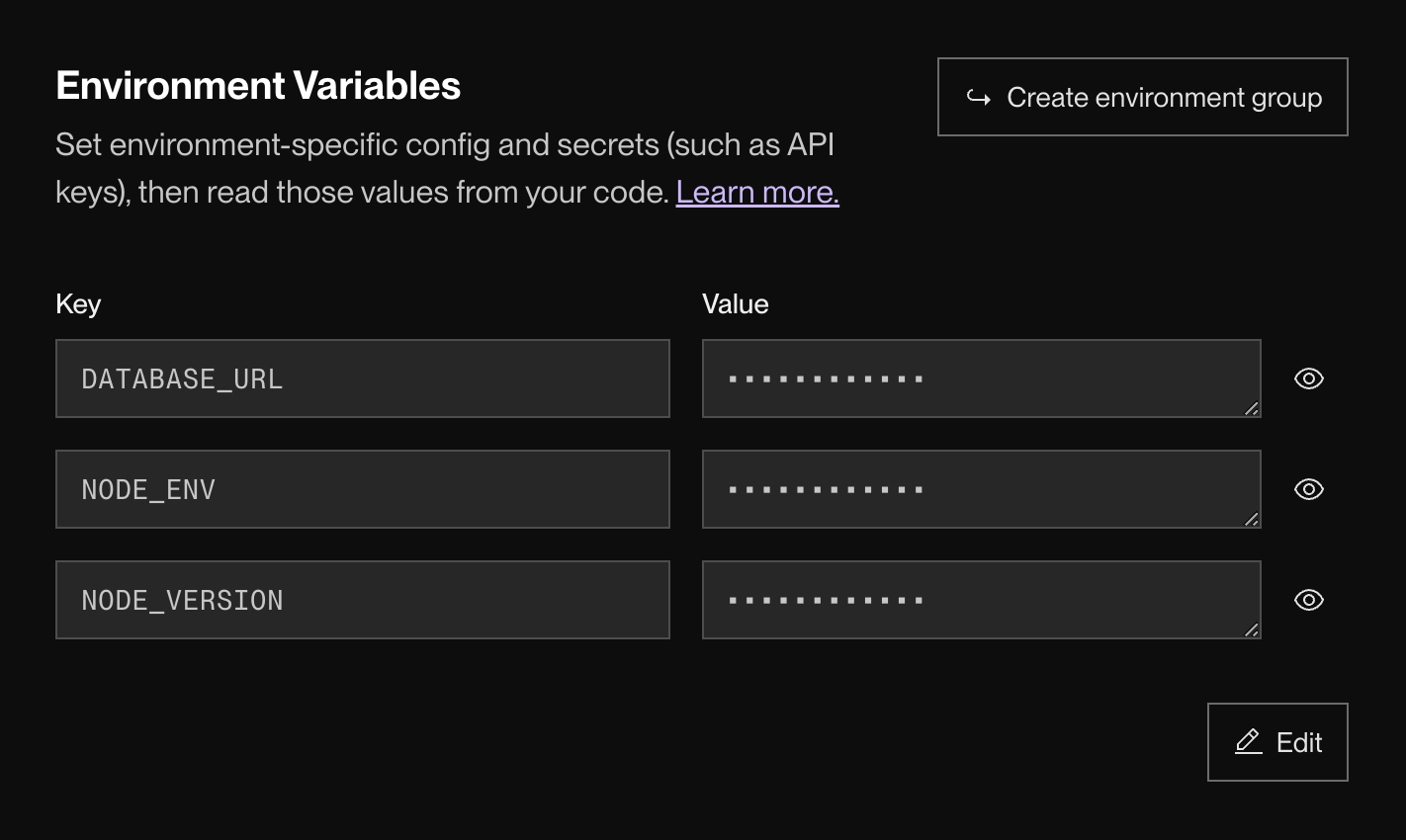
If you deploy the FastAPI service on Render later, its Environment page provides service-scoped key/value configuration. The values are stored in the platform configuration rather than in your source tree.
Environment Variables and Secrets
Read Render’s deployment-side guidance to see how environment values are set per service and why they keep credentials out of application source. This is preparation for deployment; you do not need a live Render service today.
In “Setting environment variables”, read the opening explanation and the subsection “In the Render Dashboard.” Start with the deployment rationale. Then follow the numbered dashboard steps through saving and deploying the configuration. Finally, in “Reading environment variables from code,” note that values arrive as strings and that the application is responsible for typed conversion and validation.
When the API is hosted, configure these values in the API service’s environment settings:
| Variable | Hosted value | Sensitivity |
|---|---|---|
APP_ENV | production | Non-secret |
DATABASE_URL | Connection URL issued by the hosted PostgreSQL provider | Secret |
LLM_API_KEY | Actual provider key, when you add a hosted model provider | Secret |
APP_NAME | Optional deployment-specific API name | Non-secret |
The hosted process supplies DATABASE_URL directly. Because the local .env file is absent from the deployment, the same Settings class reads the host-provided variable instead.
Keep configuration scoped to the smallest appropriate service:
- The API service gets database and model-provider secrets.
- The web service may get
VITE_API_BASE_URL, because the browser needs to know where to send API requests. - The web service must not get
DATABASE_URLorLLM_API_KEY. - If you later use a platform-level environment group, place only settings that every linked service legitimately needs in that group. A shared group is not a reason to give the frontend backend credentials.
When adding a variable in a host dashboard, use a deliberate operational sequence:
- Add the key and value to the correct service.
- Save and redeploy that service so the new process receives the value.
- Verify behavior through a safe endpoint or functional smoke check—never by returning secrets to the browser.
- Record the variable’s name, owner, purpose, and whether it is required in project documentation, but never record its real value.
A practical configuration checklist
Before committing this lesson’s changes, verify the following:
-
apps/api/.env.exampleandapps/web/.env.exampleare committed templates containing no live credentials. -
apps/api/.env,apps/web/.env, andinfra/.envare ignored by Git. -
apps/api/app/core/config.pyis the only place that defines API setting names and types. - Starting the API succeeds with your local
DATABASE_URL. - Removing
DATABASE_URLfrom the local API environment causes a startup validation failure. - No
VITE_*variable contains a password, API key, database URL, or private storage credential. - No secret values appear in
README.md, documentation, terminal screenshots, commits, or test fixtures.
A useful commit for this work might be:
git add .gitignore apps/api apps/web
git status
git commit -m "chore: add typed environment configuration"
Inspect git status immediately before committing. That habit is more dependable than memory, especially once your project begins using real provider keys.
Key takeaways
You now have a repeatable configuration boundary:
- Real local values live in excluded
.envfiles; safe.env.exampletemplates live in Git. - The FastAPI API reads configuration through one typed Pydantic Settings model.
- Required configuration fails fast, while
SecretStrandrepr=Falsereduce accidental exposure in diagnostics. - Hosted secrets belong in the API service’s host configuration, not in source code or the React build.
VITE_*configuration is public by design and must never contain a secret.
Next, you will define the core domain entities—organizations, knowledge sources, conversations, messages, and tickets—so that the API’s configuration and infrastructure have a concrete product model to support.
Can't find a good explanation? Sign up and we'll make it for you
Sign up