
Welcome back. In the previous lesson, we separated identification (the claimed identity), authentication (proof of that identity), authorization (what that identity may do), and auditing (the evidence trail). The important continuity point is that authorization is not permanent: access that was appropriate last month may be excessive, missing, or dangerous after a person’s employment situation changes.
This lesson introduces the workforce identity lifecycle: Joiner, Mover, and Leaver (JML). You will learn to recognize the lifecycle event behind a support request, map the required identity and access changes, and understand what evidence a support technician should check and record. This is the foundation for later lessons on least privilege, access governance, Entra administration, and offboarding operations.
Suggested study time: about 40 minutes.
The core idea: access has a lifecycle
A workforce identity is more than a username. It is the organizational representation of a worker across systems: an account in Active Directory or Microsoft Entra ID, a Microsoft 365 license, group memberships, application assignments, devices, and potentially physical-access or equipment records.
The JML lifecycle treats changes to that identity as responses to real-world workforce events:
| Lifecycle stage | Workforce event | IAM objective | Primary risk if mishandled |
|---|---|---|---|
| Joiner | A person is hired or begins an engagement | Give the person the access needed to start work | Delayed productivity or excessive initial access |
| Mover | A person changes role, department, manager, location, or employment status | Adjust access to fit the new responsibilities | Old access remains after it is no longer justified |
| Leaver | A person leaves the organization or engagement ends | Remove access promptly while preserving required records | Former worker retains access to organizational resources |
The model applies most obviously to employees, but organizations often extend it to contractors, interns, temporary workers, and other nonemployee populations. The precise workflow should reflect the organization’s policy and the worker’s relationship with it.
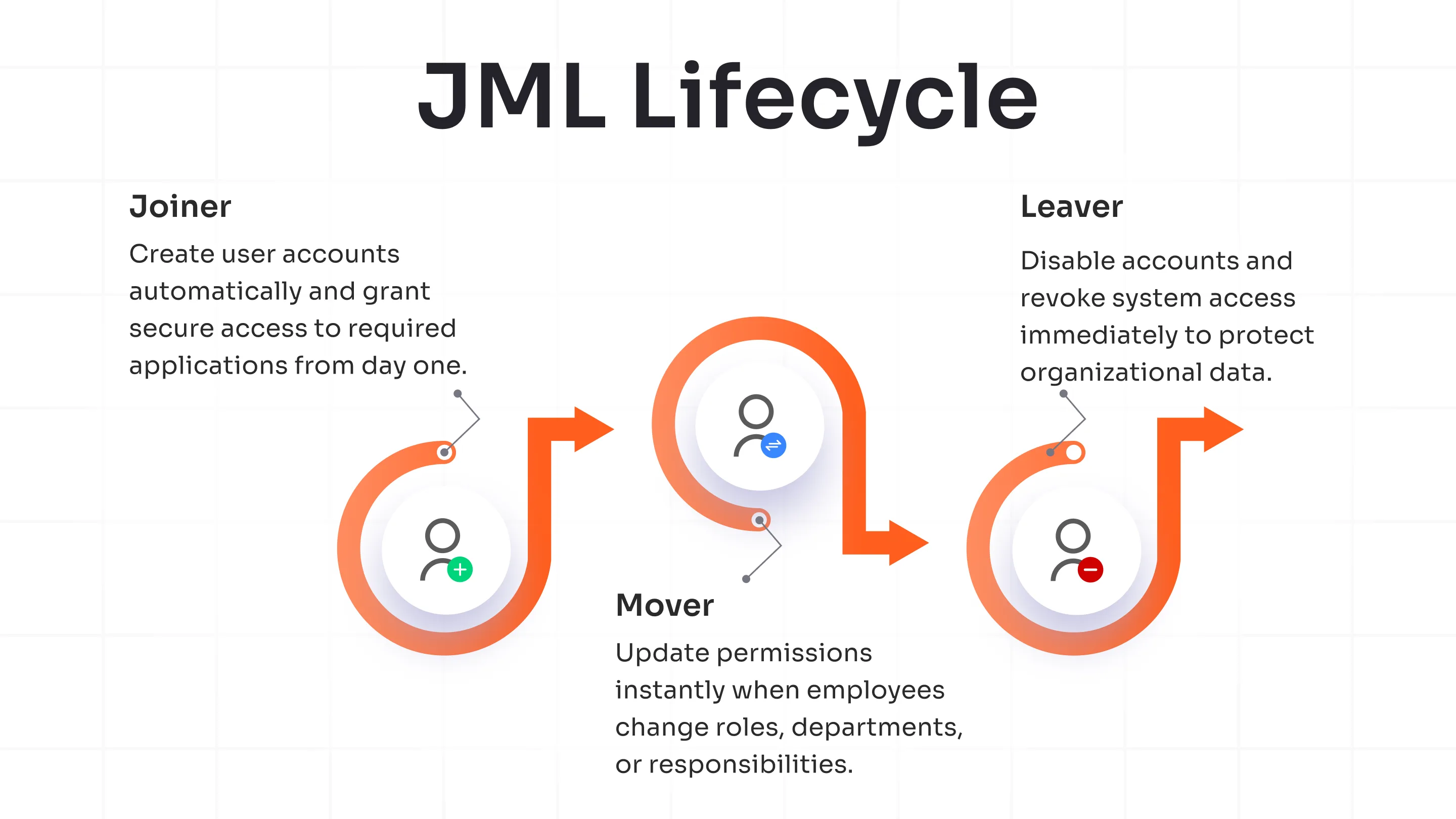
A useful way to think about JML is that each event changes the appropriate state of an identity. For example, consider Priya:
- Priya is hired as a marketing coordinator. Her start event is a Joiner event.
- Six months later, she moves into a finance analyst role. Her role-change event is a Mover event.
- Later, she leaves the organization. Her departure is a Leaver event.
The same identity may persist across all three stages, but its attributes and entitlements should not remain static. An organization must know who Priya is, what role she currently holds, and which access remains valid now.
Two categories of data are especially important:
- Identity attributes describe the person: name, employee ID, department, job title, manager, location, start date, and end date.
- Entitlements grant access: group memberships, licenses, application roles, resource permissions, and administrative assignments.
A title change is an attribute update. Whether it should result in access changes depends on the organization’s approved role model. Support staff should not assume that every person with a particular title needs the same access, nor that a new title justifies retaining old access.
HR events, provisioning, and support work
In a mature environment, lifecycle changes begin with an authoritative business event, commonly an approved record in an HR system. That event can drive updates into identity systems rather than relying on a manager to email multiple support teams manually.
Microsoft Entra supports HR-driven provisioning patterns in which a cloud HR application can create accounts for new employees, update attributes when records change, and disable accounts when employment ends. The key operational advantage is consistency: the same approved source data can be applied across Active Directory, Microsoft Entra ID, groups, licenses, and connected applications.
What is HR-driven provisioning with Microsoft Entra ID? - Microsoft Entra ID | Microsoft Learn
Read Microsoft Learn’s “What is HR-driven provisioning with Microsoft Entra ID?” to connect the JML model to a Microsoft environment. It shows how hiring, profile changes, and terminations can initiate consistent identity changes, then extends the idea into lifecycle workflows.
In the Enabled HR scenarios section, read the three HR events. Focus on the distinction between creating an account, updating attributes, and disabling an account. Then find the Manage Joiner-Mover-Leaver lifecycle workflows subsection under Key benefits. Read the workflow examples. Notice that workflows can occur before a start date, when an attribute changes, on the final workday, or after termination.
Automation does not remove the need for support judgment. It changes the work. Instead of manually creating every account, a support technician may need to:
- verify that the workflow targeted the correct person;
- investigate why a provisioning task failed;
- confirm that the intended access was actually assigned or removed;
- handle exceptions that require an application owner, HR, or security approval;
- preserve useful audit evidence in the ticket.
An automated workflow is only as reliable as its trigger data, scope rules, approvals, and error monitoring. If a start date is wrong in the source record, a technically successful workflow can still produce the wrong business result.
Joiner: establish a usable but limited working identity
A Joiner is someone who needs initial organizational access. The goal is not simply “create an account.” It is to make the person productive at the right time, with the minimum access needed for their role.
A Joiner workflow often begins before the first day. Depending on policy, the identity may be created in advance, populated with core attributes, and prepared for secure first-time sign-in. Access may be activated on the start date rather than when the HR record first appears.
Typical Joiner activities include:
- Validate the workforce event and source data. Confirm the person’s legal or preferred name, employee identifier, department, manager, job title, location, start date, and worker type according to the approved record.
- Create or provision the identity. This may mean creating an account in Microsoft Entra ID, Active Directory, or both, depending on the environment.
- Assign baseline access. Give access through approved role-based groups, application assignments, and licenses. A marketing coordinator might need email, Teams, a marketing SharePoint site, and the marketing application group. That does not automatically imply finance data or administrative access.
- Set up secure first access. The organization may use a temporary credential or Temporary Access Pass, then require the user to establish approved authentication methods.
- Notify the right people. A manager, onboarding team, or the new hire may need instructions, but sensitive credentials must be handled through the approved secure process.
- Verify and document completion. Check the account state, intended group memberships, licenses, and workflow results. Record the source event, approvals, actions, and exceptions.
The most common Joiner mistakes are opposites:
- Under-provisioning: the person starts work but lacks email, a required license, or access to their team’s core system.
- Over-provisioning: the person receives broad access “just in case,” inherited from a predecessor, or based on an imprecise job title.
For IAM support, the right response to a request such as “Give our new starter all the same access as Jordan” is not to copy every group blindly. Jordan may have accumulated old access, temporary project access, or permissions unrelated to the new person’s role. Start from an approved role baseline and handle additional access through a documented business need and approval process.
Mover: recalculate access, not just add more
A Mover changes organizational boundaries. A promotion is an obvious example, but the event can also be a department transfer, manager change, relocation, change from contractor to employee, or a change in duties without a new title.
Mover events are often the most neglected stage because organizations are good at adding access but less disciplined about removing it. This creates access accumulation: a person retains permissions from several former roles and gradually gains more than their current job requires.
Suppose Priya moves from marketing to finance. A correct mover review considers both sides of the change:
| Area | Questions to resolve |
|---|---|
| Identity attributes | Were her department, title, manager, location, and worker status updated from an approved source? |
| New-role access | Which finance groups, applications, licenses, and shared resources are approved for her new role? |
| Former-role access | Which marketing groups, Teams, applications, distribution lists, and resource permissions should be removed? |
| Temporary access | Does any project access need a new owner, an end date, or an explicit reapproval? |
| Higher-risk access | Does the move introduce access to sensitive data, payment processes, privileged administration, or regulated systems that require further approval? |
The support habit to develop is: every mover change contains an access-removal question. A ticket that says “Add Priya to Finance-Analysts” should prompt a check of which marketing entitlements remain appropriate. The answer may be “some remain because she is completing a transition project,” but that exception should be explicit, approved, and time-limited where possible.
Not every attribute update requires an entitlement change. A legal-name correction, for example, may affect display name and email aliases but not application access. Conversely, a title that appears minor can involve material responsibility changes. The organization’s access model, the manager, and the relevant application owner determine the required authorization—not a support technician’s guess based on a title alone.
Leaver: remove access on time, preserve what policy requires
A Leaver no longer needs organizational access because employment or an engagement has ended. Offboarding is a security-sensitive process because a valid former account can provide a direct path to email, files, SaaS applications, VPN services, or other corporate resources.
The immediate goal is generally to prevent further sign-in and access at the effective departure time. The complete process may continue afterward because access removal, data retention, ownership transfer, and account deletion have different purposes.
A typical Leaver sequence includes:
- Confirm the authoritative departure event and effective time. Do not rely on an unverified message from a colleague or the departing person.
- Disable the account or otherwise block sign-in. This prevents new authentication attempts from using that identity.
- Remove active access as required by procedure. This can include group memberships, application assignments, Teams membership, licenses, and other entitlements. In a security-sensitive departure, the procedure may also require ending active sessions.
- Preserve and transfer business assets. Mailbox data, files, application records, and ownership responsibilities may need a manager, legal, records-management team, or application owner to determine the correct handling.
- Complete delayed cleanup. Deleting an identity is often delayed until retention, investigation, recovery, and regulatory requirements have been met.
- Review evidence of completion. A workflow may report individual task failures even if the account was disabled successfully.
It is important to distinguish disable from delete:
- Disabling blocks normal use while preserving the directory object and much of its audit and recovery context.
- Deleting removes the object from active use and may start retention or permanent-removal processes, depending on the platform and policy.
A support agent should not delete an account simply because a manager says “the employee has left.” If the departure is unexpected, disputed, legally sensitive, or involves a privileged user, follow the organization’s escalation and retention procedures. Protecting access quickly and preserving required evidence are both part of secure offboarding.
Automate onboarding & offboarding tasks with Microsoft Entra | Identity Lifecycle Management
Watch Microsoft Mechanics’ “Automate onboarding & offboarding tasks with Microsoft Entra | Identity Lifecycle Management.” The demonstration makes the lifecycle model concrete: HR data creates the initial identity context, workflows assign only approved access, and leaver processes remove access while retaining an execution record.
Watch the Joiner workflow. Focus on the distinction between a directory account that exists and a worker who has been given the limited groups, first-sign-in method, and equipment process needed to begin work. Then watch the Leaver workflow for account deactivation, Teams removal, further entitlement cleanup, and eventual deletion. Finish with workflow monitoring; note how a support technician can inspect task states, identify a failed action, and use workflow history as technical evidence.
Mapping a real support case to JML
When an identity-related ticket arrives, do not begin by selecting an administrative action. First map the request to the lifecycle event and compare the person’s present access with the approved target state.
Use this support-oriented method:
- Identify the worker and relevant identity records. Establish the exact user account, employee or worker ID, manager, and affected systems. Be alert to duplicate accounts, guest identities, aliases, or separate privileged accounts.
- Classify the event. Is this a Joiner, Mover, Leaver, correction, or an unrelated access issue? “New manager” is usually a Mover event; “cannot sign in on day one” may be a Joiner provisioning failure.
- Validate the trigger. Check the approved HR event, authorized manager request, or designated workflow. A lifecycle event should not be created from an unverified self-service request.
- Determine timing. Identify the start date, effective transfer date, or precise departure time. Timing is especially important for pre-hire accounts and urgent offboarding.
- Compare current and target access. Identify what must be created, added, updated, removed, disabled, retained, or transferred.
- Perform only authorized actions. Your own administrative role, the approval level, and the defined support procedure limit what you may change.
- Verify outcomes and record evidence. Check that the intended tasks succeeded, identify failures, and document the action, timestamp, source or approval, impact, and resolution.
A concise ticket note might read:
HR termination event confirmed for Priya N., effective 16:00 local time on 14 June. Account sign-in disabled at 16:03. Finance and Marketing group memberships removed through the approved workflow; one CRM application-removal task failed and was escalated to the CRM owner. Manager notified that mailbox retention requires records-management review. Workflow run reference and audit timestamp attached.
That note distinguishes the trigger, completed work, incomplete work, ownership, and evidence. It also prevents a dangerous false conclusion: “offboarding complete” when a connected application task actually failed.
When to pause and escalate
JML support is routine only when the data, approvals, and workflow results are clear. Pause or escalate when you encounter:
- conflicting start, move, or end dates;
- an unverified request to disable, restore, or alter an account;
- privileged roles or access to highly sensitive systems;
- a request to copy another user’s full set of permissions;
- a failed deprovisioning task for a critical application;
- questions about legal hold, mailbox retention, ownership transfer, or records retention;
- evidence that a former worker can still sign in after the effective departure time.
Escalation is not a failure to solve the ticket. It is the appropriate control when the support team lacks authority, sufficient information, or ownership of the affected resource.
Key takeaways
The Joiner-Mover-Leaver model keeps workforce access aligned with a person’s current relationship to the organization:
- A Joiner needs a correctly created identity, secure first access, and only the role-appropriate baseline entitlements.
- A Mover requires an access review that considers both new access and removal of obsolete access.
- A Leaver requires timely sign-in blocking and access removal, while data retention and account deletion follow approved policy.
- HR-driven provisioning and Entra Lifecycle Workflows can automate recurring tasks, but support staff must validate triggers, monitor failures, and preserve audit evidence.
- For every lifecycle ticket, identify the event, effective time, approved target state, performed actions, and unresolved exceptions.
Next, we will make the access decisions in these lifecycle stages more rigorous by applying least privilege and separation of duties to a sample access request.
Can't find a good explanation? Sign up and we'll make it for you
Sign up