
Hello! Welcome to the first lesson of your course on building and scaling successful SaaS companies. Your goal to create and grow ten SaaS ventures is ambitious, and the first, most critical step in that journey is identifying fertile ground. A brilliant product in a shrinking market will struggle, while a solid product in a rapidly growing market has a powerful tailwind.
This lesson is designed to equip you with the foundational skill of spotting these growing markets. We will focus on the learning outcome: Using tools like Google Trends and Exploding Topics to identify emerging market opportunities.
By the end of this 60-minute session, you'll have a practical workflow for using these two powerful, free tools to move from a blank slate to a list of promising, data-backed SaaS ideas.
Why Trend Spotting is Your First Superpower
Before we dive into the tools, let's establish why this matters. Every search on Google is a signal—a question, a need, a pain point. Aggregated over millions of users, these signals form trends that show us where collective attention and demand are heading. As an entrepreneur, your job is to find a growing wave of demand and build a product that rides it.
We'll start with Google Trends to analyze and validate ideas, then move to Exploding Topics to discover trends you didn't even know existed.
1. Google Trends: The Market's Pulse Oximeter
Google Trends is a free tool that shows you the relative popularity of a search term over time and across different regions. It doesn't give you absolute search numbers, but it provides an index of interest from 0 to 100, where 100 is the point of peak popularity for that term in the given timeframe. This is perfect for comparing the momentum of different ideas.
Given your background in Computer Science, you can think of this as analyzing vast time-series data from search queries to spot meaningful patterns and signals amidst the noise.
To get a hands-on feel for the tool, let's start with a video walkthrough. This video from Miles Beckler is practical and action-oriented.
How To Use Google Trends To Find Products, Keywords, Content Ideas & More
This video provides a great, fast-paced introduction to the core functions of Google Trends. Pay close attention to how he compares different search terms to gauge which trend is rising and which is falling.
Watch the sections from 00:45 to 01:28 and from 02:59 to 05:49. The first part shows the basics of a search, and the second, more crucial part demonstrates the power of comparing multiple trends.
Now that you've seen it in action, let's break down the key features for market research.
Core Functionalities for SaaS Ideation
1. Comparing Trends: This is the most powerful feature. You can compare up to five terms to see their relative interest.
- Application: Instead of guessing, you can see if the market is moving from an old solution to a new one. For example, compare "customer support software" (the established category) with "AI chatbot for website" (the emerging solution). A crossing graph where the new term overtakes the old is a powerful signal.
2. Filtering (Geography, Time, Category):
- Geography: Is a trend global, or is it concentrated in a specific country or region? This helps you identify your initial target market.
- Time: Looking at "Past 5 years" reveals long-term shifts, while "Past 90 days" can highlight sudden spikes or seasonal patterns. For SaaS, long-term upward trends are generally more stable and desirable.
3. Related Topics & Queries: This is a goldmine for ideas.
- Related Topics: These are other subjects people searching for your term are also interested in. It helps you understand the broader context.
- Related Queries: These are the actual search phrases people are using. Pay special attention to the "Rising" filter. These are queries that have had the most significant growth in recent times. They often point to new pain points, use cases, or niche demands that could become the basis of a micro-SaaS product.
For a more structured overview of all these features and how to interpret the data correctly, the official Google team provides an excellent, concise tutorial.
This video from the Google Search Central channel explains the user interface and the normalization of data, which is crucial for accurate interpretation. Focus on how to use the filters and understand the difference between 'Top' and 'Rising' queries.
Watch from 00:59 to 02:56 to understand the comparison and filtering features. Then, watch from 05:46 to 07:52 to master 'Related Queries' and the correct way to interpret the data.
To solidify these concepts, the following reading provides a step-by-step guide with clear examples of how to apply these techniques for market research.
How to Use Google Trends for Market Research in 2026
This article, 'How to Use Google Trends for Market Research,' provides a structured approach with a practical example. It walks you through a complete workflow from a broad idea to specific keywords.
Read the sections 'Understanding Google Trends as a Market Signal,' '1. Research Topics & Keywords,' and '4. Explore Related Topics & Queries.' Notice how they use variants of a term (e.g., 'sustainable packaging' vs 'eco friendly packaging') and then dive into 'Rising' queries to find new angles.
Test your understanding!
Imagine you're exploring the "no-code" space for a SaaS idea. You go to Google Trends and compare "no-code platform" and "low-code platform" worldwide over the past 5 years. You find that both are trending up, but "low-code" has consistently higher interest.
What would be your immediate next step within Google Trends to find a more specific, potentially underserved niche?
Show answer
The best next step would be to scroll down to the "Related Queries" section for both terms and switch the filter from "Top" to "Rising". This will show you the breakout search terms that are gaining momentum. You might discover phrases like "no-code AI app builder," "low-code for internal tools," or "no-code workflow automation," each pointing to a more specific and potentially less competitive market opportunity than the broad "no-code platform" category.
2. Exploding Topics: The Trend Discovery Engine
Google Trends is fantastic for validating an idea you already have. But what about the ideas you haven't thought of yet? How do you find the "next big thing" before everyone else does?
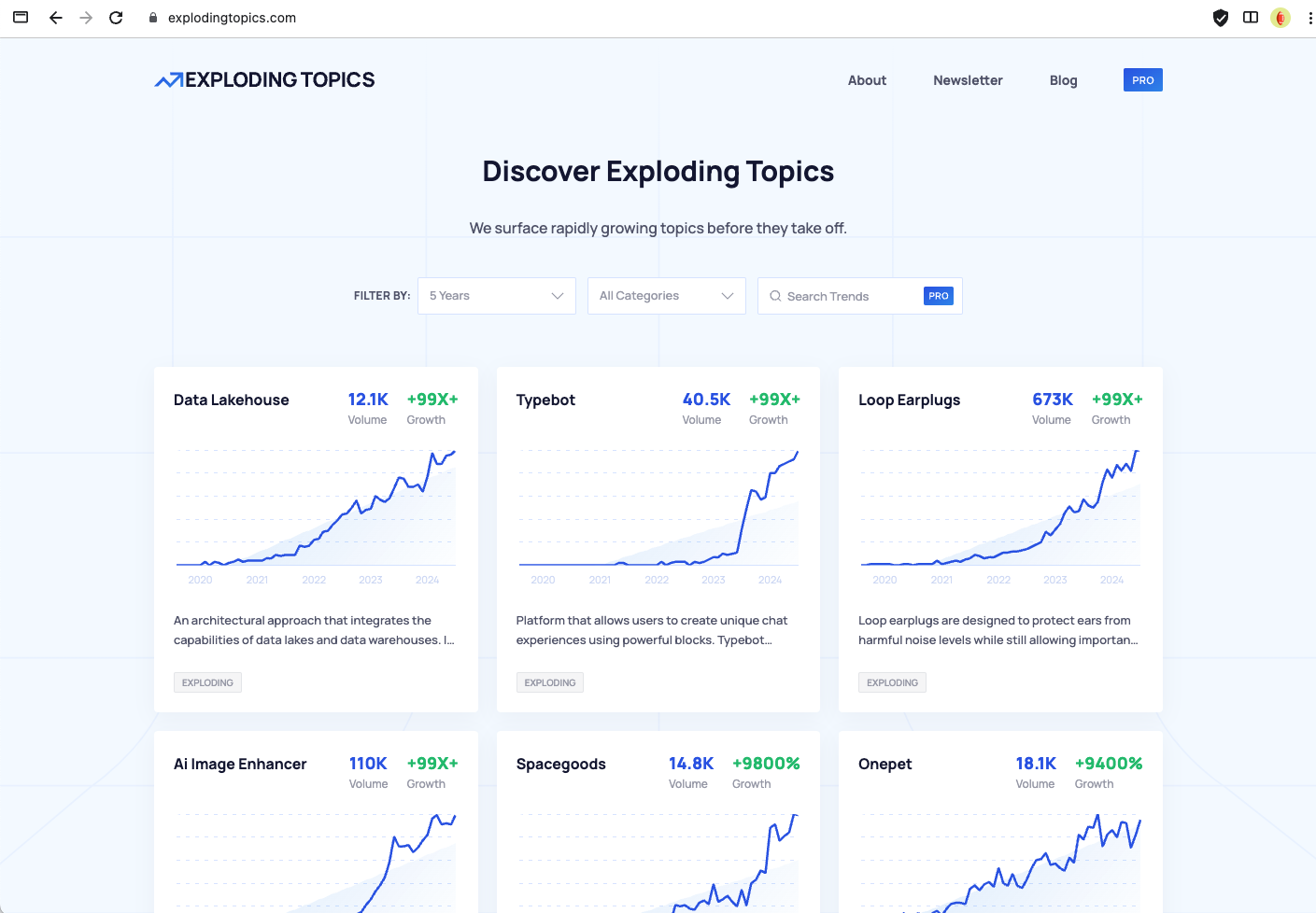
This is where Exploding Topics comes in. It's a trend discovery platform specifically designed to surface topics, products, and companies that are in the early stages of rapid growth.
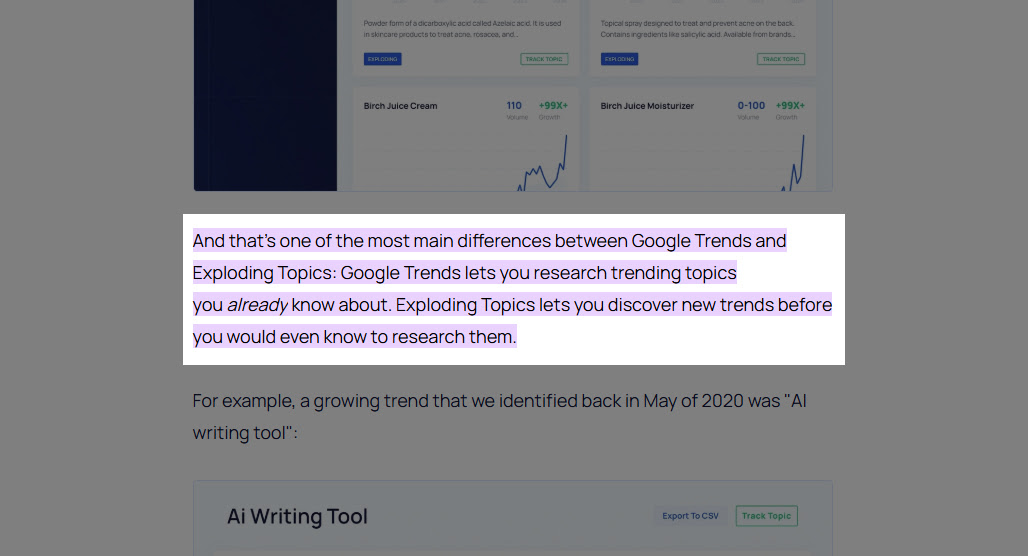
Exploding Topics scans the internet—conversations on social media, blogs, forums, and more—to identify these nascent trends. It then validates them with search data, presenting them in a clean, easy-to-browse interface.
A Powerful Workflow: Discover, Then Validate
Your most effective strategy will be to use these tools together:
- Discover with Exploding Topics: Browse categories like "Software," "Technology," and "Marketing" to find exploding trends. Look for new software categories, features, or problems people are trying to solve.
- Validate with Google Trends: Take a promising trend from Exploding Topics and plug it into Google Trends. Analyze its long-term trajectory, see where in the world it's most popular, and—most importantly—look at the "Rising" related queries to find your specific angle or niche.
The following reading provides a worked example of this exact workflow. While the example is about "seed oils," the process is directly applicable to finding a SaaS opportunity.
What Is Google Trends? Guide for Marketers & Entrepreneurs
This guide from the creators of Exploding Topics shows you how to combine their tool with Google Trends for a complete market research workflow.
Read the section titled 'Combining Google Trends and Exploding Topics Pro'. Focus on the process: 1) Spotting an emerging trend in the Exploding Topics database, and 2) Validating and analyzing it with Google Trends to find geographic focus and related content ideas.
Test your understanding!
You use Exploding Topics and discover that "AI Agent Frameworks" is a software topic with 500% growth in the last year. You take this term to Google Trends. What specific insights are you looking for there to help you formulate a SaaS idea? List at least two.
Show answer
After discovering the trend on Exploding Topics, here are two key insights you'd look for in Google Trends:
- Geographic Concentration: You would check the "Interest by region" map. If you see disproportionately high interest in tech hubs like San Francisco (US), London (UK), or Bangalore (IN), it suggests early adoption by developers and tech companies, validating it as a serious B2B trend.
- Specific Use Cases from "Rising" Queries: You'd analyze the "Rising" related queries. You might find terms like "autonomous AI sales agent," "customer service AI agent," or "LangChain agents tutorial." These queries point directly to specific, high-demand applications of the broader trend, each of which could be a viable SaaS product. For instance, "autonomous AI sales agent" could become a SaaS that automatically researches leads and sends personalized outreach emails.
Conclusion
Congratulations on completing your first lesson! You've just learned a fundamental process for de-risking one of the biggest challenges in starting a company: choosing the right market.
Here are your key takeaways:
- Market trends are your tailwind. Identifying a growing trend is the first step toward building a successful SaaS company.
- Google Trends is for validation and analysis. Use it to compare ideas, understand seasonality, check geographic interest, and find specific user language in "Rising" queries.
- Exploding Topics is for discovery. Use it to find nascent trends before they become saturated and mainstream.
- The most effective workflow combines both tools: Discover an emerging trend with Exploding Topics, then Validate and Analyze its specifics with Google Trends to carve out your niche.
This process gives you a data-driven foundation, moving you from pure guesswork to informed strategy.
Preview of the Next Lesson:
Now that you know how to spot broad market trends, the next step is to zoom in on specific, successful products and niches. In our next lesson, we will analyze high-demand SaaS niches by examining trends on platforms like Product Hunt, G2, and Capterra. This will help you see what's currently winning in the market and how you can find your own unique angle.