
Good to see you again. In the previous lesson, you created a reproducible Python workspace using uv, a pinned interpreter, pyproject.toml, and uv.lock. That setup now gives you a safe place to experiment: run the examples below with uv run python main.py and commit useful transformations as ordinary application code.
This part of the Python Foundations module focuses on a daily task in AI engineering: reshaping JSON-like application data. Model responses, tool outputs, evaluation records, request logs, and retrieval results usually arrive as nested dictionaries and lists. By the end of this lesson, you will be able to navigate such data deliberately and produce compact, readable derived structures using collections, comprehensions, slicing, and unpacking.
Think in data shapes before writing a transformation
JSON maps naturally to a small set of Python collections:
| Python collection | Typical job | Key property |
|---|---|---|
list | Ordered sequence of messages, chunks, candidates, or records | Mutable; accessed by numeric index |
dict | A structured object such as a response, config, or metadata record | Mutable mapping from unique keys to values |
tuple | A small fixed-position value such as (name, value) | Immutable; commonly unpacked |
set | Unique identifiers, tags, or membership checks | Unordered; removes duplicates |
Consider a simplified response from a local or hosted language model:
response = {
    "request_id": "req_1042",
    "model": "local-instruct",
    "choices": [
        {
            "index": 0,
            "message": {
                "role": "assistant",
                "content": "Reset your password from the account settings page.",
                "citations": [
                    {"source_id": "help-17", "url": "/docs/reset-password"},
                    {"source_id": "help-24", "url": "/docs/account-security"},
                ],
            },
            "finish_reason": "stop",
        },
        {
            "index": 1,
            "message": {
                "role": "assistant",
                "content": "Contact support if you cannot access the email address.",
                "citations": [
                    {"source_id": "help-17", "url": "/docs/reset-password"},
                ],
            },
            "finish_reason": "length",
        },
    ],
    "usage": {
        "input_tokens": 132,
        "output_tokens": 41,
    },
    "warnings": [],
}
Before manipulating it, identify the shape at each level:
response                         dict
response["choices"]              list
response["choices"][0]           dict
response["choices"][0]["message"] dict
response["choices"][0]["message"]["citations"] list
response["choices"][0]["message"]["citations"][0] dict
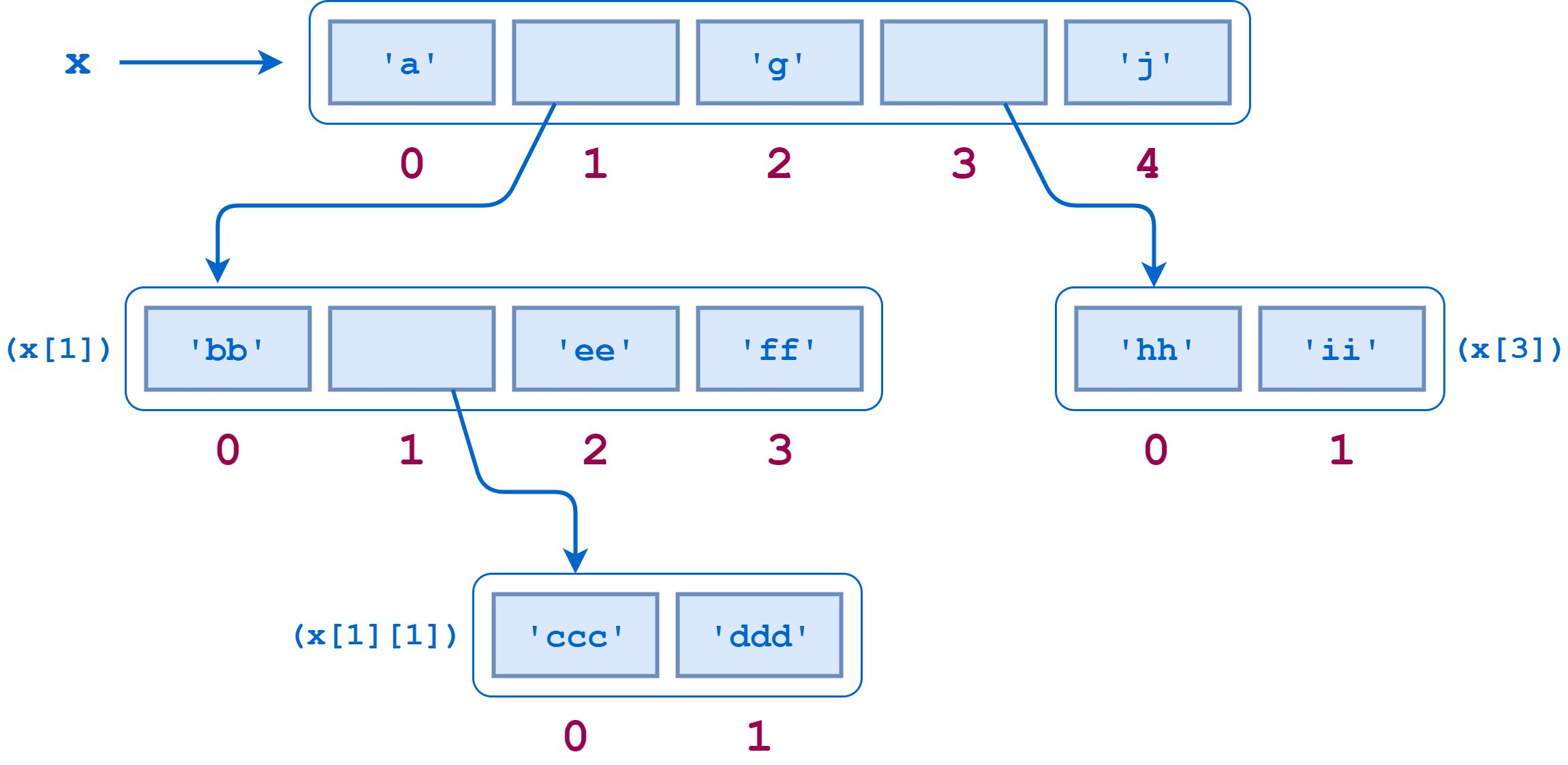
That is the essential discipline: each indexing operation must match the shape of the current value.
- Use
["key"]when the current value is a dictionary. - Use
[index]when the current value is a list or another sequence. - Use a loop or comprehension when the current value is a collection of many items.
For a trusted, validated response shape, direct indexing is precise:
first_choice = response["choices"][0]
first_text = first_choice["message"]["content"]

print(first_text)
# Reset your password from the account settings page.
Direct indexing also fails loudly when a required field is absent:
response["missing_key"] # Raises KeyError
That is often preferable to silently continuing with bad application state. Use dict.get() when a field is truly optional and you have a meaningful default:
warnings = response.get("warnings", [])
Do not use .get() indiscriminately for required fields. If a model provider promises choices and it is missing, that is an error worth detecting. In the next lessons, typed models and validation will make these assumptions explicit.
Indexing and slicing: select without changing the source
Python uses zero-based indexes, as JavaScript and most other application languages do:
choices = response["choices"]

primary = choices[0]
last_choice = choices[-1]
Negative indices count backward from the end. This is handy when handling a conversation history or a bounded candidate list.
A slice selects a range:
first_two = choices[:2]
all_but_first = choices[1:]
every_other = choices[::2]
The general slice form is:
sequence[start:stop:step]
The stop position is excluded. These are useful conventions to remember:
| Expression | Meaning |
|---|---|
items[:n] | First n items |
items[n:] | Item n through the end |
items[-n:] | Last n items |
items[:] | A shallow copy of the outer list |
items[::2] | Every second item |
For example, an application may retain only the most recent six messages before constructing a prompt:
recent_messages = messages[-6:]
This is a message-count limit, not a true token budget. Six short messages and six long documents can have radically different token counts. Later, you will implement token-aware context truncation; slicing remains useful as a simple first bound.
One subtle but important point: slicing a list creates a new outer list, but it is a shallow copy. The dictionaries within it are still the same objects:
recent_choices = response["choices"][-1:]

recent_choices[0]["finish_reason"] = "edited"

print(response["choices"][1]["finish_reason"])
# edited
The slice did not duplicate the nested dictionary. When transformations should not mutate incoming API data, create a new result structure rather than changing nested values in place.
Unpacking gives names to a known shape
Unpacking assigns multiple values from an iterable to multiple names. It is especially clear when an API or helper function returns a fixed, meaningful group of values.
input_tokens, output_tokens = (
    response["usage"]["input_tokens"],
    response["usage"]["output_tokens"],
)
Both the number and order of values must match:
model, request_id = response["model"], response["request_id"]
For lists whose length is not fixed, use a starred target:
primary_choice, *alternative_choices = response["choices"]

print(primary_choice["index"])        # 0
print(len(alternative_choices))       # 1
The starred name receives a list, including an empty list if there are no remaining items:
first_warning, *other_warnings = response.get(
    "warnings",
    ["No warnings"],
)
Unpacking also makes iteration more readable. Dictionaries expose key-value pairs through .items():
for metric, count in response["usage"].items():
    print(f"{metric}: {count}")
When position matters, use enumerate():
for position, choice in enumerate(response["choices"]):
    text = choice["message"]["content"]
    print(position, text)
When you intentionally pair two equal-length sequences, use zip():
metric_names = ["input_tokens", "output_tokens"]
metric_values = [132, 41]

usage = dict(zip(metric_names, metric_values, strict=True))
strict=True is useful in production-oriented code because it raises an error if the sequences differ in length. Plain zip() quietly stops at the shorter sequence, which can conceal a data alignment bug.
Mapping unpacking with ** is useful for creating enriched dictionaries without mutation:
usage_with_model = {
    **response["usage"],
    "model": response["model"],
    "request_id": response["request_id"],
}
If keys collide, the value written later wins:
settings = {"timeout": 10, "retries": 2}
local_override = {"timeout": 30}

effective_settings = {**settings, **local_override}
# {"timeout": 30, "retries": 2}
This is a clean pattern for configuration layering, though it is shallow: nested dictionaries are not recursively merged.
Read the Python documentation’s sections “List Comprehensions,” “Tuples and Sequences,” “Sets,” “Dictionaries,” and “Looping Techniques.” It establishes the standard vocabulary and syntax behind the transformations used throughout this course.
5. Data Structures — Python 3.14.0 documentation
Read the official Python documentation for the language-level rules behind comprehensions, unpacking, dictionary iteration, sets, and zip().
In Section 5.1.3, “List Comprehensions,” read the opening explanation and the examples through flattening a nested list. Then, in Section 5.3, “Tuples and Sequences,” read the sequence and unpacking discussion. Continue through Sections 5.4–5.6, “Sets,” “Dictionaries,” and “Looping Techniques,” focusing on .items(), enumerate(), and zip().
Comprehensions: build a derived collection in one expression
A comprehension expresses a frequent data-transformation pattern: iterate over a source, optionally retain only matching items, and produce a new collection.
The core list-comprehension form is:
new_list = [expression for item in iterable]
For example, extract the text of every generated choice:
all_texts = [
    choice["message"]["content"]
    for choice in response["choices"]
]
This is equivalent to the more explicit version:
all_texts = []

for choice in response["choices"]:
    all_texts.append(choice["message"]["content"])
Both are correct. The comprehension is compact because its purpose is exactly “produce one list from another iterable.” The loop is often better once there are multiple side effects, branching paths, logging, retries, or exception handling.

Add a trailing if clause to filter out unwanted source items:
completed_texts = [
    choice["message"]["content"].strip()
    for choice in response["choices"]
    if choice["finish_reason"] == "stop"
]
The result contains only choices that completed normally. The .strip() call is the expression, and the final if controls inclusion.
Do not confuse a filtering if with a conditional expression. This code keeps every choice but labels it differently:
completion_statuses = [
    "complete" if choice["finish_reason"] == "stop" else "incomplete"
    for choice in response["choices"]
]
The difference is semantic:
| Form | Effect |
|---|---|
[value for item in items if condition] | Removes items that fail the condition |
[a if condition else b for item in items] | Keeps every item but changes its output value |
The following video is a concise visual walkthrough of this syntax, including transformations, filters, nested loops, dictionary comprehensions, and set comprehensions.
Python Tutorial: Comprehensions - How they work and why you should be using them
Watch Corey Schafer’s “Python Tutorial: Comprehensions - How they work and why you should be using them” to connect conventional loops with the equivalent comprehension forms.
Watch basic transformation for the relationship between a loop, append(), and a list comprehension. Then watch filters and nesting, paying close attention to the order of the nested for clauses. Finish with dictionary and set forms to see how the output collection determines the comprehension syntax.
Nested data: flatten carefully, preserve meaning
A nested comprehension has multiple for clauses. The clauses run in the same order that nested for loops would run.
Suppose each response choice contains zero or more citations. You want one flat list of citation URLs:
citation_urls = [
    citation["url"]
    for choice in response["choices"]
    for citation in choice["message"].get("citations", [])
]

print(citation_urls)
# ['/docs/reset-password', '/docs/account-security', '/docs/reset-password']
Read it as:
- For each
choicein the response choices, - for each
citationin that choice’s citations, - collect the citation URL.
The equivalent loop makes the traversal order unmistakable:
citation_urls = []

for choice in response["choices"]:
    citations = choice["message"].get("citations", [])

    for citation in citations:
        citation_urls.append(citation["url"])
The nested comprehension is appropriate here because the work is a straightforward flattening transformation. Keep the loop version in mind whenever the one-line form stops being immediately readable.
A set comprehension produces unique values. Citation source identifiers can repeat across candidates, so a set captures the distinct source IDs:
source_ids = {
    citation["source_id"]
    for choice in response["choices"]
    for citation in choice["message"].get("citations", [])
}

print(source_ids)
# {'help-17', 'help-24'}
Sets deliberately do not preserve a meaningful display order. If the result will be rendered, logged deterministically, or compared in a snapshot test, sort it at the boundary:
display_source_ids = sorted(source_ids)
A dictionary comprehension produces a mapping:
finish_reason_by_index = {
    choice["index"]: choice["finish_reason"]
    for choice in response["choices"]
}

print(finish_reason_by_index)
# {0: 'stop', 1: 'length'}
This lets downstream code look up a finish reason by candidate index efficiently.
Be cautious with dictionary-comprehension keys. A duplicate key does not raise an error; the later value overwrites the earlier one:
by_source = {
    citation["source_id"]: citation["url"]
    for choice in response["choices"]
    for citation in choice["message"].get("citations", [])
}
Here, the repeated help-17 value is overwritten. That may be harmless when identical IDs are guaranteed to have identical URLs, but it is dangerous if repeated keys indicate data loss. In that case, group values with an ordinary loop or validate the input.
A compact, testable response summary
Bring these tools together in a single transformation. Add this to main.py, then run it within the project environment created in the previous lesson:
response = {
    "request_id": "req_1042",
    "model": "local-instruct",
    "choices": [
        {
            "index": 0,
            "message": {
                "role": "assistant",
                "content": "Reset your password from the account settings page.",
                "citations": [
                    {"source_id": "help-17", "url": "/docs/reset-password"},
                    {"source_id": "help-24", "url": "/docs/account-security"},
                ],
            },
            "finish_reason": "stop",
        },
        {
            "index": 1,
            "message": {
                "role": "assistant",
                "content": "Contact support if you cannot access the email address.",
                "citations": [
                    {"source_id": "help-17", "url": "/docs/reset-password"},
                ],
            },
            "finish_reason": "length",
        },
    ],
    "usage": {
        "input_tokens": 132,
        "output_tokens": 41,
    },
}

completed_texts = [
    choice["message"]["content"].strip()
    for choice in response["choices"]
    if choice["finish_reason"] == "stop"
]

citation_urls = [
    citation["url"]
    for choice in response["choices"]
    for citation in choice["message"].get("citations", [])
]

source_ids = sorted({
    citation["source_id"]
    for choice in response["choices"]
    for citation in choice["message"].get("citations", [])
})

input_tokens, output_tokens = (
    response["usage"]["input_tokens"],
    response["usage"]["output_tokens"],
)

summary = {
    "request_id": response["request_id"],
    "model": response["model"],
    "completed_texts": completed_texts,
    "citation_urls": citation_urls,
    "source_ids": source_ids,
    "total_tokens": input_tokens + output_tokens,
}

print(summary)
Run it:
uv run --locked python main.py
This is intentionally plain Python. No framework is required to turn a provider-specific nested payload into an application-friendly result. The same mechanics will later shape retrieved chunks, tool-call arguments, evaluation rows, model outputs, and operational traces.
A practical readability rule:
- Use a comprehension when its purpose can be understood in one scan.
- Use named intermediate values when a nested path is repeated.
- Use an ordinary loop when processing requires validation, error handling, side effects, or several stages of state.
- Avoid mutating an input payload merely to create a derived view of it.
Key takeaways
Nested AI application data is usually composed of dictionaries containing lists, which may contain further dictionaries and lists. Navigate one layer at a time, using keys for dictionaries and integer indices or slices for sequences.
Use:
- slicing to select bounded portions of ordered data;
- unpacking to name fixed-position values, separate a first item from the rest, iterate through key-value pairs, and merge mappings;
- list comprehensions to map and filter data into a new list;
- nested comprehensions to flatten a simple nested structure;
- set comprehensions for unique values and dictionary comprehensions for indexed mappings.
The core engineering idea is to treat every transformation as a deliberate contract between an input shape and an output shape. In the next lesson, you will make those contracts more explicit by defining typed Python functions and representing configuration data with dataclasses.
Can't find a good explanation? Sign up and we'll make it for you
Sign up