
Welcome back. You created Work Intake Training as a scoped application and identified its generated scope, the configuration files that define it, and the runtime records it will eventually store.
Before we configure that application, we need one more piece of developer workflow: a local update set. This lesson establishes a distinction that prevents many deployment mistakes:
- Application scope identifies which application boundary you are working in.
- Current update set identifies which named change bundle should capture eligible configuration changes you make now.
You will create and select a local update set for Work Intake Training in your PDI, then verify both contexts before any application configuration begins.
Two contexts, two different questions
When developing in ServiceNow, it is easy to see two selectors in the interface and assume they do the same thing. They do not.
| Context | The question it answers | Example |
|---|---|---|
| Active application scope | “Which application am I developing in?” | Work Intake Training with a scope beginning x_ |
| Current local update set | “Which bundle should capture my eligible configuration changes?” | WIT - Platform Foundation |
Think of the scope as the application’s ownership and interaction boundary. A table, Business Rule, or Script Include created in the Work Intake Training scope is associated with that application.
An update set is a change-capture container. It records eligible configuration changes so they can later be reviewed and moved between instances. In a typical company workflow, a developer makes configuration changes in a development instance; the completed update set is retrieved, previewed, and committed in a test or production instance. You will practise that lifecycle much later. Today, use the update set purely as disciplined change tracking in your PDI.
The current update set does not change the application scope. Likewise, selecting a scope does not name or organize a deployment bundle.
A useful test is to complete these two sentences separately:
- “I am working in the Work Intake Training application scope.”
- “I am capturing this unit of configuration work in the WIT - Platform Foundation update set.”
Both can be true at the same time, and they describe different facts.
What update sets do—and do not—capture
Update sets are intended for configuration, not the day-to-day data created when an application is used.
For example, after your future Work Intake Training application has a Work Item table:
| Change or item | Normally captured in an update set? | Why |
|---|---|---|
| Create the Work Item table definition | Yes | It is application configuration |
Add a Requested for field definition | Yes | It is configuration metadata |
| Create a Business Rule | Yes | It defines platform behavior |
| Change a form layout | Yes | It is user-interface configuration |
| Create a particular “Laptop access” Work Item | No | It is runtime business data |
| Create a user record | No | It is instance data, not configuration |
The distinction is important when diagnosing deployment problems. If you build a feature but test records do not appear after moving its update set, that is often expected: the configuration moved, but its runtime data did not.
There is one practical caveat: do not assume that every record in every platform table is update-set tracked. ServiceNow tables can be configured so that their records are or are not tracked for update sets. Later, when you review deployment readiness, you will inspect the captured customer updates rather than trusting that a change was captured.
Watch this concise introduction to see the operational purpose of update sets and the difference between configuration and ordinary records.
Watch “ServiceNow Update Set” from TechWithPri for a practical overview of why organizations separate development, test, and production instances, and what update sets are designed to move.
Watch deployment context for the role of update sets across instances. Then watch captured changes and note the contrast between configuration such as Business Rules or UI Policies and records such as users or business data. The later connection and migration demonstration is useful, but not needed for today’s PDI setup.
Create your first local update set
A local update set is created in the instance where you are currently making changes. In contrast, a retrieved update set has arrived from another instance and is waiting to be previewed or committed. Your PDI will contain the local update set; you are not moving anything today.
First, read the short ServiceNow Developer guidance for the exact create-and-select workflow.
How to backup your Personal Developer Instance (PDI)
Read the “Working in update sets” portion of this ServiceNow Developer article. It gives the core workflow: create a local update set, make it current, and understand why configuration—not ordinary records—is captured.
Under the “How to backup your PDI with update sets” section, find the subsection “Working in update sets.” Read the update-set workflow from its opening statement through the explanation of completing an update set. Then read the capture limitation, focusing on the example contrasting a Business Rule with Incident records. You do not need to perform the export steps yet.
Now create the update set in your PDI. Allocate about 15 minutes and do not create tables, fields, scripts, or form configurations in this lesson. We are preparing the work area so those later changes land in a deliberate container.
1. Confirm the active application scope first
In the standard ServiceNow interface, locate the Application scope picker in the header.
- Confirm that it displays Work Intake Training.
- If another scope, especially Global, is shown, select Work Intake Training.
- Pause and make a note of the app’s generated scope, beginning with
x_.
This is the first guardrail: you want upcoming configuration to belong to the training application, not accidentally be created in Global.
2. Open Local Update Sets
- In the Application Navigator, select All.
- Filter for
local update sets. - Open System Update Sets > Local Update Sets.
- Select New.
The new-record form has fields for a name, state, application, and description. Its appearance can differ slightly by ServiceNow release, but the essential fields are consistent.
3. Fill in a purposeful change set
Use these values:
| Field | Value |
|---|---|
| Name | WIT - Platform Foundation |
| State | In progress |
| Application | Work Intake Training |
| Description | Initial foundation changes for the Work Intake Training scoped application. |
Your PDI might prefill the Application field based on the scope you selected. Verify it carefully rather than assuming it is correct. If it says Global, stop and correct the application selection before saving.
The naming pattern is intentionally descriptive:
WITidentifies the training app.Platform Foundationidentifies the small unit of work.- The name is readable in a list and meaningful during a later review.
On a real project, update sets should generally correspond to an understandable, reviewable change—such as one story, defect fix, or tightly related feature—not to an entire month of unrelated development.
4. Submit and make it current
Select Submit and Make Current. If your release does not show that action, first select Submit, reopen the update set, and use the available action to make it current. The update set must remain in the In progress state to be current.
Do not set it to Complete today. A completed update set represents a finished unit of work and should not be used to capture new configuration changes.
Verify both contexts before you build
After submitting, you need evidence that the two contexts are aligned—but remember that alignment does not mean they are the same thing.
Check 1: application scope
Look again at the header Application scope picker. It should show Work Intake Training.
This means new application artifacts you create in the normal scoped-development context are associated with Work Intake Training rather than Global.
Check 2: current update set
Locate the Update Set picker in the header. It should show:
WIT - Platform Foundation
This means eligible configuration changes made while it is current will be recorded in that named set.
If the picker is hidden in your release or workspace, return to System Update Sets > Local Update Sets, open WIT - Platform Foundation, and confirm that:
- its State is In progress;
- its Application is Work Intake Training;
- it is identified as the current update set through the available current-selection control or action.
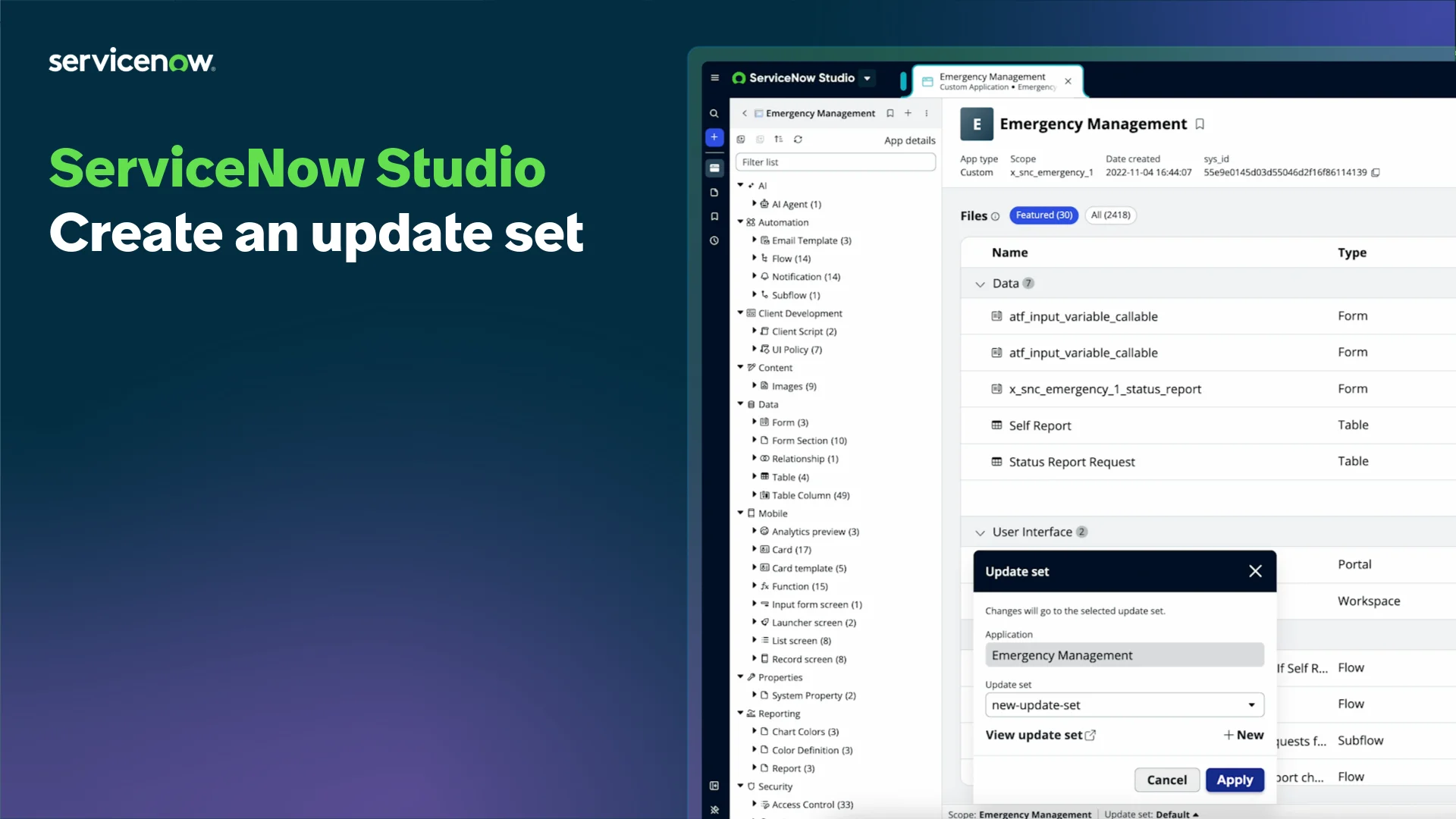
Studio may also surface update-set selection within its development experience. The key principle remains the same: choose the application you are editing and choose the update set that records the present change.
A clean-start check
Open the update set record and inspect its related lists, if available. At this point, it should contain no customer updates or only records created by the update-set setup itself, depending on release behavior. You have not yet built the application’s data model or interface, so there should be no table, field, script, or form-layout changes to review.
Record this in your notes:
| Verification | Expected result |
|---|---|
| Active scope | Work Intake Training |
| Scope technical name | Your value beginning with x_ |
| Current update set | WIT - Platform Foundation |
| Update set state | In progress |
| Update set application | Work Intake Training |
| Configuration changes created today | None |
Avoiding the three most common mix-ups
1. “I selected Work Intake Training, so an update set is unnecessary.”
Not correct. Scope identifies the application context. A current update set organizes and captures eligible configuration work. They cooperate, but neither replaces the other.
2. “My update set is current, so my new record belongs to my application.”
Not necessarily. An update set tracks configuration, not ordinary runtime records. Creating a future Work Item record will create business data; it does not turn that record into an application file or reliably include it in your update set.
3. “The update set is named for Work Intake Training, so every change I make is safe.”
Also not correct. You must still check the active scope before creating configuration. A Global-scope artifact is not automatically part of your scoped app merely because an update set with a related name is current. The community discussion on scoped applications makes the practical point: configuration created in another scope, including Global, must be handled separately from the scoped application’s own deployment.
In the next modules, make this a habitual two-second pre-change check:
- Read the Application scope picker.
- Read the Update Set picker.
- Only then create or modify configuration.
That habit is much cheaper than discovering during migration that an essential change is missing or was built in the wrong scope.
Key takeaways
You have created and selected the local update set WIT - Platform Foundation before modifying the Work Intake Training application.
- An application scope answers: Which application owns this configuration and governs its cross-application boundary?
- A current update set answers: Which named bundle captures my eligible configuration changes right now?
- Update sets normally capture configuration such as table definitions, fields, scripts, policies, and form changes—not ordinary runtime records.
- A local update set should remain In progress while you are working; complete it only when its intended change is finished and ready for review or migration.
- Before every configuration change, verify both the active application scope and the current update set.
Next, you will inspect an existing record closely—its fields, activity, related lists, and system metadata—so that you can navigate confidently between the configuration you build and the runtime records it supports.
Can't find a good explanation? Sign up and we'll make it for you
Sign up