Hello! Welcome back.
In our last lesson, you did an excellent job diving into the practical skills of creating pre-recorded, shoppable videos with CapCut. You learned how to craft a compelling narrative with hooks, dynamic editing, and clear calls-to-action. Today, we're shifting gears from pre-produced content to the exciting, high-engagement world of live commerce.
This lesson addresses the learning outcome: Plan and execute a mock TikTok Live shopping session to demonstrate products and engage with viewers. We'll break down how to meticulously plan your live event, what to do during the broadcast to keep your audience hooked and drive sales, and how you can practice in a risk-free environment. This is a powerful tool for building community and converting interest into immediate sales.
1. Phase One: Planning for Success
A successful TikTok LIVE is rarely spontaneous. Like any good marketing initiative, it's built on a solid plan. Your experience managing online marketing for your local business has already taught you the value of preparation; the same principle applies here, but in a real-time environment.
A great plan boosts your confidence, ensures you never run out of things to say, and keeps your session focused on the goal: sales.
Structuring Your LIVE Content
The most effective LIVEs follow a structured, repeatable format. This doesn't mean you need a word-for-word script, but rather a "run of show" that guides you through the broadcast. A key thing to remember is that viewers will join and leave throughout the session, so you'll need to repeat your key messages in a loop.
This official guide from TikTok Seller University provides an excellent template for a one-hour session.
How to Structure LIVE Content and Tips on Script Design
Let's review the 'How to Structure LIVE Content' article from TikTok Seller University. It provides a fantastic, practical template for a LIVE session.
First, read the section 'How to Structure LIVE Content' to understand the standard one-hour format. Then, study the table under 'Key Content Strategies to Drive Attention and Conversion' to see specific phrases you can use.
As you read, note this powerful, repeatable structure:
- Opening (Welcome & Intro): Greet new viewers by name.
- Warm-Up (What's Coming): Tease the products and special offers.
- Product Demo: Showcase a product, explaining its features and benefits. Pin the product to the screen.
- Interaction: Answer questions from the chat.
- Repeat: Loop back to the product demo or introduce a new product.
This loop ensures every viewer, no matter when they join, gets the information they need to make a purchase.
Setting Up and Promoting Your LIVE Event
Before you can go live, you need to schedule your event and tell people about it. TikTok provides built-in tools for this. The official LIVE Events guide from TikTok's Seller University is the best resource for the technical steps.
This guide covers the technical setup for scheduling, promoting, and managing a LIVE event. We'll focus on the pre-live and live checklists.
Focus on the 'Pre LIVE Checklist', specifically the sections on 'Scheduling your LIVE Event' and 'Promoting your LIVE Event'. Pay special attention to the mention of 'Practice mode'—we will use this later.
Your pre-live checklist should include:
- Schedule the Event: Use the LIVE Center in the TikTok app to set a date, time, and an eye-catching title.
- Promote the Event:
- Create short videos announcing your upcoming LIVE and add the event link.
- Add your LIVE schedule to your TikTok profile description, as suggested in the video below.
- Prepare Products: Organize the products you'll feature into a "LIVE product set" for easy access during the stream.
For more quick, practical tips on promotion and setup, the following video offers great advice.
TikTok LIVE Shopping | HOW TO SELL PRODUCTS ON TIKTOK LIVE | 7 Tips For Success TikTok LIVE Shopping
This video offers several actionable tips for a successful LIVE. We'll focus on promotion and setup best practices.
Watch the segment from 01:14 to 02:18 for advice on promoting your LIVE. Then, watch from 07:12 to 07:59 to understand the importance of choosing a good title and topic.
Test your understanding!
A viewer joins your LIVE session 20 minutes after you started. What is the most effective way to engage them and encourage a purchase?
A) Ignore them, as you've already covered the main products.
B) Welcome them by name and continue with your planned script for the next product.
C) Welcome them by name, briefly recap the product you are currently showing, and remind them they can purchase it by tapping the shopping bag icon.
Show answer
C is the best approach. It follows the principles of personalization (using their name) and repetition (recapping the product and CTA). This ensures new viewers are brought up to speed without derailing the session for everyone else.
2. Phase Two: Executing an Engaging LIVE
With your plan in place, it's time to go live. Your energy and interaction are what will turn viewers into customers.

Real-Time Engagement Tactics
During the LIVE, your goal is to create a dynamic and interactive experience. This is where you bring the "Key Content Strategies" from the How to Structure LIVE Content article to life.
Watch this creator's actual LIVE session. Notice how he seamlessly blends product information with audience interaction.
How I Make $225 / Hour As A TikTok Shop Affiliate (LIVE EXAMPLE)
This video shows a real, successful TikTok Shop LIVE in action. It's a great case study of how to engage viewers and create urgency.
Watch the clip from 01:00 to 05:51. Pay close attention to how the creator: greets viewers by name, mentions the product is 'back in stock' (urgency), refers to the thousands of reviews (social proof), and responds to comments.
Key Actions During Your LIVE:
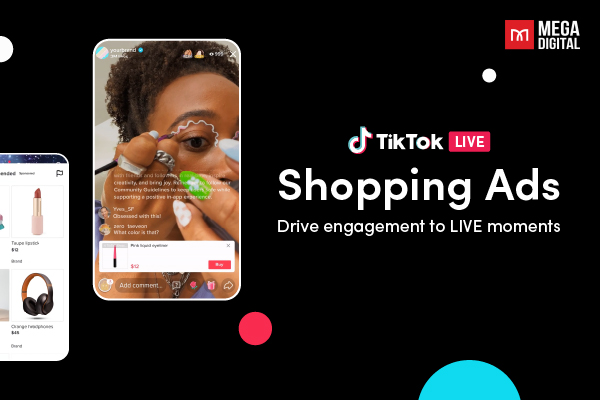
- Pin Products: As you discuss a product, make sure to "pin" it. This makes it visible and clickable for viewers, as shown in the image below. Be aware that you may need to re-pin it frequently. A helpful tip is to use a second device (like a tablet or another phone) to manage your stream and re-pin products, which allows you to stay focused on engaging with the audience.
- Use CTAs: Constantly remind viewers how to buy. Tell them to "tap the orange shopping cart" or "click the product link below."
- Create Urgency: Use phrases like "limited stock," "selling fast," or "this offer ends when the LIVE is over."
- Leverage Social Proof: Mention how many have been sold or read positive customer reviews out loud.
- Engage with Comments: Acknowledge viewers, answer their questions, and give shout-outs. This makes them feel seen and valued.
After the LIVE, you can analyze your performance, just as the creator did in the video "How I Make $225 / Hour...". The analytics will show you revenue, items sold, viewers, and more, providing valuable data for your next session.
3. Your Turn: The Mock LIVE Session
Now it's time to put all this theory into practice. You will plan and run a short, mock LIVE session using a special feature that lets you practice without a real audience.
Your Task:
Plan and execute a 5-10 minute mock TikTok LIVE session for a simple product you have nearby (e.g., a coffee mug, a mouse, a book).
The Tool: TikTok's Practice Mode
As mentioned in the LIVE Events guide (LINK), TikTok has a Practice Mode. This simulates the full LIVE experience, but the stream is only visible to you. It's the perfect environment to build confidence.
To access Practice Mode:
- Tap the
+button in the TikTok app. - Swipe over to LIVE.
- Go to Settings (gear icon) and select Practice mode.
Your Execution Steps:
- Plan Your "Run of Show": On a piece of paper, outline a 5-minute script using the structure from resource LINK:
- Opening (1 min): Welcome your imaginary audience. Introduce the product and a special "mock" offer.
- Product Demo (3 mins): Showcase the product. Talk about its features and benefits. Use engagement phrases like, "Let me know in the comments what you think of this!"
- Call-to-Action (1 min): Tell your audience to "tap the shopping bag to get yours now" and thank them for joining.
- Enter Practice Mode: Open the TikTok app and start a LIVE in Practice Mode.
- Execute Your Plan: Run your 5-minute session. Practice looking at the camera, demonstrating the product, and speaking clearly. Even though there's no one there, act as if you're talking to a real audience. Try to "pin" the product to get familiar with the interface.
This exercise is designed to make the real thing feel much less intimidating. It builds muscle memory for the flow of a LIVE session.
Conclusion
You've now learned the complete lifecycle of a TikTok LIVE shopping event—from meticulous planning and content structuring to dynamic execution and real-time engagement. This is one of the most powerful conversion tools in modern e-commerce.
Key Takeaways:
- Plan Your Broadcast: A structured "run of show" is your best tool for a smooth, confident, and effective LIVE session.
- Loop Your Content: Repeat key product information and calls-to-action to cater to viewers who join at different times.
- Engage Authentically: Greet viewers by name, answer questions, and create a sense of community. This interaction builds the trust needed for a sale.
- Use Practice Mode: Leverage TikTok's built-in tool to rehearse your sessions and build confidence in a risk-free environment.
Next Up:
You've learned to drive engagement with both pre-recorded videos and live streams. In our next lesson, we will explore another powerful method for boosting sales: setting up a TikTok Shop promotional campaign using the platform's native discount and voucher tools. This will add another crucial layer to your marketing strategy on the platform.