
Hello! Welcome to the next lesson in our journey to master n8n.
In our last session, we explored the Code node, your escape hatch for writing custom JavaScript. We saw how it can be used for everything from complex data transformations to making custom API calls. However, to interact with most APIs in the real world, you need to authenticate securely. That's precisely our focus today.
This lesson addresses the learning outcome: Set up credentials securely for third-party services. We will explore why hardcoding API keys is a critical mistake and how to use n8n's built-in, encrypted credential store to manage different authentication types safely. As a developer, the principles of secret management will be familiar, and you'll see how n8n implements them in a user-friendly and robust way.
1. The Core Principle: Never Hardcode Credentials
Before we touch the n8n interface, let's establish the foundational rule of API integration: never embed secrets like API keys, tokens, or passwords directly into your code or workflow nodes.
Hardcoding credentials creates significant security risks:
- Accidental Exposure: If you export your workflow to share it or commit it to a Git repository, the secret is exposed in plain text within the workflow's JSON definition.
- Difficult to Rotate: If a key is compromised and needs to be changed, you would have to find and update every single workflow that uses it.
- Poor Access Control: Anyone who can view the workflow can see the secret.
n8n solves this with a centralized and encrypted credential store. Let's start with a high-level overview of why this is so important.
Best Practices for Managing Credentials Securely in Your n8n Workflows
This blog post from SharconAI provides an excellent introduction to the importance of secure credential management and how n8n approaches it.
Please read the 'Introduction', 'Why Secure Credential Management Matters', and 'Understanding Credential Storage in n8n' sections. Focus on the core concepts of centralized management and encryption.
As the article mentions, n8n encrypts your credentials using an N8N_ENCRYPTION_KEY. This is an environment variable that you'll become very familiar with when you set up your own self-hosted instance later in the course. For now, it's enough to know that your secrets are not stored in plain text.
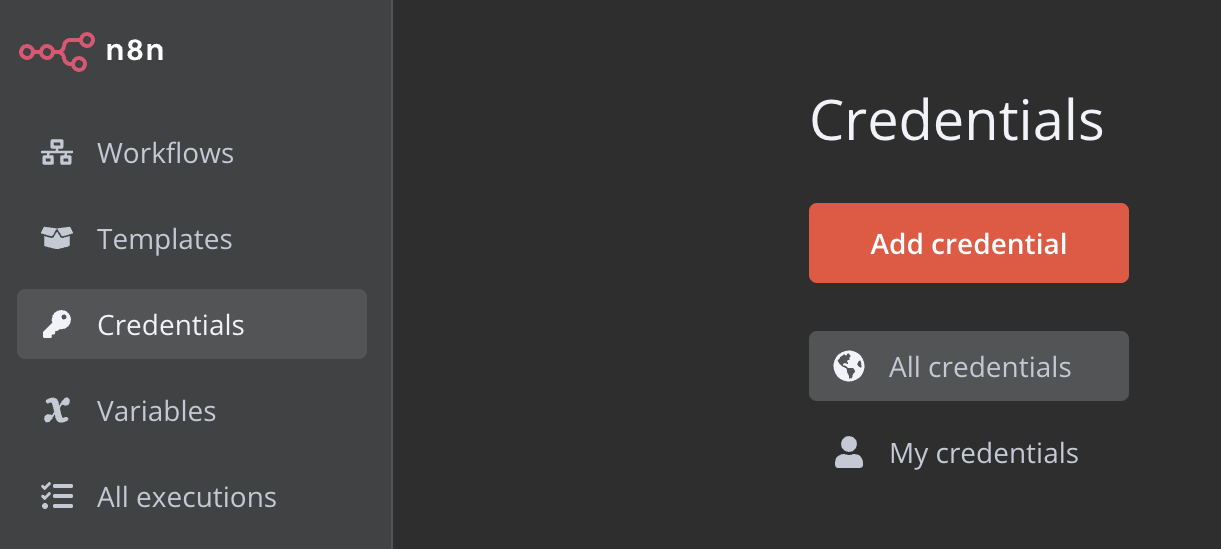
You can find the credential manager in your n8n instance on the left-hand panel. This is your central hub for all authentications.
2. The Wrong Way vs. The Right Way: API Keys & Bearer Tokens
The most common authentication method is a simple API key or a Bearer Token, which are sent in the request headers. Let's see a practical demonstration of what not to do, and then how to do it correctly.
The following video shows a user trying to authenticate with an API. It vividly illustrates the security risk of placing a key directly in an HTTP Request node and then demonstrates the secure alternative using n8n's credential store.
Build Secure N8N AI Agents: Stop Doing This
This video from Simon Scrapes clearly shows the danger of unencrypted API keys and how to secure them using a 'Generic Credential'.
Watch from 03:13 to 07:18. Pay close attention to: (The Wrong Way - 03:13-05:13): How placing an API key in the request body makes it visible in network traffic. (The Right Way - 05:13-06:05): The process of creating a 'Generic Credential' using 'Header Auth'. Notice that the header name is Authorization and the value starts with Bearer followed by the key. (Verification - 06:05-07:18): How the corrected request no longer exposes the key in the network data.
To summarize the correct process for a Bearer Token:
- Navigate to Credentials and click Add credential.
- Search for and select Header Auth under "Generic Credential Types".
- Give your credential a descriptive name (e.g., "OpenAI API Key").
- For the Name, enter
Authorization. - For the Value, enter
Bearerfollowed by your API key (note the space after "Bearer"). - Click Save.
Now, in any HTTP Request node, you can select this credential from the Authentication dropdown menu, and n8n will handle adding the secure header for you.
Test your understanding!
You need to connect to a weather API that requires an API key to be sent in a custom header named X-Api-Key. What steps would you take to set this up securely in n8n?
Show answer
You would use the same Header Auth generic credential type.
- Go to Credentials > Add credential.
- Select Header Auth.
- Name it something like "Weather Service API".
- For the Name field, you would enter
X-Api-Key. - For the Value field, you would paste the API key directly (without "Bearer" or anything else, as the service requires a custom header).
- Save the credential and select it in your HTTP Request node.
3. Handling Complex Authentication: OAuth2
Many modern services, especially large platforms like Google, Microsoft, and Salesforce, use OAuth2 for authentication. This flow is more complex than a simple API key because it involves user consent and token exchanges. Instead of you handling a static key, n8n securely stores a client ID and client secret, then manages the process of obtaining and refreshing access tokens on your behalf.
The setup process involves two main parts:
- On the Service Provider's side: You register your "application" (in this case, n8n) to get a Client ID and a Client Secret. You also need to tell the provider where to redirect the user after they grant permission, which is a specific URL provided by n8n.
- On n8n's side: You create a credential for that service and provide the Client ID and Secret you just obtained.
The official n8n channel has a fantastic video walking through this entire process for Google services.
Google OAuth Authentication in n8n - From Setup to Connection
This official n8n tutorial walks you through the complete end-to-end process of setting up Google OAuth2 credentials, a very common requirement.
Watch the video from 00:12 to 04:19. It covers the entire flow: Google Cloud Setup (00:12 - 02:28): Creating a project, enabling the necessary APIs (like Sheets or Drive), and configuring the OAuth consent screen. Creating the Client ID & Secret (02:28 - 03:25): Notice how the redirect URI is copied from the n8n credential window and pasted into the Google Cloud settings. This is a critical step. Finalizing in n8n (03:25 - 04:19): Pasting the Client ID and Secret into n8n and completing the sign-in flow to authorize the connection.
While the specific steps vary between services, this general pattern of registering your application, getting a Client ID/Secret, and providing a redirect URI is the standard for OAuth2.
4. Best Practices for Production-Grade Security
Creating a credential is just the first step. To build robust and secure automations, especially in a professional context, you should follow established best practices for secret management. Given your background, these will align with standard software development security principles.
The following resource provides a concise, actionable list of these practices.
n8n Workflow Design Patterns: Credential Management Best Practices
This article from Evalics on workflow design patterns has an excellent section on credential management that's perfect for developers moving into production.
Read the section titled 'Credential Management Best Practices'. It's a short but dense list that covers key professional standards.
Let's consolidate the most important best practices:
- Principle of Least Privilege: When you create an API key or authorize an OAuth2 connection, grant it only the permissions it absolutely needs. If a workflow only needs to read data, create a read-only key.
- Separate Credentials by Environment: Avoid using the same API keys for your development, staging, and production environments. This prevents accidental changes to production data while you are testing.
- Use Clear Naming Conventions: Don't use generic names like "My Google Key". A name like
Prod - Google Sheets - Marketing Dept (Read/Write)is far more useful and helps prevent mistakes. - Regularly Rotate Credentials: Schedule periodic rotations of your API keys (e.g., every 90 days). If you ever suspect a key has been compromised, rotate it immediately.
- Audit and Revoke: Periodically review which credentials are being used and revoke any that are no longer needed.
Conclusion
In this lesson, you've learned the essential skill of managing credentials securely in n8n. This is a non-negotiable part of building any serious automation that interacts with external services.
Key Takeaways:
- Always use the n8n credential store. Never hardcode secrets like API keys or tokens in your workflow nodes.
- n8n provides Generic Credential Types like
Header Authto handle common authentication methods for any API. - For complex standards like OAuth2, you'll perform a two-part setup: one on the service provider's platform and one inside n8n.
- Adopting security best practices—like the principle of least privilege, clear naming, and regular rotation—is crucial for building professional, production-ready workflows.
Now that we know how to securely store the "keys" to our services, we're ready to unlock their potential. In the next lesson, we will connect to services using pre-built integration nodes, putting the credentials you've learned to create today into direct, practical use.