
Hi. Last lesson separated finishing an assignment from submitting and verifying it. You learned to look for real proof—such as “Submitted” or “Turned in”—and to record that status in your missing-work inventory.
This lesson turns that inventory into a weekly reset. A weekly review is a short appointment with yourself to find what is still missing, catch new deadlines before they become emergencies, and make a realistic plan for the next five school days. It cannot fix every grade instantly, but it replaces guessing and panic with accurate information and a next step.
The purpose: get a clear picture, not judge yourself
A weekly review is not a time to stare at grades and decide what they mean about you. It is a practical check of three things:
- What is the real status of my work?
- What deadlines and school events are coming up?
- What can I realistically do this week?
When school feels overwhelming, your brain may treat every assignment as equally urgent. A review helps separate facts from stress. For example:
| What your stress says | What the weekly review checks |
|---|---|
| “I have way too much missing work.” | Which assignments are actually marked missing, and which are submitted but ungraded? |
| “Everything is due immediately.” | What are the exact due dates, and which tasks need attention first? |
| “I will never catch up.” | What are the next few work blocks I can complete this week? |
The goal is not a perfect planner. The goal is a plan you can see, use, and adjust.
Choose one repeating time each week: perhaps Friday after school, Sunday afternoon, or Monday morning before the week gets busy. Put it in your calendar like an appointment. Start with 30 minutes; increase to 45 minutes only if you need it.
The Simpletivity video gives a useful reason for this habit: looking back catches things that slipped through the cracks, while looking forward prevents unpleasant surprises.
How to Do a Weekly Review That Works for You (Template)
Watch “How to Do a Weekly Review That Works for You (Template)” by Simpletivity for a simple review structure. Its process is designed for general planning, so use the ideas below to make it school-focused.
Watch the mind dump for a quick way to get worries and reminders out of your head. Then watch the past scan, followed by looking ahead. Finish with the task review. Focus on the difference between reviewing information and trying to do every task at once.
Your 30-minute school weekly review
Use this five-part routine. Keep your school portal, calendar, class materials, and assignment inventory open. If you use paper instead, have your planner and any returned work nearby.

Minutes 0–5: Clear the mental clutter
Set a five-minute timer. Write down every school-related thought that is taking up space in your head:
- “I think Spanish has a quiz soon.”
- “I need to ask my history teacher about late credit.”
- “Find the biology worksheet.”
- “Math homework might be due Tuesday.”
- “Check whether my essay submitted correctly.”
Do not solve or organize these yet. Just capture them.
This is especially useful when you have been avoiding schoolwork because it feels like a blur. A thought written down becomes an item you can check, schedule, ask about, or cross off. It no longer has to stay in your head repeating itself.
Minutes 5–15: Update your assignment inventory
Now compare your list with the most reliable information you have:
- Open each class in your school portal or learning platform.
- Check the class stream, assignments page, gradebook, and announcements.
- Look at your paper planner, handouts, notebook, and teacher messages.
- Update every assignment whose status has changed.
Use clear labels. For example:
| Class | Assignment | Due date | Current status | Next action |
|---|---|---|---|---|
| Algebra | Linear equations practice | Tuesday | In progress | Complete problems 8–16 |
| Biology | Cell diagram | Last Friday | Submitted; awaiting grade | Check grade next review |
| History | Source questions | Last Wednesday | Missing | Ask teacher about late credit |
| Spanish | Vocabulary quiz | Thursday | Not started | Review words Monday and Wednesday |
The key distinction is this:
- Missing means the system or teacher says the work has not been received, or you have confirmed it is not done.
- Submitted; awaiting grade means you turned it in and verified it, but the teacher has not graded it yet.
- Complete/graded means there is no action needed unless you are reviewing errors.
- In progress means you know the next small action.
Do not leave an item as just “work on it.” Write an action that starts with a verb: open the directions, find the worksheet, answer questions 1–5, email teacher, or submit final draft.
An assignment tracker can give your list a simple home.
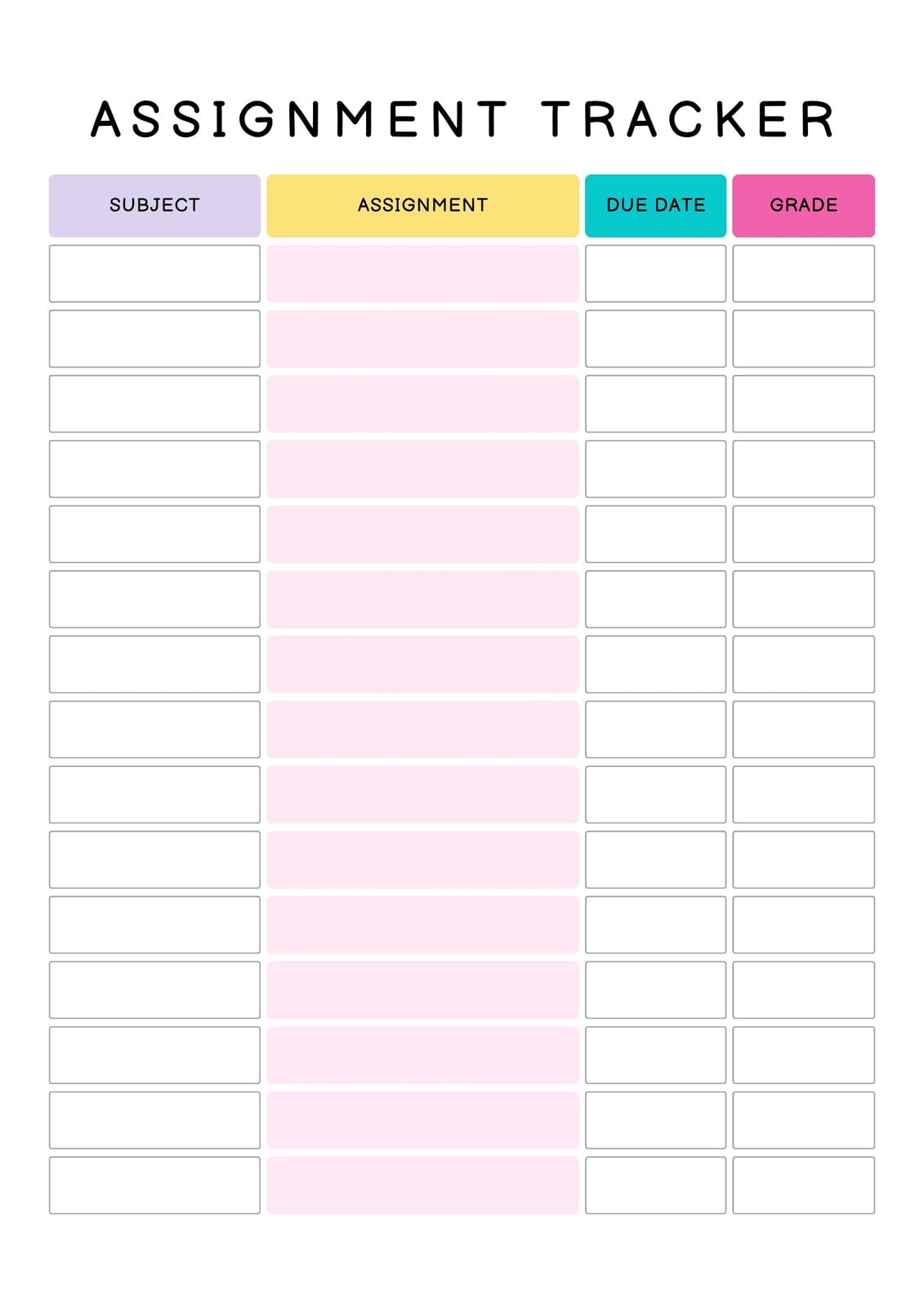
The tracker’s grade column can be helpful, but do not let it become the center of the review. A grade reports a past result. Your status and next-action columns help you influence what happens next.
Minutes 15–20: Check deadlines and commitments
Next, scan the coming week—and briefly look one additional week ahead.
Check:
- your school calendar;
- every class portal;
- the syllabus or weekly module, if your teacher provides one;
- announcements about quizzes, tests, projects, labs, presentations, or materials to bring;
- family or personal commitments that affect when you can study.
Write exact dates whenever possible. “History soon” creates stress; “History source questions due Wednesday” allows planning.
The Oregon State guide recommends using course calendars and syllabi to see due dates, and previewing weekly modules to create a to-do list. It also recommends adding flex time because tasks can take longer than expected.
TIME MANAGEMENT TOOLS IN CANVAS TOOL: WHY USE IT: STRATEGIES FOR SUCCESS:
Read this Oregon State University guide for ideas on using a school platform’s calendar, syllabus, and weekly modules to make deadlines visible. Even if your school does not use Canvas, the planning habits apply.
In the opening material on the Canvas Calendar, read from checking and recording deadlines. Then continue in the Modules guidance, from previewing the week. Focus on the idea of looking across all classes and leaving some open time.
A deadline belongs in one of two places:
- Calendar: a fixed date or event, such as “Spanish quiz Thursday” or “essay due Friday.”
- Task list: an action you need to take, such as “make Spanish flashcards” or “write essay outline.”
Put the deadline in the calendar and the work steps in your plan. A deadline alone does not tell you when you will do the work.
Minutes 20–28: Build a possible, not imaginary, week
Now make your five-day plan using the 30-minute work blocks you built earlier in this module. Start with the work that has the most immediate grade impact:
- Missing assignments that can still receive credit.
- Near deadlines.
- Test preparation that needs more than one day.
- Regular homework and longer projects.
Do not fill every open minute. Leave room for eating, sleep, transportation, chores, breaks, and unexpected assignments. A plan that assumes you can work nonstop often falls apart by Tuesday.
Here is a realistic example:
| Day | School task | Work block |
|---|---|---|
| Monday | Algebra: problems 8–16 | 30 minutes |
| Monday | Spanish: review vocabulary | 30 minutes |
| Tuesday | History: draft message to teacher, then begin source questions | 30 minutes |
| Wednesday | Biology: quiz review | 30 minutes |
| Thursday | Algebra: finish and submit practice | 30 minutes |
| Friday | Catch-up block or start next week’s work | 30 minutes |
Notice that Friday has a catch-up block. It is not wasted time. It protects the plan when one task takes longer than expected, you have a rough day, or a teacher adds something new.
For any large assignment, do not schedule “finish project.” Schedule the next piece you can actually complete in one block. For example:
- Find two sources.
- Read and highlight one source.
- Write a three-sentence thesis.
- Answer questions 1–4.
- Make five flashcards.
- Upload the document and verify submission.
Minutes 28–30: Choose one first action and close the review
Before ending, choose the first task you will do at your next study time. Make it small and definite.
Instead of:
“Start catching up tomorrow.”
write:
“Monday at 4:30: open Algebra assignment and complete problems 8–12.”
Then make sure your materials are easy to find: bookmark the portal page, put the worksheet in your bag, or place the right notebook on your desk.
End by writing one short note:
- one thing that went well;
- one thing to adjust next week.
For example:
Went well: I submitted my biology diagram and checked the confirmation.
Adjust: I waited too long to check the Spanish portal. I will check it during next Sunday’s review.
This is feedback, not self-punishment. You are improving the system one week at a time.
What to do when the review reveals a problem
A useful review may uncover overdue work, a low grade, or too many commitments. That can feel discouraging, but finding the problem early gives you more choices.
If you find missing work
For each missing assignment, choose one status:
- I can complete it this week: schedule its first 30-minute action.
- I need to ask whether it can still receive credit: use the respectful teacher message format from an earlier lesson.
- I cannot find or understand it: write a specific question for the teacher or classmate.
- It is no longer available: record that fact, then focus on assignments that can still affect your grade.
Avoid putting every missing assignment into Monday’s plan. Choose the most important few. A list of fifteen tasks scheduled for one evening is not a plan; it is pressure written down.
If you notice a deadline that is too close
Work backward from it. If a project is due Friday, decide what must happen before Friday: gather materials, make an outline, write a section, revise, and submit. Then place the earliest necessary step in the next available block.
If you already know you cannot meet a deadline, contact the teacher early and honestly. Asking before the deadline is usually more helpful than disappearing and hoping the problem goes away.
If the plan changes midweek
Plans are allowed to change. A weekly review gives you a starting map, not a promise that every hour will go exactly as written. Take two minutes on Wednesday or after a major change:
- Cross off what is done.
- Move unfinished tasks to a real open block.
- Remove or delay lower-priority tasks if needed.
- Keep one next action visible.
Do not respond to a missed block by deciding the whole week is ruined. Move one task and restart with the next block.
Run your first review this week
Set aside 30 minutes and complete the routine with your real school information. At the end, you should have:
- an updated inventory that clearly separates missing, in-progress, submitted, and graded work;
- every known deadline for the next week in one place;
- a five-day plan with a few realistic 30-minute blocks;
- one first action for your next study session;
- one catch-up block.
If you cannot access a portal or are unsure about an assignment, mark it clearly as “Need to check with teacher” rather than guessing. Accurate uncertainty is better than a made-up plan.
Key takeaways
A weekly review is a brief reset that helps you manage school with facts and next actions.
- Start by getting school worries and reminders out of your head.
- Update your inventory using your school portal, class materials, and teacher information.
- Keep missing, submitted, and graded as different statuses.
- Check exact deadlines for the coming week and look a little farther ahead for larger projects or tests.
- Schedule a few realistic 30-minute work blocks, including catch-up time.
- End with one specific action that makes starting easier.
- If plans change, adjust the schedule rather than giving up on the week.
You have now completed the first module: regaining control of missing work. Next, you will shift from tracking what needs doing to identifying the exact point where understanding breaks down, so “I don’t get it” can become a question you can solve.
Can't find a good explanation? Sign up and we'll make it for you
Sign up