
Hi. You have now built the core pieces needed to write small Python programs: collections, conditionals, functions, loops, and a systematic debugging method. This lesson combines them into one complete workflow: start from a short plan, implement it, consult documentation for one unfamiliar piece of syntax, test the result, and explain the program without relying on the code alone.
This is a high-leverage research habit. In ML work, a small data-filtering function may decide which runs are analyzed or which samples enter training. The code can be short, but its assumptions and tests matter.
By the end, you will have a reusable pattern for turning a stated procedure into a trustworthy Python program.
The 80/20 implementation loop
When a program is more than a one-line calculation, avoid trying to write perfect code in one pass. Use this compact loop:
- State the input and intended output.
- Write plain-language pseudocode that captures decisions and repetition.
- Translate one pseudocode line at a time into Python.
- Use documentation when you know what should happen but not the exact syntax.
- Test cases with known answers.
- Explain the code’s behavior and assumptions in your own words.
Pseudocode is not “bad Python.” It is a language-independent plan. Its job is to clarify the logic before Python’s punctuation, indentation, and exact method names compete for your attention.
What is Pseudocode Explained | How to Write Pseudocode Algorithm | Examples, Benefits & Steps
Watch “What is Pseudocode Explained” from Learn with Whiteboard for a short visual overview of planning, checking, and translating a program.
Watch the definition to distinguish pseudocode from real code. Then watch the workflow and the example. Focus on the crucial idea that you can manually check a plan with an example before writing Python.
The task: select qualifying experiment runs
Imagine you have results from three agent-training runs. Each run has:
- an ID,
- a final reward,
- whether the run completed successfully.
You want a function that returns the IDs of runs that both:
- completed successfully, and
- reached at least a chosen minimum reward.
Here is the input data:
runs = [
    {"id": "run_01", "reward": 18, "completed": True},
    {"id": "run_02", "reward": 7, "completed": True},
    {"id": "run_03", "reward": 22, "completed": False},
]
If the minimum reward is 10, the desired result is:
["run_01"]
run_02 completed but has too little reward. run_03 has a high reward but did not complete, so it does not qualify.
Write the plan first
A useful pseudocode version is:
DEFINE a function that receives runs and a minimum reward
CREATE an empty list for qualifying IDs

FOR each run in runs:
    IF the run completed AND its reward is at least the minimum:
        ADD its ID to the qualifying list

RETURN the qualifying list
Notice what this plan makes explicit:
| Plan element | Why it matters |
|---|---|
| Function inputs | The program needs a collection of runs and a threshold. |
| Empty result list | There must be somewhere to collect matching IDs. |
FOR each run | The same rule is applied to every run. |
IF ... AND ... | Both requirements must hold; one is not enough. |
RETURN | The function gives a result back rather than merely displaying it. |
Before implementing, manually trace the plan with the three runs. Start with an empty result list. Only run_01 passes both checks, so the final list should contain just "run_01". This is your first expected result—and therefore your first test oracle.
Translating the plan into Python
Here is a direct implementation:
def qualified_run_ids(runs, minimum_reward):
    qualified_ids = []

    for run in runs:
        if run["completed"] and run["reward"] >= minimum_reward:
            qualified_ids.append(run["id"])

    return qualified_ids
Read it as a translation, not as a block to memorize:
| Pseudocode | Python | Meaning |
|---|---|---|
| Define a function | def qualified_run_ids(runs, minimum_reward): | Create a reusable operation with two inputs. |
| Create an empty list | qualified_ids = [] | Prepare a place to store successful IDs. |
| For each run | for run in runs: | Visit one dictionary at a time. |
| Check both conditions | if ... and ...: | Keep only runs that meet both rules. |
| Add its ID | qualified_ids.append(run["id"]) | Put the selected ID into the result list. |
| Return the result | return qualified_ids | Give the completed list back to the caller. |
Two details deserve careful attention.
First, each run is a dictionary. Therefore, expressions such as run["reward"] retrieve a value using a key. This code assumes every run has all three keys: "id", "reward", and "completed". If one is absent, Python will raise a KeyError, which is useful evidence that the data does not match the expected structure.
Second, and means both conditions must be true. In this application, a high reward alone is not evidence of a valid completed run.
Documentation is for exact syntax, not for guessing logic
You already know the intended operation: add one selected ID to a list. The syntax that does this is:
qualified_ids.append(run["id"])
It is reasonable not to remember whether this is called append, add, or something else. That is exactly when documentation is useful.
Python Documentation - How to Read and Browse the Python Docs
Watch “Python Documentation - How to Read and Browse the Python Docs” by Coding with Estefania to practise finding a function entry and extracting only the information needed to use it.
Watch the Library Reference to see where standard Python functions and types are documented. Then watch reading an entry, which uses len() to show how to identify a function’s parameter, accepted input, and returned value.
For this program, use the same documentation-reading method:
- Go to the official Python documentation as shown in the video.
- Search for
list.append. - Locate its signature, commonly shown as
list.append(x). - Read the short description to check what it changes and whether it returns a new list.
- Return to your program and use the syntax deliberately.
This takes less time than searching randomly or asking an AI to guess, and it gives you a traceable source for decisions in larger projects.
A common mistake is to write this:
qualified_ids = qualified_ids.append(run["id"])
Do not do that. append changes the existing list in place; it is not a function that produces a replacement list. The correct form is simply:
qualified_ids.append(run["id"])
Run and test the complete program
Combine the function, data, and tests in one short script:
def qualified_run_ids(runs, minimum_reward):
    qualified_ids = []

    for run in runs:
        if run["completed"] and run["reward"] >= minimum_reward:
            qualified_ids.append(run["id"])

    return qualified_ids


runs = [
    {"id": "run_01", "reward": 18, "completed": True},
    {"id": "run_02", "reward": 7, "completed": True},
    {"id": "run_03", "reward": 22, "completed": False},
]

assert qualified_run_ids(runs, 10) == ["run_01"]
assert qualified_run_ids(runs, 0) == ["run_01", "run_02"]
assert qualified_run_ids(runs, 30) == []

print("All tests passed.")
print("Qualified IDs:", qualified_run_ids(runs, 10))
Expected output:
All tests passed.
Qualified IDs: ['run_01']
These three tests examine different logical cases:
| Test | What it checks |
|---|---|
Threshold 10 | The normal case: one run qualifies. |
Threshold 0 | Completed runs qualify even if their reward is small. |
Threshold 30 | The function correctly returns an empty list when no runs qualify. |
The second test is particularly valuable because it confirms that incomplete run_03 stays excluded even though its reward is above 0. A single test can accidentally pass while leaving part of the intended rule untested.
Visual trace: watch the list being built
A loop can feel abstract because the same code executes several times with different values. A visualizer makes the changing state concrete.
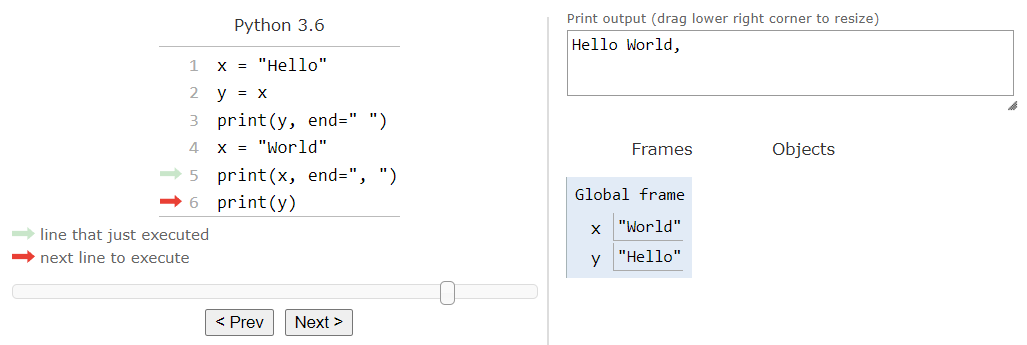
Visualize code in Python, JavaScript, C, C++, and Java
Use Python Tutor’s “Visualize code execution” tool to step through the program and inspect how run and qualified_ids change on each loop iteration.
In the main editor, select Python, paste the complete program above, and click “Visualize Execution.” In the Demo section, read the controls before tracing your own code. Although the illustrated demo uses Java, the same essential controls apply: move forward and backward through executed lines, inspect variables in the current function frame, and compare printed output with the current state. For your program, pause each time the line if run["completed"] ... is highlighted. Watch run change from run_01 to run_02 to run_03, and observe that qualified_ids changes only during the first iteration. Finally, step to return qualified_ids and confirm that the returned list is ['run_01'].
When tracing, focus on this state table:
Current run | Completed? | Reward reaches 10? | Does qualified_ids change? |
|---|---|---|---|
run_01 | Yes | Yes | It becomes ["run_01"] |
run_02 | Yes | No | No change |
run_03 | No | Yes | No change |
If your output differs, use the debugging routine from the previous lesson: read any traceback from the bottom, locate the relevant line, explain the mismatch, apply the smallest correction, and rerun the same tests.
Explain the program without reciting it
Being able to explain code is a separate skill from making it run. A clear explanation identifies the inputs, process, output, and assumptions.
Here is a model explanation:
qualified_run_idstakes a list of experiment-run dictionaries and a minimum reward. It creates an empty list, then checks each run in turn. A run is selected only when itscompletedvalue isTrueand itsrewardis at least the threshold. The function returns the selected IDs as a new list. It assumes each input dictionary contains validid,reward, andcompletedfields.
This explanation is useful because it says what rule the code implements. It also names an important limitation: malformed or incomplete run data is outside the function’s current contract.
For research code, this is the minimum level of explanation worth preserving in a README, experiment note, or code comment. A future reader should be able to tell whether filtering incomplete runs is an intentional experimental decision rather than an accidental side effect.
A reusable implementation card
Add this compact card to your visual knowledge system:
From pseudocode to tested Python
- Define the inputs and expected output with one tiny example.
- Write the decision and repetition rules in plain language.
- Translate each rule into a small piece of Python.
- Look up unfamiliar syntax in official documentation; check the signature, input, return behavior, and example.
- Use
assertwith normal, boundary, and empty-result cases.- Trace one example visually when a loop or changing state is confusing.
- Explain the inputs, rule, output, and assumptions in plain language.
Key takeaways
A short program becomes more reliable when you separate its logic from its syntax:
- Pseudocode clarifies what the program should do before implementation begins.
- Python turns that plan into functions, loops, conditionals, and collection operations.
- Documentation resolves precise syntax questions, such as how to add an item to a list.
- Tests with known expected outputs verify behavior beyond “the script ran without an error.”
- A plain-language explanation makes the program’s purpose and assumptions inspectable.
You have now completed the independent-Python foundation for the course. The next module shifts to the mathematical language used throughout ML: linear equations, functions, vectors, and matrices.
Can't find a good explanation? Sign up and we'll make it for you
Sign up