
Hello! Welcome back to our module on Linux Privilege Escalation.
In our last lesson, you mastered the art of exploiting misconfigured sudo permissions. You learned to use sudo -l to identify weaknesses and leverage GTFOBins to turn those weaknesses into root shells. This reinforced a core methodology: enumerate, research, and exploit.
Today, we'll continue exploring common privilege escalation vectors by focusing on another fundamental component of Linux permissions: SUID and SGID binaries. You'll discover that the methodology for exploiting them is remarkably similar to what you've already learned, further cementing this critical pattern in your mind. By the end of this lesson, you will be able to find and exploit vulnerable SUID/GUID binaries to achieve root access on a target system.
1. Understanding SUID and SGID
First, let's understand the concept. SUID (Set Owner User ID) and SGID (Set Group ID) are special file permissions in Linux.
- SUID: When a binary with the SUID bit set is executed, it runs with the privileges of the file owner, not the user who executed it.
- SGID: Similarly, an SGID binary runs with the privileges of the file's group owner.
The most common legitimate example is the passwd command, which allows a standard user to change their own password. To do this, the command must modify the /etc/shadow file, which is only writable by root. The passwd binary is owned by root and has the SUID bit set, so when you run it, it temporarily executes with root's privileges, allowing it to update the shadow file securely.
The danger arises when custom or non-standard programs have the SUID bit set and are owned by root. If such a program has a vulnerability or can be manipulated, it provides a direct path to executing code as root.
To get a solid technical foundation on how this works at the operating system level, please watch the following video. It explains the concept of the SUID bit, differentiates between real and effective user IDs (a concept that will be familiar from your CS studies), and demonstrates the effect with a C program.
The video 'SUID Exploitation' by hexdump provides an excellent conceptual and technical breakdown of SUID.
Please watch from the beginning until 13:33. Focus on: How the passwd utility uses the SUID bit. The difference between the real user ID and the effective user ID. The C code example showing how a SUID binary creates a file owned by root, even when run by a normal user.
2. Finding SUID/SGID Binaries
Now that you understand what SUID binaries are, the next step is to find them on a compromised system. This is a critical part of your enumeration process.
Manual Enumeration
The most common way to search for these files is with the find command. You can use it to search the entire filesystem for files with the SUID or SGID permission bit set.
- To find SUID binaries:
find / -type f -perm -u=s 2>/dev/null - To find SGID binaries:
find / -type f -perm -g=s 2>/dev/null
Let's break down the SUID command:
find /: Search starting from the root directory.-type f: Only look for files.-perm -u=s: Find files where the permission for the user includes the s (SUID) bit.2>/dev/null: Redirects any error messages (like "Permission denied") to/dev/nullto keep the output clean.
Many of the results will be standard, non-exploitable system binaries. The key is to spot unusual, custom, or known-vulnerable binaries in the list.
Automated Enumeration
Tools like LinPEAS, which you've used before, automate this search and even color-code potentially interesting SUID/SGID binaries. There are also specialized scripts for this task. The following article not only recaps the manual find commands but also introduces a tool called SUID3NUM, which is specifically designed to find and suggest exploits for these binaries.
SUID | SGID Part-1 – Linux Privilege Escalation
The article 'SUID | SGID Part-1 – Linux Privilege Escalation' from Juggernaut-Sec provides a great overview of both manual and automated enumeration techniques.
Please read the sections titled 'Hunting for SUID / SGID Binaries – Manual Method' and 'Hunting for SUID / SGID Binaries Using Tools'. This will reinforce the find command and show you how modern enumeration scripts streamline the process.
3. Exploitation Patterns with GTFOBins
Once you've identified a promising SUID binary owned by root, your next stop is GTFOBins. Just as you did for sudo exploits, you can search for the binary and look for exploitation techniques, paying special attention to the "SUID" section.
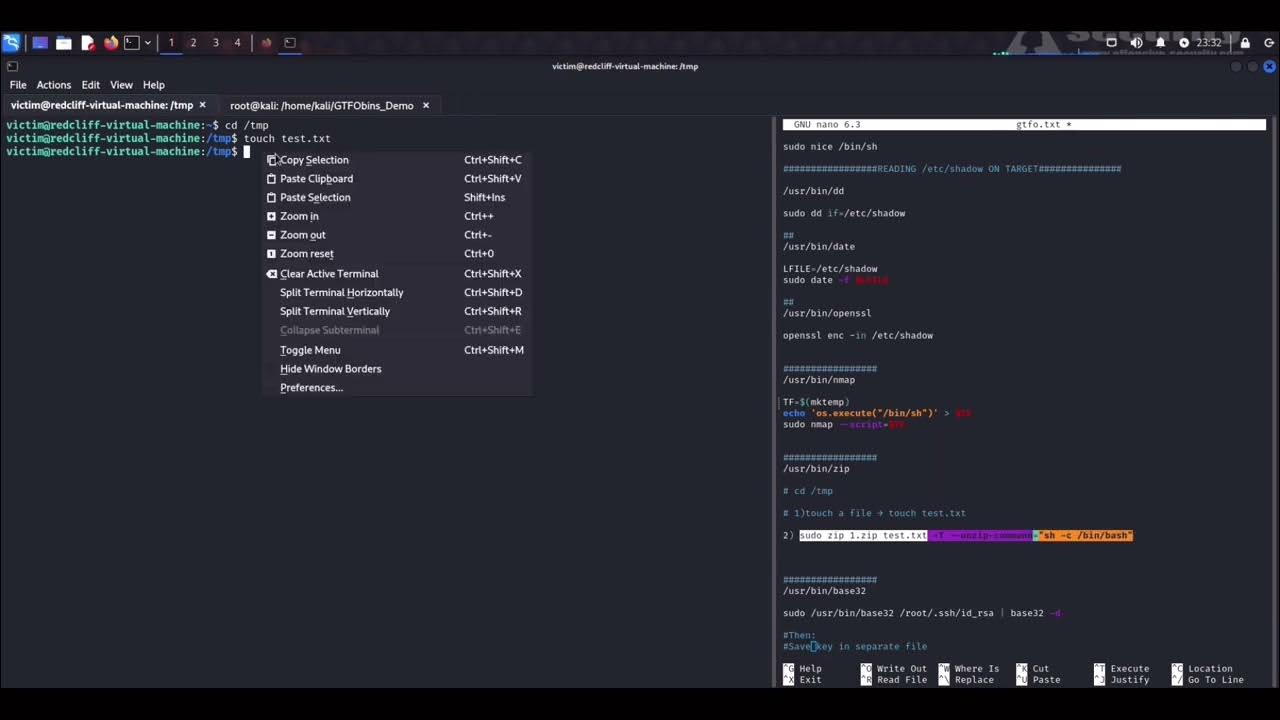
Let's explore the common patterns you'll encounter.
Pattern 1: Direct Shell Spawning
This is the most straightforward exploit. Some binaries can be used to execute other commands or spawn an interactive shell directly.
Example: find
If you discover that /usr/bin/find has the SUID bit set, you can go to GTFOBins and find a command like this:
/usr/bin/find . -exec /bin/sh -p \; -quit
Because find is running as root (due to SUID), the shell it executes (/bin/sh -p) will also be a root shell. The -p flag is important as it tells the shell not to drop privileges.
The Juggernaut-Sec article you just reviewed provides clear examples for env and find under the section "Exploiting Easy Shell Binaries – env and find".
Pattern 2: File Read/Write
Some binaries don't offer a direct shell but can read or write files. This can be just as powerful.
- File Read (
cat,less,tail): If a file-reading utility has SUID, you can use it to read sensitive files. For example, reading/etc/shadowgives you the system's password hashes, which you can then take offline to crack./usr/bin/tail /etc/shadow - File Write (
nano,vim,cp,wget): This is often a path to a root shell.- You could use a text editor like
nanoto add yourself to/etc/sudoers. - You could use
cpto overwrite/bin/bashwith a copy of itself, and then add the SUID bit to your copy, effectively creating a backdoor root shell. - You could use
wgetto download a malicious/etc/passwdfile from your server, overwriting the original and adding a new root user.
- You could use a text editor like
The Juggernaut-Sec article (LINK) details these techniques under "Exploiting File Read / Write Binaries" and "Exploiting Binaries that Require Some Creativity".
Pattern 3: Abusing Program Logic and Environment
These are more advanced techniques that leverage how a program functions or interacts with its environment. Your CS background gives you a great advantage in understanding these.
Shared Library Injection
In the last lesson, you saw how the LD_PRELOAD environment variable could be used to exploit sudo. A similar technique exists for SUID binaries that are designed to load shared libraries (.so files). If you find such a binary, you can craft a malicious shared library that spawns a shell and force the SUID binary to load it.
The following video segment demonstrates this exact technique using ssh-keygen.
Let's return to the 'SUID Exploitation' video to see an advanced technique. This demonstrates exploiting ssh-keygen by forcing it to load a malicious shared library.
Please watch from 20:41 to 25:30. Notice how the exploit requires understanding the program's expectations (it looks for a specific function name) and then crafting a malicious C payload to be compiled into a .so file. This is a powerful technique that builds directly on concepts like dynamic linking.
PATH Variable Hijacking
This is a classic and very important vector. It occurs when a SUID binary calls another system command (e.g., service, ps, ls) without using its full, absolute path (e.g., /usr/sbin/service).
When a command is called without its full path, Linux searches the directories listed in the PATH environment variable to find the executable. You, as the attacker, can control this variable. The exploit is as follows:
- Create a malicious script with the same name as the command being called by the SUID binary (e.g., create a file named
service). The script's content will be a payload to spawn a shell, like/bin/bash. - Make your script executable (
chmod +x service). - Prepend the directory containing your script (e.g.,
/tmp) to thePATHvariable. - Execute the SUID binary.
The SUID program will now find and execute your malicious script (with root privileges) before it finds the legitimate system command. The video below gives a perfect demonstration.
Linux Privilege Escalation : PATH || Episode #8
The video 'Linux Privilege Escalation : PATH' provides a crystal-clear, step-by-step walkthrough of a PATH hijacking attack.
Please watch from 04:36 to 11:46. The presenter: Finds a custom SUID binary that calls a command named thm. Creates a malicious thm script in /tmp. Adds /tmp to the beginning of the PATH variable. Runs the SUID binary, which now executes the malicious script, resulting in a root shell.
Test your understanding!
During an engagement, you run the find command to look for SUID binaries and discover that /usr/local/bin/backuptool is owned by root and has the SUID bit set. Running the tool shows it tries to call the zip command. However, running strings /usr/local/bin/backuptool reveals it just calls zip and not /usr/bin/zip.
How would you attempt to exploit this for privilege escalation?
Show answer
This is a classic PATH hijacking scenario. The steps are:
- Navigate to a world-writable directory, like
/tmp. - Create a file named
zipwith the following content:#!/bin/bash /bin/bash -p - Make this file executable:
chmod +x /tmp/zip. - Prepend
/tmpto your PATH variable:export PATH=/tmp:$PATH. - Execute the SUID binary:
/usr/local/bin/backuptool.
The backuptool, running as root, will search the PATH, find your malicious zip script in /tmp first, and execute it, granting you a root shell.
Conclusion
You have now added another essential Linux privilege escalation technique to your arsenal. By understanding how SUID and SGID permissions work, you can spot these opportunities during your enumeration phase and convert them into full system compromise. The overarching strategy remains the same: find a misconfiguration and consult your playbook (GTFOBins) to exploit it.
Key Takeaways:
- SUID/SGID allows temporary privilege elevation: A binary with the SUID bit runs with the owner's permissions, which is a powerful vector if the owner is root.
- Enumeration is key: Use
find / -perm -u=s 2>/dev/nullas a reflex on any Linux target. - GTFOBins is your guide: Just like with
sudo, GTFOBins provides ready-made exploits for a vast number of SUID-vulnerable binaries. - Exploits vary in creativity: Privilege escalation can come from a direct shell, the ability to read/write sensitive files, or by cleverly manipulating program logic and environment variables like
PATH.
Next Lesson Preview:
So far, our post-exploitation journey has focused entirely on Linux. In the next lesson, we will pivot to the other major operating system you'll encounter: Windows. We'll start from the beginning again, learning how to perform manual and automated enumeration on a compromised Windows host to identify privilege escalation vectors in that environment.