
Welcome back. You have defined the support platform’s tenant-aware domain and set up the monorepo and configuration boundaries. Now you will prove the simplest useful cross-service connection: the React client can ask the FastAPI service whether it is running, interpret the response, and show an honest status in the UI.
This is intentionally a narrow vertical slice. There is no database, authentication, or LLM call involved yet. A reliable health endpoint gives you a baseline for diagnosing later failures: if retrieval or chat fails, you can first establish whether the browser can reach the API at all.
By the end of this lesson, your React app will make a GET /health request to FastAPI on startup, handle success and failure, and you will verify the full browser-to-API path using the FastAPI docs and browser Network panel.
Define a deliberately small health contract
A health endpoint is a lightweight statement about the API process itself. For this stage, define its meaning precisely:
GET /healthconfirms that the FastAPI application is running and can serve an HTTP request.
It does not yet confirm that PostgreSQL, file storage, a model provider, or any future dependency is available. Calling such an endpoint “healthy” when it silently skips unavailable dependencies creates misleading operational signals. Later, you may distinguish a lightweight liveness endpoint from a readiness endpoint; for now, keep the contract honest and small.
Your contract is:
| Item | Value |
|---|---|
| Method | GET |
| Path | /health |
| Successful status | 200 OK |
| Response content type | application/json |
| Response body | {"status": "ok"} |
| Authentication | None, for now |
| Side effects | None |
The response body matters as well as the HTTP status. A 200 from an unexpected route, proxy, or stale service is not sufficient evidence that your intended API is running. Checking for "status": "ok" gives the frontend a minimal, explicit contract.
Before implementing, spend a few minutes with FastAPI’s official introductory example. It reinforces the relationship between an app instance, a path operation decorator, and the JSON returned by the handler.
Read FastAPI’s official “First Steps” guide to review how a small GET endpoint is registered, run, and inspected through generated documentation.
In “First Steps,” begin with the minimal app. Then read the “Check it” and “Interactive API docs” subsections, especially the local verification steps. Finally, in “Recap, step by step,” scan the subsections “Step 1: import FastAPI” through “Step 5: return the content”; focus on how @app.get() associates an HTTP method and path with one Python function.
Implement the FastAPI endpoint and local CORS policy
Assume the monorepo has the following baseline shape:
support-platform/
  backend/
    app/
      __init__.py
      main.py
  frontend/
    src/
If FastAPI and Uvicorn are not already installed in your backend environment, install them from backend/:
python -m pip install fastapi "uvicorn[standard]"
Create or update backend/app/main.py:
from fastapi import FastAPI
from fastapi.middleware.cors import CORSMiddleware

app = FastAPI(title="Support Platform API")

local_frontend_origins = [
    "http://localhost:5173",
    "http://127.0.0.1:5173",
]

app.add_middleware(
    CORSMiddleware,
    allow_origins=local_frontend_origins,
    allow_credentials=False,
    allow_methods=["GET"],
    allow_headers=[],
)


@app.get("/health", tags=["system"])
async def health() -> dict[str, str]:
    return {"status": "ok"}
There are three distinct pieces here:
app = FastAPI(...)creates the application object that Uvicorn will serve.@app.get("/health")registers a path operation for an HTTPGETrequest at/health.- The handler returns a Python dictionary, which FastAPI serializes as JSON.
The return annotation, dict[str, str], is useful documentation but not runtime validation of a sophisticated schema. In the next module, you will define richer request and response contracts using Pydantic. For this health endpoint, the response is simple enough to keep the implementation direct.
Why CORS is required
React runs in the browser, and browsers enforce the same-origin policy. An origin consists of:
- protocol, such as
http; - host, such as
localhost; - port, such as
5173.
Therefore, these are different origins:
http://localhost:5173for a typical Vite React dev server;http://127.0.0.1:8000for the FastAPI service.
The browser permits React to send a request only under its security rules, and it permits React code to read the response only when FastAPI returns an appropriate CORS header. CORSMiddleware adds that header for the origins you explicitly allow.
Two local details commonly cause confusion:
localhostand127.0.0.1are not the same browser origin.- If Vite starts on a different port, such as
5174, that exact origin must be added tolocal_frontend_origins.
The CORS policy above is intentionally narrow:
- only the two local frontend origins are allowed;
- only
GETis allowed; - cookies are not enabled.
Do not use allow_origins=["*"] as a habit. Once the platform uses authenticated requests, CORS settings become part of the application’s security boundary and should be specific to known frontend origins.
Start the API from backend/:
python -m uvicorn app.main:app --reload --port 8000
You should see that Uvicorn is serving the application at http://127.0.0.1:8000.
Verify the API before involving React
First, test the server directly:
curl -i http://127.0.0.1:8000/health
The important parts of the result are:
HTTP/1.1 200 OK
content-type: application/json

{"status":"ok"}
Then open http://127.0.0.1:8000/docs. FastAPI generates this interface from the registered endpoint definitions, so it is a quick inspection of the application’s current HTTP surface.
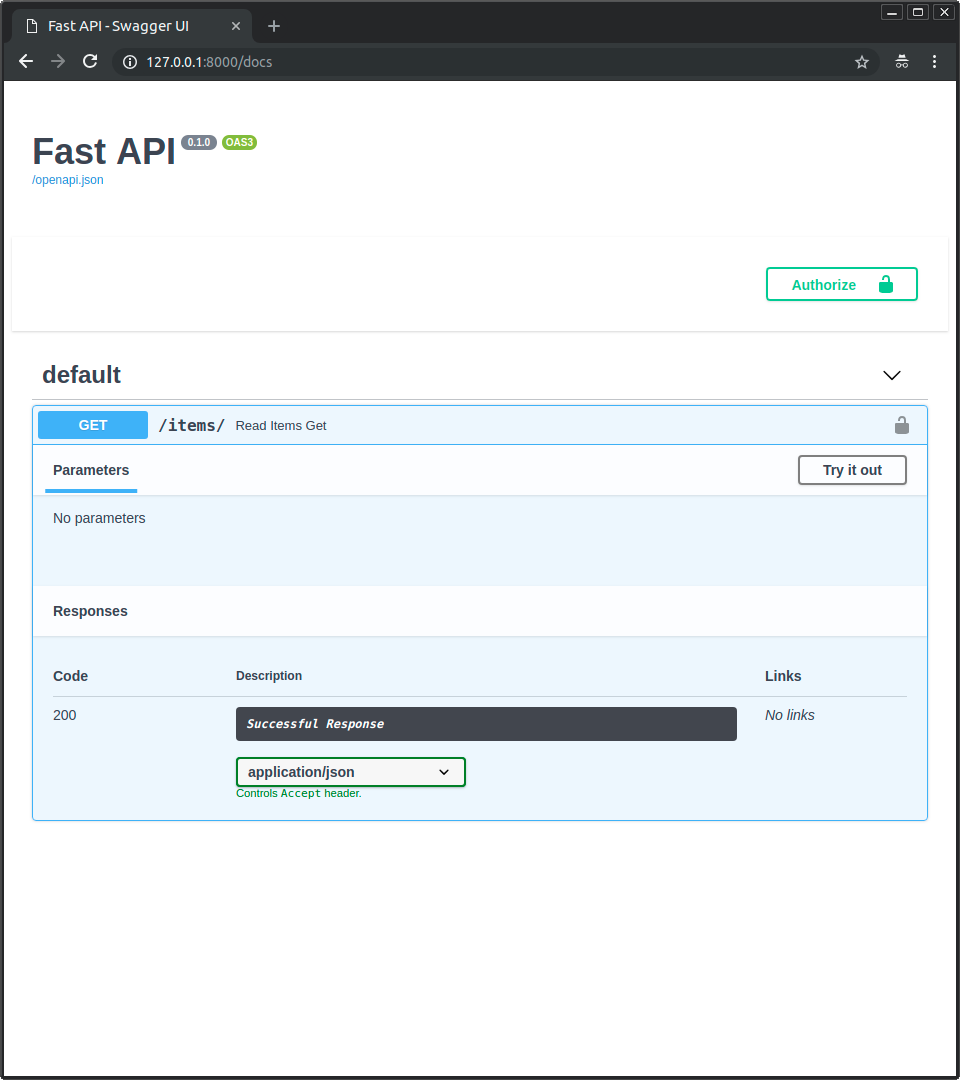
At this point, you have verified FastAPI in isolation. That is useful, but it does not prove that the browser-based React application can call it. The next section supplies that proof.
Make the API base URL explicit in React
The frontend needs to know where the backend is running. That value is configuration, not a hard-coded detail scattered across components.
Create frontend/.env.local:
VITE_API_BASE_URL=http://127.0.0.1:8000
Vite exposes environment variables to browser code only when their names start with VITE_. This means a VITE_ value is not secret. An API base URL is safe to expose, but model-provider keys, database credentials, and backend-only tokens must never use this prefix.
Keep .env.local excluded from Git if that was part of your prior configuration setup. Add the non-sensitive shape to frontend/.env.example:
VITE_API_BASE_URL=http://127.0.0.1:8000
After creating or changing a Vite environment file, restart the frontend dev server. Vite injects environment values when it starts; a browser refresh alone is not enough.
Create frontend/src/api/health.ts:
export type HealthResponse = {
  status: "ok";
};

const configuredApiBaseUrl = import.meta.env.VITE_API_BASE_URL;

if (!configuredApiBaseUrl) {
  throw new Error("VITE_API_BASE_URL is not configured.");
}

const apiBaseUrl = configuredApiBaseUrl.replace(/\/$/, "");

function isHealthResponse(value: unknown): value is HealthResponse {
  if (typeof value !== "object" || value === null) {
    return false;
  }

  return (value as Record<string, unknown>).status === "ok";
}

export async function getHealth(signal: AbortSignal): Promise<HealthResponse> {
  const response = await fetch(`${apiBaseUrl}/health`, {
    signal,
    headers: {
      Accept: "application/json",
    },
  });

  if (!response.ok) {
    throw new Error(`Health check failed with HTTP ${response.status}.`);
  }

  const body: unknown = await response.json();

  if (!isHealthResponse(body)) {
    throw new Error("Health check returned an unexpected response body.");
  }

  return body;
}
This small module establishes a boundary between UI code and HTTP details:
App.tsxdoes not need to know the API URL or response parsing rules.getHealthtreats non-2xxHTTP statuses as failures.isHealthResponsechecks the JSON at runtime rather than trusting a TypeScript type assertion.- the supplied
AbortSignallets the caller cancel an irrelevant request.
The runtime guard is deliberately narrow. Later, generated TypeScript API types and Pydantic response models will replace this hand-written pattern for larger contracts. But it is important to recognize the distinction now: TypeScript checks the code you write; it does not prove that a network response actually has the promised shape.
Fetch on mount without leaving stale requests behind
A health check is not caused by a button click. It should happen because the application appears and must synchronize with an external system, the API. That makes it a valid use of React’s useEffect.
Read the relevant parts of the React documentation before wiring the component. The key point is not merely “put fetch in an effect”; it is to control when it runs and to clean up a request when the component is no longer relevant.
Read React’s official guidance on Effects with special attention to dependency arrays and cleanup for network requests. This is the pattern used by the health-check component below.
In “How to write an Effect,” read the Effect lifecycle. In “Step 2: Specify the Effect dependencies,” follow the dependency problem, including the contrast between no dependency array and []. Finally, in the “Fetching data” subsection, study request cleanup; apply the same principle with AbortController.
Now update frontend/src/App.tsx:
import { useEffect, useState } from "react";
import { getHealth } from "./api/health";

type HealthState = "checking" | "available" | "unavailable";

export default function App() {
  const [healthState, setHealthState] = useState<HealthState>("checking");

  useEffect(() => {
    const controller = new AbortController();
    let active = true;

    async function checkApiHealth(): Promise<void> {
      try {
        await getHealth(controller.signal);

        if (active) {
          setHealthState("available");
        }
      } catch (error: unknown) {
        const requestWasAborted =
          error instanceof DOMException && error.name === "AbortError";

        if (!active || requestWasAborted) {
          return;
        }

        console.error("API health check failed", error);
        setHealthState("unavailable");
      }
    }

    void checkApiHealth();

    return () => {
      active = false;
      controller.abort();
    };
  }, []);

  let healthMessage: string;

  switch (healthState) {
    case "checking":
      healthMessage = "Checking API connection...";
      break;
    case "available":
      healthMessage = "API connected";
      break;
    case "unavailable":
      healthMessage = "API unavailable. Check that the backend is running.";
      break;
  }

  return (
    <main>
      <h1>Support Platform</h1>
      <p role="status" aria-live="polite" data-health-state={healthState}>
        {healthMessage}
      </p>
    </main>
  );
}
What this Effect does
The effect runs after the initial component render. The component initially shows Checking API connection..., then transitions to one of two truthful states:
| Condition | UI state | Meaning |
|---|---|---|
GET /health returns 200 and {"status":"ok"} | API connected | Browser, CORS configuration, route, and response contract all worked. |
| The server is unavailable, returns an error, violates CORS, or returns unexpected JSON | API unavailable... | The UI does not claim that the backend is connected. |
The empty dependency array, [], is appropriate because the effect relies only on module-level imports and creates all request-specific values inside the effect. Do not silence the React Hooks linter to force an empty array. If the endpoint or request behavior later depends on a changing prop or state value, that value belongs in the dependency array.
The cleanup has two protections:
controller.abort()asks the browser to cancel an in-flight fetch.active = falseprevents a late result from changing component state after cleanup.
In development, React Strict Mode may run the effect setup, cleanup, and setup again to reveal unsafe side effects. You may therefore see one canceled request and one successful request in the Network panel. That is expected with this cleanup pattern. Production performs the intended single startup check.
The role="status" and aria-live="polite" attributes ensure that the transition from “checking” to “connected” or “unavailable” is announced to assistive technologies rather than being only a visual change.
Verify the full integration path
Run the React application from frontend/:
npm run dev
Open the exact URL Vite reports, commonly http://localhost:5173.
A successful verification should establish more than “the page looks fine.” Work through this sequence:
-
Verify FastAPI directly.
curl -i http://127.0.0.1:8000/healthreturns200and{"status":"ok"}. -
Inspect the generated API contract.
Athttp://127.0.0.1:8000/docs, expandGET /health, use Try it out, and execute it. Confirm the status and response JSON. -
Verify the React status display.
Open the React app. It should settle on API connected, not remain on the initial checking message. -
Inspect the browser Network panel.
Open Developer Tools, select Network, refresh the page, and find the/healthrequest. Confirm:- Request URL is
http://127.0.0.1:8000/health. - Request method is
GET. - Final status is
200. - Response body is
{"status":"ok"}. - Response header includes
access-control-allow-origin: http://localhost:5173when the frontend is served from that address.
- Request URL is
-
Check CORS independently.
This command simulates a browser request from the React origin:curl -i \ -H "Origin: http://localhost:5173" \ http://127.0.0.1:8000/healthLook for:
access-control-allow-origin: http://localhost:5173
A direct browser visit to http://127.0.0.1:8000/health proves the server route works, but it does not fully test CORS because a top-level browser navigation does not represent a cross-origin fetch from your React app.
Diagnose failures by layer
| Symptom | Most likely cause | First check |
|---|---|---|
curl cannot connect | Uvicorn is not running or uses another port | Backend terminal and uvicorn command |
curl returns 404 Not Found | Route path or imported application module is wrong | @app.get("/health") and app.main:app |
/docs works but React says unavailable | CORS or frontend base URL issue | Network panel and VITE_API_BASE_URL |
| Browser reports a CORS policy error | Frontend origin does not exactly match the allowed list | localhost versus 127.0.0.1, plus port number |
React throws VITE_API_BASE_URL is not configured | Environment file is missing, misnamed, or Vite was not restarted | frontend/.env.local, then restart npm run dev |
| Two health requests appear during development | React Strict Mode effect check | Confirm one final request succeeds; do not remove cleanup |
React says connected without a /health request | The UI may be hard-coded or stale | Refresh with Network panel open and inspect the actual response |
For your project record, add a short note to the README or development setup document stating:
Local connectivity check:
- FastAPI serves GET /health at http://127.0.0.1:8000/health.
- React reads VITE_API_BASE_URL from frontend/.env.local.
- FastAPI permits the local Vite origins through CORS.
- A successful browser Network request returns HTTP 200 and {"status":"ok"}.
That concise evidence is useful later when you add PostgreSQL, ingestion, and model-provider calls: it clearly separates a frontend-to-API connectivity failure from a deeper application failure.
Key takeaways
You have implemented a complete, minimal frontend-to-backend integration:
- FastAPI exposes a side-effect-free
GET /healthendpoint returning{"status":"ok"}. - React reads the API location from
VITE_API_BASE_URL, keeping environment-specific URLs out of UI components. - A
useEffectstarts the request when the app mounts and cleans it up withAbortController. - The UI distinguishes checking, connected, and unavailable states instead of claiming success prematurely.
- CORS allows the browser to read API responses only from explicitly configured local frontend origins.
- Verification includes direct API inspection, FastAPI’s generated docs, the React UI, and the browser Network panel.
Next, the course moves into typed FastAPI services: you will formalize API request and response contracts with Pydantic models, building on the small contract you established here.
Can't find a good explanation? Sign up and we'll make it for you
Sign up