
Hello! Welcome to your next lesson in mastering n8n.
In our recent lessons, we've focused on connecting to APIs with the HTTP Request node and parsing various response formats like JSON and XML. These are essential skills, but they've dealt with fetching a single "chunk" of data at a time. However, most real-world APIs don't send you their entire database in one go. To manage server load and ensure fast responses, they break large datasets into smaller pieces, or "pages."
This brings us to our current learning outcome: Implement pagination patterns to retrieve large datasets from APIs.
Today, you'll learn how to instruct n8n to automatically fetch page after page until you have all the data you need. We'll explore two primary methods for this: using n8n's powerful built-in pagination feature and constructing a custom loop for more complex scenarios. Your background as a software developer will be a great asset here, as these patterns are analogous to common programming constructs for handling large collections of data.
1. Understanding API Pagination
When you request a list of items from an API (like contacts, orders, or posts), and the total number of items is large, the API will typically return only the first subset (e.g., the first 100 contacts) along with information on how to get the next subset. This mechanism is called pagination.
There are two dominant pagination strategies you'll encounter:
- Offset/Page-based Pagination: This is the simplest form. The API exposes parameters like
pageandlimit. To get the second page of 100 items, you would make a new request withpage=2&limit=100. - Cursor-based Pagination: This method is more robust. In its response, the API provides a "cursor"—a unique identifier (often a string or token) that points to the next item or page. Your next request must include this cursor to get the subsequent set of data. This avoids issues with data changing while you are fetching it.
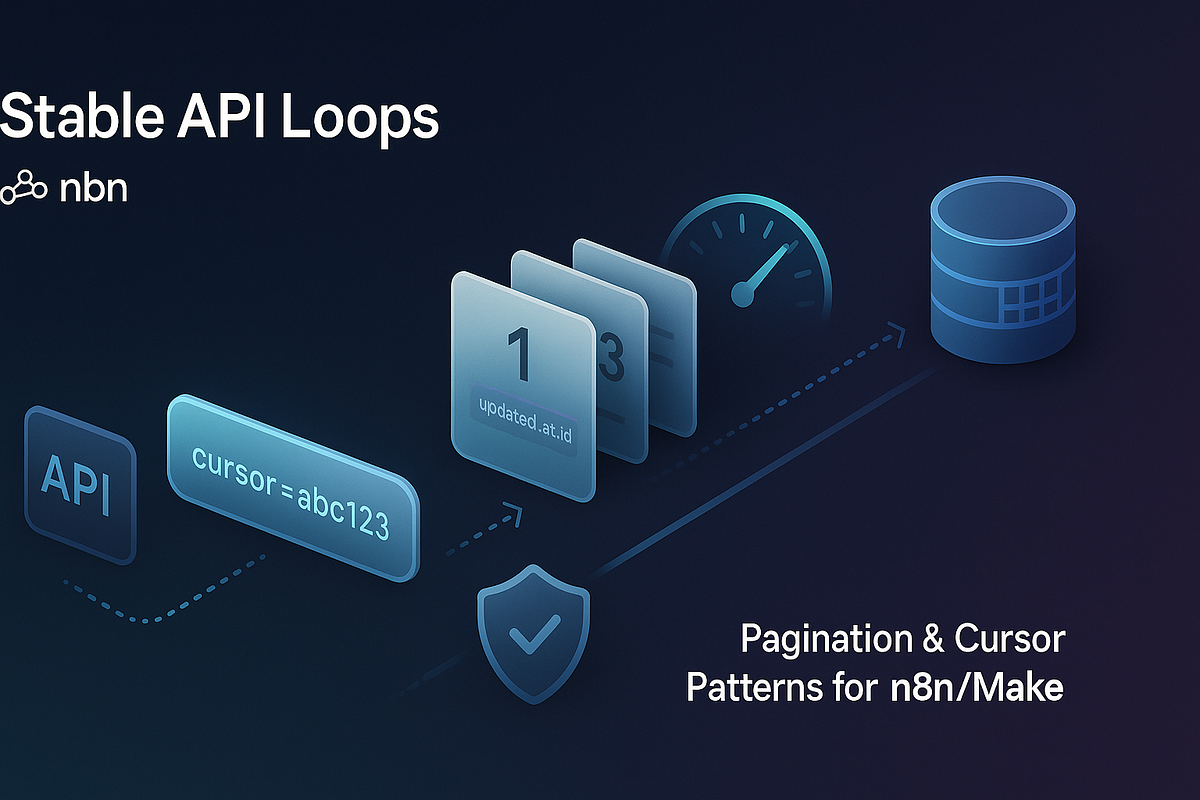
Failing to handle pagination means you're only working with a fraction of the available data. Furthermore, sending too many requests too quickly can get you temporarily blocked by the API, a measure known as rate-limiting. Proper pagination helps you manage this by fetching data methodically.
2. Method 1: The Built-in HTTP Request Pagination Feature
The most direct way to handle pagination in n8n is by using the dedicated feature within the HTTP Request node. It's designed to handle most common pagination patterns automatically.
A fantastic, practical guide for this is an article by Tugui Dragos-Constantin on the Medium platform. It uses the GoHighLevel API as an example, which employs a cursor-based pagination strategy.
Fetch All GoHighLevel Contacts with n8n: API Pagination ...
This article provides a clear, step-by-step walkthrough of configuring n8n's built-in pagination for a real-world API.
Read through Step 1 to Step 3. Focus on understanding how the workflow is configured to automatically handle fetching multiple pages.
Key Steps for Built-in Pagination
As you've seen in the article, the process boils down to these key configurations within the HTTP Request node:
- Set up the initial request: Configure the URL, authentication, and any static parameters (like
limit=100) just as you would for a single request. - Add the Pagination Option: Click Add Option and select Pagination.
- Choose Pagination Mode: Set this to Update a Parameter in Each Request. This mode is versatile and can handle both cursor- and page-based patterns.
- Define the Dynamic Parameter(s): This is the core of the logic.
- For Cursor-based (like the article): You add a Query parameter for the cursor (e.g.,
startAfterId). The Value is set to an Expression that extracts the cursor from the previous response:{{ $response['body']['meta']['startAfterId'] }}. The$responsevariable here specifically refers to the output from the previous paginated call made by this same node. - For Page-based: The logic is even simpler. You can use the special
$pageCountvariable that n8n provides, which tracks the number of requests made.
- For Cursor-based (like the article): You add a Query parameter for the cursor (e.g.,
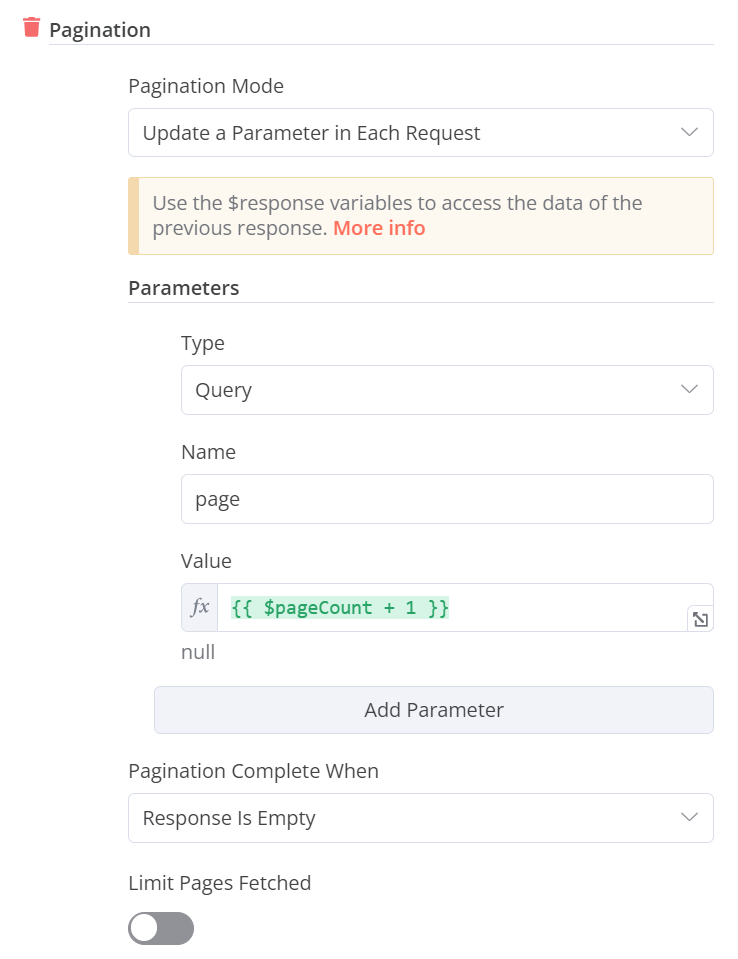
- Set the Stopping Condition: How does n8n know when to stop? You must configure this. Common choices for Pagination Complete When are:
- Response Is Empty: The loop stops when the API returns an empty list of items.
- Last Response Has No Field: The loop stops when a specific field (e.g., a
next_page_cursor) is missing from the API's response.
- Respect Rate Limits: Always set an Interval Between Requests (e.g.,
1000ms) to avoid overwhelming the API.
Test your understanding!
Imagine an API that paginates using a full URL. The response JSON for the first page looks like this:
{
  "data": [ ... items ... ],
  "pagination": {
    "next_url": "https://api.example.com/items?page=2"
  }
}
If the next_url is null on the last page, how would you configure the HTTP Request node's pagination options to handle this?
Show answer
- Pagination Mode:
Update a Parameter in Each Request. - Parameters: Instead of updating a query parameter, you'd update the URL itself.
- Type:
URL - Value (Expression):
{{ $response['body']['pagination']['next_url'] }}
- Type:
- Pagination Complete When:
Last Response Has No Field- Field Name (Expression):
{{ $response['body']['pagination']['next_url'] }}
- Field Name (Expression):
This tells n8n to use the next_url from the previous response for its next request and to stop when that field is no longer present.
3. Method 2: The Custom Loop Pattern
While the built-in feature is convenient, sometimes you need more control. As a developer, you'll appreciate this pattern, which is essentially a do-while loop constructed from n8n nodes. It's more verbose but also more flexible and robust, especially for non-standard APIs or web scraping.
This approach is well-documented in an article on dev.to for a web scraping scenario, but the principles apply to any paginated data source.
n8n Web Scraping || Part 2: Pagination, Infinite Scroll, ...
This article presents an alternative, programmatic approach to pagination that gives you maximum control over the process.
Read the section 'Pagination across pages'. Pay attention to the role of each node: the 'Page Manager' Code node, the HTTP Request, the 'Normalizer' Code node that saves data, the IF node, and the final collection node. Don't worry about the web scraping specifics; focus on the looping pattern.
The Custom Loop Architecture
This pattern consists of a few key components that form a loop:
- Page Manager (Code Node): This node acts as your loop counter. On the first run, it outputs
page: 1. On subsequent runs, it takes the page number from the previous iteration, increments it, and outputs the new number. - HTTP Request Node: This fetches data for the page number provided by the Page Manager.
- Data Aggregation (Code Node): This is a crucial step. After fetching data, this node takes the items and appends them to a temporary, workflow-wide storage area using
const workflowStaticData = $getWorkflowStaticData('global');. This ensures data isn't lost between loop iterations. - IF Node: This is your loop's exit condition. It checks, for example, if the last HTTP request returned zero items.
- If
true(no items found), the loop stops, and the workflow proceeds along thetruepath. - If
false(items were found), the workflow is routed back to the Page Manager node to start the next iteration.
- If
- Final Collector (Code Node): Placed on the
truepath of the IF node, this final node retrieves all the aggregated data fromworkflowStaticDataand outputs it as a single list for the rest of your workflow to use.
This pattern gives you the flexibility to add other logic inside the loop, such as transforming data on a per-page basis or handling complex error conditions before deciding whether to continue.
Conclusion
You now have a robust toolkit for retrieving large datasets from any API that uses pagination. This is a massive step up from fetching single responses and is critical for building production-ready automations.
Key Takeaways:
- APIs use pagination (offset- or cursor-based) to serve large datasets in manageable chunks.
- n8n's built-in pagination feature in the HTTP Request node is the quickest way to handle most standard APIs. The key is to correctly configure the dynamic parameters and the stopping condition.
- For maximum flexibility or for non-standard APIs, you can build a custom pagination loop using Code nodes for state management, an IF node for the condition, and
workflowStaticDatafor aggregation.
In our next lesson, we'll address a common follow-up challenge. Now that you can fetch thousands of items, how do you process them without overwhelming your workflow or downstream services? We'll learn to use the Split In Batches node to process items in groups, a perfect companion to the pagination skills you've learned today.