
Hello again. In the last lesson, you established decision rights: a Decision Rights Catalog for recurring choices and a Decision Log for meaningful decision instances. You distinguished routine workflow actions from cross-team trade-offs that need a Driver, an Approver, evidence, and a recorded outcome.
Now you will give that structure a rhythm. A small e-commerce company does not need more meetings; it needs a reliable way to notice important changes, decide what matters, assign follow-up work, and confirm that commitments were completed. This lesson builds a weekly operating cadence in Notion that connects asynchronous updates, a short management review, metrics, decisions, and accountable action owners.
A cadence is a control loop, not a calendar full of meetings
An eight-person e-commerce company has work that changes daily: orders arrive, stock moves, customers need help, campaigns spend money, and supplier or carrier problems emerge. The weekly cadence should not replace urgent operational handling. A stockout or a broken checkout needs attention immediately.
Instead, the cadence creates a dependable management loop for questions such as:
- What changed this week that needs a response?
- Which metric is off track, and who owns interpreting it?
- Is this a routine action, an investigation, or a decision?
- What did we decide, who must do what, and by when?
- Did last week’s commitments actually get completed?
A useful principle is:
Asynchronous updates share facts and requests early. The weekly meeting resolves only the few issues that need live discussion or a decision.
That distinction protects the team from spending its meeting reading status updates aloud.
For your company, use four recurring moments:
| Moment | Participants | Purpose | Main output |
|---|---|---|---|
| Daily exception scan | Operations, Customer Experience, and Growth as needed | Identify urgent order, stock, fulfillment, support, and site problems | Immediate operational response or escalation |
| Monday Week-Ahead update | Every role owner | State priorities, why they matter, and specific requests for help | Visible priorities and blockers |
| Thursday review preparation | Metric owners and decision Drivers | Publish metric snapshots and prepare decision records before the meeting | A short, evidence-based agenda |
| Friday management review | Founder/GM and functional leads | Review commitments, interpret exceptions, make decisions, assign actions | Decisions, follow-ups, and communication commitments |
| Friday Weekly Wrap | Every role owner | Record progress, important changes, and recognition | Shared context for the next week |
The management review can be 60 minutes. Consistency matters more than length: use the same day, time, participants, and core agenda each week.
Start with concise asynchronous updates
Monday updates ensure that people can see the company’s intended work before problems become surprises. Each role owner should post one update; do not require a separate update for every small task.
Atlassian’s “How Successful Teams Share Weekly Team Updates” offers a compact Week-Ahead structure: identify top priorities, explain why they matter, and make specific requests when blocked.
How Successful Teams Share Weekly Team Updates | Atlassian
Read Atlassian’s “How Successful Teams Share Weekly Team Updates” for a practical model of a useful asynchronous update. Its structure is simple enough for a small team while still making dependencies visible.
In the “1. Prep” section, read from the preparation guidance. Focus on the difference between listing a priority and explaining its business reason, and notice that a blocker should include a specific request for help.
Create the Weekly Updates database
On your Company Operating Cadence page, create a database named Weekly Updates. Each entry represents one person’s update for one week.
| Property | Type | Purpose |
|---|---|---|
| Update title | Title | For example, “Growth Lead — Week of 7 July” |
| Week | Relation to Weekly Cycles | Connects the update to one operating week |
| Update type | Select | Week-Ahead or Weekly Wrap |
| Owner person | Relation to People, limited to one | Who submitted the update |
| Owner role | Relation to Roles, limited to one | The role represented in the update |
| Status | Select | Draft, Submitted, Reviewed |
| Top priorities | Page content | Up to three priorities, each with a reason |
| Progress and outcomes | Page content | Used for the Friday wrap |
| Blocker or ask | Text | A concrete request, not merely “Need help” |
| Related decision | Relation to Decision Log | Use when the update raises a meaningful choice |
| Related action | Relation to Follow-up Actions | Connects a blocker or commitment to execution work |
| Submitted on | Date | Shows whether the update arrived on time |
Create two database templates.
Week-Ahead template
Use this in the page body:
## My three priorities

1. [Priority] — Why it matters this week:
2. [Priority] — Why it matters this week:
3. [Priority] — Why it matters this week:

## Changes or risks I am watching

- [Change, risk, or customer impact]

## Specific help needed

- [Person or role]: [specific request] by [useful date]

## Decisions or approvals needed

- [Link to an existing Decision Log entry, or state why one should be created]
Weekly Wrap template
Use this at the end of the week:
## Progress and outcomes

- [What moved forward, with the relevant business impact]
- [What did not go as planned, and why]

## Important information for the team

- [Customer, stock, supplier, campaign, or people update]

## Next-week carryover

- [Commitment, owner, and any changed deadline]

## Recognition

- [Person or team] — [specific contribution]
Keep updates short enough to read in a few minutes. A well-written update says, for example, “Paid social CAC increased while conversion remained stable; I need Finance to confirm whether we are still within the weekly spend guardrail.” It does not paste a large marketing report into Notion.
Decide which metrics belong in the weekly review
Metrics are not inherently useful because they are numbers. A metric becomes useful when:
- It has a clear definition and time period.
- It comes from an authoritative source.
- One role is accountable for reviewing and interpreting it.
- A meaningful change leads to investigation, action, or a decision.
For an e-commerce company, different metrics change at different speeds. Shopify’s ecommerce reporting guidance makes this distinction clearly: orders, sales, site issues, and inventory flags need daily monitoring, while channel performance, conversion, campaign efficiency, and returns are appropriate for weekly review.
Ecommerce Reporting: Top Reports & Metrics to Track Performance ...
Read Shopify’s reporting guidance to connect metric ownership and review frequency to likely business actions. Treat its metric list as a menu, not a requirement to track everything at once.
In “How to build an ecommerce reporting system,” first read metric ownership. Then continue through “Set reporting cadences,” especially the daily weekly monthly distinction. Finally, read the “Tie every report to a likely action” examples, from signals and responses.
Use a small weekly scorecard
Do not start with 30 KPIs. For now, use a working scorecard of roughly 8–10 measures. You will formalize definitions, formulas, and targets in the later KPI Dictionary lesson.
A practical weekly set might look like this:
| Area | Weekly metric | Accountable role | What a concerning signal may require |
|---|---|---|---|
| Sales | Net sales versus weekly plan | Founder / Operations & Finance Manager | Check discounting, channel mix, or stock availability |
| Growth | Conversion rate | E-commerce & Growth Lead | Investigate site, checkout, traffic quality, or offer changes |
| Growth | Paid CAC or ROAS | E-commerce & Growth Lead | Adjust campaign budget, targeting, or creative |
| Inventory | Stockout-risk SKUs | Fulfillment & Inventory Lead | Reorder, reduce demand, or escalate a purchasing decision |
| Fulfillment | Late or exception shipments | Fulfillment & Inventory Lead | Carrier follow-up, customer communication, process correction |
| Customer experience | Open urgent cases and response performance | Customer Experience Lead | Reallocate coverage or fix a recurring source of contacts |
| Customer experience | Return rate or return theme | Customer Experience Lead | Investigate SKU, content, quality, or delivery expectations |
| Finance | Cash position against near-term commitments | Operations & Finance Manager | Delay discretionary spend or escalate a cash-risk decision |
A metric can have several interested people, but it needs one accountable owner. The Growth Lead may own conversion rate even though the Founder and Content Specialist also care about it. Ownership means the person is responsible for publishing the snapshot, explaining significant movement, and proposing an appropriate next step.
Build the Weekly Metric Snapshots database
Create a database called Weekly Metric Snapshots. This does not replace Shopify, a payment gateway, inventory system, or accounting software. It records the management interpretation of selected source data for a given week.
| Property | Type | Purpose |
|---|---|---|
| Metric snapshot | Title | For example, “Conversion rate — Week of 7 July” |
| Week | Relation to Weekly Cycles | The review period |
| Business area | Select | Growth, Operations, Customer Experience, Finance, Company |
| Metric name | Select or text | Use a stable, understandable name |
| Actual value | Number or text | The reported value for this period |
| Target or threshold | Number or text | The comparison point |
| Status | Select | On track, Watch, Off track, Data issue |
| Owner role | Relation to Roles, limited to one | Accountable function |
| Owner person | Relation to People, limited to one | Person publishing this week’s result |
| Authoritative source | URL or text | Exact report, system, and date range used |
| Interpretation | Text | What changed and likely explanation |
| Recommended next step | Text | Monitor, investigate, act, or decide |
| Discussed in meeting | Relation to Meetings | Link only if it needs live discussion |
| Related decision | Relation to Decision Log | Use if a trade-off requires approval |
| Related action | Relation to Follow-up Actions | Use if execution follows directly |
Do not create formulas in Notion that imitate source-system calculations when the source data is not reliably in Notion. Record the weekly number, the reporting period, and a link or reference to the source report. That preserves traceability without creating a second, unreliable version of commerce data.
Turn signals into the right kind of record
When a metric is off track, the response is not always “make a decision.” Use three paths:
| What you found | Correct record | Example |
|---|---|---|
| A routine correction within an existing policy | Follow-up Action | Operations owner asks the carrier for an update on five delayed parcels |
| A problem whose cause is still unclear | Investigation action | Growth Lead checks mobile checkout drop-off by device |
| A meaningful choice with trade-offs or approval needs | Decision Log entry | Decide whether to pause a campaign or pay for expedited replenishment |
This preserves the system you built last lesson. The Decision Log is for the choice itself; Follow-up Actions are for the work that implements it.
For example, a rising return rate on one SKU may first create an investigation action owned by Customer Experience. If the evidence shows that product images are misleading, the company may create content-update actions. If it must decide whether to withdraw the SKU, renegotiate with the supplier, or accept lower margin on a revised product, that becomes a DACI decision.
Create the records that connect the cadence
Create three linked databases or extend the databases you already have:
- Weekly Cycles
- Meetings
- Follow-up Actions
Your earlier Decision Log, Roles, and People databases complete the structure.
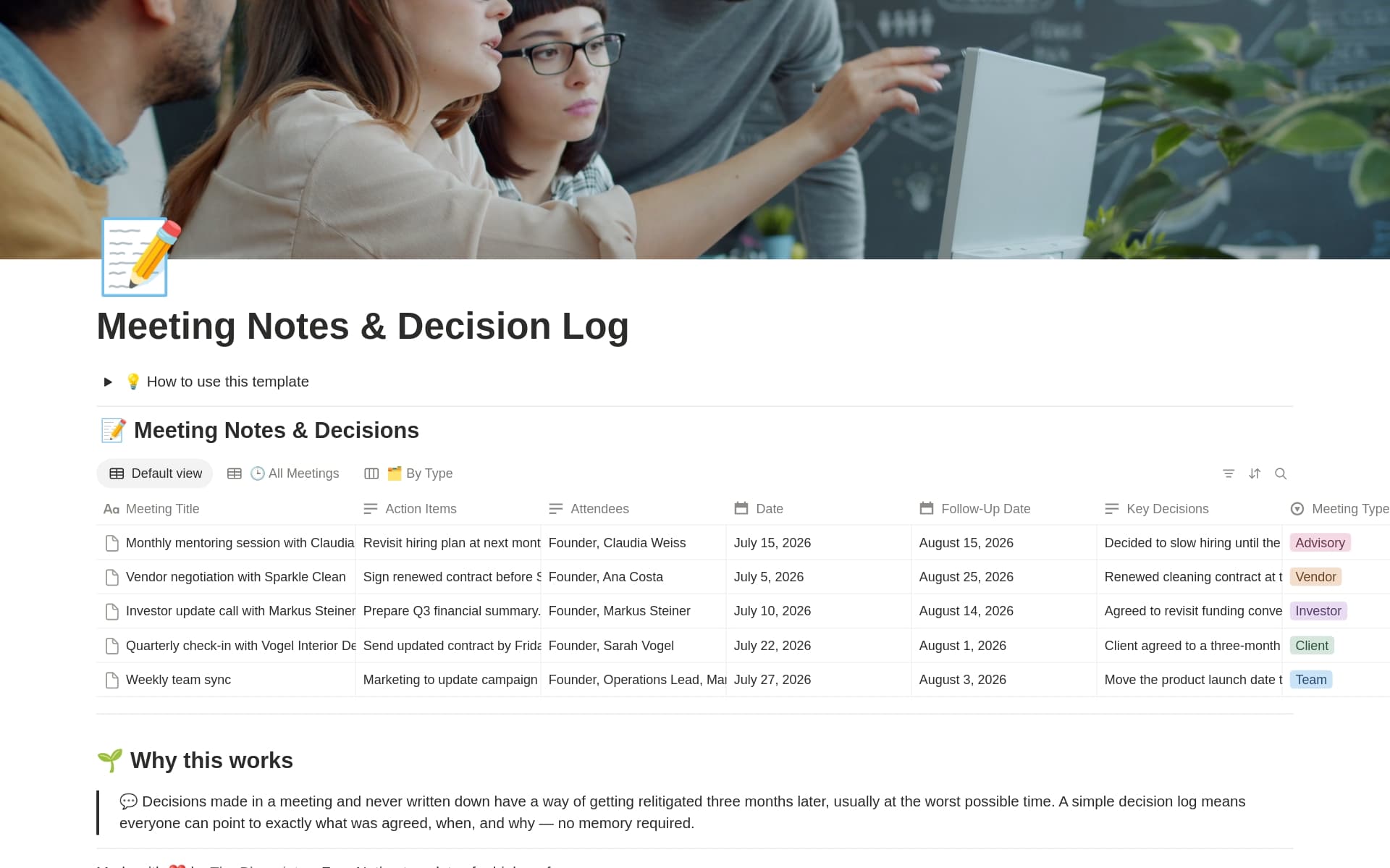
1. Weekly Cycles
Each record is one operating week, such as Week of 7 July 2026.
| Property | Type | Purpose |
|---|---|---|
| Week | Title | The week’s label |
| Start date | Date | Use one consistent week-start convention |
| Status | Select | Planning, In progress, Review complete, Closed |
| Facilitator | Relation to People | Runs the management review process |
| Management review | Relation to Meetings | The main meeting for the week |
| Updates | Relation to Weekly Updates | All Week-Ahead and Weekly Wrap submissions |
| Metric snapshots | Relation to Weekly Metric Snapshots | The week’s scorecard entries |
| Decisions | Relation to Decision Log | Important choices made or prepared that week |
| Follow-up actions | Relation to Follow-up Actions | Commitments resulting from review |
| Management summary | Page content | Short weekly narrative, not copied source data |
Create the next 8–12 Weekly Cycle records in advance, or use a recurring Notion database template. Predictable records make it far more likely that people will submit updates on time.
2. Meetings
Create a Meetings database if you do not already have one. A meeting page should be a record of a working session, not an unstructured document hidden in a folder.
| Property | Type | Purpose |
|---|---|---|
| Meeting title | Title | “Weekly Management Review — 11 July” |
| Meeting type | Select | Management Review, Operations Checkpoint, Hiring, Project, Other |
| Date and time | Date | Calendar scheduling |
| Weekly cycle | Relation to Weekly Cycles | The operating week |
| Facilitator | Relation to People | Keeps the meeting on its purpose and timing |
| Participants | Relation to People | Expected attendees |
| Metrics discussed | Relation to Weekly Metric Snapshots | Only exceptions that needed discussion |
| Decisions | Relation to Decision Log | Decisions created, reviewed, or made |
| Follow-up actions | Relation to Follow-up Actions | Commitments generated in the meeting |
| Meeting score | Number | Optional 1–10 effectiveness check |
| Status | Select | Planned, Held, Cancelled |
3. Follow-up Actions
You will build a fuller cross-team Tasks system in the next module. For now, create a lightweight Follow-up Actions database so that this cadence does not end with vague promises.
| Property | Type | Purpose |
|---|---|---|
| Action | Title | A concrete verb-based commitment |
| Status | Select | Not started, In progress, Blocked, Done, Cancelled |
| Accountable owner | Relation to People, limited to one | One person responsible for completion |
| Accountable role | Relation to Roles, limited to one | Clarifies the enduring responsibility |
| Due date | Date | A real completion date |
| Weekly cycle | Relation to Weekly Cycles | The week that produced the action |
| Origin meeting | Relation to Meetings | Where it was agreed |
| Related decision | Relation to Decision Log | Why it exists, when applicable |
| Completion evidence | Text or URL | What demonstrates that it is done |
Write actions so completion can be verified. “Fix fulfillment” is not actionable. “Fulfillment Lead: contact carrier about delayed shipment batch 418 and publish customer update by Tuesday 14:00” is.
When you build the shared Tasks database in Module 2, migrate or connect Follow-up Actions into that database. Preserve the relations to the originating meeting and decision so the company never loses the reason an action was created.
Run a focused 60-minute management review
The Level 10 Meeting model from EOS Worldwide is useful for its discipline: fixed timing, a stable agenda, a brief scorecard check, review of prior commitments, an issues list, and a final recap. Do not copy its 90-minute format mechanically. For a small company, use its underlying rule: report quickly, discuss the highest-priority issues, and end with clear owners.
Watch EOS Worldwide’s “Level 10 Meeting” for an example of disciplined weekly meeting design. Use it as an agenda principle rather than a mandatory system.
Watch the reporting section to see why a scorecard review should identify issues rather than become a debate. Then watch action accountability, issue solving, and the close. Focus on the sequence: review commitments, prioritize the real problems, record new commitments, and communicate outcomes.
Use this agenda in your Weekly Management Review meeting template:
| Time | Segment | Rule and output |
|---|---|---|
| 0–5 min | Opening and agenda | Confirm desired outcomes and select the highest-priority topics |
| 5–15 min | Last week’s follow-up actions | Mark done, blocked, or overdue; do not accept vague status |
| 15–25 min | Metric exception scan | Review only Watch, Off track, or Data issue snapshots |
| 25–45 min | Prioritized issues and decisions | Discuss one or two consequential items, not every update |
| 45–55 min | Decisions and implementation | Update Decision Log outcomes; create owned follow-up actions |
| 55–60 min | Recap and communication | Confirm owner, due date, people to inform, and meeting score |
The facilitator owns the quality of the meeting process. They are not automatically the owner of every problem discussed.
Add this page body to the meeting template
## Desired outcomes

- [What must be decided, clarified, or unblocked today]

## Pre-read

- [Linked metric snapshots]
- [Linked Decision Log entries ready for approval]
- [Relevant Week-Ahead updates]

## Agenda and notes

### Follow-up action review
- [Action, current status, blocker if any]

### Metric exceptions
- [Metric, owner interpretation, question to resolve]

### Decisions
- [Link to Decision Log record and outcome]

### New follow-up actions
- [Action, one accountable owner, due date]

## Communication to cascade

- [Who needs to know what, and who will tell them]
Build the dashboard views people will actually use
On the Company Operating Cadence page, create linked database views rather than asking people to search through every database.
Team-facing views
- This Week: the current Weekly Cycle, with linked updates, metrics, decisions, and actions.
- Week-Ahead updates missing: current-week records where Status is not Submitted.
- My follow-up actions: actions where Accountable owner is the current viewer and Status is not Done or Cancelled.
- Company decisions this week: Decision Log records linked to the current week, grouped by status.
Management-review views
- Metric exceptions: current-week snapshots where Status is Watch, Off track, or Data issue.
- Actions due or overdue: open actions sorted by due date.
- Ready for approval: Decision Log records with Status set to Ready for approval.
- Recently decided: decisions made in the last two weeks, showing outcome, Approver, and linked actions.
A view is a convenience layer, not a substitute for ownership. The important control is still the data model: each metric snapshot has an owner, each decision has its DACI roles, and each action has one accountable person and due date.
Implementation sequence
Build the cadence in this order:
- Create the Weekly Cycles database and add the next eight weeks.
- Create Weekly Updates with Week-Ahead and Weekly Wrap templates.
- Create Weekly Metric Snapshots, starting with no more than 8–10 weekly measures.
- Create or extend Meetings and connect it to Weekly Cycles, Metric Snapshots, the Decision Log, and Follow-up Actions.
- Create the temporary Follow-up Actions database with one accountable owner and a due date required for every action.
- Build the Weekly Management Review meeting template and schedule the recurring meeting.
- Create the dashboard views for missing updates, metric exceptions, approval-ready decisions, and open actions.
- Test one complete week using a realistic case: conversion falls, stock risk rises for a promoted SKU, and an action or decision must be created.
Key takeaways
A weekly operating cadence turns company information into accountable action.
- Use asynchronous updates to share priorities, progress, blockers, and requests before the live meeting.
- Assign every weekly metric an accountable owner, an authoritative source, and a clear review period.
- Treat a concerning metric as a signal, not as an automatic conclusion.
- Record routine corrections as actions, uncertain causes as investigations, and meaningful trade-offs in the existing Decision Log.
- Every follow-up action needs one accountable person, a due date, and evidence of completion.
- A fixed agenda prevents the management review from becoming a long status meeting.
- Notion should connect the weekly cycle, updates, metrics, meetings, decisions, and actions without becoming the false source of transactional commerce or finance data.
You have now completed the company’s initial operating layer: operating flow, sources of truth, roles, decision rights, and a weekly rhythm for managing them. Next, you will begin the project-and-work coordination module by building a project portfolio that links initiatives to objectives, owners, timelines, status, and expected results.
Can't find a good explanation? Sign up and we'll make it for you
Sign up