
Hello! Welcome back to our module on API Development.
In our previous lesson, you learned how to use conditional attributes and relationships to create dynamic and efficient API resources. This gave you precise control over the content of your JSON responses, which is crucial for both security and performance.
Today, we shift our focus from the content of the response to how clients access your API endpoints. As an application evolves, its API will inevitably change. How do you introduce new features or modify existing data structures without breaking the applications that already rely on your API? The answer is versioning.
This lesson will teach you how to implement a robust and widely-used API versioning strategy. You'll learn not just the "how" but also the critical "why," aligning with your goal of mastering professional development practices.
Our learning outcome for this lesson is to implement a URI-based API versioning strategy using route groups.
1. Why Version an API?
Before diving into code, it's essential to understand the problem that API versioning solves. An API is a contract between the server and its clients (e.g., a frontend application, a mobile app, or another backend service). If you change the terms of that contract—by renaming a field, removing an attribute, or changing an endpoint's behavior—you risk breaking those clients.
Imagine your API has an endpoint /api/posts that returns posts, and a mobile app uses it.
- V1 of the app expects the response to have a
bodyfield. - Later, you decide to refactor this to
contentfor clarity.
If you simply change the API, V1 of the mobile app will break because it's looking for a body field that no longer exists. API versioning allows you to release this change as a new version (V2) while keeping the old version (V1) running, giving clients time to upgrade.
There are several ways to specify an API version, but the most common and straightforward method, especially in the Laravel ecosystem, is URI Versioning. This involves placing the version number directly in the URL, like /api/v1/posts and /api/v2/posts.
Laravel API Versioning: Why It Matters and How to Do It Right
To get a quick overview of the different versioning strategies and why URI versioning is generally recommended for Laravel, please read the following article.
Read the sections 'Different types of API versioning' and 'Which Versioning Strategy is Best for Laravel?'. This will introduce you to the main concepts and confirm why we're focusing on the URI-based approach.
2. Implementing Versioning with Route Groups and Prefixes
The most direct way to implement URI versioning in Laravel is by using route prefixes within your routes/api.php file. This strategy involves organizing your controllers and routes into versioned namespaces and groups.
Let's walk through the process of taking an existing API and adding versioning. The following video provides an excellent practical demonstration.
API Versioning - How to make a Laravel CRUD API #6
This video by Quentin Watt Tutorials explains the necessity of versioning and then walks through the exact steps to implement it, including refactoring controllers and routes.
First, watch the introduction from 00:00 to 01:58 to solidify your understanding of why we need versioning. Then, continue from 01:58 to 06:10 to see how to: Move an existing controller into a versioned namespace (e.g., App\Http\Controllers\Api\V1). Update the routes/api.php file to use Route::prefix('v1')->group(...) to wrap the V1 routes.
As you saw in the video, the core implementation involves two key steps:
1. Organize Your Controllers:
It is a best practice to organize your versioned API controllers into their own directories. This keeps your logic cleanly separated.
app/
└── Http/
    └── Controllers/
        └── Api/
            ├── V1/
            │   └── PostController.php
            └── V2/
                └── PostController.php
You can create a versioned controller with the Artisan command:php artisan make:controller Api/V1/PostController --api
2. Group Your Routes:
In your routes/api.php file, you use Route::prefix()->group() to define the routes for each version.
// routes/api.php
use Illuminate\Support\Facades\Route;
use App\Http\Controllers\Api\V1\PostController as PostControllerV1;
use App\Http\Controllers\Api\V2\PostController as PostControllerV2;

// Version 1 Routes
Route::prefix('v1')->group(function () {
    Route::apiResource('posts', PostControllerV1::class);
});

// Version 2 Routes
Route::prefix('v2')->group(function () {
    Route::apiResource('posts', PostControllerV2::class);
    // Other V2 routes...
});
This structure is clear, easy to read, and keeps all route definitions for a specific version together.
3. Creating a New API Version (V2)
Now, let's see how to add a second version (V2) that introduces a breaking change. This is where the power of versioning becomes apparent. We can deploy these changes without affecting users of V1.
A common breaking change involves modifying the structure of an API Resource, a topic we've covered extensively. For instance, V2 might combine first_name and last_name into a single full_name field.
API Versioning - How to make a Laravel CRUD API #6
Let's continue with the same video to see how a new version (V2) is created alongside V1.
Watch from 06:10 to 11:57. The presenter demonstrates how to: Create a new V2 API Resource with a breaking change. Create a new V2 controller that uses this new resource. Add a new Route::prefix('v2')->group(...) block to serve the V2 endpoint. \nNotice how the V1 and V2 endpoints (/api/v1/person/1 and /api/v2/person/1) can coexist, each returning a different JSON structure.
This practical example shows the complete workflow: making an intentional breaking change in a new resource and exposing it through a new, versioned route, all while the original V1 route remains fully functional.
4. An Alternative for Scalability: Separate Route Files
While defining all route groups in routes/api.php works well, for very large APIs it can be cleaner to separate each version's routes into its own file. This aligns with the "separation of concerns" principle.
The modern approach in Laravel is to create files like routes/api_v1.php and then load them from within routes/api.php.
// routes/api.php

Route::prefix('v1')
    ->name('api.v1.') // Optional: prefixes route names like 'api.v1.posts.index'
    ->group(base_path('routes/api_v1.php'));

Route::prefix('v2')
    ->name('api.v2.')
    ->group(base_path('routes/api_v2.php'));
And your routes/api_v1.php file would simply contain the routes for that version:
// routes/api_v1.php
use Illuminate\Support\Facades\Route;
use App\Http\Controllers\Api\V1\PostController;

Route::apiResource('posts', PostController::class);
// ... all other V1 routes
This keeps your main api.php file clean and serves as a directory for your API versions, while the version-specific files contain the implementation details.
This article from Laravel News explains this modern, file-based approach for API versioning, which is particularly relevant for recent Laravel versions.
Read the section 'Versioning Your API in Separate Files' and 'Versioning Your API in Laravel 11'. Pay close attention to the code that shows how to load version-specific route files from routes/api.php.
To summarize the two implementation patterns we've discussed, take a look at this visual comparison.
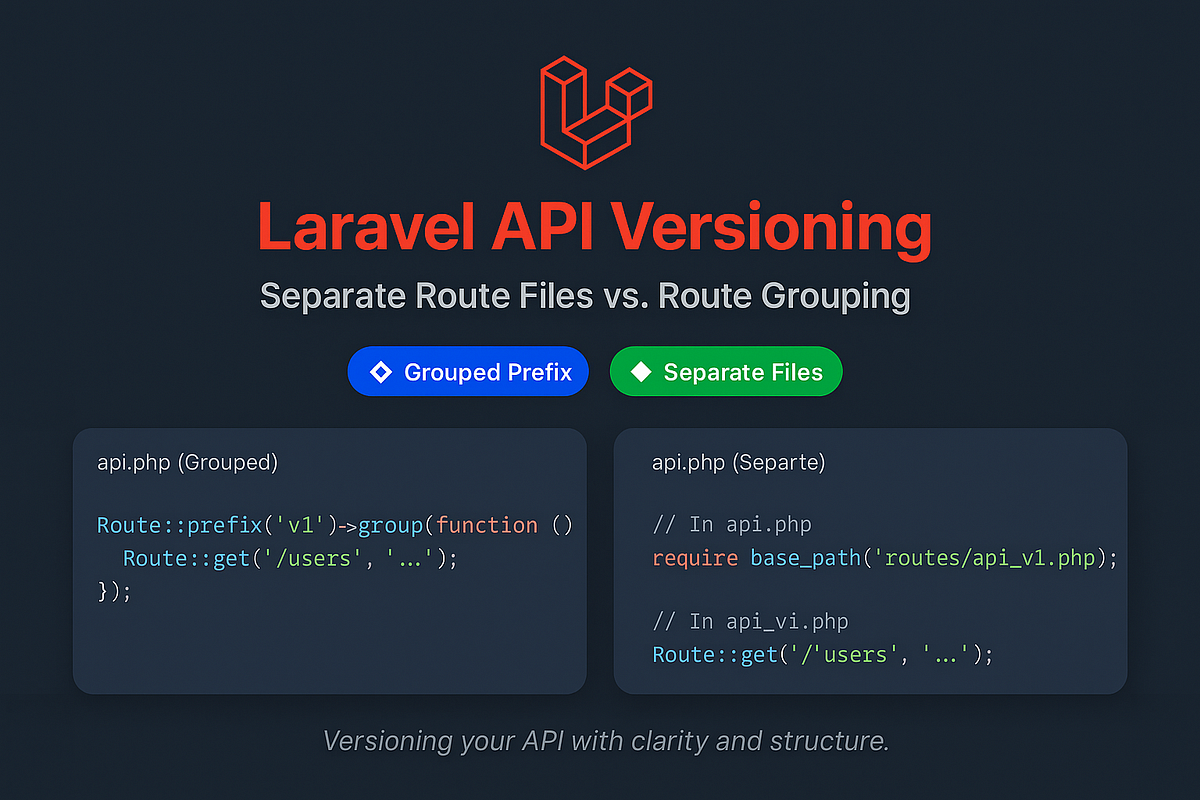
Both methods are valid and achieve the same outcome. The separate files approach is generally preferred for larger projects as it scales better.
Conclusion
You now have the knowledge to implement a clean, professional, and maintainable API versioning strategy in Laravel. This is a non-negotiable skill for any developer building APIs that are intended to be used by others and evolve over time.
Key Takeaways:
- Why Version: API versioning is a contract that allows you to evolve your API without breaking existing client applications.
- URI Versioning: Including the version in the URL (e.g.,
/api/v1/) is the most common, explicit, and recommended strategy for Laravel. - Implementation with Route Groups: Use
Route::prefix('v1')->group(...)inroutes/api.phpto define versioned endpoints. - Code Organization: Keep your code clean by separating controllers, resources, and even routes into version-specific directories and files.
- Scalability: For larger applications, loading separate route files (e.g.,
api_v1.php) from your mainapi.phpfile is a highly scalable pattern.
Up Next:
With a versioned API structure in place, the next logical step is to document it so that other developers can understand how to use it. In our next lesson, we will cover how to generate API documentation from your code using Swagger/OpenAPI standards, making your API professional and easy to consume.