
Hello. In the previous lesson, you secured the GitHub account that will eventually host your portfolio project and demonstrate your development work publicly. Now you will decide why that project should exist before choosing components, routes, or database structure.
This module is about launching a credible frontend portfolio project. Your project will be an accessible job-application workspace: a realistic tool for people managing a job search. In this lesson, you will write a concise product brief that identifies one primary user, one meaningful problem, the intended value, and how you will recognize success. The next lessons will turn that brief into a scoped MVP, acceptance criteria, and an implementation backlog.
Start with the problem, not the interface
A product brief is deliberately earlier and lighter than a requirements document. It should explain the opportunity clearly enough that a designer, developer, reviewer, or recruiter can understand the product’s purpose without first seeing a Figma file or source code.
For this project, the brief should not begin with statements such as:
- “Build a Kanban board for job applications.”
- “Create a dashboard with filters and dark mode.”
- “Use Next.js, TypeScript, and Tailwind.”
Those are possible solution choices. They may be sensible choices later, but they do not establish whether the product solves a real problem.
Instead, begin with a user’s situation:
A job seeker is applying to several roles across job boards, company sites, emails, and referrals. Important details, current status, and follow-up dates become scattered. The person spends time reconstructing their search rather than preparing applications and following up deliberately.
A useful distinction is:
| Document | Primary question | Appropriate detail now |
|---|---|---|
| Product brief | Why is this worth solving, and for whom? | Problem, users, outcomes, constraints, unknowns |
| MVP plan | What is the smallest valuable version? | Prioritized capabilities and deliberate exclusions |
| Acceptance criteria | How will we know a capability works? | Specific, testable behaviour |
| Technical plan | How will we build it? | Components, routes, types, storage, deployment |
Your frontend experience may make it tempting to imagine the interface immediately. Keep those ideas in a separate scratchpad for now. The brief is the guardrail that prevents an attractive interface from becoming a collection of unrelated features.
Product Brief: Definition, Template & Best Practices | Productboard
Read Productboard’s “Product Brief: Definition, Template & Best Practices.” It distinguishes a problem-focused product brief from later requirements and provides a compact template you can adapt for this portfolio project.
In “What is a Product Brief?”, read the definition. Then read “Key Components of a Product Brief,” especially problem and user sections. Next, work through “How to Create an Effective Product Brief” and “Product Brief Template.” Focus on the drafting process: it is intentionally concise, outcome-oriented, and open to revision.
Define one primary user and their underlying need
“Job seeker” is too broad to guide design. A person applying for their first frontend role has a different context from a recruiter managing hundreds of candidates or an experienced engineer managing a passive search.
For this project, use a focused, provisional primary user:
Primary user: An early-career frontend developer applying actively for React, Next.js, or comparable frontend roles, managing several applications independently while preparing for interviews and continuing to build skills.
This user definition has useful boundaries:
- They are managing their own applications, not recruiting for a company.
- They are actively applying, so deadlines and follow-ups matter.
- They may use job boards, company career portals, email, LinkedIn, notes, and spreadsheets.
- They need a reliable way to understand their current search at a glance.
- They may use a keyboard, screen reader, browser zoom, or larger text. Accessibility must be an intended quality of the product, not decoration added at the end.
The final point is important. An accessible workspace does not assume that a user can use a mouse, distinguish colours alone, read small text, or infer errors from a visual change. In the brief, you do not yet need to prescribe every accessibility technique. You do need to state that the primary workflow must remain understandable and operable for people using different interaction methods.
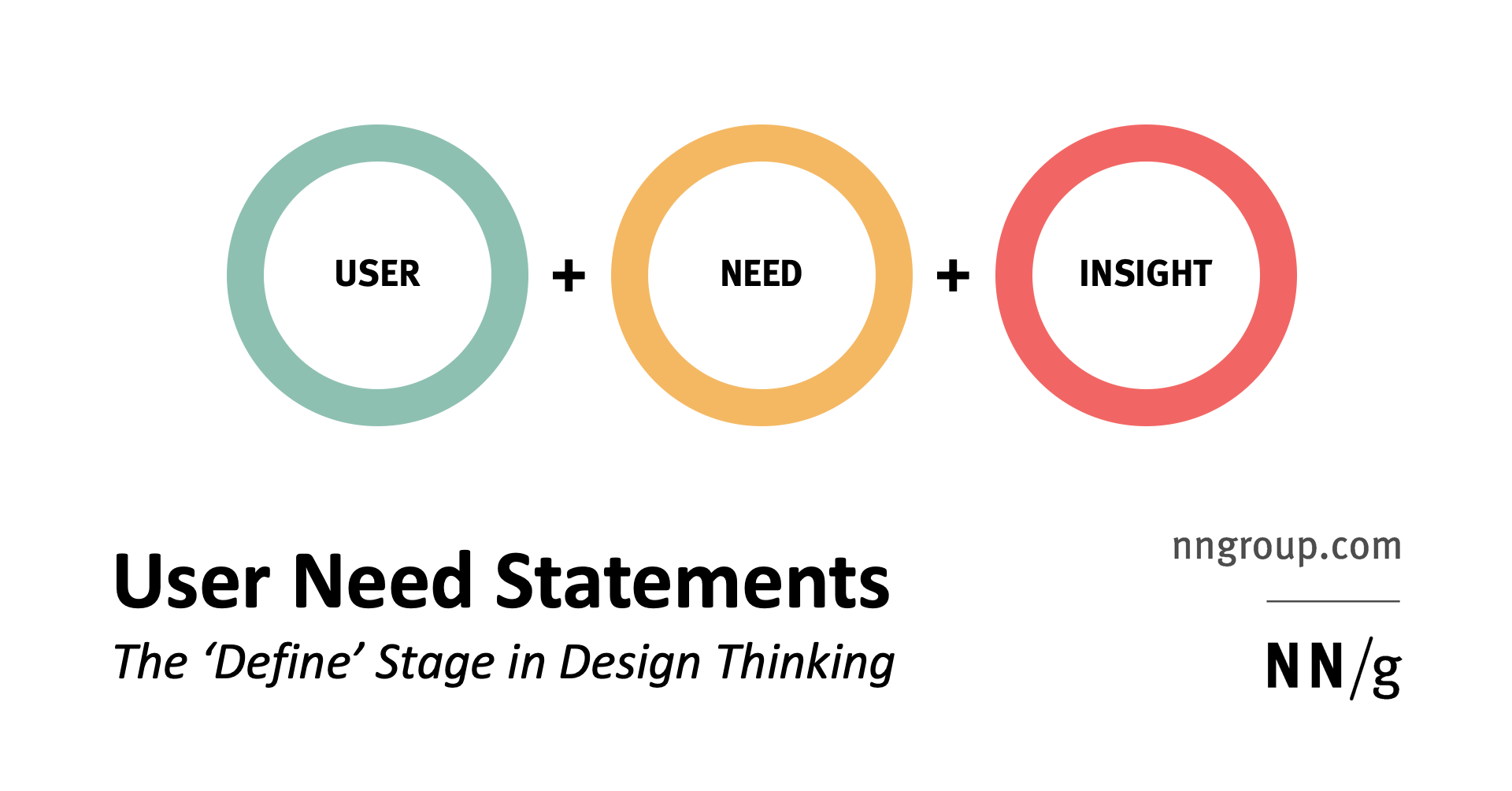
NN/g frames a user need statement around three connected parts: user, need, and insight or goal.
User Need Statements in Design Thinking
Watch NNgroup’s “User Need Statements in Design Thinking.” It gives a short framework for turning a vague product idea into a specific user need without prematurely naming features.
Watch the purpose to see why teams define the right problem before designing a solution. Then watch statement anatomy, which introduces the user, need, and goal. Finish with solution free wording; notice the emphasis on action words rather than interface objects.
A strong need statement for this project could be:
An early-career frontend developer applying to several roles needs to keep each application’s progress and next action understandable without relying on memory, scattered notes, or mouse-only interaction, so they can follow up at the right time and focus their energy on high-quality applications.
Notice what this statement does well:
- User: early-career frontend developer applying to several roles
- Need: keep progress and next actions understandable
- Insight or goal: follow up reliably and protect time for meaningful job-search work
- Accessibility intention: avoid an experience dependent on mouse-only interaction
- No prescribed feature: it does not require a board, a spreadsheet-like table, drag-and-drop, calendar integration, or a particular framework
A product can have secondary users, but do not let them distract from the primary user in a first portfolio MVP. For example, a career coach might eventually be a secondary user, but coach collaboration should not shape the initial scope.
Write a problem statement that is credible and narrow
The user need statement gives you a human-centred perspective. The problem statement adds the current situation, its impact, and the reason it matters.
A good problem statement answers three things:
-
What is happening now?
Applications, contacts, follow-up dates, rejection messages, and interview notes are spread across multiple tools. -
Who is affected and how?
An active job seeker has to remember status and next steps, increasing the chance of missed follow-ups or duplicated effort. -
What is the impact if nothing changes?
The person has less clarity, less confidence in their process, and less time for preparation, tailored applications, and interview practice.
Because this is a portfolio project, be honest about your evidence. You may have firsthand experience of job searching and can use it as a starting point, but do not write invented claims such as “80% of job seekers miss follow-ups.” Treat unverified ideas as assumptions to validate.
Here is a concise problem statement you can adapt:
Early-career frontend job seekers often manage active applications across company portals, job boards, email threads, personal notes, and spreadsheets. When application status, contacts, and next actions are scattered, they must repeatedly reconstruct their search and can miss timely follow-ups. Existing personal tracking methods may also be difficult to review or operate for people who depend on keyboard navigation, screen readers, or enlarged text. This reduces clarity and makes an already demanding job search harder to manage consistently.
Compare solution-led wording with problem-led wording:
| Avoid | Prefer |
|---|---|
| “Job seekers need a Kanban board.” | “Job seekers need to understand the current state of each application.” |
| “Users need filters.” | “Job seekers need to locate relevant applications when their list grows.” |
| “Add drag-and-drop for accessibility.” | “Users need to update application progress through more than one operable interaction method.” |
| “Build a better job tracker.” | “Reduce the effort required to review applications, identify next actions, and maintain follow-up discipline.” |
The “prefer” column deliberately leaves room for different implementations. In the next lesson, you will decide which capabilities provide the most value first.
Define success as an outcome, not a feature checklist
A feature checklist measures whether you built something. Success criteria measure whether the product improves the situation described in the brief.
For example, these are not success criteria:
- “The app has a form.”
- “The app has dark mode.”
- “The board supports drag-and-drop.”
They may later become requirements, but they do not demonstrate user value.
For an early prototype, use modest, observable outcomes. You can phrase them as targets to evaluate rather than achievements you are claiming already:
- In a short usability review, a participant can add an application and identify its next action without assistance.
- A participant can review and update an application through the primary workflow using only a keyboard.
- At enlarged browser zoom or text size, the participant can still read key information and complete the workflow.
- A participant can accurately identify which applications require attention soon.
- Feedback from a small review suggests that the workspace reduces reliance on memory and scattered notes.
The later acceptance-criteria lesson will turn these intentions into exact behaviour. At this stage, success criteria should be short enough to keep the team focused on the problem’s outcome.
Your concise product brief
Use the following as a working draft. Keep your version to roughly one page. You can use the name Application Workspace as a neutral working title, or choose another professional name later.
Initiative name
Accessible Job-Application Workspace
Product opportunity
Create a personal workspace that helps early-career frontend job seekers manage an active application search with clarity and confidence.
Primary user
An early-career frontend developer applying independently for React, Next.js, and similar frontend roles. They are managing multiple applications while also preparing for interviews and improving their portfolio.
User need statement
An early-career frontend developer applying to several roles needs to keep each application’s progress and next action understandable without relying on memory, scattered notes, or mouse-only interaction, so they can follow up at the right time and focus their energy on high-quality applications.
Problem statement
Early-career frontend job seekers often manage applications through a mixture of company portals, job boards, email, notes, and spreadsheets. Statuses, contacts, and follow-up actions become scattered, requiring users to reconstruct their search repeatedly and increasing the risk of missed or delayed next steps. Personal tracking methods may also create barriers for people who use a keyboard, screen reader, or enlarged text. The result is less clarity and less time for tailored applications and interview preparation.
Current state
The user may save vacancies in one place, submit applications through several external portals, receive updates through email, and record notes in a spreadsheet or personal document. The information needed to make a decision about the next action is not consistently available in one understandable workflow.
Strategic alignment
This project addresses a genuine job-search workflow while providing public evidence of frontend skills relevant to target roles: thoughtful React and Next.js development, TypeScript modelling, responsive design, accessible interaction, testing, and production deployment.
Desired outcomes and success criteria
The workspace should help a user:
- understand the current state and next action for each active application;
- maintain an organized, reviewable application process;
- complete the primary workflow with keyboard access and readable enlarged text;
- feel more confident that follow-ups and important application actions are not being lost in scattered tools.
Initial validation will focus on whether a small number of job-seeking peers can complete core tasks independently and describe the information as clear and useful.
Constraints
- This is a time-boxed, single-user portfolio project.
- The initial version will use demonstration or personal test data only.
- It will not require collecting passwords, scraping job portals, or integrating with third-party job platforms.
- Accessibility is a core constraint: the primary workflow must not depend solely on pointer interaction, colour, or fixed small text.
- The initial version should remain small enough to build, test, deploy, and explain well.
Assumptions to validate
- Active job seekers find application status and next actions difficult to maintain across several tools.
- A single personal workspace can reduce the effort of reviewing a job search.
- Users value clear status information and reminders of the next action more than a large number of secondary features.
- Keyboard-accessible and scalable-text interaction improves the product for a wider range of users, not only users of assistive technology.
Open questions
- Which information is essential for an application record in the first version?
- Which status labels are clearest to job seekers?
- What should count as a meaningful “next action”?
- Which accessibility barriers do potential users encounter in their current tracking method?
- Which few workflows would make the project compelling without expanding beyond a realistic MVP?
Next step
Prioritize a realistic MVP and explicitly separate later enhancements before writing detailed requirements.
Save your edited version as a local document such as docs/product-brief.md. Once you initialize the project repository later in the module, you can commit it alongside the code. This document will also become useful evidence for your README and portfolio case study: it shows that the project began with a user problem rather than a technology demo.
Key takeaways
A product brief is a short, problem-focused document. For this accessible job-application workspace, it should establish:
- one specific primary user rather than a vague audience;
- a user need expressed as an action and intended outcome;
- a narrow, credible problem statement grounded in the current workflow;
- accessibility as a product constraint from the beginning;
- measurable outcomes instead of a list of interface features;
- constraints, assumptions, and open questions that keep the project realistic.
Next, you will use this brief to prioritize what belongs in the portfolio MVP and what should be deferred as a later enhancement.
Can't find a good explanation? Sign up and we'll make it for you
Sign up