
Hello. In the previous lesson, you separated deterministic application responsibilities from narrow Jev judgments: code owns facts, policy, side effects, and branching; Jev supplies bounded semantic decisions over the state you provide.
Now you will make that boundary concrete. By the end of this lesson, you will have a small server-side TypeScript project that loads a TypeSafe API key safely, creates a TypeSafeClient, and sends an authenticated Jev request through the JavaScript SDK. The example uses a single support-ticket classification question so that the first live call stays small and inspectable.
The minimum shape of a Jev call
A Jev request has three conceptual parts:
- State: the evidence Jev should judge.
- Questions: bounded, typed decisions about that evidence.
- Answers: structured results returned by the SDK.

For this first request, the application will send a short ticket as state and ask one choice question: which department should own it? This follows the partitioning discipline from the previous lesson. Your code chooses the available departments and decides what to do later; Jev classifies the supplied text into that bounded set.
Authentication is deliberately not part of the request object. The SDK client reads the TYPESAFE_API_KEY environment variable from the server process.
Create and protect an API key
Use the TypeSafe console to obtain the API key associated with your early-access account. The console home page includes API Keys in the left navigation.
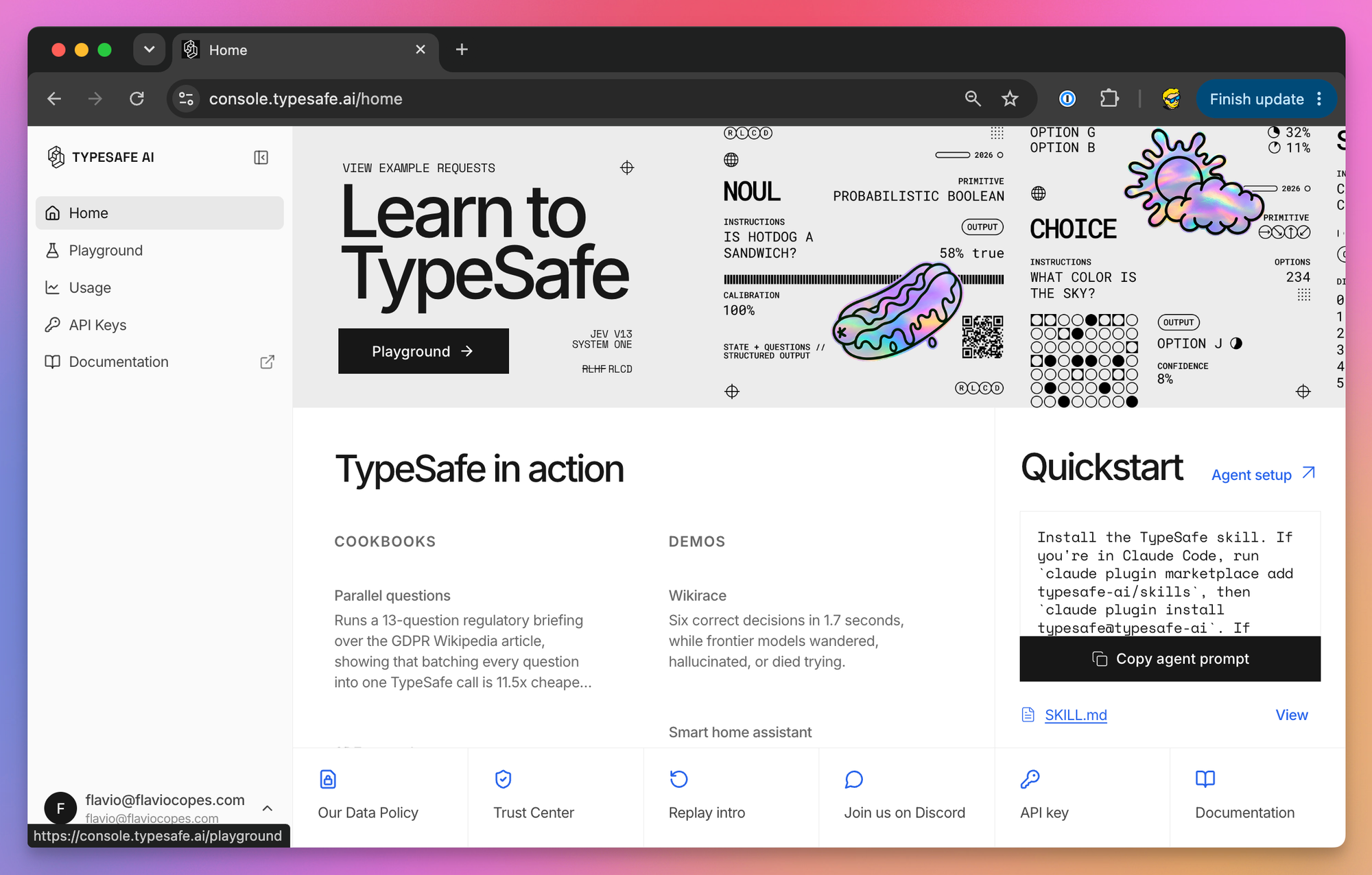
Treat this key like a password for an external service:
- Use it only in server-side code: a Node service, API route, worker, or backend-for-frontend.
- Never place it in browser JavaScript, a mobile app, a committed config file, a screenshot, or a support ticket.
- Never log the key or all of
process.env. - Store it as a deployment secret in your hosting provider when you deploy. A local
.envfile is for local development only.
Create a local project directory and verify that you are using Node.js 20 or newer:
mkdir jev-first-call
cd jev-first-call

node --version
npm init -y

npm pkg set private=true
npm pkg set type=module
npm pkg set scripts.start="tsx src/route-ticket.ts"
npm pkg set scripts.check="tsc --noEmit"

npm install @typesafe-ai/sdk dotenv
npm install --save-dev typescript tsx @types/node
The TypeSafe JavaScript SDK requires Node.js 20 or newer. tsx gives the project a direct TypeScript execution command for this learning project; your eventual production build can use the build tooling already standard in your application.
Read the official SDK repository’s short quickstart before creating the files below. It establishes the exact package name, environment-variable name, client construction, and systemOne call pattern.
JavaScript and TypeScript SDK for TypeSafe AI. - GitHub
Read the Quickstart in the official TypeSafe AI JavaScript SDK repository. It confirms the minimal authenticated SDK pattern that you will adapt into a local TypeScript project.
In the README’s Quickstart section, read the full quickstart. Follow the installation and credential setup first, then focus on how the TypeSafeClient is constructed and how the choice helper defines a typed question. Notice that the question ID becomes the key used to access the answer.
Create this minimal project structure:
jev-first-call/
  .env
  .env.example
  .gitignore
  package.json
  tsconfig.json
  src/
    route-ticket.ts
Add a strict TypeScript configuration in tsconfig.json:
{
  "compilerOptions": {
    "target": "ES2022",
    "module": "NodeNext",
    "moduleResolution": "NodeNext",
    "strict": true,
    "noEmit": true,
    "skipLibCheck": true
  },
  "include": ["src"]
}
Then create .env locally, substituting your actual key:
TYPESAFE_API_KEY=replace_this_with_your_real_key
The variable name matters: the SDK expects TYPESAFE_API_KEY.
Create .env.example as a safe onboarding template for a future clone of the repository:
TYPESAFE_API_KEY=
Finally, add this to .gitignore:
.env
.env.*
!.env.example
node_modules
The exception keeps .env.example shareable while ignoring files that may contain real environment-specific secrets. Before your first commit, run:
git status
You should see source files and .env.example, but not .env.
If a real credential is ever committed, removing the file in a later commit is not enough: assume the key is exposed, revoke or rotate it in the TypeSafe console, then replace it in your deployment secrets and local
.env.
Send an authenticated request
Create src/route-ticket.ts:
import "dotenv/config";
import { choice, TypeSafeClient } from "@typesafe-ai/sdk";

async function main() {
  if (!process.env.TYPESAFE_API_KEY) {
    throw new Error(
      "Missing TYPESAFE_API_KEY. Add it to .env before running this script."
    );
  }

  const client = new TypeSafeClient();

  const response = await client.systemOne({
    state: {
      ticket: "I was charged twice. Please fix this as soon as possible.",
      customerPlan: "annual",
    },
    questions: {
      category: choice("What is this ticket about?", {
        billing: "Payment, refund, or subscription issue",
        technical: "Product bug or integration issue",
        account: "Login or account access issue",
        other: "None of the listed categories",
      }),
    },
  });

  console.log({
    category: response.answers.category.choice,
  });
}

main().catch((error: unknown) => {
  const message =
    error instanceof Error ? error.message : "Unknown request failure";

  console.error(`Jev request failed: ${message}`);
  process.exitCode = 1;
});
Run a type check, then run the request:
npm run check
npm run start
A successful call prints an object containing one of your allowed category values. For this ticket, billing is the expected practical classification, but the important first success criterion is that the application makes an authenticated request and receives a bounded answer without exposing the credential.
A few details in this small file carry most of the integration pattern:
| Code element | Responsibility |
|---|---|
import "dotenv/config" | Loads local development variables from .env into process.env before the client is created. |
process.env.TYPESAFE_API_KEY check | Fails clearly before a network call if local setup is incomplete. |
new TypeSafeClient() | Creates the SDK client, which uses the configured environment credential. |
state | Contains the evidence relevant to the decision. |
choice(...) | Declares a closed set of allowed outputs for one semantic judgment. |
response.answers.category | Accesses the answer using the question ID, category. |
The return type is inferred from the question declaration. Because the question is a choice with four literal option keys, TypeScript can understand that response.answers.category.choice is one of billing, technical, account, or other, rather than an arbitrary string.
That inference becomes valuable when you connect the result to deterministic routing code:
type Department =
  | "billing"
  | "technical"
  | "account"
  | "other";

function selectQueue(category: Department): string {
  switch (category) {
    case "billing":
      return "support-billing";
    case "technical":
      return "support-technical";
    case "account":
      return "support-account";
    case "other":
      return "support-general";
  }
}
Do not add this routing call to the first script yet. Keep the first live integration focused on proving four things independently:
- The package is installed.
- The local credential is loaded but not hardcoded.
- The SDK can authenticate successfully.
- Jev returns a typed answer whose ID matches your declared question.
Diagnose the common first-call failures
Most initial failures are setup issues rather than model issues. Diagnose them in this order.
| Symptom | Likely cause | Action |
|---|---|---|
The script reports Missing TYPESAFE_API_KEY | .env is absent, misspelled, in the wrong directory, or uses a different variable name | Confirm the file is in the project root and contains TYPESAFE_API_KEY=... with no placeholder remaining. |
Cannot find package '@typesafe-ai/sdk' | Dependencies were installed in another directory or installation failed | Run npm install from the directory containing package.json. |
TypeScript cannot find Node globals such as process | Node type declarations are missing or TypeScript configuration is not being read | Confirm @types/node is installed and run npm run check from the project root. |
| Authentication is rejected | The key is invalid, revoked, copied incompletely, or associated with an account lacking access | Re-copy the key from the console or create a replacement according to the console’s instructions. Do not paste the key into logs or issue trackers. |
| A browser integration appears to work locally but exposes the key in DevTools or a bundle | The SDK call is running on the client | Move the Jev call behind a backend endpoint or server action. The browser should send only the ticket data it is authorized to provide. |
A useful local separation is:
- Frontend: gathers user input and displays approved application results.
- Backend: authenticates the user, retrieves trusted state, calls Jev, applies policy, and performs side effects.
- Jev: answers the declared bounded question from the supplied state.
For example, a browser can post a ticket message to your API route. The API route may add the authenticated customer’s plan from your database, call Jev, and return only the category that the frontend needs. The browser never receives the TypeSafe API key.
Keep the first request deliberately narrow
It is tempting to turn the example into one large request immediately:
“Read this ticket, decide whether the refund is valid, issue it if necessary, and write a reply.”
That would erase the architectural boundary you established in the prior lesson. Instead:
- Jev can classify the ticket’s topic or determine whether it explicitly asks for a refund.
- Your backend verifies transactions, applies refund policy, and decides whether automation is allowed.
- A template or a separate generation system may draft a reply after the decision is made.
For this lesson, the choice question is enough. It demonstrates the complete live path without claiming that a category alone authorizes any action.
In the next lesson, you will inspect the returned answer more carefully: the selected value, the distribution over options, and the confidence signal. That is where a successful API call becomes a confidence-aware application decision rather than a simple classifier invocation.
Key takeaways
You now have the smallest safe JavaScript integration pattern for Jev:
- Install
@typesafe-ai/sdkin a Node.js 20+ server-side TypeScript project. - Keep
TYPESAFE_API_KEYin local environment configuration, not in source code. - Ignore
.env, but commit a credential-free.env.example. - Construct
TypeSafeClientand callclient.systemOnewith state plus typed questions. - Use question IDs as the typed keys for returned answers.
- Treat a returned answer as input to application policy, never as permission for an uncontrolled side effect.
Next, you will interpret the Jev response in detail, distinguishing a selected choice from its option probabilities and confidence.
Can't find a good explanation? Sign up and we'll make it for you
Sign up