
Hello! Welcome to the first lesson in our new module, Video Production & Repurposing.
In the last module, we built a powerful engine for creating the core of your marketing videos. You learned to generate scripts, voices, talking-head avatars, and custom music, and you capped it off by mastering AI-powered audio enhancement. You now have the A-roll—the primary footage of your product demo or explainer video—ready to go.
But a talking head alone, no matter how well-produced, can quickly become visually monotonous. To create truly professional and engaging videos that capture and hold attention, you need to add visual variety and context. This is where B-roll comes in.
Today's learning outcome is to generate or source relevant B-roll footage using Runway ML, Pexels, or other stock libraries. We'll explore two powerful methods for acquiring this crucial footage: sourcing it from free stock libraries for speed and efficiency, and generating it with AI for ultimate creative control.
1. What is B-Roll and Why Does It Matter?
Before we dive into the "how," let's solidify the "what" and "why." In video production, footage is typically categorized as either A-roll or B-roll.
- A-Roll: This is your primary footage. It's the main narrative driver—the interview, the person talking to the camera, the product demonstration. The talking-head videos you learned to create are your A-roll.
- B-Roll: This is supplementary, secondary footage that is cut into the video. It provides context, adds visual interest, and smooths over edits in the A-roll.
To understand the different functions B-roll can serve, from setting the atmosphere to telling a deeper story, please read the following sections from this guide.
B-ROLL 101: The Complete Guide for Beginners (With ...
The article 'B-ROLL 101' from InVideo offers a clear and concise explanation of what B-roll is and provides excellent examples of its different types.
Please read section 1, 'What is B Roll?', to understand the distinction between A-roll and B-roll. Then, review the examples in section 2, 'B-Roll Examples', focusing on how 'Atmospheric', 'Visual detail', and 'Storytelling' B-rolls can enhance a video's narrative.
For your SaaS marketing videos, B-roll is your secret weapon. When you're explaining a feature, you can cut to a screen recording of that feature in action. When you're talking about the benefit of saving time, you can show a clip of a happy, relaxed professional. It's the visual storytelling layer on top of your audio narrative.
2. Sourcing B-Roll: The Free and Fast Method
The quickest way to get high-quality B-roll is from a stock footage library. These are vast online collections of video clips. For a founder bootstrapping multiple SaaS products, free stock libraries are an invaluable resource.
Two of the best free options are Pexels and Pixabay. They offer a huge variety of royalty-free clips that you can use in commercial projects without attribution.
Let's watch a quick overview of how to use these sites.
Best STOCK VIDEO Footage Sites For Royalty Free Video? Complete Review!
In his video 'Best STOCK VIDEO Footage Sites For Royalty Free Video?', Justin Brown provides a great walkthrough of the top free stock video sites.
Watch the segment from 00:23 to 02:56. Pay close attention to how he searches for clips on Pexels and Pixabay and, most importantly, the simple and permissive licensing terms these sites offer.
The key to finding good B-roll is using the right keywords. Think about the concepts, emotions, and actions related to your SaaS product.
Test your understanding!
Imagine you're creating a marketing video for a new SaaS product that uses AI to automate financial reporting for small businesses.
Go to Pexels and find three B-roll clips that would be relevant for this video. List the search terms you used to find them.
Hint: Think beyond the literal. Instead of just "finance," try searching for concepts like "data visualization," "small business owner working," "successful meeting," or "man reviewing charts."
Show answer
There are many correct answers, but here is one possible set of results:
- Search Term: "data dashboard"
- Result: A clip showing a close-up of a finger scrolling through charts and graphs on a tablet. This directly visualizes the product's output.
- Search Term: "small business owner relieved"
- Result: A clip of a cafe owner smiling while looking at their laptop. This conveys the emotional benefit of your SaaS (less stress, more success).
- Search Term: "abstract data flow"
- Result: An animated clip of glowing lines and particles moving across the screen. This can be used to visually represent the "AI" aspect of your product processing information.
3. Generating B-Roll: The AI-Powered Method
What if the exact clip you need doesn't exist? Or what if you want B-roll that perfectly matches a unique, stylized brand aesthetic? This is where AI video generation becomes a game-changer. The primary tool for this is Runway ML.
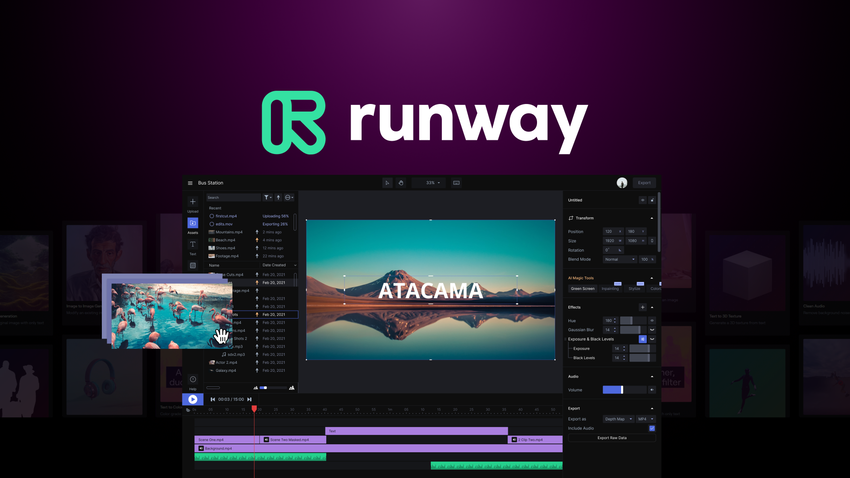
Runway allows you to create short video clips in several ways, but we'll focus on the two most powerful methods for B-roll.
Generate Cinematic Video with Runway Gen 2
This article, 'Generate Cinematic Video with Runway Gen 2,' provides an excellent conceptual overview of using AI for B-roll.
Read the sections 'What is B-roll' and 'How to use Runway to create the perfect B-roll.' This will introduce the core methods: Text-to-Video, Image-to-Video, and the combination of both.
Method 1: Text-to-Video
This is the most direct approach. You describe the scene you want in a text prompt, and Runway's AI generates a video clip.
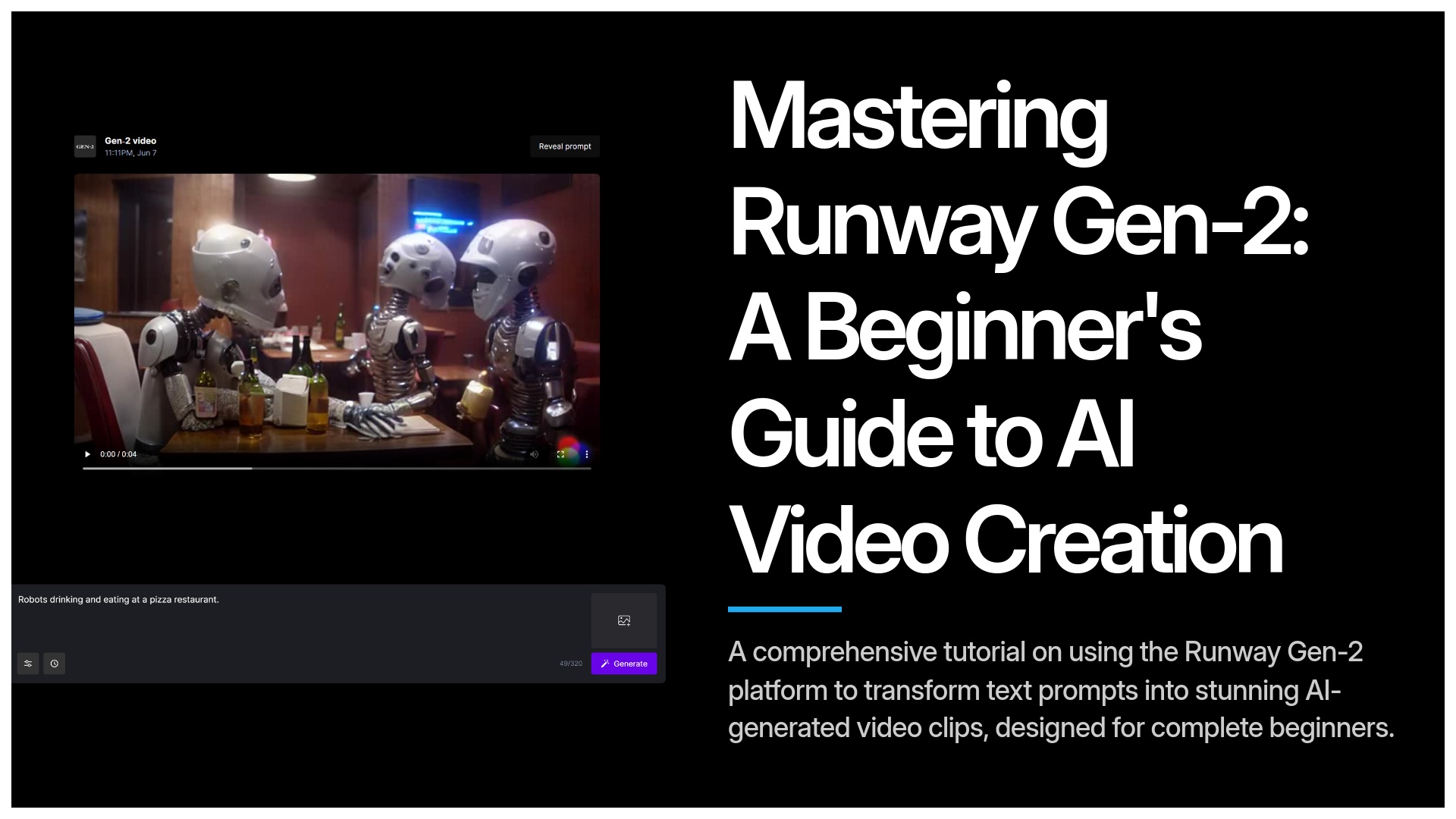
Let's see a quick example of this in action.
Best STOCK VIDEO Footage Sites For Royalty Free Video? Complete Review!
Let's return to Justin Brown's video. He gives a brief but effective demonstration of Runway's text-to-video capabilities.
Watch the segment from 15:14 to 17:45. Notice how he can generate a unique clip ('beach sunset with waves') just from a simple text prompt and how he suggests adding terms like 'photorealistic' or 'cinematic' to guide the style.
Method 2: Image-to-Video (The Pro Workflow)
While text-to-video is fast, it can be hard to control the visual style. A more advanced and powerful workflow, especially given your experience with Midjourney, is Image-to-Video.
The process is:
- Generate a still image in a tool like Midjourney that has the exact style, characters, and composition you want.
- Upload that image to Runway.
- Add a text prompt to describe the motion you want to see.
This gives you incredible control, allowing you to create B-roll that is stylistically consistent with your brand. The following video from Curious Refuge demonstrates this workflow perfectly.
Create Cinematic AI Videos with Runway Gen-3
This video, 'Create Cinematic AI Videos with Runway Gen-3,' provides a masterclass in the image-to-video workflow. It's a bit more advanced but showcases the true potential of this technique.
Watch these key segments to understand the workflow: Creating the Source Image (01:49 - 04:30): See how they use Midjourney with style references to create a high-quality, consistent starting image. Generating Video in Runway (04:30 - 06:31): This is the crucial part. Pay close attention to how they structure the prompt: [camera movement]: [scene description]. This is a key tactical takeaway. Reviewing Results (07:06 - 08:19): It's important to see that AI isn't perfect. It often takes several generations to get a usable clip. This section sets realistic expectations about the process.
This image-to-video technique is your pathway to creating completely bespoke visual assets for your SaaS marketing, ensuring your videos look unlike anyone else's.
4. When to Source vs. When to Generate
So, which method should you use? Here’s a simple framework:
-
Source from Stock Libraries (Pexels, Pixabay) when:
- You need generic, real-world footage (e.g., people at computers, cityscapes, office environments).
- Speed and cost are your primary concerns (it's fast and free).
- The shot is simple and likely to exist already.
-
Generate with AI (Runway ML) when:
- You need a highly specific or abstract shot that's impossible to film (e.g., "a network of ideas connecting in a brain").
- You need to maintain a unique, stylized aesthetic consistent with your brand.
- You want to animate a specific character or mascot you've already designed as an image.
- The exact clip you need doesn't exist in any stock library.
Conclusion
You now have a complete toolkit for sourcing the visual components of your videos. You can create the A-roll with talking-head avatars and add the essential B-roll to make your content dynamic and professional.
Key Takeaways:
- B-roll is the supplementary footage that adds visual context and engagement to your main video (A-roll).
- You can source B-roll quickly and for free from stock libraries like Pexels, which is ideal for common, real-world shots.
- You can generate completely custom B-roll using AI tools like Runway ML, which is perfect for specific, abstract, or highly stylized visuals.
- The Image-to-Video workflow (Midjourney to Runway) offers the most creative control for generating B-roll that matches a unique brand identity.
Preview of the Next Lesson:
We have our A-roll components (voiceover, avatar) and we know how to get B-roll. The next step is to put them all together. In our next lesson, you will learn how to "Assemble AI-generated video clips, voiceovers, and B-roll into a cohesive video using CapCut," bringing all these elements together into a final, polished marketing asset.