
Welcome back. In the previous lesson, you traced an Incident update from a form edit through synchronous server-side logic to a stored database change. Script Tracer gave you evidence of what ran; documentation is how you determine what an unfamiliar platform feature, script type, class, or method is supposed to do.
This is the final lesson in the Platform Foundations and Developer Workflow module. You will learn a repeatable way to locate trustworthy ServiceNow documentation, choose the documentation that matches your instance and application scope, and extract the details needed to work safely. You will use the approach both for platform features, such as Script Tracer or Business Rules, and for APIs, such as GlideRecord.
Documentation is part of development work
A ServiceNow developer rarely needs to memorize every platform setting or API method. The platform is broad, evolves with each family release, and differs according to application scope, plugins, roles, and enabled products.
The practical skill is not merely “searching the web.” It is turning a development question into a precise documentation query, then validating that the answer applies in your situation.
For example, these questions sound similar but need different documentation:
| Question | What you need to locate |
|---|---|
| “Why did this Incident update run a script?” | Platform documentation for Business Rules and diagnostic documentation for Script Tracer |
| “How do I retrieve a record by its sys_id in a server script?” | API reference for the GlideRecord class and its get() method |
| “Can my scoped application use this API?” | Server Scoped API reference, plus scope and cross-scope guidance if needed |
| “How do I alter a field on a form without writing code?” | Product documentation for form configuration or UI Policies |
| “Why does my configuration look different from the article?” | The article may target a different ServiceNow release, UI experience, role, or enabled product |
A useful working principle is:
Treat documentation as a specification to be checked against your instance, not as a recipe to copy blindly.
Know where to search first
ServiceNow has several official information sources, but they serve different purposes. Choosing the right one prevents a common beginner problem: finding a plausible answer that applies to the wrong API, wrong release, or wrong development context.
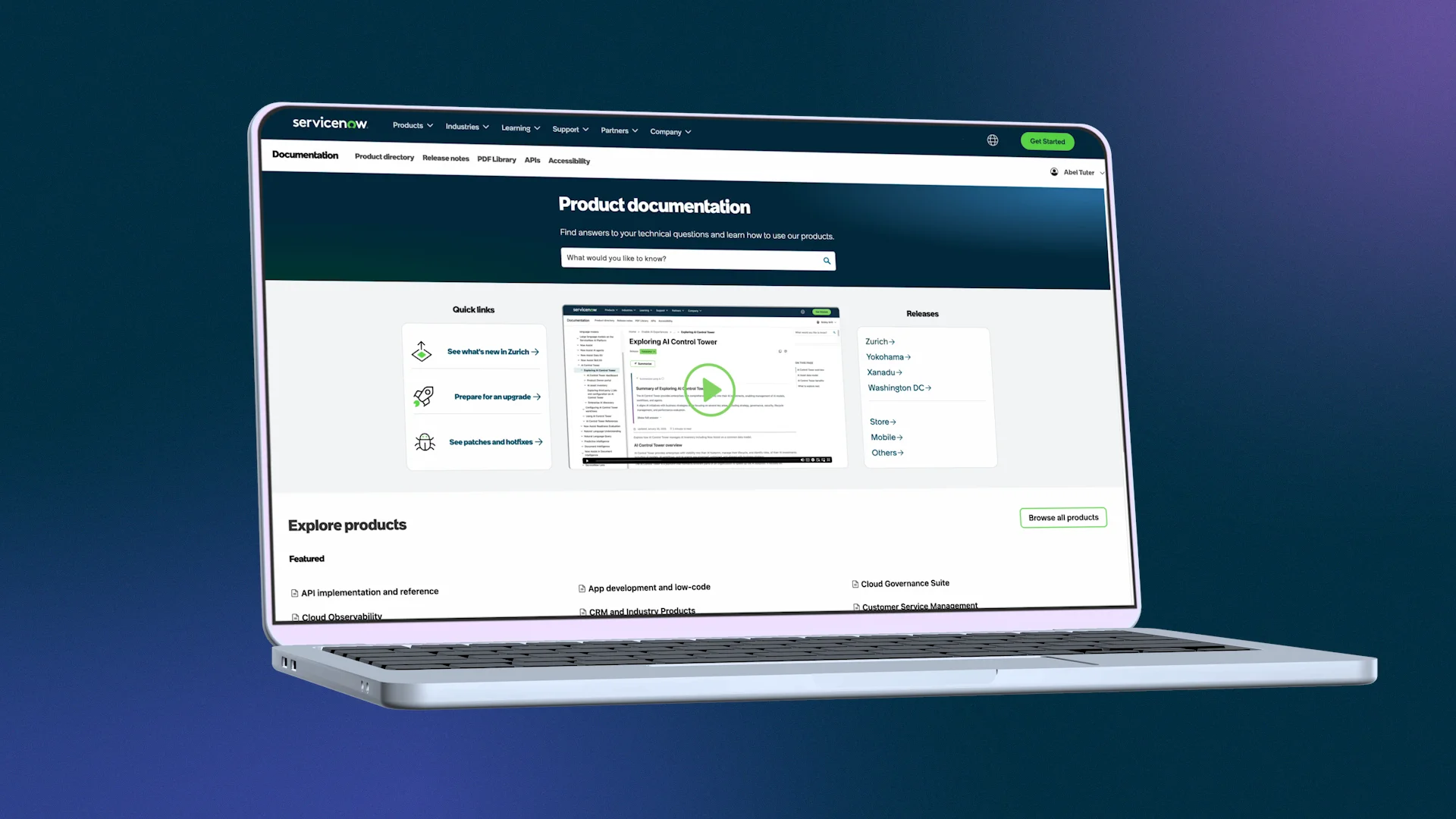
Read the “Now Platform Resources” section from the ServiceNow Developer Site. It identifies the official Product Documentation, Developer Site, training, and Community resources, helping you decide where a question belongs before you begin searching.
In “Now Platform Resources,” under “Onboarding a New Developer,” go to the “Resource links” list. Read the official source list. Focus on the distinct roles of Product Documentation, the Developer Site, and Community rather than trying to open every linked resource now.
Here is the practical priority order to use during development:
-
Product Documentation is normally your first source for a platform feature or configuration task. Look here for subjects such as Business Rules, ACLs, Flow Designer, import sets, forms, update sets, UI Policies, and application administration.
-
Developer Site documentation and API reference is normally your first source when the question concerns a JavaScript class, method, object, argument, return value, or code example. It is also a strong source for developer learning modules and PDI-oriented practice.
-
Your own instance is evidence of what is installed and configured. Its Application Navigator, table schema, script records, and record behavior can confirm whether a feature is present and how it is currently used. It does not replace documentation, but it grounds your research.
-
Community is useful when official documentation does not address an implementation detail or you need examples of a real-world issue. Treat forum posts as leads to verify, not as final authority. Check their publication date, release context, and whether a linked official source supports the advice.
This sequence matters because an internet search may surface an old blog post, an answer for the global scope, or a snippet that works only in a particular release. Starting from ServiceNow’s official sites narrows those risks.
Turn an unclear question into a searchable one
Vague searches produce vague results. Before opening documentation, write a one-sentence question that identifies the object and context.
Compare these searches:
| Too broad | Better documentation question |
|---|---|
servicenow update | “How does a Before Business Rule behave during a record update?” |
glide record example | “What does GlideRecord.get() return in a scoped server-side script?” |
script tracer | “Which transactions does Script Tracer capture, and does it trace asynchronous logic?” |
reference field | “How do I configure a reference field on a custom table?” |
For an API question, include these qualifiers whenever you know them:
- Class or method:
GlideRecord,GlideSystem,addQuery(),getDisplayValue() - Execution location: server-side or client-side
- Application context: scoped application or global application
- Release: the family release used by your PDI or target instance
- Desired operation: query, update, date comparison, logging, form manipulation, and so on
For a feature question, use its ServiceNow name plus the intended action:
- “Business Rule when to use before versus after”
- “update set preview conflicts”
- “Form Designer configure related lists”
- “Script Tracer start tracer”
The names exposed in the UI are particularly helpful search terms. If Script Tracer displays a file type of Business Rule, search that exact phrase rather than searching only for “my update ran code.”
Release, scope, and execution context: the three essential checks
Finding a page with the right title is only the beginning. Before acting on a result, check whether it applies.
1. Release
ServiceNow documentation is release-specific. UI labels, available capabilities, API behavior, and recommended approaches can change between releases. Your PDI’s release should guide your selection in both Product Documentation and the Developer Site.
If an article uses an older family name in its address or page heading, do not assume it is wrong—but do not assume it is current either. Look for the equivalent page in the documentation for your selected release.
2. Application scope
You have already begun working with a scoped training application. A scoped application has its own namespace and access boundaries. This affects API availability.
Some APIs are available in both global and scoped contexts; others are global-only, or may behave differently. For your custom scoped application, use Server Scoped API documentation when you are writing server-side scripts. Do not copy an example from Server Global documentation unless you have verified the class and method are available to your scope.
3. Execution context
The same platform may offer similarly named APIs in different contexts. For example:
- A server-side script runs on the ServiceNow server and can use appropriate server APIs.
- A Client Script runs in the browser and uses client-side APIs such as
g_form. - A Script Include might be server-only or intentionally exposed for client calls through GlideAjax.
Documentation must match where the code runs. A server-side GlideRecord example is not automatically suitable for a Client Script.
The API documentation itself is explicit about these distinctions.
Server-side Scripting Objectives
Read this ServiceNow Developer learning-module section to see the official navigation path for API reference and the distinction between Server Scoped and Server Global APIs. This is the workflow you will use whenever a trace or requirement reveals an API you do not yet know.
In “Server-side Scripting > Server-side APIs,” read from the opening explanation of release-specific API documentation through the instructions for filtering classes and properties: the API navigation guidance. Note the Site Release Selector, the Reference menu, the difference between Server Scoped and Server Global, and the two filtering controls inside the reference.
A repeatable documentation workflow
Use this workflow whenever you encounter an unknown feature or API while building or debugging.
For a platform feature
Suppose a trace showed a Business Rule and you want to understand what its timing means.
-
Name the feature and your task.
Write: “Understand whether an After Business Rule runs before or after a record is saved.” -
Start with Product Documentation.
Search forBusiness Ruleplus the specific concept, such aswhen,before,after, orasync. -
Confirm the release.
Select the documentation release that corresponds to your PDI or project instance. -
Read the conceptual page before configuration steps.
First establish the lifecycle and intended uses. Then consult pages that explain creating, configuring, or debugging the feature. -
Check prerequisites and constraints.
Look for required roles, table applicability, plugin requirements, scope restrictions, security implications, and cautions about performance. -
Validate in the PDI.
Open the corresponding module or record in your instance. Compare field names and options to the article, remembering that UI wording can vary slightly by release or experience.
For an API
Now suppose you will later need to retrieve records in a server-side script.
-
Identify the runtime context.
Your course’s custom work is in a scoped application, and the script is server-side. -
Choose the matching reference.
On the Developer Site, select the correct release, then use Reference and choose Server Scoped. -
Filter to the class.
Search the API list forGlideRecord. -
Read the class overview first.
Determine the purpose of the object, its supported methods, constraints, and any scope notes. -
Open the exact method.
If your need is record lookup bysys_id, readget()rather than scanning unrelated query methods. -
Extract a minimal implementation contract.
Before writing code, record:- object or class name;
- method name;
- required arguments and argument types;
- return value or success condition;
- scope or release restrictions;
- one relevant example;
- cautions and related methods.
This final step changes documentation reading from passive browsing into usable engineering notes.
Read API reference like a contract
API pages can feel dense at first because they must be precise. You do not need to read every method of a large class.
For a single method, answer these questions in order:
| Question | Why it matters |
|---|---|
| What object owns this method? | Prevents using a method on the wrong API object |
| What does the method do? | Defines its intended purpose |
| What arguments are required or optional? | Prevents malformed calls |
| What is returned? | Tells you how to test success or use the result |
| Is it available in my scope and release? | Avoids code that cannot run in your application |
| Does the example match my execution context? | Prevents copying server code into browser code, or global code into scoped code |
| What cautions or alternatives are listed? | Helps you avoid unsafe or inefficient patterns |
For example, documentation for a record-query API should lead you to ask: “How will I know whether a matching record was found?” rather than merely “What line of code can I paste?”
This is especially important for JavaScript because an API call can appear syntactically valid while still produce an unexpected result, such as no records, an inaccessible record, or a query that processes more rows than intended.
A PDI research routine: investigate one trace finding
Use the Incident update you traced last lesson as your research prompt. This activity is intentionally about finding and interpreting documentation, not yet writing server-side code.
Option A: research a platform feature
- Open your notes from the Script Tracer exercise and choose one term you encountered, such as Business Rule, UI Action, Script Tracer, Before, or After.
- Write a focused question. For example:
“What is the intended use of an After Business Rule during an update?” - Open official Product Documentation and select your PDI’s release.
- Search using the exact feature name plus your intended concept.
- Locate one conceptual explanation and, if necessary, one configuration or diagnostic page.
- Record these notes:
- page title and selected release;
- your original question;
- a two- or three-sentence answer in your own words;
- one limitation or caution;
- how the answer changes your interpretation of the trace.
Option B: research a server-side API
- On the ServiceNow Developer Site, set the Site Release Selector to match your PDI.
- Open Reference and select Server Scoped because your training application is scoped.
- Filter for
GlideRecord. - Locate the class overview and then find the
get()method. - In your notes, create an API card:
| API card item | Your note |
|---|---|
| Context | Server-side, scoped application |
| Class | GlideRecord |
| Method | get() |
| Purpose | Your one-sentence description from the reference |
| Inputs | Required arguments from the reference |
| Result | How the reference says to interpret the result |
| One caution | Scope, query, security, or usage consideration you found |
| Related question | One question you still have |
Do not yet test the method in a production-like table or attempt bulk updates. You will learn structured record querying and safe updates in the server-side scripting module. Today’s success criterion is narrower: you can locate the right reference page and extract information necessary to use it later.
When documentation and the instance seem to disagree
Occasionally, you will find an article but not the expected UI option in your PDI. Work through these explanations before concluding that the documentation is wrong:
- Release mismatch: the article is for another family release.
- Role restriction: your user lacks the role needed to view or configure the feature.
- Plugin or product dependency: the functionality is not activated in the instance.
- Scope difference: the article assumes global scope while you are in a scoped application, or the reverse.
- Interface difference: a workspace, a newer experience, or a legacy UI may place the capability elsewhere.
- Search mismatch: the UI may use a label while the documentation uses the technical name.
When you seek help from a teammate or Community after doing this research, provide evidence rather than a generic “it doesn’t work.” A concise, useful report includes:
- the instance release;
- your application scope;
- the exact page title you consulted;
- the navigation path or search phrase used;
- the expected result;
- what you actually saw;
- relevant error text or a screenshot, with sensitive data removed.
That habit makes your questions faster to answer and strengthens your own diagnostic reasoning.
Key takeaways
ServiceNow documentation work has a deliberate shape:
- Use Product Documentation for platform capabilities and configuration.
- Use the Developer Site API reference for JavaScript classes, methods, arguments, and return values.
- Prefer official documentation first; use your instance to validate applicability and Community as a source of leads to verify.
- Match documentation to the correct release, application scope, and execution context.
- Search with a precise question, then read the conceptual context before copying configuration steps or code.
- For API references, extract the method’s purpose, arguments, result, scope availability, and cautions.
You now have the foundational workflow needed to navigate ServiceNow, configure basic metadata safely, trace runtime behavior, and research unfamiliar features without guessing. The next module moves into the data model: translating requirements into custom tables, fields, records, and reference relationships.
Can't find a good explanation? Sign up and we'll make it for you
Sign up