
Namaste! Pichhli lesson mein aapne arrays ke through related values ko ordered positions mein store karna seekha: first item index 0, second item index 1, aur so on. Aaj hum us limitation ko solve karenge jahan position se meaning clear nahin hota. For example, agar kisi analysis mein 20 likha hai, to kya woh cloud threshold hai, year hai, ya scale? Object mein value ke saath uska name bhi store hota hai.
Is lesson ke baad aap JavaScript object mein named properties store kar paayenge, unhe dot notation aur bracket notation se retrieve kar paayenge, aur GEE scripts mein readable analysis settings organize karna start kar denge. Yeh automation-oriented GEE workflows ki ek core habit hai.
Array se object tak: position versus meaning
Array tab useful hai jab order important ho:
const rgbBands = ['B4', 'B3', 'B2'];

print('Red band:', rgbBands[0]);
Yahan rgbBands[0] ka meaning tabhi samajh aata hai jab aapko array ka intended order pata ho.
Lekin analysis settings ke liye named labels better hote hain. Compare kijiye:
const settingsArray = ['Pune', '2023-06-01', '2023-10-31', 20];
Is array mein 20 ka role immediately clear nahin hai. Iske badle object use kijiye:
const analysisSettings = {
  regionName: 'Pune',
  startDate: '2023-06-01',
  endDate: '2023-10-31',
  cloudThreshold: 20
};
Ab har value ke saath uska label hai:
regionNameis'Pune'startDateis'2023-06-01'endDateis'2023-10-31'cloudThresholdis20
Object mein har name: value pair ko property kehte hain. Property name ko often key bhi kaha jata hai.
| Structure | Value ko kaise identify karte hain? | GIS/GEE example |
|---|---|---|
| Array | Index se, such as [0] | Band order, months, class IDs |
| Object | Named property se, such as .cloudThreshold | Analysis parameters, visualization settings, metadata |
Object curly braces {} se banta hai. Har property mein:
- property name likhiye;
- colon
:lagaiye; - value dijiye;
- next property ho to comma
,use kijiye.
const fieldInfo = {
  fieldId: 'F_014',
  cropType: 'Wheat',
  areaHectares: 3.6,
  irrigated: true
};

print('Field information:', fieldInfo);
Object ke properties strings, numbers, booleans, null, arrays, aur even doosre objects bhi hold kar sakte hain. Abhi focus simple, readable configuration objects par rakhenge.
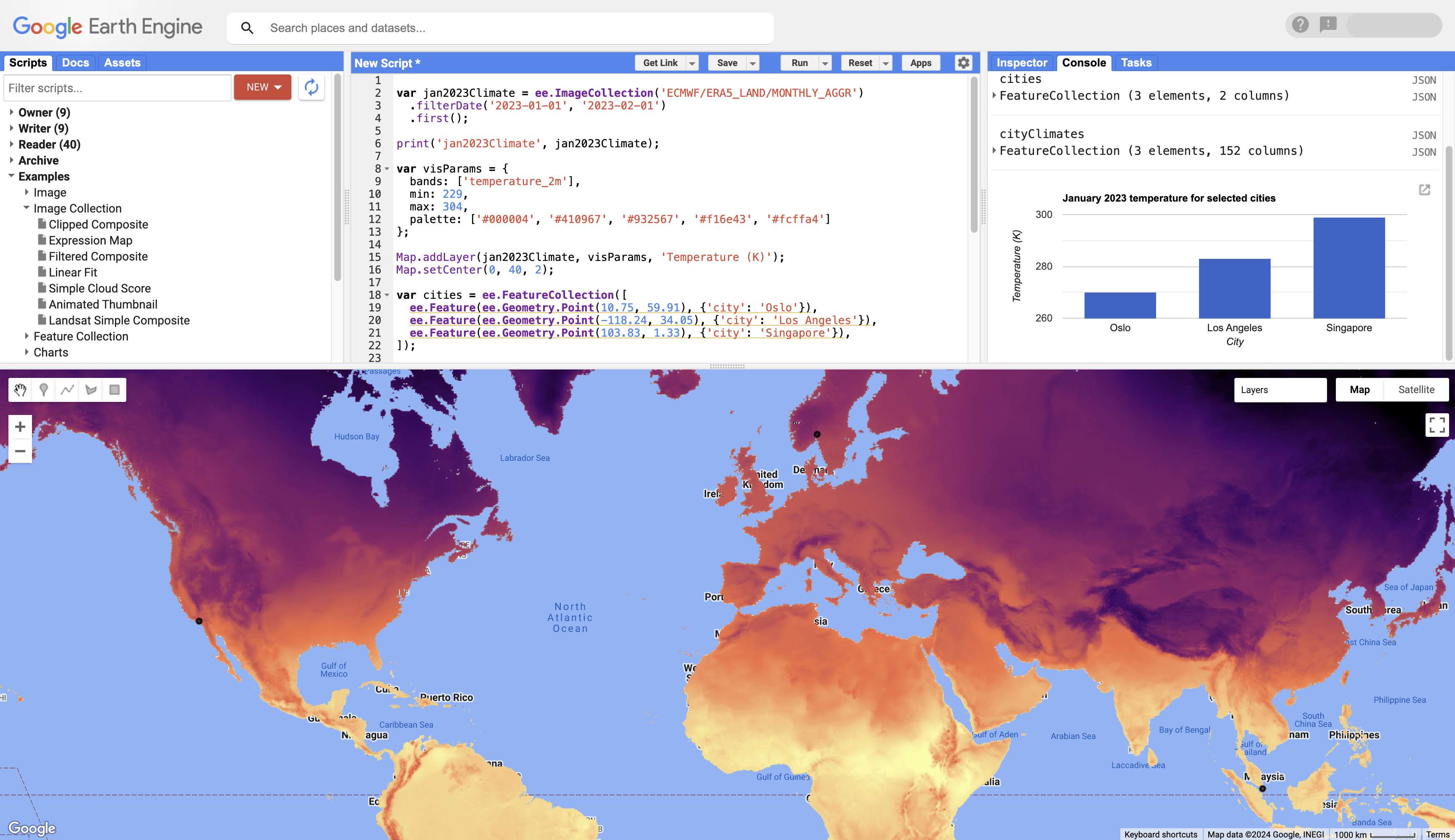
GEE mein aapko visualization objects baar-baar milenge, for example:
const visParams = {
  min: 0,
  max: 3000,
  bands: ['B8', 'B4', 'B3']
};
Yeh script batata hai ki display range kya hai aur red, green, blue channels ke liye kaunse bands use honge. Later modules mein aap ise Map.addLayer() ke saath use karenge.
Important distinction: Aaj ka
{ ... }ek normal client-side JavaScript object hai. Yehee.Dictionarynahin hai. Earth Engine ke server-side objects Module 2 mein aayenge.
Short video: object ka basic structure
#20 🔥 JavaScript Objects 🔥 | JavaScript Object Operations | JavaScript Tutorial in Hindi
Learn Code With Durgesh ka “JavaScript Objects” video Hindi mein object ko key-value pairs ke collection ke roop mein explain karta hai. Isse array aur object ke basic structural difference ko visual way mein reinforce kijiye.
Start with object structure. Curly braces, key-value pairs, colon, aur comma ka syntax dekhiye. Phir function-related portion skip karke property access dekhiye, jahan dot aur bracket notation compare kiye gaye hain. Video console.log() use karta hai; GEE Code Editor mein equivalent inspection ke liye print() use kijiye.
Properties retrieve karna: dot notation
Object banane ke baad normally humein ek specific setting chahiye hoti hai—not the entire object. Dot notation sabse readable approach hai:
const analysisSettings = {
  regionName: 'Pune',
  startDate: '2023-06-01',
  cloudThreshold: 20
};

print('Region:', analysisSettings.regionName);
print('Start date:', analysisSettings.startDate);
print('Cloud threshold:', analysisSettings.cloudThreshold);
General pattern:
objectName.propertyName
Isko carefully read kijiye:
analysisSettings.cloudThreshold
analysisSettingspoora object hai..ka matlab hai “is object ki property access karo.”cloudThresholdexact property name hai.- Output
20hoga.
Property names case-sensitive hote hain. Yeh dono different names hain:
const config = {
  cloudThreshold: 20,
  CloudThreshold: 30
};

print(config.cloudThreshold); // 20
print(config.CloudThreshold); // 30
Professional scripts mein ek consistent naming convention bahut useful hoti hai. Multiple words ke property names ke liye camelCase use kijiye:
const projectConfig = {
  studyAreaName: 'Nashik District',
  exportScale: 10,
  targetYear: 2023
};
studyAreaName readable hai aur dot notation ke saath comfortably kaam karta hai.
Avoid kijiye:
// Confusing or inconvenient names:
// 'study area': 'Nashik District'
// cloud-threshold: 20
Space ya hyphen wale property names bracket notation maangte hain. Isliye GEE configuration objects mein camelCase practical default hai.
Bracket notation: dynamic property names ke liye
Object property retrieve karne ka doosra syntax hai bracket notation:
const analysisSettings = {
  regionName: 'Pune',
  cloudThreshold: 20
};

print('Region:', analysisSettings['regionName']);
print('Cloud threshold:', analysisSettings['cloudThreshold']);
Yeh dot notation ke same value return karta hai:
analysisSettings.regionName
analysisSettings['regionName']
Lekin bracket notation mein property name string ke form mein quotes ke andar likhna hota hai.
Bracket notation tab genuinely useful hota hai jab property name kisi variable mein stored ho:
const analysisSettings = {
  regionName: 'Pune',
  startDate: '2023-06-01',
  cloudThreshold: 20
};

const requestedSetting = 'cloudThreshold';

print('Requested setting:', analysisSettings[requestedSetting]);
Yahan requestedSetting ke andar 'cloudThreshold' hai. JavaScript pehle variable ki value read karta hai, phir us named property ko retrieve karta hai. Output 20 hoga.
Is difference ko yaad rakhiye:
const requestedSetting = 'cloudThreshold';

print(analysisSettings[requestedSetting]);  // 20
print(analysisSettings.requestedSetting);   // undefined
analysisSettings.requestedSetting literal property named requestedSetting ko search karta hai. Woh property object mein hai hi nahin, isliye result undefined hai.
Aapke future reusable scripts mein user-selected parameter, class name, ya selected statistic ko variable ke through choose karne ke cases mein bracket notation kaafi useful hogi.
Reading: object literal aur access syntax ko consolidate kijiye
Working with objects - JavaScript - MDN Web Docs - Mozilla
Mozilla MDN ka “Working with objects” JavaScript ka authoritative reference hai. Is reading mein object literal syntax aur property access par focus kijiye; constructor functions aur advanced object patterns ko abhi skip kar sakte hain.
Section “Creating new objects” ke subsection “Using object initializers” mein pehle opening explanation padhiye. Phir object syntax explanation mein sentence “The syntax for an object using an object initializer is:” se start karke object literal syntax tak padhiye. Section “Accessing properties” mein two access forms padhiye, then variable-held property names ke example ke liye dynamic access discussion follow kijiye. console.log() examples ko GEE mein print() samajhkar read kijiye.
Property update aur new property store karna
Array lesson se ek useful parallel: object ko const se declare karne ke baad bhi uski existing properties update ki ja sakti hain, aur new properties add ki ja sakti hain.
const analysisSettings = {
  regionName: 'Pune',
  cloudThreshold: 20
};

print('Before update:', analysisSettings);

// Existing property update.
analysisSettings.cloudThreshold = 15;

// New property add.
analysisSettings.exportScale = 10;

print('After update:', analysisSettings);
print('Updated threshold:', analysisSettings.cloudThreshold);
print('New export scale:', analysisSettings.exportScale);
Yahan analysisSettings variable same object ko point kar raha hai. Aapne object ko completely replace nahin kiya; sirf uske andar properties change ya add ki hain.
Yeh invalid hoga because const variable ko new object assign kiya ja raha hai:
const analysisSettings = {
  regionName: 'Pune'
};

// analysisSettings = {regionName: 'Mumbai'};
Lekin yeh valid hai:
const analysisSettings = {
  regionName: 'Pune'
};

analysisSettings.regionName = 'Mumbai';
Aap analysis config ke kisi fixed parameter ko code run hone se pehle revise kar rahe hain—this is a normal use case.
Missing property: undefined ko interpret kijiye
Agar aap non-existent property request karte hain, JavaScript generally undefined return karta hai:
const analysisSettings = {
  regionName: 'Pune'
};

print('Cloud threshold:', analysisSettings.cloudThreshold);
undefined ka matlab hai property object mein present nahin hai.
Isko previous lesson ke null se confuse mat kijiye:
const analysisSettings = {
  notes: null
};

print('Notes:', analysisSettings.notes);       // null
print('Owner:', analysisSettings.ownerName);   // undefined
nullmeans value intentionally empty/set as no value.undefinedmeans property was not found or has not been assigned.
Guided GEE Code Editor practice: readable analysis configuration
Apne current script ki copy save kijiye as:
05_objects_and_properties
Phir yeh script paste karke Run kijiye:
// A named configuration for a future Sentinel-2 analysis.
const analysisConfig = {
  regionName: 'Nashik District',
  startDate: '2023-06-01',
  endDate: '2023-10-31',
  cloudThreshold: 20,
  useCloudMask: true,
  bands: ['B2', 'B3', 'B4', 'B8']
};

// Inspect the complete object.
print('Complete configuration:', analysisConfig);

// Retrieve individual named properties.
print('Study area:', analysisConfig.regionName);
print('Start date:', analysisConfig.startDate);
print('Cloud threshold:', analysisConfig.cloudThreshold);
print('Cloud mask enabled:', analysisConfig.useCloudMask);

// Retrieve with bracket notation.
print('End date:', analysisConfig['endDate']);

// Retrieve a property whose name is held in a variable.
const requestedSetting = 'cloudThreshold';
print('Requested setting:', analysisConfig[requestedSetting]);

// The bands property contains an array.
print('All bands:', analysisConfig.bands);
print('NIR band:', analysisConfig.bands[3]);

// Update an existing property and add a new one.
analysisConfig.cloudThreshold = 15;
analysisConfig.exportScale = 10;

print('Updated configuration:', analysisConfig);
print('Updated cloud threshold:', analysisConfig.cloudThreshold);
print('Export scale:', analysisConfig.exportScale);
Console mein in observations ko verify kijiye:
- Complete configuration expandable object ke form mein show hoga.
analysisConfig.regionNameshould show'Nashik District'.analysisConfig['endDate']should show'2023-10-31'.analysisConfig[requestedSetting]should show20.analysisConfig.bands[3]should show'B8'.- Update ke baad cloud threshold
15hona chahiye. exportScaleinitial object mein nahin tha, lekin final printed object mein10ke saath appear hoga.
Ab apne script ko career-relevant direction mein personalize kijiye:
regionNameko apne kisi familiar district, watershed, forest division, ya city se replace kijiye.startDateaurendDateko ek meaningful monitoring season ke liye set kijiye.analysisConfig.productName = 'Sentinel-2 SR';add karke new property inspect kijiye.const requestedSetting = 'exportScale';karke bracket notation ka output observe kijiye.- Intentionally
print(analysisConfig.cloudTreshold);likhiye—spelling mein missinghnotice kijiye. Outputundefinedhoga. Phir correct property name restore kijiye.
Yeh last check real GEE debugging habit hai: configuration property ka typo mostly syntax error nahin deta; woh undefined ke through silent problem create kar sakta hai.
Key takeaways
JavaScript object related information ko named properties ke form mein store karta hai:
const config = {
  cloudThreshold: 20,
  exportScale: 10
};
- Object curly braces
{}se banta hai. - Har property
name: valueform mein hoti hai. - Properties comma se separated hoti hain.
- Standard readable access ke liye dot notation use kijiye:
config.cloudThreshold. - Dynamic property names, spaces wale names, ya special property names ke liye bracket notation use hota hai:
config['cloudThreshold']. config[propertyName]variable ki value use karta hai;config.propertyNameliteral property namedpropertyNameko seek karta hai.constobject ki individual properties update ya add ki ja sakti hain, although poore object ko reassign nahin kar sakte.- Missing property usually
undefinedreturn karti hai.
Next lesson mein hum reusable JavaScript functions likhenge—parameters aur return values ke saath. Objects aapke functions ko clean configuration denge, aur functions repetitive GEE processing steps ko reusable banayenge.
Can't find a good explanation? Sign up and we'll make it for you
Sign up