
Hello! Welcome back to your course on efficient Factorio design.
In our previous lessons, we established the logistical backbone of our factory. We defined items per second as our universal metric, quantified the throughput of transport belts, and explored the importance of belt compression for achieving maximum logistical capacity. We've mastered how to get items from A to B efficiently.
Now, we turn to the other side of the supply-and-demand equation: the machines that produce and consume those items. This lesson addresses the learning outcome: Calculate the production and consumption rates of a machine based on its crafting speed and recipe. Mastering this calculation is the fundamental skill that allows you to move from guesswork to precise, efficient factory design.
The Anatomy of a Recipe
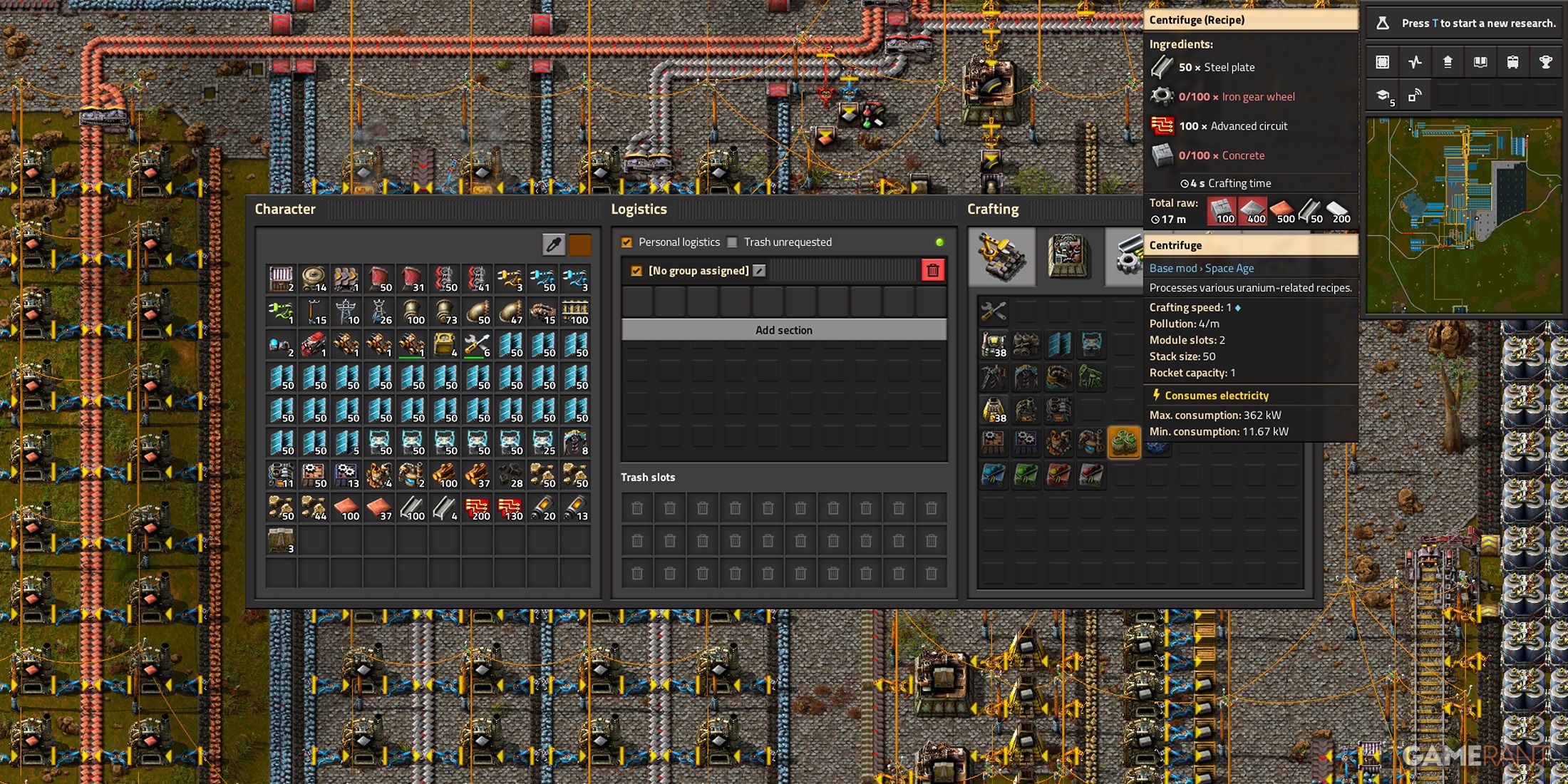
To calculate a machine's performance, you need three key pieces of data. You can find all of them in-game by opening the crafting menu and clicking on an item.
- Recipe Time: The base time, in seconds, required to complete one crafting cycle.
- Ingredients and Results: The number of items consumed (inputs) and created (outputs) in one crafting cycle. Note that some recipes produce multiple items at once (e.g., Copper Cable).
- Machine Crafting Speed: A multiplier that adjusts the recipe time. A machine with a crafting speed of 1.0 (like a Stone Furnace) performs the craft in the exact time listed. A machine with a speed of 0.5 (like an Assembling Machine 1) takes twice as long, while a machine with a speed of 1.25 (Assembling Machine 3) is 25% faster.
The Fundamental Formula: Calculating Items per Second
Our goal is to express everything in our universal unit, items/s. The most direct way to calculate a machine's output is with the following formula:
Let's break this down intuitively:
- A higher machine speed increases the rate.
- A longer recipe time decreases the rate.
- Producing more items per craft cycle increases the rate.
This approach is not only intuitive but also dimensionally sound, which helps prevent common errors. A frequent mistake is to multiply by the recipe time instead of dividing. A great way to build the correct mental model is to follow a discussion where this exact mistake is analyzed.
Quick question on crafting speed.
This Steam Community thread features a user asking about a calculation they've made, which happens to be incorrect. The top-rated responses provide two excellent ways to structure the calculation, one of which directly uses the 'items per second' approach we're learning.
Read the two posts by the user 'piccolo255'. The first corrects the original poster's math by explaining the inverse relationship between speed and time. The second presents the most intuitive approach: calculating the machine's output directly in 'items per second'. Notice how the units (items, seconds, assemblers) cancel out to give you a meaningful result—a powerful technique borrowed from dimensional analysis to verify your formulas.
Calculating Production and Consumption Rates: An Example
Let's apply the formula to a common item: Electronic Circuits (Green Circuits) being made in an Assembling Machine 2.
From the in-game recipe, we find:
- Recipe Time: 0.5 s
- Results: 1 Electronic Circuit
- Ingredients: 1 Iron Plate, 3 Copper Cables
- Machine Crafting Speed (Assembler 2): 0.75
1. Production Rate (Output):
How many Green Circuits does this machine produce per second?
2. Consumption Rate (Input):
The logic for consumption is identical. We just substitute the number of ingredients for the number of results. How many Iron Plates and Copper Cables does it consume per second?
So, a single Assembling Machine 2 will produce 1.5 green circuits per second, and to do so, it must be supplied with 1.5 iron plates per second and 4.5 copper cables per second. Any less, and the machine will become starved and run below its maximum capacity.
A Walkthrough Example
Let's watch a video that applies these same principles to calculate the requirements for science packs. The narrator uses a slightly rearranged formula to solve for the number of assemblers, but the underlying relationship between speed, time, and output is the same.
FACTORIO | Calculations & Ratios Tutorial
The following video walks through the process of calculating production rates for Red Science packs, applying the same principles we've just discussed to determine how many assemblers are needed for a specific goal.
Watch from 00:27 to 05:02. The narrator introduces the key variables and then builds the equation to solve for the number of assemblers needed for a 1 pack/second goal. This is a practical application of the rates we're calculating.
Test your understanding!
An Assembling Machine 3 (crafting speed 1.25) is dedicated to making Iron Gear Wheels. The recipe takes 0.5 seconds and converts 1 Iron Plate into 1 Iron Gear Wheel.
What is the machine's production rate of gears and its consumption rate of iron plates, both in items/second?
Show answer
- Production Rate:
(1.25 * 1 Iron Gear Wheel) / 0.5 s = 2.5 Iron Gear Wheels/s - Consumption Rate:
(1.25 * 1 Iron Plate) / 0.5 s = 2.5 Iron Plates/s
This single machine produces 2.5 gears per second and consumes 2.5 iron plates per second.
A Brief Foray into Advanced Topics: Modules
In the late game, you can use Modules to further alter machine performance. We won't delve into this deeply as it's outside our immediate scope, but it's important to be aware of the concept, especially the effect of Productivity Modules.
- Speed Modules: These are straightforward; they simply add to the machine's crafting speed.
- Productivity Modules: These are more complex. They increase the number of items produced per cycle and decrease the crafting speed. Crucially, they do not increase the number of ingredients consumed. This means you get "free" items, which has a non-obvious effect on input calculations.
For those interested in the mechanics of late-game optimization, the following video segment provides an excellent explanation of how to correctly calculate input requirements for a factory using productivity modules.
Calculating / Figuring Out Production Ratios - Factorio Tutorial
This section from a video by Xterminator explains how to account for the 'free' items from productivity when calculating your required inputs. This is a non-intuitive point that is critical for building hyper-efficient late-game factories.
Watch from 10:14 to 14:57. The key insight here is how productivity affects the input calculation. To find the required input rate, you first calculate the number of machine cycles needed before the productivity bonus is applied. This correctly accounts for the fact that the 'free' items don't require any additional raw materials.
Conclusion
You are now equipped with the mathematical tools to analyze any machine in your factory. By understanding the relationship between recipe time, crafting speed, and item counts, you can calculate the precise flow of items into and out of your production buildings. This is the bedrock of efficient design.
Key Takeaways:
- A machine's performance depends on three variables: Recipe Time, Machine Crafting Speed, and the number of items in the recipe.
- The most direct way to analyze performance is by calculating items per second.
- The fundamental formula for both production and consumption is:
Rate (items/s) = (Machine Speed × Items per Craft) / Recipe Time. - This allows you to determine the exact supply a machine can provide and the exact demand it places on your logistics network.
In our next lesson, we will put this knowledge to immediate use. We will move from analyzing a single machine to designing an entire production block, starting with the question: How many machines do I need to produce a target output?
Can't find a good explanation? Sign up and we'll make it for you
Sign up