
Hello and welcome to your first lesson. This course is designed to get you from a completed React single-page application to a fully functional mobile app in the iOS and Android app stores, using your preferred stack of bun, Turborepo, and Capacitor.
In this introductory lesson, we'll establish the conceptual foundation for everything that follows. Our goal is to understand Capacitor's runtime architecture—specifically its "native shell," "WebView," and "bridge"—and to contrast this model with Electron and React Native, frameworks with which you have some past experience. A clear grasp of this architecture will inform all the practical decisions we make in the upcoming lessons.
1. Capacitor's Core Architecture: A Web-First Philosophy
At its heart, Capacitor is built on a powerful but simple premise: your web development skills and your existing web application are your greatest assets. Instead of asking you to learn a new UI paradigm, Capacitor provides a way to package your web app into a genuine native application that can be submitted to the App Stores.
This is achieved through three key components:
- The Native Shell: When you add Capacitor to your project, it generates a standard, native project for each platform you target (iOS and Android). For iOS, this is an Xcode project; for Android, it's an Android Studio project. This isn't a custom, black-box environment; it's a real, minimal native app that serves as the "shell" for your web code.
- The WebView: The centerpiece of the native shell is a powerful UI component called a
WebView(WKWebViewon iOS andWebViewon Android). Think of this as a chromeless, powerful web browser embedded directly into your native app. Its job is to load and render your React application's bundled HTML, CSS, and JavaScript. - The Bridge: This is the crucial communication layer that connects your web world (JavaScript in the WebView) to the native world (Swift/Kotlin code in the shell). It allows your React code to invoke native device features and allows the native shell to communicate back to your web app.
This diagram illustrates how these pieces fit together.

To get a concise overview of this architecture, please watch the first part of the following video.
Building a Native Mobile App with Next.js and Capacitor
The video "Building a Native Mobile App with Next.js and Capacitor" by Simon Grimm provides a clear, practical introduction to Capacitor's core concepts.
Watch the segment from the beginning until the host starts setting up the Next.js app. Pay attention to how he describes Capacitor as a "drop-in solution" that wraps your web app in a WebView and uses a "bridge" to access native functionality. You can watch from the introduction to Capacitor.
How the Bridge Works
The bridge is more than just a conceptual link. When your JavaScript code calls a Capacitor plugin—for instance, Camera.getPhoto()—the Capacitor runtime in the WebView serializes this request into a JSON message. This message contains information about the plugin, the method to call, and any parameters. The message is then passed across the bridge to the native shell.
The native side of the Capacitor framework receives this message, decodes it, and executes the corresponding native code (e.g., launching the native camera UI). Once the native action is complete (e.g., the user takes a picture), the native side sends a result or event back across the bridge, again as a JSON message. Your JavaScript code, which was likely await-ing the call, then receives the result.
This approach is powerful because it gives your web app access to the full suite of native APIs, but it's important to understand the mechanism.
For a more detailed explanation of the bridge and its performance characteristics, I recommend reading the following sections from the blog post "structure and interpretation of capacitor programs." Given your engineering background, you may appreciate this deeper-dive perspective.
structure and interpretation of capacitor programs — wingolog
This article by Andy Wingo provides a compiler engineer's perspective on different cross-platform frameworks. It offers a precise technical breakdown of Capacitor's architecture.
Please read the two sections under the "Ionic / Capacitor" heading. First, read the Overview, which frames Capacitor as a "web browser development kit" and explains its relationship with the system WebView. Then, read the section titled The bridge. This part details the JSON serialization process and correctly notes the overhead involved, which is a key architectural trade-off to be aware of.
2. Contrasting with Other Runtimes
Your previous experience with Electron and React Native provides an excellent context for understanding Capacitor's specific place in the ecosystem.
Capacitor vs. Electron
The comparison of Capacitor to "Electron for mobile" is quite apt. Both frameworks aim to let you build an app using web technologies. However, there are fundamental differences.
Capacitor: Everything You've Ever Wanted to Know - Ionic Blog
This blog post from the creators of Capacitor directly addresses the comparison with Electron.
Please read the section How are they different?
As the article mentions, the main distinction lies in the underlying runtime and target platforms:
- Electron bundles its own specific versions of the Chromium rendering engine and the Node.js runtime. This creates a consistent environment across different desktop operating systems (Windows, macOS, Linux) but results in a larger application package. Its APIs are geared toward desktop integration (e.g., file system access, menu bars).
- Capacitor uses the system-provided WebView that is already present on iOS and Android. This results in a much smaller binary and ensures your app benefits from the performance and security updates that Apple and Google roll out to their WebViews. Its APIs are, naturally, focused on mobile device capabilities.
3. Capacitor vs. React Native
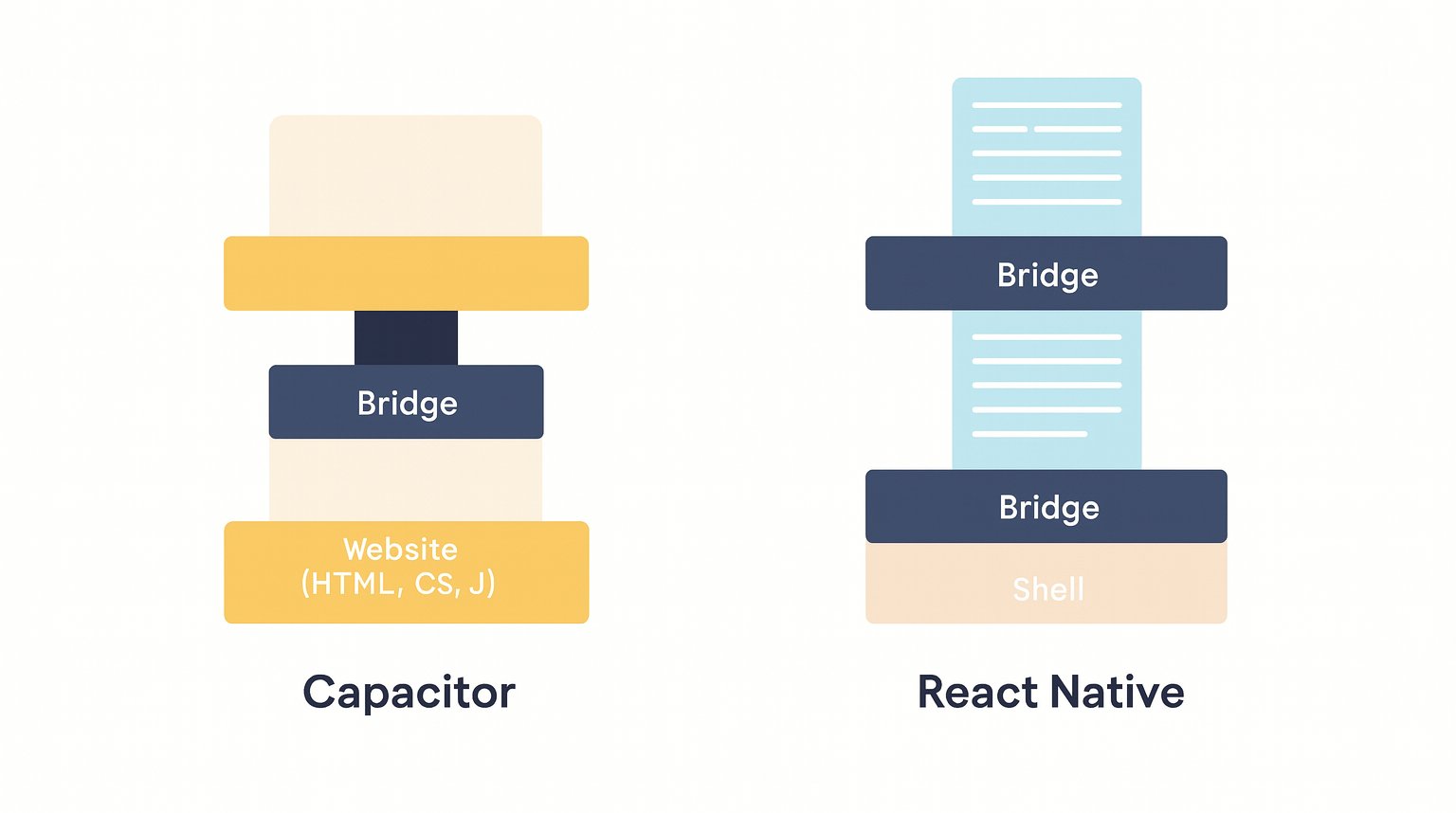
This is arguably the most important comparison for a web developer considering a move to mobile. While you last used React Native five years ago, its core architectural philosophy remains the same and stands in stark contrast to Capacitor's.
The fundamental difference is in how the UI is rendered.
- Capacitor renders a WebView. Your React code renders to a virtual DOM, which ultimately produces standard HTML elements. You use CSS for styling (which is why Tailwind and
shadcn/uiwill work seamlessly). Your application is, for all intents and purposes, a website running inside a native container. - React Native renders native UI widgets. Your React code does not produce HTML. Instead, the React Native framework acts as a bridge itself to create and manipulate the platform's actual native UI components. A
<Text>component in React Native becomes aUILabelon iOS and aTextViewon Android.
This diagram offers a simplified visual for this distinction.
This architectural choice has significant implications for you as a developer:
- Code Reusability: With Capacitor, you can reuse virtually 100% of your web SPA's code, including UI components. With React Native, you can share business logic (custom hooks, state management), but the entire UI layer must be re-written using React Native-specific components.
- Developer Experience: Capacitor allows you to use the tools and knowledge you already have. You can debug the UI using Chrome DevTools, leverage the entire web/CSS ecosystem, and your mental model of the DOM remains valid. React Native requires you to learn its specific component set, styling system (which is CSS-like but not CSS), and navigation libraries.
- Performance: The performance conversation is nuanced. React Native can feel "snappier" in some cases because it's using the true native UI widgets. However, modern mobile WebViews are incredibly fast, and Capacitor benefits from Just-In-Time (JIT) compilation for JavaScript on both platforms, which can lead to faster execution of complex business logic compared to React Native's JavaScriptCore engine.
The following resources provide an excellent, balanced comparison of these frameworks.
Capacitor: Everything You've Ever Wanted to Know - Ionic Blog
This article continues its excellent comparisons by tackling React Native.
Please read the sections titled How are they different? and Is Capacitor faster?. These sections directly address the UI layer difference and the nuances of performance.
For a final summary that puts all these ideas together, the following video provides a helpful "spectrum" model, placing Capacitor, React Native, and Flutter based on how "web-like" versus "native-like" they are.
React Native, Flutter or Capacitor - The Cross Platform Showdown
The video "React Native, Flutter or Capacitor - The Cross Platform Showdown" by Simon Grimm offers a great comparative summary.
Please watch the final segment where the presenter provides his recommendations and places the frameworks on a spectrum. This will solidify your mental model of the trade-offs involved. You can watch from the recommendations.
Conclusion
You've now established the foundational theory of how Capacitor works. Let's recap the key takeaways:
- Capacitor's Architecture: A native application shell hosts a WebView that renders your web app. A bridge facilitates communication between the JavaScript in your WebView and the native code, primarily through plugins.
- Web-First Approach: Capacitor's core value is allowing you to leverage your existing web application and web development skills to create a mobile app with minimal code changes to the UI.
- Capacitor vs. Electron: Both wrap web apps, but Capacitor targets mobile and uses the lightweight system WebView, while Electron targets desktops and bundles its own heavyweight Chromium/Node.js runtime.
- Capacitor vs. React Native: This is the critical distinction. Capacitor renders HTML/CSS in a WebView. React Native uses JavaScript to orchestrate native UI components. Your choice of Capacitor means you are prioritizing 100% UI code reuse from your web app.
In our next lesson, we will move from theory to practice. Now that you understand the architectural components, we will begin integrating Capacitor into your project by defining capacitor.config.ts and identifying the roles of the key files and folders that connect your React SPA to the native iOS and Android projects.
Can't find a good explanation? Sign up and we'll make it for you
Sign up