
Interacting with Claude: From User Prompts to Bot Responses
In our last session, we successfully prepared our project for AI integration by setting up the Anthropic SDK and securely configuring the API key. With the claude client initialized and ready, our bot is now primed to make its first connection to the AI.
Today, we will write the core logic that brings our AI assistant to life. We will create a handler that listens for user messages, sends them as prompts to the Claude API, and then relays Claude's response back to the user in the Telegram chat. This lesson bridges the gap between our grammY bot and the powerful capabilities of a large language model.
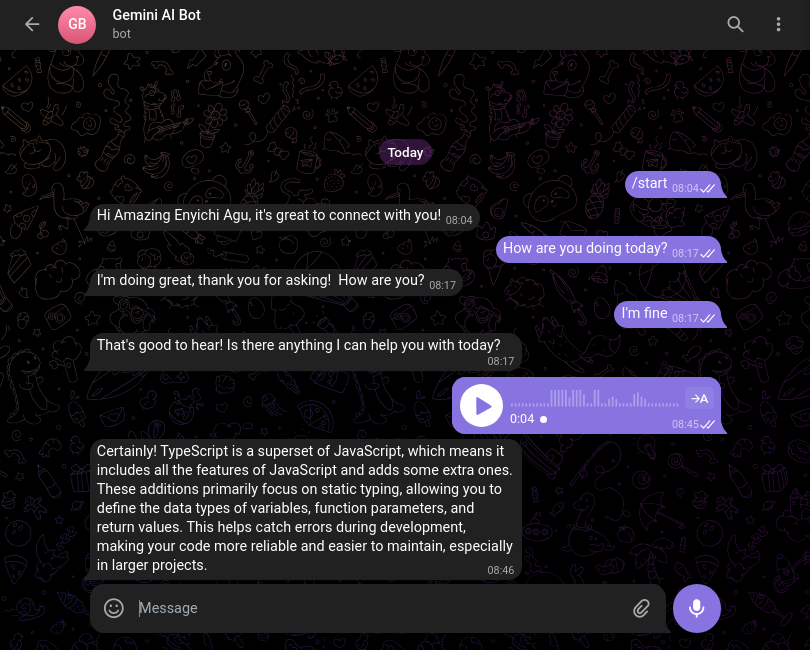
The Core Integration Logic
At its heart, the process is a straightforward sequence of events that you'll implement using the tools we've already learned:
- Capture User Input: Our grammY bot will use a message handler,
bot.on("message:text", ...), to capture any text message a user sends. - Formulate the Prompt: Inside this handler, we will extract the text from the user's message. This text will become the "prompt" for our AI.
- Call the Claude API: We will use the
claudeclient instance we created in the last lesson to call themessages.create()method. This sends the user's prompt to be processed by the specified Claude model. - Process the Response: The Claude API will return a structured response containing the AI-generated text. We will parse this response to get the content.
- Reply to the User: Finally, we will use grammY's
ctx.reply()to send the AI's answer back to the user in the Telegram chat.
Let's translate this flow into code.
Implementing the AI Handler
Open your main bot.ts file. We will add a new handler that brings together grammY's context object and the Anthropic SDK.
The fundamental method we need is claude.messages.create(). The official Anthropic SDK documentation provides the canonical example of its usage.
TypeScript SDK - Claude API Docs
This is the official SDK documentation we reviewed last time. We'll now focus on the core "Usage" example, which is the foundation of our integration.
In the documentation, focus on the Usage section. Pay close attention to the structure of the object passed to client.messages.create(). Note the model, max_tokens, and especially the messages array.
As you can see from the documentation, the API call requires a few key parameters:
model: Specifies which Claude model to use. We'll use a powerful and recent model,"claude-3-5-sonnet-20240620", which offers a great balance of performance and cost.max_tokens: This limits the length of the generated response. A value like1024is a safe starting point.messages: This is an array of message objects. For a single-turn conversation, it will contain just one object representing the user's prompt:{ role: "user", content: "..." }.
Now, let's build this into a grammY handler.
Putting It All Together in Code
We'll add a bot.on("message:text") handler to your bot.ts. This handler will be asynchronous (async) because it needs to await the response from the Claude API.
// src/bot.ts

import { Bot, GrammyError, HttpError } from "grammy";
import { claude } from "./services/claude";

const bot = new Bot(process.env.TELEGRAM_BOT_TOKEN!);

// A simple start command for user guidance
bot.command("start", (ctx) =>
  ctx.reply("Hello! I'm an AI assistant powered by Claude. Send me any message, and I'll do my best to answer.")
);

// The core handler for all text messages
bot.on("message:text", async (ctx) => {
  try {
    // 1. Let the user know the bot is working.
    // This sends the "typing..." status in the chat.
    await ctx.replyWithChatAction("typing");

    const userPrompt = ctx.message.text;

    // 2. Call the Claude API with the user's message.
    const response = await claude.messages.create({
      model: "claude-3-5-sonnet-20240620",
      max_tokens: 1024,
      messages: [{ role: "user", content: userPrompt }],
    });

    // 3. Extract the response text.
    // The API returns content in an array of blocks. For a simple text response,
    // we take the text from the first block.
    const claudeReply = response.content[0].text;

    // 4. Send the response back to the user.
    await ctx.reply(claudeReply);

  } catch (error) {
    console.error("Error calling Claude API:", error);
    await ctx.reply("I'm sorry, but I encountered an error while processing your request. Please try again later.");
  }
});

// Basic error handling for the bot itself
bot.catch((err) => {
  const ctx = err.ctx;
  console.error(`Error while handling update ${ctx.update.update_id}:`);
  const e = err.error;
  if (e instanceof GrammyError) {
    console.error("Error in request:", e.description);
  } else if (e instanceof HttpError) {
    console.error("Could not contact Telegram:", e);
  } else {
    console.error("Unknown error:", e);
  }
});

// Start the bot
bot.start();
console.log("Bot started...");
Let's break down the key parts of this new handler:
- User Feedback:
ctx.replyWithChatAction("typing")is a small but important UX enhancement. API calls to LLMs can take several seconds. This action informs the user that their request is being processed and the bot hasn't stalled. - API Call: The
claude.messages.create({...})call is the heart of the operation. We pass the user's text directly into thecontentfield of the message object. - Response Parsing: The API's response is slightly more complex than just a string. It returns a
contentproperty which is an array of "blocks". For our text-based interaction, the response will be in the first block (response.content[0]) as an object with atextproperty. - Robust Error Handling: The
try...catchblock is essential. As you learned in Module 8, any external API call can fail. If the Claude API is down, returns an error (e.g., due to content filtering), or times out, this block will catch the error, log it for your debugging, and send a graceful failure message to the user.
You can see a similar flow in action in the following video. While it uses Deno and Supabase, the core pattern of initializing a client, creating a message, and logging the response is identical.
Build with Claude as a JavaScript developer - Anthropic API
This video clip demonstrates the core API call to Claude.
Watch from message creation to see how the prompt is packaged and sent, and then from the response to see the structure of the data that comes back from the API.
With this code in place, run your bot using bun start. Send it a message, and after a short delay, you should receive a response generated by Claude!
Conclusion
You have now successfully built a functional AI assistant! You've bridged the grammY framework with the Anthropic SDK, creating a bot that can understand and respond to user prompts with intelligent, AI-generated content.
Key Takeaways:
- The
bot.on("message:text")handler is the entry point for capturing general user input for the AI. - The
claude.messages.create()method is the core function for sending prompts to the Claude API. - The
messagesarray, with itsroleandcontentproperties, is the standard format for structuring prompts. - Providing user feedback like a "typing" indicator is crucial for a good user experience with potentially slow API calls.
- Wrapping API calls in
try...catchblocks is non-negotiable for building a robust bot that can handle external service failures gracefully.
Our bot is now quite capable, but it has one major limitation: it's stateless. Every message is treated as a new, independent conversation. The bot has no memory of what was said before. In the next lesson, we will solve this by introducing the grammY session plugin, enabling us to build a true conversational agent that can handle multi-turn interactions.
Can't find a good explanation? Sign up and we'll make it for you
Sign up