
Welcome back. In the previous lesson, you learned to localize a boot failure by identifying the last boot stage that demonstrably succeeded. Once the kernel reports that it mounted the root filesystem, a different class of investigation begins: the filesystem may exist and be mountable, yet still be incomplete, contaminated by the development host, non-reproducible, or impossible to maintain safely.
This lesson examines the characteristic failure modes of a manually assembled root filesystem. By the end, you should be able to distinguish four categories of evidence:
- Host contamination: target files accidentally inherit host binaries, paths, ownership, or build assumptions.
- Missing runtime dependencies: a program is present but cannot execute because its loader, libraries, interpreter, configuration, or helper files are absent.
- Timestamp variance: two “identical” builds produce different artifacts because metadata or inputs vary.
- Maintenance failure: the assembly process depends on undocumented manual knowledge, stale files, or an unrecorded dependency graph.
These are precisely the problems that Buildroot, and later Yocto, are designed to control—but understanding them manually makes automated-build failures much easier to diagnose.
A root filesystem is a release artifact, not merely a directory
A target root filesystem is the initial persistent view of userspace: binaries, libraries, configuration, device-related directories, service definitions, and data required for the system to start. In a small BusyBox-based system, that may look deceptively simple. A few directories and one BusyBox executable can boot to a shell. In an automotive or industrial gateway, however, the root filesystem eventually carries the gateway service, CAN and Ethernet tooling, TLS libraries, certificates, systemd units, diagnostic utilities, and update-client components. It must be treated as a controlled product artifact.
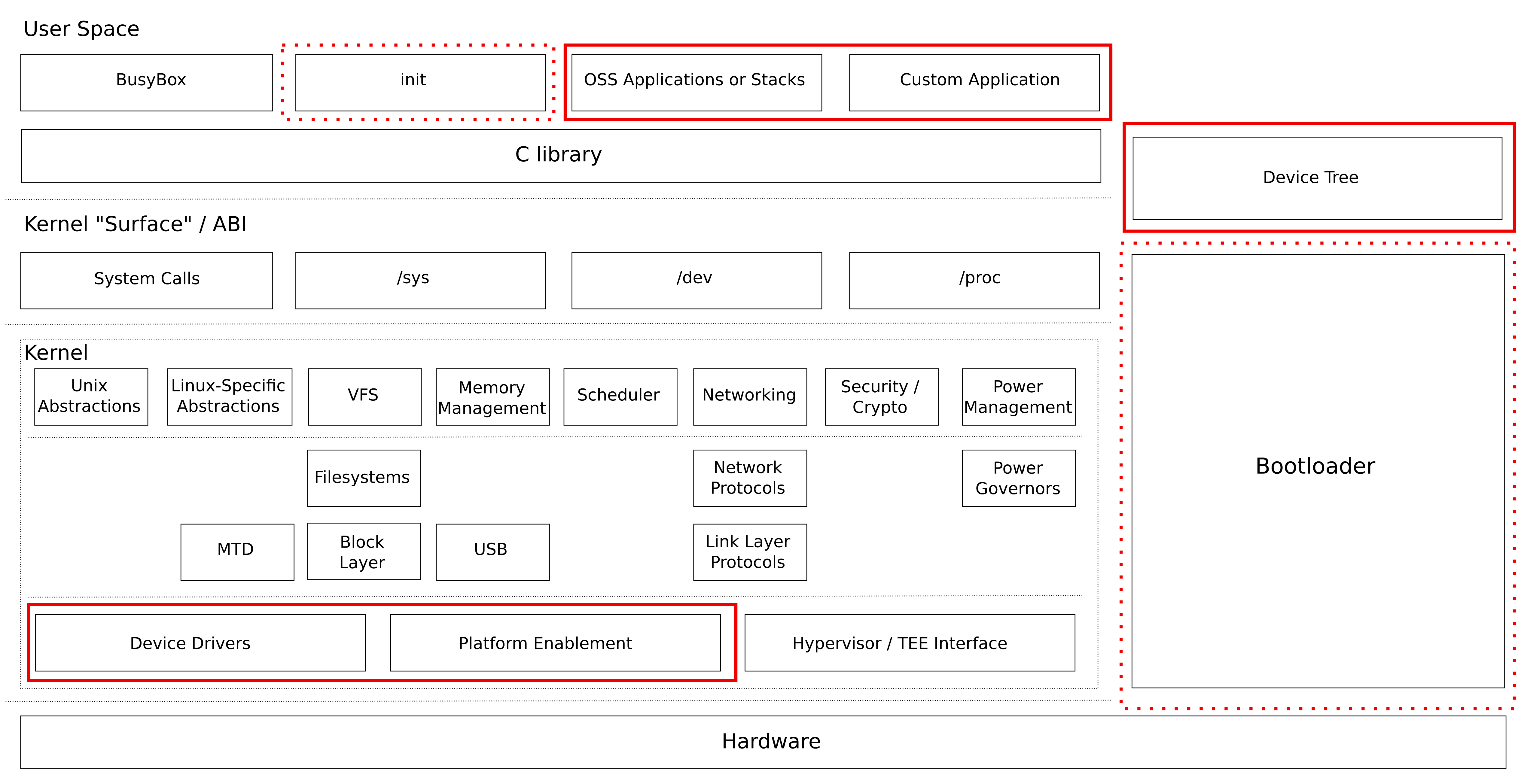
A manual workflow often has three distinct locations that can be confused:
| Location | Purpose | Typical contents | Must not be confused with |
|---|---|---|---|
| Host filesystem | Your Ubuntu workstation | Native tools, source trees, downloads, build utilities | The target filesystem |
| Staging sysroot | Development-time target SDK area | Target headers, unstripped libraries, .pc files, static libraries, documentation | A deployable root filesystem |
| Target rootfs directory | The filesystem that will be deployed | Runtime executables, required shared libraries, runtime configuration, service files | A host installation prefix |
Two paths are especially important during manual installation:
./configure --host=aarch64-linux-gnu --prefix=/usr
make DESTDIR="$ROOTFS" install
Here, --prefix=/usr means: “when this program runs on the target, its files conceptually live under /usr.” It does not mean /usr on your Ubuntu workstation.
DESTDIR="$ROOTFS" means: “during assembly, place those target-path files under this host-side directory.” If ROOTFS=/work/gateway/rootfs, the installed target program may physically be created at:
/work/gateway/rootfs/usr/bin/gateway-agent
but, after boot, the target sees it as:
/usr/bin/gateway-agent
If you omit the destination control and run an install step with elevated privileges, the result can be much worse than a broken target image: an ARM64 binary, a target library, or a target configuration file may be written into your Ubuntu host’s /usr/local.
Embedded Linux from Scratch in 45 minutes, on RISC-V
Watch Bootlin’s Embedded Linux from Scratch in 45 minutes, on RISC-V. Although the target in this demonstration is RISC-V rather than AM62x ARM64, it clearly shows why manual filesystem assembly is fragile: omitted directories, absent virtual filesystems, and incorrect startup-script properties all become boot-time failures.
Watch manual rootfs assembly. Focus on the initially missing /dev directory, the later addition of /proc and /sys mount points, and the requirement that the startup script have both a valid shebang and executable permissions. Treat each manual edit as an undeclared input that an automated build system must later model explicitly.
A filesystem that “boots on my board” is therefore not necessarily a valid release. The stronger question is:
Can another engineer rebuild the same target filesystem from recorded inputs, inspect its contents, and explain why every runtime file is present?
Host contamination: when the target accidentally depends on the workstation
Host contamination means some aspect of the target output was unintentionally influenced by the development host. The result may boot on one engineer’s setup and fail elsewhere, or may carry misleading and unsafe metadata into production.
There are several distinct forms.
Wrong architecture in the target filesystem
The most obvious error is copying a host-native executable into an ARM64 target rootfs. It can happen when a build system silently uses gcc instead of the cross-compiler, or when an installation step copies a host utility rather than its cross-compiled counterpart.
On the AM62x target, a program intended to execute in Linux userspace must normally be an AArch64 ELF executable. An x86-64 host executable will be present on the filesystem but cannot run on the board.
Inspect executables rather than trusting filenames:
find "$ROOTFS"/bin "$ROOTFS"/sbin "$ROOTFS"/usr/bin "$ROOTFS"/usr/sbin \
    -type f -exec file {} \;
Interpret the output carefully:
- An intended native target executable should report an AArch64 ELF type.
- A shell script is valid if its interpreter exists in the target rootfs.
- Configuration and data files are not executable ELF files.
- An x86-64 ELF file inside
/usr/binis almost certainly contamination for an AM62x Linux image.
Do not make the opposite mistake: a firmware blob for an R5 core, DSP, or external peripheral may not be an AArch64 Linux executable at all. Its placement and packaging should make its purpose explicit, so that an architecture check can distinguish firmware data from userspace code.
Host paths embedded in target files
A target binary or configuration file may include an absolute path from the build machine:
/home/alex/gateway-work/build/staging/usr/lib
That path has no meaning on the deployed target. It can enter through:
- An incorrectly configured
RPATHorRUNPATH. - A build system that embeds its build directory in generated configuration.
- Unrelocated SDK or toolchain paths.
- Debug information, if that is intentionally retained.
- A configuration prefix mistakenly set to a host directory.
For dynamically linked ELF binaries, inspect the dynamic section:
${CROSS_COMPILE}readelf -dW "$ROOTFS/usr/bin/gateway-agent" \
    | grep -E 'NEEDED|RPATH|RUNPATH'
A useful first scan for obvious leaks is:
grep -R -a -n -F "$HOME" "$ROOTFS" 2>/dev/null
This is not exhaustive: stripped binaries, compressed files, and encoded data may hide strings. But it is a quick way to find blatant path leakage.
A build path is not always a runtime defect. For example, source-level debug information may contain host paths during development. It is still a release concern because it can disclose internal directory structure and prevents bit-for-bit reproducibility when the build directory differs.
Host ownership and group IDs
Linux filesystems store numeric owner and group IDs. If a rootfs is assembled with careless archive extraction or cp -a, ordinary host identities can be preserved in the image.
For example, a host account may have UID and GID 1000. If files in the target image retain 1000:1000, their meaning depends on the target’s /etc/passwd and /etc/group. On one image, that might map to an unprivileged service account; on another, it might map to a different account entirely. The image’s access-control meaning has become dependent on the build workstation.
Check for files owned by the current host account:
find "$ROOTFS" -xdev \
    \( -uid "$(id -u)" -o -gid "$(id -g)" \) \
    -printf '%U:%G %m %p\n'
The output is an investigation lead, not an automatic verdict. A target may deliberately define a service account with the same numeric UID. The key question is whether the ownership was declared as target policy or merely inherited from the host.
For a production gateway, ownership should be designed in target terms:
- Root-owned executable and library files are normally
0:0. - A service-owned state directory should use a fixed, documented target UID and GID.
- Credentials should have deliberately restrictive modes and ownership.
- Runtime-writeable directories should not accidentally be owned by the developer who assembled the image.
11 QA Error and Warning Messages
Read the Yocto Project Reference Manual’s explanation of the checks that later automate detection of build-path leakage. The goal here is not to learn Yocto configuration yet, but to see why an automated system treats host paths in target output as a release-quality failure.
In Section 11.2.4, buildpaths, read the build-path check. Notice its two concerns: a host path leaks details of the build environment into the device, and the output changes when the build directory changes. These are the same defects you must search for manually before relying on automated QA.
Host-installed build inputs selected by accident
A more subtle failure occurs before files even enter the rootfs. A package’s configure step may find host headers or host libraries because its sysroot, compiler flags, or pkg-config configuration are wrong. The build can appear successful, but it was tested against the wrong API or ABI.
Typical warning signs include:
configurereports/usr/includeor/usr/libpaths from the workstation.- The build invokes
gccrather than an AArch64 cross-compiler. - A cross-compiled library works only when a host-specific feature was enabled.
- A target binary contains a host search path in
RUNPATH. - A binary is built for the correct architecture but linked against an unexpected C library ABI.
A clean build directory, an explicit cross-toolchain, and a target-specific sysroot reduce this risk. The important diagnostic habit is to inspect the actual compiler and linker command lines, not merely the command you intended to run.
Missing runtime dependencies: “not found” often does not mean the file is absent
Suppose the target filesystem contains:
/usr/bin/gateway-agent
and the target shell says:
/bin/sh: gateway-agent: not found
It is tempting to inspect the path, see the executable, and conclude that the shell is wrong. Usually, the message is reporting a deeper failure: the kernel could locate the program file but could not locate something required to start it.
For a dynamically linked ELF program, execution has several contracts:
- The ELF file must match the target architecture.
- Its executable mode bit must permit execution.
- The ELF program interpreter must exist at the exact recorded path.
- The dynamic loader must find each library identified by a
NEEDEDentry. - Each library’s expected SONAME must resolve to a real compatible library.
- Required runtime data such as certificates, plugins, configuration files, helper binaries, or device nodes must be present.
The ELF interpreter is normally the dynamic loader. For a glibc-based 64-bit ARM image, it is commonly a path such as:
/lib/ld-linux-aarch64.so.1
The exact path is defined by the chosen toolchain and C library. It must not be guessed or substituted casually.
Inspect it directly:
${CROSS_COMPILE}readelf -lW "$ROOTFS/usr/bin/gateway-agent" \
    | grep 'Requesting program interpreter'
Then inspect shared-library requirements:
${CROSS_COMPILE}readelf -dW "$ROOTFS/usr/bin/gateway-agent" \
    | grep 'NEEDED'
An illustrative result might be:
Requesting program interpreter: /lib/ld-linux-aarch64.so.1
Shared library: [libssl.so.3]
Shared library: [libcrypto.so.3]
Shared library: [libc.so.6]
The rootfs must contain the named dynamic loader and the runtime library names expected by the executable. A common manual-copy mistake is to copy only the real library file, for example:
libgatewayproto.so.2.4.1
but omit the runtime SONAME symlink:
libgatewayproto.so.2
The application requests the SONAME, not necessarily the full implementation filename.
The runtime link relationship is conceptually:
The unversioned development link, such as libgatewayproto.so, is normally needed in the staging sysroot for compilation. The versioned SONAME link, such as libgatewayproto.so.2, is needed in the target rootfs for runtime loading. Copying every file avoids the immediate failure but bloats the image and hides which artifacts are truly required.
[PDF] embedded-linux-qemu-labs.pdf - Bootlin
Read the relevant parts of Bootlin’s hands-on lab guide. It provides two useful manual-rootfs failures: startup configuration that reaches a shell without a proper terminal, and an ELF executable whose misleading “not found” error is actually caused by an absent dynamic loader.
In “Root filesystem with BusyBox” and “Starting the shell in a proper terminal” on pp. 18–19, read the init and terminal setup. Focus on how an otherwise booted system remains operationally incomplete when inittab, the startup script, or the expected terminal device is wrong. Then, in “Switching to shared libraries” on p. 20, read the dynamic-loader diagnosis. The example uses 32-bit ARM and musl, not AM62x ARM64 and necessarily not glibc, but the diagnostic principle is architecture-independent: inspect the ELF interpreter before assuming that the executable file is absent.
Not every runtime dependency is an ELF library. The following are frequently missed in manual images:
| Dependency type | Example failure | Practical check |
|---|---|---|
| Dynamic loader | Existing executable reports “not found” | Inspect PT_INTERP using readelf -lW |
| Shared object and SONAME link | Loader reports missing libfoo.so.N | Inspect NEEDED; verify the matching library and symlink |
| Script interpreter | A script with #!/bin/sh cannot start | Verify /bin/sh exists and is executable |
| Script formatting | Script fails despite /bin/sh existing | Check for CRLF line endings and a valid first-line shebang |
| File mode | Permission denied when executing a startup script | Inspect with stat or ls -l |
| Runtime configuration | Daemon starts, then exits due to a missing config | Inspect service arguments, default configuration paths, and logs |
| Plugins or helper programs | Application starts but a feature is absent | Inspect documented plugin paths and subordinate executable calls |
| Users, groups, directories | Daemon cannot create a socket or state database | Verify target account, ownership, modes, and parent directories |
| Kernel-facing files | Program cannot access CAN, serial, or GPIO endpoints | Verify relevant /dev, /sys, and kernel support separately |
Avoid using your Ubuntu host’s ldd command on a foreign-architecture executable as the primary diagnostic method. Depending on the implementation, it may refuse the binary, interpret it incorrectly, or tempt you to resolve dependencies using host libraries. For a cross-built program, use the cross-toolchain’s readelf to inspect declared requirements, then test on the real target or an architecture-correct emulator.
Timestamp variance: identical source does not guarantee identical images
Two root filesystem trees can contain the same filenames and file contents yet still differ as filesystem images or archives. The difference is often metadata: modification time, ownership, group, mode, file ordering, extended attributes, or filesystem UUIDs.
A timestamp is not cosmetic. It can influence:
- Archive contents and archive hashes.
- Filesystem-image layout and hashes.
- Incremental build decisions based on modification time.
- Generated version strings or build banners.
- Package indexes and manifests.
- Debugging evidence when a release date is inferred from file metadata.
Consider two manually created images. Both contain the same gateway-agent source revision. One engineer runs make install at 09:00; another runs it at 14:00 into a fresh directory. If installation uses the current time or if files were copied without controlled timestamp handling, the resulting images may differ even though the executable bytes are identical.
A useful comparison separates content from metadata.
(
    cd "$ROOTFS" &&
    find . -xdev -type f -print0 |
        sort -z |
        xargs -0 sha256sum
) > rootfs-content.sha256
This establishes whether regular-file contents differ. Then capture selected metadata:
(
    cd "$ROOTFS" &&
    find . -xdev -printf '%p\t%U:%G\t%m\t%T@\n' |
        LC_ALL=C sort
) > rootfs-metadata.txt
The metadata manifest records:
- Pathname
- Numeric UID and GID
- Permission mode
- Modification timestamp
If the content hashes match but the metadata manifests differ, you have identified variance without yet proving its cause. Common sources include:
- A build script inserting the current date or time.
- Downloading an unpinned “latest” source archive.
- Unrecorded patches applied locally.
- Copying files from different source checkouts with differing mtimes.
- Using
cp -aor archive extraction with uncontrolled ownership and timestamps. - A generated configuration file that records the host name, host path, or tool version.
- Leaving outputs from an older build in the target rootfs.
A reproducible build aims for a stronger property:
Given the same declared source revisions, configuration, toolchain, and build policy, independent builds should produce equivalent output artifacts.
The word declared matters. If a build depends on “whatever is installed under /usr/local,” “the current branch,” or “today’s timestamp,” then those are undeclared inputs. A manual rootfs may appear repeatable to the person who built it, while being irreproducible to everyone else.
At this stage, do not try to solve every source of variance with ad hoc touch commands. First make the variation visible, record it, and identify its origin. Later build systems provide systematic controls for source revisions, ordered packaging, normalized ownership, and deterministic image construction.
Maintenance failures: the dependency graph exists even when it is undocumented
Manual assembly often begins as a valuable learning exercise:
- Build BusyBox.
- Copy it into a rootfs directory.
- Add
inittaband a startup script. - Add a library and an application.
- Copy whichever shared libraries are missing at runtime.
- Repeat until the board boots.
This works as an exploratory method. It becomes a maintenance problem when the list of implicit steps grows faster than the team’s ability to remember them.
Imagine that a gateway application requires libgatewayproto.so.2, OpenSSL, a JSON library, a configuration file, a systemd service, a dedicated account, and a persistent /var/lib/gateway directory. A manual release may succeed because one workstation happens to contain all the right built outputs. Six months later, a security update changes one library’s ABI or SONAME. The release process has no machine-readable declaration of:
- Which source revision produced each component.
- Which compiler and C library ABI were used.
- Which patches were applied.
- Which files were copied from staging to target.
- Which runtime libraries, plugins, certificates, and data files were required.
- Which stale files must be removed when a package is upgraded.
- Which target users, groups, permissions, and directories were intended.
- Which licenses and source obligations apply to shipped content.
The manual procedure has become a hidden build system, but without dependency tracking, QA checks, clean rebuild guarantees, or traceability.
Staging and target must remain separate
A staging sysroot is allowed to be large. It may contain headers, static libraries, unversioned development symlinks, pkg-config files, debug symbols, manual pages, and build metadata. These help compile software, but they are not normally needed on the deployed product.
A target rootfs should contain only runtime necessities. Mixing the two has predictable costs:
| Mistake | Short-term effect | Long-term consequence |
|---|---|---|
| Copying the entire staging tree to the target | Application starts quickly | Large image, development artifacts, accidental dependencies |
| Keeping stale target files between builds | An old feature may still appear to work | The release does not represent current sources or configuration |
| Installing directly onto the host | Build may appear successful | Host corruption and unclear deployment boundary |
| Copying libraries until errors disappear | Immediate boot progress | No recorded runtime dependency graph |
| Editing files directly on a board | Fast experiment | No reproducible release artifact |
| Reusing local source directories without revision records | Convenient iteration | Cannot recreate a known-good image or audit a security fix |
A minimal manual process can be made substantially safer with a short release manifest. For each rootfs build, record:
Product and board:
Rootfs source revision:
BusyBox revision and configuration hash:
Cross-toolchain identifier:
C library and ABI:
Kernel compatibility assumptions:
Exact installation commands:
Target package/file manifest:
Target users, groups, and permissions:
Runtime dependency list:
Image hash:
Known limitations:
This does not replace a formal build system. It establishes the discipline that formal build systems encode.
A practical manual-rootfs audit
Before declaring a manually assembled rootfs usable, perform this focused audit.
1. Inventory the filesystem
Create a file list with modes, ownership, timestamps, and hashes. Keep it with the build record. If the next image differs, compare manifests before changing code.
2. Check that executable artifacts are intentional
Use file on intended target executables. Confirm that ELF binaries are AArch64 for the AM62x Linux application cores, while explicitly documenting any non-Linux firmware blobs.
3. Inspect every dynamic executable’s runtime contract
For each non-static ELF application:
${CROSS_COMPILE}readelf -lW path/to/program
${CROSS_COMPILE}readelf -dW path/to/program
Verify its interpreter, NEEDED libraries, RPATH or RUNPATH, and the corresponding files inside the rootfs.
4. Inspect startup policy as deployed
Do not inspect only the source copy of /etc/inittab, a service file, or a startup script. Inspect the version actually placed in the image:
- Does the intended init system exist?
- Does the service reference the right executable path?
- Do scripts have executable mode bits?
- Does every script interpreter exist?
- Are required directories available before the service starts?
- Are writable directories owned by the intended target account?
5. Build twice from clean directories
Recreate the rootfs in two clean output locations. Compare content and metadata manifests. Any difference should be either explained and accepted or treated as a defect.
6. Remove stale-output ambiguity
A release build should begin from an empty target rootfs directory, not from last week’s image. If deleting the directory changes behavior, the prior workflow had an undeclared dependency on stale content.
The key takeaways are:
- A manually assembled rootfs is a product artifact containing executable code, library contracts, metadata, and system policy—not just copied files.
- Host contamination can appear as wrong-architecture binaries, embedded host paths, host ownership, or host-selected headers and libraries.
- A target program that says “not found” may be present; the missing item is often its ELF interpreter, a shared library SONAME, a script interpreter, or another runtime dependency.
- File timestamps, ownership, modes, and ordering can make two images differ even when source code appears unchanged.
- Manual assembly fails at scale because it creates an undocumented dependency graph, permits stale files, and relies on individual workstation state.
Next, you will use a supplied configuration and cached sources to build and boot a Buildroot image for QEMU. The important transition is conceptual as much as technical: the files and decisions you have just audited manually will become declared build metadata, tracked dependencies, and reproducible output artifacts.
Can't find a good explanation? Sign up and we'll make it for you
Sign up