
Welcome. This course is organized around a working agent loop for repairing and upstreaming an existing V1 DSA driver—not around abstract “AI coding” advice. You will first make the loop runnable and safe, then use later lessons only when a particular stage needs deeper work.
In this first lesson, you will configure the loop package for your repository and tools, run a strict preflight check before any agent edits, and learn how to route a failure to the right follow-up lesson. The aim is simple: when the agent stops, you should know why it stopped, what evidence to preserve, and exactly where to continue.
1. Treat the loop package as a control plane
The driver tree is the work product. The loop package is the control plane that tells an agent:
- which kernel worktree it may edit;
- where V1 patches, review threads, and manual excerpts live;
- which checks are required;
- whether hardware testing is enabled;
- when it must stop and ask a human.
This distinction matters. An agent can inspect and propose changes, but it must not silently decide that an ambiguous register description, a reviewer conflict, or a failed test is “probably fine.”
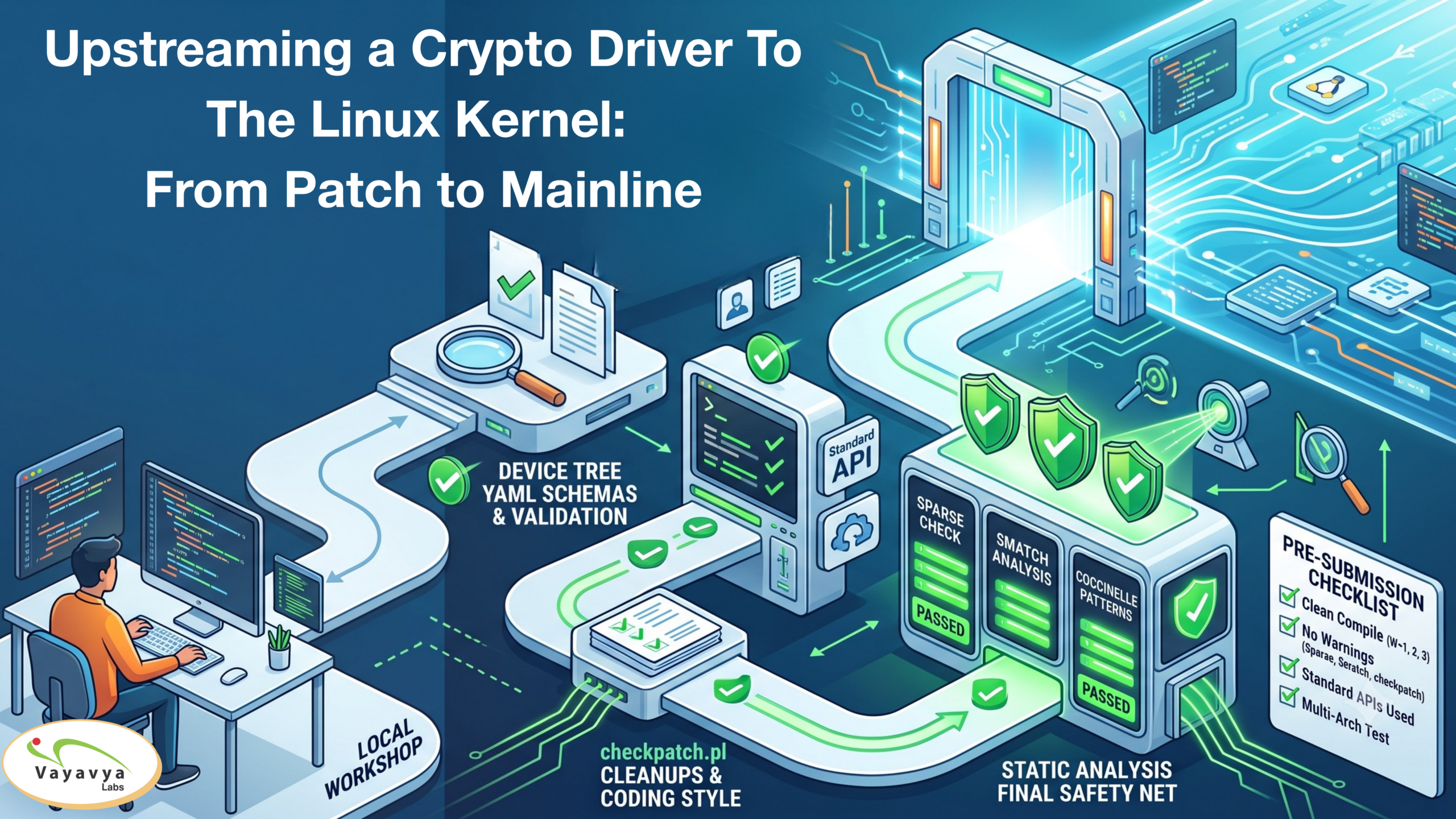
Your package should live outside the kernel worktree. This keeps loop state, logs, review evidence, and local paths separate from patch content.
A practical layout is:
dsa-agent-loop/
├── .loop/
│   ├── local.env                 # local machine paths; ignored by Git
│   ├── local.env.example         # committed template
│   └── approval/                 # human-created edit authorization
├── docs/
│   ├── agent-contract.md         # tool-neutral rules for the agent
│   └── stage-map.md              # failure stage to course lesson map
├── input/
│   ├── v1-series/
│   ├── review-threads/
│   └── hardware-manual/
├── logs/
├── output/
├── scripts/
│   └── preflight.sh
├── CLAUDE.md                     # Claude Code adapter, if used
├── AGENTS.md                     # Cursor-friendly adapter, if used
└── .cursor/rules/
    └── 00-dsa-loop.mdc           # Cursor adapter, if used
The names can differ in an existing ready-made package. Preserve the roles: one local configuration file, one canonical agent contract, one preflight entry point, one durable log directory, and one stage map.
2. Set paths deliberately, not in prompts
Open the package’s local configuration template, copy it to .loop/local.env, and ensure that .loop/local.env is ignored by Git. This file contains machine-specific absolute paths, so it should not be committed.
Use a configuration shape like this, replacing every placeholder with a real value:
# .loop/local.env
# Local only. Do not commit.

LOOP_ROOT="$HOME/src/dsa-agent-loop"

# A disposable Git worktree created for agent-assisted repair.
AGENT_EDIT_TREE="$HOME/src/linux-dsa-v2"
WORK_BRANCH="ai/dsa-v2"
TARGET_BASE_REF="v6.12"

# Immutable or input-only material.
V1_SERIES_DIR="$LOOP_ROOT/input/v1-series"
REVIEW_ARCHIVE_DIR="$LOOP_ROOT/input/review-threads"
HARDWARE_MANUAL_DIR="$LOOP_ROOT/input/hardware-manual"

# Evidence and generated outputs.
LOG_DIR="$LOOP_ROOT/logs"
PATCH_OUTPUT_DIR="$LOOP_ROOT/output"

# Select exactly one primary interface for this run.
AGENT_BACKEND="cursor"       # cursor | claude-code

# Required before the review stage. Use the executable name or full path.
SASHIKO_BIN="sashiko"

# Hardware testing is opt-in. Keep disabled until a human enables it.
HARDWARE_TESTS_ENABLED="0"
A few configuration choices are non-negotiable:
| Setting | Correct meaning | Unsafe interpretation |
|---|---|---|
AGENT_EDIT_TREE | A dedicated, disposable worktree for this repair effort | Your everyday kernel clone or a branch containing unrelated work |
TARGET_BASE_REF | The kernel base against which the next revision will be built and reviewed | A vague kernel release family with no resolvable commit or tag |
V1_SERIES_DIR | Original patches, kept unchanged | A directory the agent may rewrite to “clean up” history |
REVIEW_ARCHIVE_DIR | Saved source material for reviewer comments | A paraphrased task list with the original messages discarded |
HARDWARE_MANUAL_DIR | Source material for evidence extraction | Permission to infer unspecified hardware behavior |
HARDWARE_TESTS_ENABLED | An explicit human decision | A hint that the agent may touch lab equipment |
Before proceeding, create the dedicated worktree yourself. The exact command depends on your repository and target base, but the essential result is a separate Git worktree on ai/dsa-v2, initially clean. Do not give an agent permission to create, delete, reset, rebase, or force-push worktrees during this initial setup.
Create a human authorization file outside the kernel tree:
mkdir -p "$HOME/src/dsa-agent-loop/.loop/approval"
printf '%s\n' 'ai/dsa-v2' \
  > "$HOME/src/dsa-agent-loop/.loop/approval/allow-agent-edits"
chmod 600 "$HOME/src/dsa-agent-loop/.loop/approval/allow-agent-edits"
The authorization file is a deliberate friction point. Its presence means: a human has checked the target tree and branch and permits agent edits there. Your agent contract must state that an agent may read this file but may never create or alter it.
3. Add one canonical contract, then a thin tool adapter
Put the durable workflow rules in docs/agent-contract.md. Do not copy the entire contract into prompts repeatedly; persistent project instructions are more reliable and easier to review.
Start with this concise contract:
# DSA Upstreaming Agent Contract

## Scope
- Work only in the configured AGENT_EDIT_TREE.
- Treat V1 patches, review archives, and manual material as input evidence.
- Do not edit generated files, baseline input archives, or the human approval file.

## Evidence rule
- Do not infer hardware behavior from V1 behavior or from another driver.
- For every hardware-dependent decision, cite a manual location or record an open question.
- Preserve original reviewer wording and patch-version context.

## Stop rules
- Stop on a failed preflight check.
- Stop when the manual is unclear, incomplete, or contradictory.
- Stop when reviewer requests conflict and evidence does not resolve the conflict.
- Stop before destructive Git actions, network submission, privilege escalation, or lab actions.
- Run hardware tests only when HARDWARE_TESTS_ENABLED is 1.

## Check rule
- Any code change must later pass the required build, kernel, Device Tree,
  and Sashiko review gates before it can be considered ready.
- Save commands, exit codes, and logs. Report failures without guessing a fix.

## Reporting rule
- State the current stage, changed files, evidence used, checks run,
  unresolved questions, and the next required human decision.
This is intentionally a policy document, not a long style guide. It gives the agent hard boundaries and tells it what to do when its evidence is insufficient.
If using Cursor
Cursor’s project rules are version-controlled .mdc files under .cursor/rules; the rule’s frontmatter determines whether it applies automatically. Read the relevant part of the Cursor documentation before creating the adapter.
Read Cursor’s explanation of project rules and rule triggering so the loop contract is present consistently without embedding it in every prompt.
In the “How rules work” and “Project rules” sections, read the project-rule rationale. Then read “Rule anatomy” to understand alwaysApply, description, and globs. Finish with “Best practices”: keep this loop rule focused, actionable, and small rather than turning it into a duplicate kernel style guide.
Create .cursor/rules/00-dsa-loop.mdc:
---
alwaysApply: true
---

Read and obey `docs/agent-contract.md` before proposing or making changes.

At the start of a task:
1. Read `.loop/local.env`.
2. State the current loop stage.
3. Run the documented preflight or stage check before editing.

Never create or modify `.loop/approval/allow-agent-edits`.
Never proceed after a stop condition. Report the failed stage and the
corresponding entry in `docs/stage-map.md`.
Use alwaysApply: true only for this small safety-critical entry rule. Put detailed, stage-specific guidance in separate rules later, when this course introduces those stages.
If using Claude Code
Claude Code distinguishes user, shared-project, project-local, and managed settings. For this workflow, keep the reusable contract in the repository and use local settings only for personal choices or local permission decisions.
Claude Code settings - Claude Code Docs
Read the official settings guidance to choose the right scope and to verify that Claude Code loaded the configuration you intended.
In “Settings files and who they affect,” use the scope explanation to distinguish shared project settings from personal local settings. In “Edit a settings file,” read the JSON warning: comments and trailing commas make a settings file invalid. In “Confirm what loaded,” read the status check. Finally, in “Settings precedence,” read the precedence rule so you can diagnose a setting that appears to be ignored.
Create a repository-level CLAUDE.md:
Read and obey `docs/agent-contract.md`.

For every task, first read `.loop/local.env`, state the current loop stage,
and run the relevant documented check before editing.

Never create or change `.loop/approval/allow-agent-edits`.
If a stop condition occurs, preserve the evidence and report the matching
entry in `docs/stage-map.md`.
If you use .claude/settings.local.json, keep it local and use it only for narrow personal preferences or explicitly reviewed permissions. Do not grant broad standing permission for arbitrary shell commands just to make the loop feel faster. After starting Claude Code, run /status and confirm that the expected project and local settings sources were loaded. If a setting is unexpectedly absent, run claude doctor before changing workflow files.
4. Run a preflight that fails closed
Preflight is not a build. It answers a narrower question:
Is this a known, authorized environment in which an agent may begin the loop?
A successful preflight does not prove the driver is correct. It proves that the agent has the right repository, branch, inputs, tools, and safety state to start collecting evidence.
Your package’s scripts/preflight.sh should verify at least the following:
- The local configuration file exists and has every required value.
- All configured paths are absolute and expected input directories exist.
AGENT_EDIT_TREEis a Git worktree.- The current branch equals
WORK_BRANCH. TARGET_BASE_REFresolves in that repository.- The worktree starts clean.
- The human authorization file exists and contains the configured branch name.
- Required tools such as
git,make,perl,python3, and Sashiko are available. - Hardware testing is disabled unless a human has explicitly configured it.
A minimal fail-closed script can look like this:
#!/usr/bin/env bash
set -u

config_file="${1:?usage: scripts/preflight.sh .loop/local.env}"

if [[ ! -r "$config_file" ]]; then
    echo "BLOCK: cannot read configuration: $config_file"
    exit 2
fi

# This is a trusted local configuration file created by the human.
# shellcheck disable=SC1090
source "$config_file"

failed=0

block() {
    printf 'BLOCK: %s\n' "$*"
    failed=1
}

require_var() {
    local name="$1"
    [[ -n "${!name:-}" ]] || block "missing required setting: $name"
}

require_dir() {
    local name="$1"
    local value="${!name:-}"
    [[ "$value" == /* ]] || block "$name must be an absolute path"
    [[ -d "$value" ]] || block "$name is not a directory: $value"
}

for name in LOOP_ROOT AGENT_EDIT_TREE V1_SERIES_DIR REVIEW_ARCHIVE_DIR \
            HARDWARE_MANUAL_DIR LOG_DIR PATCH_OUTPUT_DIR WORK_BRANCH \
            TARGET_BASE_REF AGENT_BACKEND SASHIKO_BIN; do
    require_var "$name"
done

for name in LOOP_ROOT AGENT_EDIT_TREE V1_SERIES_DIR REVIEW_ARCHIVE_DIR \
            HARDWARE_MANUAL_DIR LOG_DIR PATCH_OUTPUT_DIR; do
    require_dir "$name"
done

case "${AGENT_BACKEND:-}" in
    cursor|claude-code) ;;
    *) block "AGENT_BACKEND must be cursor or claude-code" ;;
esac

for tool in git make perl python3 "$SASHIKO_BIN"; do
    command -v "$tool" >/dev/null 2>&1 ||
        block "required tool not found on PATH: $tool"
done

if git -C "$AGENT_EDIT_TREE" rev-parse --is-inside-work-tree \
        >/dev/null 2>&1; then
    branch="$(git -C "$AGENT_EDIT_TREE" branch --show-current)"
    [[ "$branch" == "$WORK_BRANCH" ]] ||
        block "worktree branch is $branch, expected $WORK_BRANCH"

    git -C "$AGENT_EDIT_TREE" rev-parse --verify \
        "${TARGET_BASE_REF}^{commit}" >/dev/null 2>&1 ||
        block "TARGET_BASE_REF does not resolve: $TARGET_BASE_REF"

    [[ -z "$(git -C "$AGENT_EDIT_TREE" status --porcelain)" ]] ||
        block "agent worktree is not clean"

    approval="$LOOP_ROOT/.loop/approval/allow-agent-edits"
    [[ -r "$approval" ]] ||
        block "human edit authorization file is absent"

    [[ "$(cat "$approval" 2>/dev/null)" == "$WORK_BRANCH" ]] ||
        block "authorization file does not match WORK_BRANCH"
else
    block "AGENT_EDIT_TREE is not a usable Git worktree"
fi

mkdir -p "$LOG_DIR" "$PATCH_OUTPUT_DIR"

if [[ "$failed" -ne 0 ]]; then
    echo "PREFLIGHT RESULT: BLOCKED"
    exit 1
fi

echo "PREFLIGHT RESULT: PASS"
Make it executable, then run it manually before asking the agent to do anything else:
chmod +x scripts/preflight.sh

set -o pipefail
scripts/preflight.sh .loop/local.env 2>&1 \
  | tee "logs/preflight-$(date +%Y%m%d-%H%M%S).log"
test "${PIPESTATUS[0]}" -eq 0
Save the generated log even when the result is blocked. A blocked preflight is useful evidence: it tells you that the loop refused to operate under an unknown condition.
Interpret the result correctly
| Result | Meaning | Immediate action |
|---|---|---|
PREFLIGHT RESULT: PASS | The configured starting environment is authorized and internally consistent | Begin the full loop in the next lesson |
| Missing path or input | The loop cannot find required evidence | Correct the local configuration; do not ask the agent to improvise |
| Wrong branch or dirty worktree | The editing target is not the controlled starting point | Human inspects the tree and either preserves work elsewhere or recreates the worktree |
| Missing Sashiko | The future review gate cannot run | Install or configure Sashiko before calling the loop ready |
| Invalid agent backend | The package cannot select its adapter | Set cursor or claude-code explicitly |
| Authorization failure | The human has not approved that tree and branch | Stop; only a human may create or correct the approval file |
Do not “fix” a dirty worktree by telling an agent to reset it. Preserve or inspect existing changes first. At this point in the course, the safe response to an unexpected repository state is always a human decision.
5. Use the stage map instead of debugging by intuition
Save the following as docs/stage-map.md. It is deliberately short: its job is to route you to the correct lesson, not to replace the lesson.
| Loop stage or observed failure | Continue with |
|---|---|
| Local paths, tool choice, authorization, or preflight failure | Module 1, Lesson 1 — this lesson |
| Cannot recreate V1 on its original kernel base; baseline build results are missing | Module 2, Lesson 1 |
| Review messages are scattered, incomplete, or detached from their original context | Module 2, Lesson 2 |
| Comments repeat, conflict, or appear obsolete | Module 2, Lesson 3 |
| Manual facts are unclear, missing, incomplete, or contradictory | Module 3, Lesson 1 |
| Need analogous drivers, relevant kernel changes, or mailing-list evidence for one hardware trait | Module 3, Lesson 2 |
| Facts, V1 behavior, DSA rules, analogies, guesses, and open questions are getting mixed together | Module 3, Lesson 3 |
| DSA operation may violate call context, locking, sleep, return-value, or helper rules | Module 4, Lesson 1 |
| Setup, shutdown, error paths, MDIO, phylink, IRQ, or managed-resource lifetime looks unsafe | Module 4, Lesson 2 |
| Binding YAML, examples, driver property parsing, or compatibility requirements disagree | Module 4, Lesson 3 |
| Agent instructions, command runner, logs, retries, worktree isolation, or resume behavior are inadequate | Module 5, Lessons 1–4 |
| Sashiko cannot run, or a Sashiko finding lacks a resolution | Module 6, Lessons 1–2 |
| A human enabled hardware tests, or runtime behavior needs investigation | Module 7, Lesson 1 |
| Patch ordering, commit messages, reviewer replies, cover letter, or final submission evidence needs work | Module 8, Lessons 1–2 |
When a loop stage fails, follow this response pattern:
- Preserve the command, full output, exit code, current commit, and uncommitted diff.
- Classify the failure by stage, rather than by the first plausible explanation.
- Stop if the failure is an evidence gap, safety gate, or human decision.
- Open the mapped lesson and return to the loop only after the stage’s required evidence exists.
For example, a Device Tree validation error belongs to Module 4, Lesson 3 even if the agent suspects a driver-side parsing fix. A missing description of an interrupt bit belongs to Module 3, Lesson 1 even if another switch driver uses a similar interrupt controller. The map prevents a familiar-looking code pattern from being mistaken for proof.
6. Your first safe agent invocation
Once preflight passes, the first agent request should be constrained and observational:
Read docs/agent-contract.md, .loop/local.env, and docs/stage-map.md.
Run scripts/preflight.sh .loop/local.env and report the complete result.

If it passes, do not edit code yet. Inventory the V1 series and review archive:
list filenames, patch counts, reviewer-thread sources, and any missing inputs.
State the current loop stage and the next action required by the stage map.
This request verifies that the agent can read the package, respect the contract, and report its state without immediately modifying the driver. If it edits code before it has completed preflight and intake, treat that as a contract failure: stop, inspect the diff, and tighten the adapter or contract before continuing.
You now have a controlled starting point: local paths are explicit, the agent has persistent instructions, preflight protects the worktree, hardware remains off by default, and every failure has a destination in the course.
Next, you will run the actual full loop: intake V1 and review comments, gather evidence, repair code, run build and Device Tree gates, use Sashiko, optionally test hardware, and prepare a final patch output—while stopping whenever the evidence or authorization is insufficient.
Can't find a good explanation? Sign up and we'll make it for you
Sign up